1. Introducere
This manual provides detailed instructions for the installation, operation, and maintenance of your Tonton 3MP Ultra HD Wireless Security Camera System with 8-Channel NVR Recorder. This system is designed for reliable surveillance, offering high-definition video recording and remote access capabilities.
The Tonton NVR supports up to 16 channels and is compatible with 4K, 8MP, 5MP, 4MP, 3MP, 2MP, and 1080P IP cameras. It features H.265 & H.264 compression technology, VGA & HDMI output (up to 4K), and supports various recording modes including full-time, scheduled, and motion detection. Remote viewing is available via a free app on smartphones, as well as software or web browsers on Mac and PC.
2. Conținutul pachetului
Vă rugăm să verificați dacă toate articolele enumerate mai jos sunt incluse în pachetul dumneavoastră:
- 1 x Tonton 8-Channel NVR Recorder (1TB Hard Drive Pre-installed)
- 1 x mouse USB
- 1 x Power Supply for NVR
- 1 x Manual de utilizare (acest document)
Note: Security cameras are sold separately or as part of a complete kit. This NVR is designed to work with Tonton wireless IP cameras.
3. Configurare sistem
3.1 Conectarea inițială a NVR-ului
- Conectați NVR-ul: Plug the provided power supply into the NVR's DC12V port and then into a power outlet.
- Conectați afișajul: Connect a monitor to the NVR using either the HDMI or VGA port.
- Conectați mouse-ul: Conectați mouse-ul USB la unul dintre porturile USB ale NVR-ului.
- Network Connection (Optional for initial setup, required for remote viewing): Connect an Ethernet cable from the NVR's NET port to your router for internet access.

Figure 3.1: Rear panel of the NVR with connection ports.
3.2 Camera Pairing (Plug and Play)
The Tonton wireless security camera system is designed for true plug-and-play operation. Cameras automatically connect to the NVR's dedicated WiFi network.
- Pornirea camerelor: Connect each wireless camera to its respective power adapter and plug it into a power outlet.
- Conexiune automată: The cameras will automatically search for and connect to the NVR's internal WiFi network. Live video feeds should appear on your connected monitor within minutes.
- Wireless Repeater Function: Cameras can act as repeaters, extending the wireless range. They connect to the NVR's WiFi, not your home WiFi.

Figure 3.2: Wireless solution range and connectivity diagram.
3.3 Telecomandă ViewConfigurare
La view your camera feeds remotely, you need to connect the NVR to the internet and configure the mobile application or PC software.
- NVR Internet Connection: Ensure the NVR is connected to your router via an Ethernet cable.
- Descărcați aplicația: Download the free Tonton security app from your smartphone's app store (iOS or Android).
- Adăugați dispozitiv: Open the app, create an account, and follow the on-screen instructions to add your NVR. This typically involves scanning a QR code displayed on the NVR's monitor interface.
- PC/Mac Software: For desktop viewing, install the dedicated software from the Tonton support website-ul.
4. Instrucțiuni de utilizare
4.1 Moduri de înregistrare
The NVR comes with a pre-installed 1TB hard drive for automatic recording. You can configure the recording mode via the NVR's on-screen menu:
- Full-time Recording: Continuous recording 24/7.
- Schedule Time Recording: Setați ore specifice pentru înregistrare.
- Înregistrare detectare mișcare: Recording starts only when motion is detected.
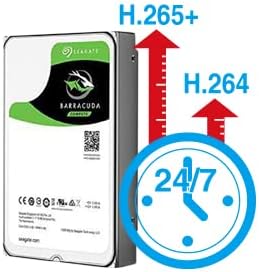
Figure 4.1: H.265+ compression for efficient storage.
4.2 Motion Detection and Email Alerts
The NVR supports motion detection and can send email alerts when motion is detected.
- Configure Motion Detection: Access the NVR's menu to define motion detection zones and sensitivity for each camera.
- Set Up Email Alerts: In the NVR's network settings, configure your email server details to enable email notifications. Any detected motion will trigger an email alert to your specified address.
4.3 Redare și copiere de rezervă
Poți review inregistrat footage directly from the NVR or remotely via the app/software.
- Redare locală: Use the NVR's interface to search for recordings by time or event.
- Redare de la distanță: Access recorded videos through the mobile app or PC software.
- Backup USB: Connect a USB flash drive to the NVR's USB port to back up important video files.
5. Întreținere
Întreținerea regulată asigură performanța optimă și durata de viață a sistemului dumneavoastră de securitate.
- Echipament curat: Periodically wipe the NVR and camera lenses with a soft, dry cloth. Avoid abrasive cleaners.
- Actualizări firmware: Check the Tonton official website for any available firmware updates for your NVR and cameras. Follow instructions carefully for updates.
- Gestionarea hard disk-ului: The 1TB HDD will overwrite older footage when full. Regularly back up critical recordings.
- Verificarea sursei de alimentare: Asigurați-vă că toate adaptoarele de alimentare sunt conectate corect și nu sunt deteriorate.
6. Depanare
Această secțiune abordează problemele frecvente pe care le-ați putea întâmpina.
- Fără afișare video:
- Verificați conexiunea de alimentare a NVR-ului.
- Verify monitor connection (HDMI/VGA) and input source.
- Asigurați-vă că camerele sunt pornite.
- Camerele nu se conectează:
- Ensure cameras are within range of the NVR's wireless signal.
- Check camera power.
- If using an extension antenna, ensure it is properly installed.

Figure 6.1: Wireless extension antenna setup.
- Telecomanda Viewing Not Working:
- Confirm NVR is connected to the internet via Ethernet.
- Verificați conexiunea la internet a routerului.
- Ensure the app/software is updated and the NVR is correctly added.
- Fără înregistrare:
- Verify the 1TB hard drive is detected and functioning.
- Check recording schedule and motion detection settings.
If issues persist, please contact Tonton technical support.
7. Specificații
| Marca | Tonton |
| Model | 8CH NVR Recorder (B082HC5GPC) |
| Tehnologia de conectivitate | HDMI, USB, VGA, Wireless |
| Rezoluție captură video | Supports up to 4K 8MP/5MP/4MP/3MP/2MP 1080p |
| Caracteristica specială | Fără fir |
| Numărul de canale | 8 (NVR supports up to 16 channels) |
| Capacitate de stocare a memoriei | 1TB HDD (pre-installed) |
| Culoare | Negru |
| Sursa de alimentare | Electric cu fir |
| Dispozitive compatibile | Cameras, Desktop, Smartphones, Tablets |
| Tehnologie cu lumină scăzută | Vedere de noapte |
| Total porturi USB | 2 |
| Intrare video | HDMI, USB, VGA |
| Producător | Tonton security |
| UPC | 740385275593 |
| ASIN | B082HC5GPC |
| Data primului disponibil | 8 decembrie 2019 |
8. Garanție și asistență
Your Tonton Security Camera System comes with a 1 ani garanție de la data cumpărării.
For technical assistance, troubleshooting, or warranty claims, please contact Tonton Technical Support. Refer to the contact information provided on the Tonton official website-ul sau documentația achiziției dumneavoastră.


