1. Introducere
This manual provides detailed instructions for the installation, operation, and maintenance of your SMONET 5MP 8CH PoE Home Security Camera System. This system is designed to provide reliable surveillance with high-definition video recording and remote monitoring capabilities.
The system includes an 8-channel Network Video Recorder (NVR) with a pre-installed 3TB Hard Disk Drive (HDD) and eight 5MP Power over Ethernet (PoE) IP cameras. The PoE technology simplifies installation by transmitting both power and data through a single Ethernet cable.

Imagine: Pesteview of the SMONET 5MP 8CH PoE Home Security Camera System, showing the NVR, eight 5MP cameras, and a smartphone displaying live view.
2. Conținutul pachetului
Vă rugăm să verificați dacă toate componentele sunt prezente în pachet:
- 1 x 8-Channel Network Video Recorder (NVR) with 3TB HDD pre-installed
- 8 x 5MP PoE IP Cameras
- 8 x 60ft cabluri Ethernet
- 1 x adaptor de alimentare pentru NVR
- 1 x mouse USB
- 1 x cablu HDMI
- 1 x Manual de utilizare (acest document)
- Șuruburi și dopuri de montare pentru camere
3. Configurare sistem
3.1 Conectarea NVR-ului
- Conectare alimentare: Plug the NVR power adapter into the NVR's DC 48V port and then into a power outlet.
- Conectați monitorul: Connect a monitor (TV or PC monitor) to the NVR using the provided HDMI cable or a VGA cable (not included).
- Conectați mouse-ul: Conectați mouse-ul USB la unul dintre porturile USB ale NVR-ului.
- Network Connection (Optional for Remote View): Pentru telecomandă viewing, connect the NVR's LAN port to your router using an Ethernet cable.
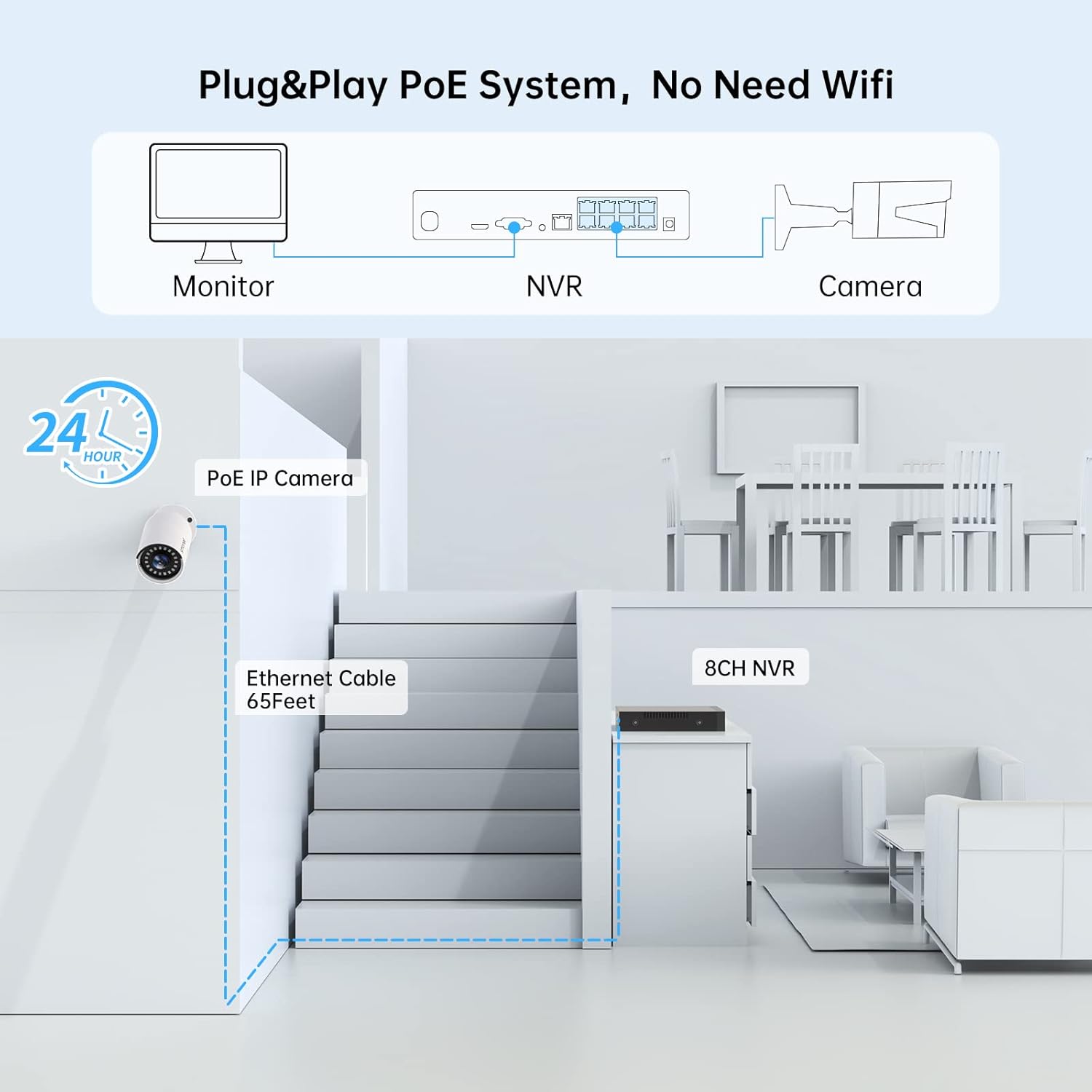
Image: Diagram illustrating the basic plug-and-play PoE system setup, showing the NVR connected to a monitor and a camera via Ethernet.
3.2 Instalarea camerei
- Selectați locația: Choose suitable locations for your cameras, considering coverage area and proximity to the NVR. The cameras are IP66 weatherproof for both indoor and outdoor use.
- Montarea camerelor: Use the provided screws and plugs to securely mount each camera. Ensure the camera is positioned to capture the desired view.
- Conectați camerele: Connect each PoE IP camera to an available PoE port on the NVR using the provided Ethernet cables. The NVR will automatically power the cameras and establish a video connection.
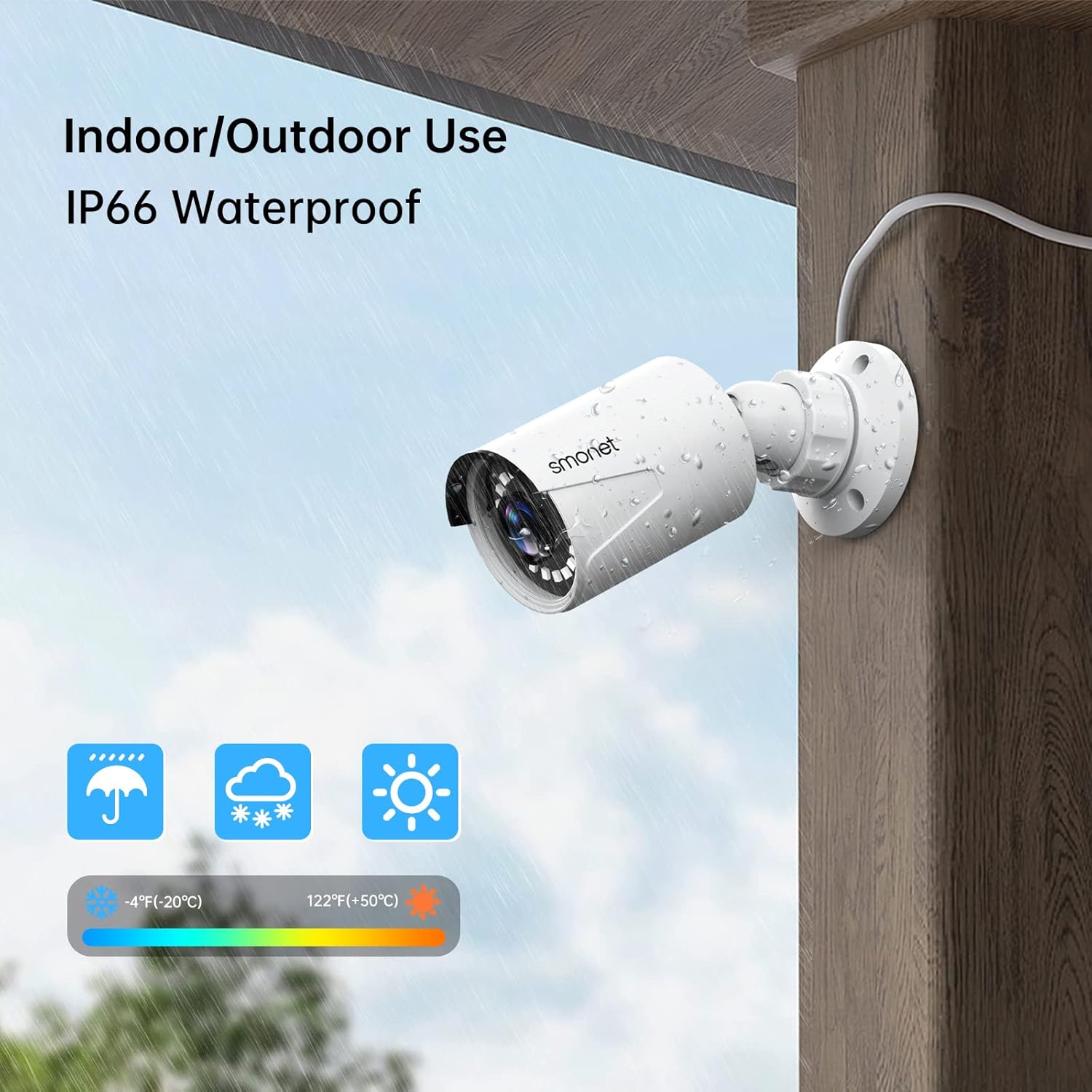
Image: A SMONET camera mounted on an outdoor wall, demonstrating its IP66 weatherproof rating and suitability for various environmental conditions.

Imagine: Detaliată view of the NVR's rear panel showing PoE ports, LAN, audio out, VGA, HDMI, and USB ports, along with a camera diagram.
4. Operarea sistemului
4.1 În direct View și Înregistrare
Once connected, the NVR will display live video feeds from all connected cameras on the monitor. The system is configured for 24/7 continuous recording to the pre-installed 3TB HDD.
- Video Super HD de 5MP: Cameras provide 2560x1920 resolution for clear images.
- Vedere de noapte: Integrated infrared LEDs enable clear night vision up to 100ft.
- Înregistrare audio: Built-in microphones allow for audio recording alongside video.

Image: Comparison of colorful daytime video and clear night vision, highlighting the built-in microphone for audio recording.
4.2 Monitorizare de la distanță
Access your security system remotely using the free mobile application or PC software.
- Descărcați aplicația: Caută "Eseecloud" on the App Store (iOS) or Google Play Store (Android) and install it.
- Connect NVR to Internet: Ensure your NVR is connected to your home router via an Ethernet cable.
- Adăugați dispozitiv: Open the app, register an account, and add your NVR by scanning the QR code or manually entering the device ID.
- Software pentru PC: Contact SMONET support for information on downloading and installing the PC client software.
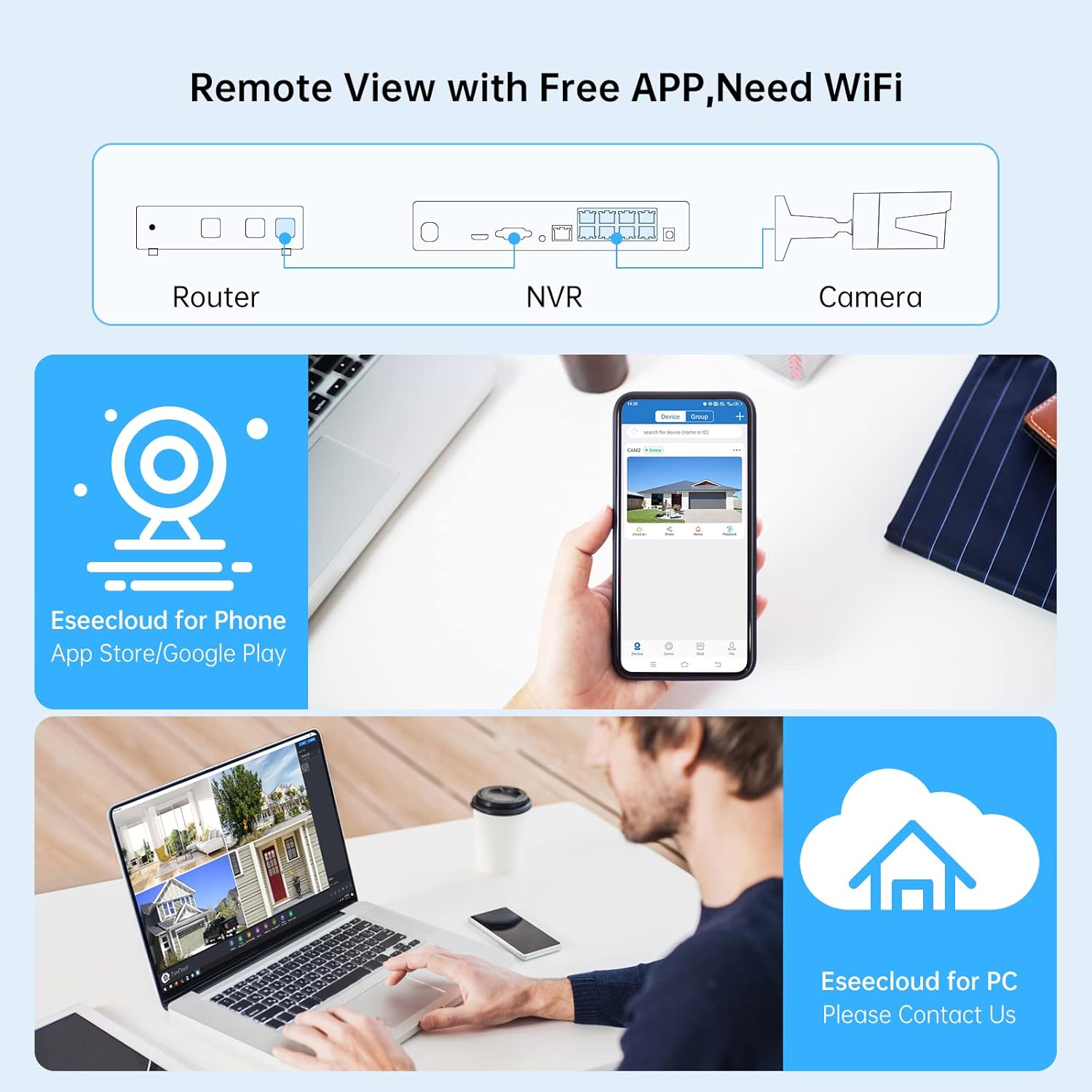
Image: Diagram showing remote viewing capabilities via the Eseecloud app on a smartphone and Eseecloud PC software on a laptop, requiring a WiFi connection for the NVR.
4.3 Detectarea mișcării și alertele
The system supports AI human detection to minimize false alarms and can send various alerts.
- Înregistrarea mișcării: Configure the system to record only when motion is detected, saving storage space.
- Email Alert: Receive email notifications when motion is detected.
- Notificare push: Get instant alerts on your mobile device via the Eseecloud app.
- Buzzer: The NVR can emit an audible alarm upon detection.

Image: Illustration of AI human detection highlighting a person entering a doorway, with icons for Email Alert, Push Notification, and Buzzer.
5. Întreținere
- Camere curate: Curățați periodic obiectivele camerei cu o lavetă moale,amp o lavetă pentru a asigura o calitate clară a imaginii. Evitați substanțele de curățare abrazive.
- Verificați cablurile: Inspect Ethernet cables for any signs of wear or damage, especially for outdoor installations.
- Actualizări firmware: Check the SMONET website or contact support for available firmware updates for your NVR and cameras to ensure optimal performance and security.
- Gestionarea hard disk-ului: HDD-ul de 3 TB oferă ample storage. The system typically overwrites the oldest footage when full. You can back up important recordings to a USB drive.
6. Depanare
| Problemă | Cauza posibila | Soluţie |
|---|---|---|
| Nu se afișează video pe monitor. | NVR not powered, monitor not connected, or incorrect input selected on monitor. | Ensure NVR is powered on. Check HDMI/VGA cable connection. Select correct input source on your monitor. |
| Nicio imagine de pe cameră. | Camera not powered, Ethernet cable loose/damaged, or camera not detected by NVR. | Verify Ethernet cable is securely connected to both camera and NVR PoE port. Try a different PoE port or cable. Restart NVR. |
| Telecomanda viewing not working. | NVR not connected to internet, app not configured correctly, or network issues. | Ensure NVR's LAN port is connected to your router. Check router's internet connection. Verify app settings and device ID. |
| Motion detection too sensitive/not detecting. | Sensitivity settings incorrect, environmental factors. | Adjust motion detection sensitivity in NVR settings. Ensure camera view is clear of obstructions or excessive movement (e.g., tree branches). |
7. Specificații
- Model: SMCA-PNK8853T-JA
- Rezoluție video: 5 MP (2560x1920)
- Canale NVR: 8-Channel PoE
- hard disk: 3TB HDD pre-installed (supports up to 4TB)
- Compresie video: H.264 +
- Vedere de noapte: Up to 100ft with 18 IR LEDs
- Rezistență la intemperii: IP66 (Camere)
- Conectivitate: Cu fir (PoE)
- Operating System (NVR): Jiuan
- Sursa de alimentare: Electric cu fir
- Dimensions (NVR): Aproximativ 31.75 x 30.48 x 30.48 cm
- Weight (System): Aproximativ 8.48 kg

Image: A comparison table outlining features of PoE, DVR, and Wireless security systems, highlighting the advantages of the PoE system.
8. Garanție și asistență
SMONET provides customer support for its products. For technical assistance, warranty claims, or further inquiries, please refer to the contact information provided with your product packaging or visit the official SMONET website-ul.
Producător: SMONET
Locul de desfășurare a activității: Shenzhen, Guangdong 518000, CN
For the most up-to-date support resources, please visit the SMONET Store on Amazon.


