1. Introducere
The Microsoft Surface Pro 7 is a versatile 2-in-1 device designed to adapt to various work and lifestyle needs. It combines the power of a laptop with the flexibility of a tablet, making it suitable for a wide range of tasks from productivity to creative work. This manual provides essential information for setting up, operating, and maintaining your Surface Pro 7.
2. Ce se află în cutie
Upon unboxing your Microsoft Surface Pro 7, you will find the following items:
- Tabletă Microsoft Surface Pro 7
- Alimentare electrică
- Ghid de pornire rapidă (QSG)
- Ghid de garanție și conformitate (WACG)
Please note: Accessories such as the Type Cover keyboard, Surface Pen, and mouse are sold separately and are not included in the standard package.

Image: The Microsoft Surface Pro 7 tablet, power supply, and placeholders for separately sold accessories like the Type Cover, Surface Pen, and mouse.
3. Produs terminatview
The Surface Pro 7 features a sleek, ultra-slim design, weighing approximately 1.70 pounds, making it highly portable. Its integrated kickstand allows for flexible positioning in various modes.
3.1 Caracteristici fizice și porturi
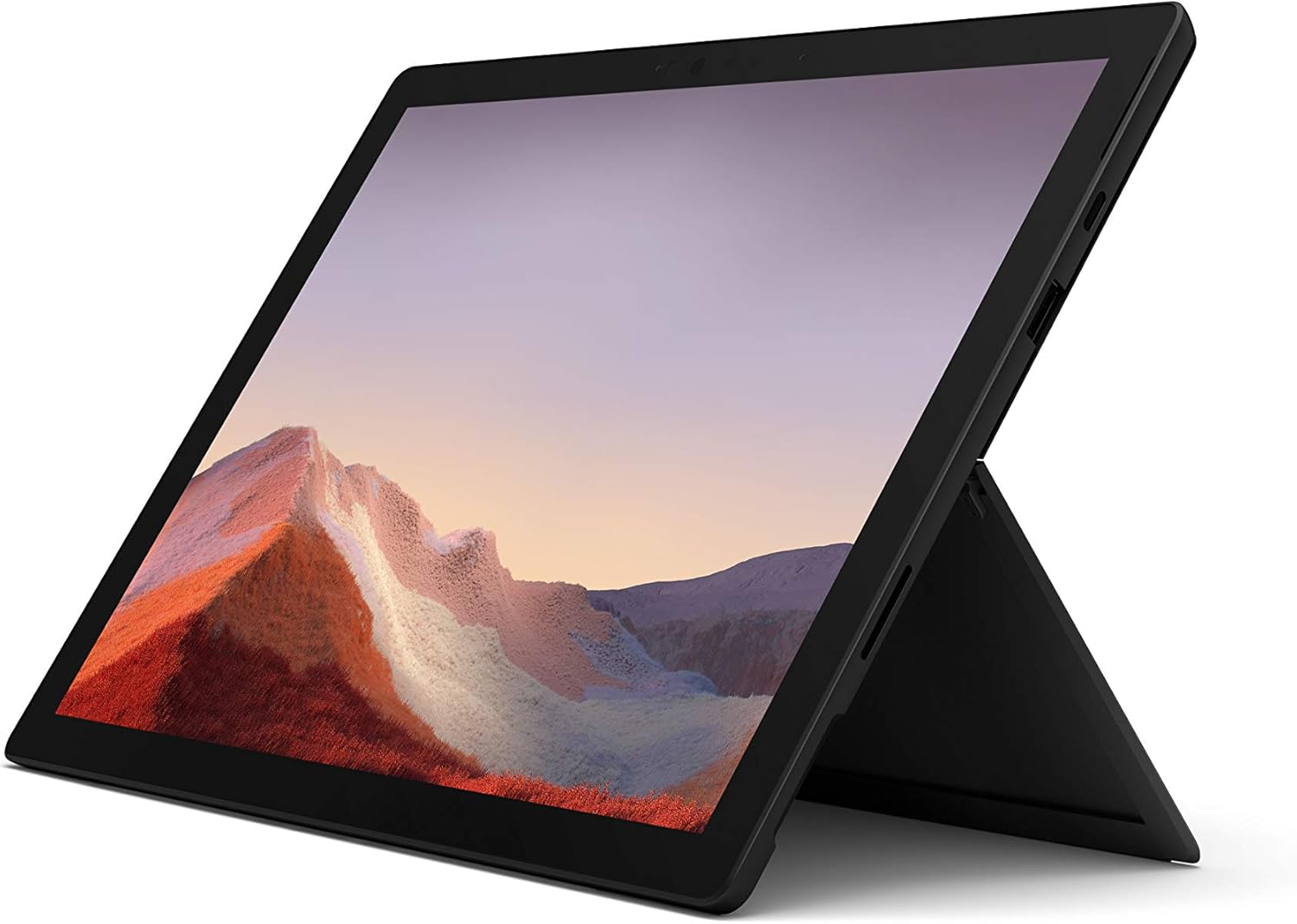
Imagine: față view of the Microsoft Surface Pro 7 in an upright position, showcasing its display and kickstand.
- Buton de alimentare: Located on the top edge.
- Reglaj volum: Lângă butonul de pornire.
- Port USB-C: A versatile port for data transfer, video output, and charging.
- Port USB-A: Standard USB port for connecting peripherals.
- Port de conectare la suprafață: For charging and connecting to Surface Dock accessories.
- Cititor de carduri MicroSD: Located under the kickstand for expandable storage.
- Camera frontală: For video calls and Windows Hello facial recognition.
- Camera spate: 8 MP camera for capturing photos and 1080p video.
- Studio Mics: Dual array microphones for enhanced audio input.

Imagine: Side profile of the Surface Pro 7, showing the placement of its USB-C and USB-A ports.

Imagine: Spate view of the Surface Pro 7 with its kickstand deployed, revealing the Microsoft logo.
4. Configurare
4.1 Pornirea inițială și configurarea Windows
- Încărcați dispozitivul: Before first use, connect the Surface Pro 7 to the power supply using the included charger. The device supports fast charging.
- Pornire: Press and hold the Power button located on the top edge of the device until the Microsoft logo appears.
- Urmați instrucțiunile de pe ecran: Windows 10 Home will guide you through the initial setup process. This includes selecting your region and language, connecting to a Wi-Fi network, accepting the license agreement, and creating a user account or signing in with a Microsoft account.
- Actualizări Windows: After initial setup, it is recommended to check for and install any available Windows updates to ensure optimal performance and security. Your device is eligible for a free upgrade to Windows 11 when available.
5. Operare de bază
5.1 Laptop and Tablet Modes
The Surface Pro 7 seamlessly transitions between a full-powered laptop and a versatile tablet. Simply attach the optional Type Cover to use it as a laptop, or detach it for tablet functionality.

Image: The Surface Pro 7 with its Type Cover keyboard, demonstrating its laptop configuration.

Image: The Surface Pro 7 in tablet mode, with the optional Surface Pen positioned beside it.
5.2 Touch, Pen, and Keyboard Input
- Touch screen: Interact directly with the 12.3-inch PixelSense display using multi-touch gestures.
- Surface Pen (Optional): For precise writing, drawing, and navigation. The pen offers natural ink flow and tilt support.
- Type Cover (Optional): Provides a full-size backlit keyboard and a large glass trackpad for comfortable typing and navigation.
6. Conectivitate
6.1 Conexiuni wireless
- Wifi: Connect to wireless networks using the integrated 802.11ax Wi-Fi for high-speed internet access.
- Bluetooth: Pair Bluetooth-enabled devices such as headphones, mice, and keyboards.
6.2 Conexiuni cu fir
- USB-C: Use this port for connecting modern peripherals, external displays, or for charging the device.
- USB-A: Connect traditional USB devices like flash drives, external hard drives, or older peripherals.
7. Performanță și baterie
The Surface Pro 7 is powered by a 10th Gen Intel Core processor, offering enhanced performance for multitasking and demanding applications. It features improved graphics performance for a smoother visual experience.
Video: An official Microsoft video showcasing the Surface Pro 7's features, including faster multitasking, improved graphics, instant-on capability, and all-day battery life.
Video: An official Microsoft sizzle reel highlighting the Surface Pro 7's 2-in-1 design, high-speed USB-C, PixelSense display, faster processor, Studio Mics, and accessories.
7.1 Durata de viață a bateriei și încărcarea
The Surface Pro 7 offers up to 10.5 hours of typical device usage. It supports fast charging, allowing you to charge approximately 80% of the battery in just over an hour. For optimal battery longevity, avoid extreme temperatures and fully discharging the battery frequently.
8. Întreținere
- curatenie: Use a soft, lint-free cloth to clean the screen and exterior. For stubborn smudges, a slightly damp cloth with water or a mild screen cleaner can be used. Avoid abrasive materials or harsh chemicals.
- Actualizări de software: Regularly check for and install operating system and driver updates to ensure your device runs smoothly and securely.
- Managementul stocării: Periodic review and manage your storage to free up space. Utilize the microSD card slot for additional storage if needed.
- Conditii de mediu: Folosiți dispozitivul în limitele de temperatură și umiditate recomandate pentru a preveni deteriorarea.
9. Depanare
If you encounter issues with your Surface Pro 7, try the following basic troubleshooting steps:
- Dispozitivul nu răspunde: Press and hold the Power button for about 10 seconds until the device turns off, then press it again to restart.
- Probleme de afișare: Ensure all cables are securely connected if using an external display. Try adjusting display settings in Windows.
- Probleme de conectivitate: For Wi-Fi or Bluetooth issues, try turning the respective feature off and on again, or restart your device. Check your router or Bluetooth accessory.
- Se descarcă rapid bateria: Adjust power settings to battery saver mode, reduce screen brightness, and close unnecessary applications.
- Defecțiuni software: Ensure your Windows operating system is up to date. If problems persist, consider running Windows Troubleshooters or performing a system restore.
10. Specificații
| Caracteristică | Detaliu |
|---|---|
| Marca | Microsoft |
| Numele modelului | Surface Pro 7 |
| Numărul de model al articolului | PUV-00016 |
| Dimensiunea ecranului | 12.3 inchi |
| Rezoluția ecranului | 2736x1824 (Max 1920x1080) |
| Procesor | Intel Core i10 de a 5-a generație |
| RAM | 8 GB DDR4 |
| Hard Drive | SSD de 256 GB |
| Coprocesor grafic | Grafică Intel integrată |
| Tip fără fir | Bluetooth, 802.11ax |
| Porturi USB | USB-C, USB-A |
| Durata medie a bateriei | Până la 10.5 ore |
| Sistem de operare | Windows 10 Home (Upgradeable to Windows 11) |
| Greutatea articolului | 1.7 lire sterline |
| Dimensiunile produsului | 12.74 x 9.09 x 1.91 inci |
| Culoare | Negru Mat |
11. Garanție și asistență
For detailed warranty information and technical support, please refer to the Warranty and Compliance Guide included in your product packaging or visit the official Microsoft support website. Microsoft provides resources for troubleshooting, driver downloads, and service options.


