1. Introducere
This manual provides detailed instructions for the ipega PG-9162 Mini Wireless Game Controller. This controller is designed for use with the Nintendo Switch console, offering both wireless and wired connectivity options. It features a compact design, six-axis gyroscope, dual motor vibration, and a TURBO function to enhance your gaming experience.

Imaginea 1.1: Față view of the ipega PG-9162 Mini Wireless Game Controller.
2. Caracteristicile produsului
- Compatibilitate: Designed for the Nintendo Switch host, supporting both wireless and wired connections to the Switch dock.
- Design ergonomic: Small and exquisite handle for comfortable grip during extended gaming sessions.
- Six-axis Gyroscope: Built-in six-axis gyro chip for precise motion control and fine-tuning assistance in games.
- Vibrații cu motor dublu: Integrated dual motors provide immersive feedback based on in-game actions.
- Funcția TURBO: Supports continuous TURBO function for rapid button presses.
- Durată lungă de viață a bateriei: Built-in 380mAh battery capacity provides over 8 hours of continuous play.

Imaginea 2.1: Pesteview of key features including vibration, gyroscope, and TURBO function.
3. Conținutul pachetului
- ipega PG-9162 Mini Wireless Game Controller
- Cablu de încărcare USB (tip C)
- Manual de utilizare

Image 3.1: Retail packaging of the ipega PG-9162 controller.
4. Produs terminatview
The ipega PG-9162 controller features standard gamepad buttons and joysticks, designed for intuitive control. Familiarize yourself with the layout:

Imaginea 4.1: Sus view of the controller highlighting its button layout.
- Stick analogic stâng: Pentru mișcare și controlul camerei.
- D-pad: Intrare direcțională.
- Buton Acasă: Returns to the Switch home menu.
- Buton Captură de ecran: Face capturi de ecran.
- Stick analogic drept: For camera control or specific in-game actions.
- Butoane de acțiune (A, B, X, Y): Pentru acțiuni în joc.
- Shoulder Buttons (L, R) & Triggers (ZL, ZR): For various in-game functions.
- Plus (+) & Minus (-) Buttons: For menu navigation and options.
- Indicatoare LED: Display connection status and battery level.
5. Configurare și conectare
5.1 Wireless Connection to Nintendo Switch
- Asigură-te că consola Nintendo Switch este pornită și actualizată la cea mai recentă versiune de software.
- Din meniul ACASĂ, selectați „Controlere” > „Modificare prindere/ordine”.
- On the ipega PG-9162 controller, press and hold the butonul Acasă şi Butonul Y simultaneously for a few seconds until the LED indicators start flashing rapidly. This indicates pairing mode.
- The Switch console will detect the controller. Once detected, the LED indicators on the controller will become solid, indicating a successful connection.
- You can now use the controller wirelessly with your Nintendo Switch.
5.2 Wired Connection to Nintendo Switch Dock
- Place your Nintendo Switch console into its dock.
- Connect one end of the USB charging cable to the ipega PG-9162 controller and the other end to an available USB port on the Nintendo Switch dock.
- The controller will automatically connect to the Switch console via the wired connection.
- Ensure that "Pro Controller Wired Communication" is enabled in the Switch System Settings (System Settings > Controllers and Sensors > Pro Controller Wired Communication).
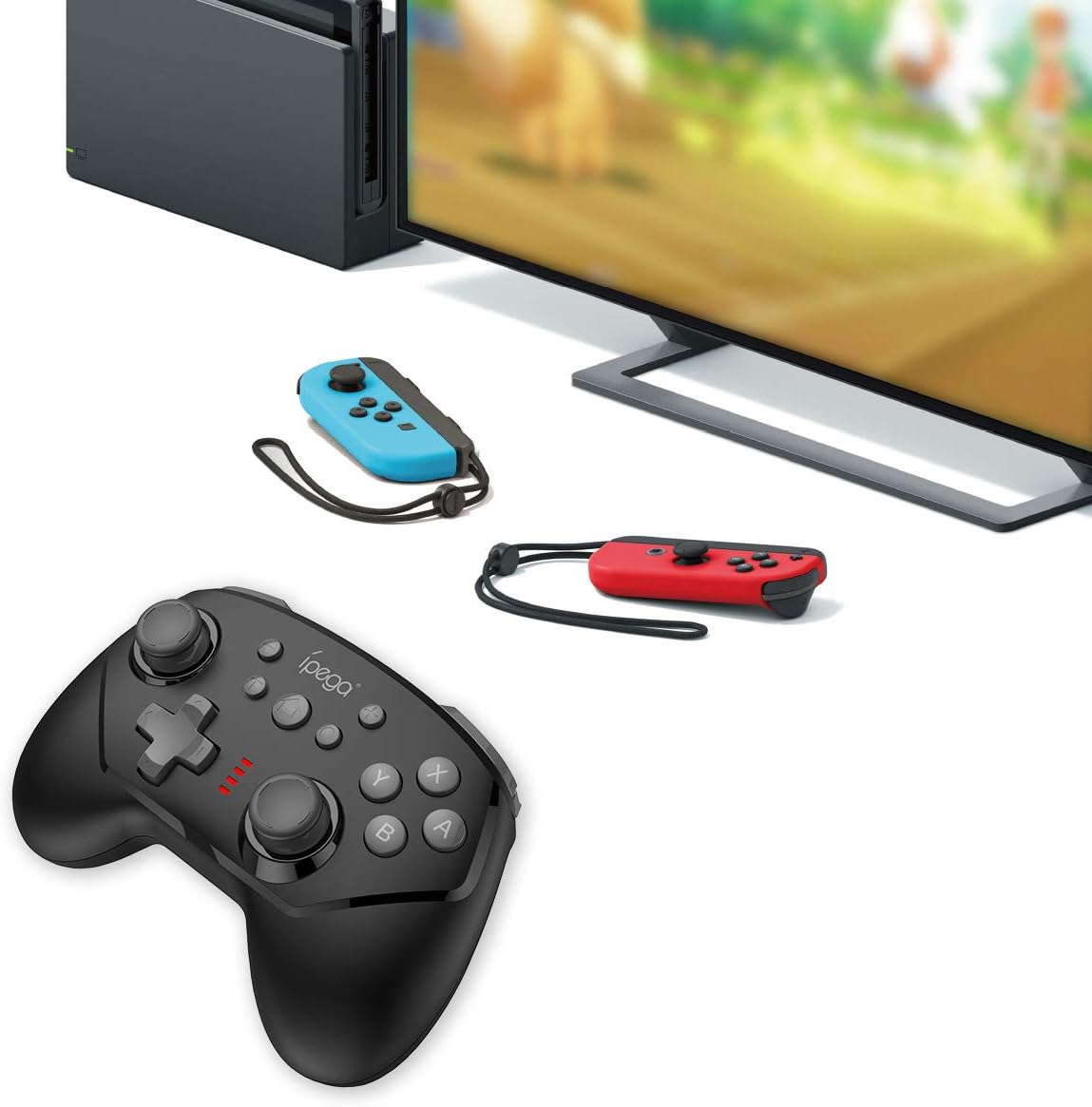
Image 5.1: The controller connected to a Nintendo Switch dock, demonstrating wired play.
6. Instrucțiuni de utilizare
6.1 Funcția TURBO
The TURBO function allows for rapid, continuous pressing of a button without repeatedly pressing it manually.
- To Set TURBO: Press and hold the desired action button (e.g., A, B, X, Y, L, R, ZL, ZR), then press the Buton TURBO once. The button will now continuously register presses as long as you hold it down.
- To Clear TURBO: Repeat the process: press and hold the button with TURBO enabled, then press the Buton TURBO again. The TURBO function for that specific button will be deactivated.
6.2 Six-axis Gyroscope
The built-in six-axis gyroscope provides motion control capabilities, allowing for precise aiming and in-game interactions by tilting and moving the controller.
- Ensure the game you are playing supports gyroscope controls.
- Calibrate the gyroscope if you experience drift or inaccurate motion sensing. Refer to your Nintendo Switch system settings for calibration options.

Image 6.1: Illustration of the six-axis gyroscope in action, enhancing aiming precision.
6.3 Funcții de vibrații
The dual motor vibration provides tactile feedback, immersing you further into the game by reacting to in-game events like collisions, explosions, or character actions.
- Vibration intensity is typically controlled by the game itself.
- If vibration is not working, check the in-game settings or Nintendo Switch system settings to ensure it is enabled.

Image 6.2: Visual representation of the built-in dual motor vibration feature.
7. Încărcarea controlerului
The ipega PG-9162 controller has a built-in rechargeable battery. When the battery is low, the LED indicators will flash slowly.
- Connect the provided USB charging cable to the Type-C port on the controller.
- Connect the other end of the USB cable to a USB power source (e.g., Nintendo Switch dock, computer USB port, or a USB wall adapter).
- The LED indicators will show charging status. Once fully charged, the indicators will typically turn off or show a solid light.
- A full charge provides over 8 hours of gameplay.
8. Întreținere
- Păstrați controlerul uscat și ferit de umezeală.
- Evitați expunerea controlerului la temperaturi extreme.
- Curățați controlerul cu o lavetă moale și uscată. Nu utilizați substanțe chimice dure sau produse de curățare abrazive.
- Depozitați controlerul într-un loc sigur atunci când nu îl utilizați pentru a preveni deteriorarea.
9. Depanare
9.1 Controlerul nu se conectează
- Asigurați-vă că controlerul este suficient încărcat.
- Verify the Nintendo Switch console is updated to the latest system software.
- Repetați procesul de asociere (Secțiunea 5.1).
- If using wired connection, ensure "Pro Controller Wired Communication" is enabled in Switch settings.
- Try restarting both the controller and the Nintendo Switch console.
9.2 Întârzieri de intrare sau deconectări
- Asigurați-vă că nu există interferențe electromagnetice puternice în apropiere.
- Move closer to the Nintendo Switch console.
- Disconnect other wireless devices that might be causing interference.
9.3 Butoanele nu răspund
- Verificați dacă controlerul este conectat corect.
- Test the buttons in the Switch's controller test menu (System Settings > Controllers and Sensors > Test Input Devices).
- Curățați în jurul butoanelor pentru a vă asigura că nu le împiedică niciun reziduu.
10. Specificații
| Marca | ipega |
| Numărul de model | PG-9162 |
| Conectivitate | Fără fir (Bluetooth), Cu fir (USB) |
| Capacitatea bateriei | 380mAh |
| Durata de viață a bateriei | >8 hours (approx.) |
| Caracteristici speciale | Six-axis Gyroscope, Dual Motor Vibration, TURBO Function |
| Compatibilitate | Nintendo Switch |
| Dimensiuni | 17.53 x 13.72 x 6.6 cm (aprox.) |
| Greutate | 295 g (aprox.) |
11. Garanție și asistență
This product comes with a standard manufacturer's warranty. For specific warranty terms, please refer to the documentation included with your purchase or contact the retailer. For technical support or further assistance, please visit the official ipega website-ul sau contactați departamentul de servicii pentru clienți.
Producător: ipega
Data primului disponibil: 2 august 2019


