1. Introducere
The KAIWEETS C60 Laser Distance Measure is a high-precision tool designed for accurate distance, area, volume, and Pythagorean measurements. It features a backlit LCD for clear readings in various lighting conditions and a mute function for quiet operation. This manual provides detailed instructions for safe and effective use of your device.

Image: The KAIWEETS C60 Laser Distance Measure, a compact black device with a digital display and multiple function buttons.
2. Informații de siguranță
This device emits a Class II laser with a power output of less than 1mW. Adhere to the following safety guidelines:
- Nu priviți direct în raza laser.
- Evitați îndreptarea razei laser către oameni sau animale.
- Do not disassemble or modify the device. Repairs should only be performed by qualified personnel.
- Nu lăsați dispozitivul la îndemâna copiilor.
- Utilizați dispozitivul numai în scopul pentru care este descris în acest manual.

Image: The KAIWEETS C60 device highlighting its durable 280° TPE outer case, indicating its waterproof and dustproof (IP54) features.
3. Conținutul pachetului
Verificați dacă toate articolele sunt prezente în colet:
- 1 x KAIWEETS C60 Laser Distance Measure
- 1 x Curea de mână
- 1 x Manual de utilizare (acest document)
- 1 x Geanta de depozitare
- 2 baterii AAA de 1.5 V

Image: All items included in the KAIWEETS C60 package: the laser measure, its box, wrist strap, user manual, storage bag, and two AAA batteries.
4. Configurare
4.1 Instalarea bateriei
The device requires two 1.5V AAA batteries. To install:
- Deschideți capacul compartimentului bateriei situat pe spatele dispozitivului.
- Introduceți cele două baterii AAA, asigurându-vă că polaritatea este corectă (+/-).
- Închideți bine capacul compartimentului bateriei.
Video: Demonstrates the process of installing batteries and changing units on the KAIWEETS C60 Laser Distance Measure, including how to exit and save unit changes.
4.2 Pornirea inițială
Apăsați tasta MĂSURI button to power on the device. The backlit LCD screen will illuminate, displaying the current measurement mode and battery level.
5. Instrucțiuni de utilizare
5.1 Măsurarea distanței de bază
To measure a single distance:
- Point the laser aperture towards the target.
- Apăsați tasta MĂSURI button once to activate the laser pointer.
- Apăsați tasta MĂSURI Apăsați din nou butonul pentru a efectua măsurătoarea. Rezultatul va fi afișat pe ecran.

Image: The KAIWEETS C60 Laser Distance Measure being used to measure a distance, showing the laser beam extending to a wall and the measurement displayed on the screen.

Image: The KAIWEETS C60 Laser Distance Measure positioned in a corner, demonstrating its ability to measure from the device's rear reference point.
5.2 Multiple Measurement Modes
Apăsați tasta Modul button to cycle through different measurement functions:
- Distanţă: Standard point-to-point measurement.
- Zonă: Măsoară lungimea și lățimea pentru a calcula aria.
- Volum: Măsoară lungimea, lățimea și înălțimea pentru a calcula volumul.
- Pythagorean Mode: Calculates indirect height or distance using the Pythagorean theorem. Follow on-screen prompts for required measurements.

Image: Illustrations depicting the various measurement modes of the KAIWEETS C60: Distance, Area, Volume, and Indirect (Pythagorean) measurement.
5.3 Măsurare continuă (Max/Min)
Pentru măsurarea continuă, apăsați și mențineți apăsat butonul MĂSURI button. The device will continuously measure and display the current, maximum, and minimum distances as you move it. Press MĂSURI din nou să se oprească.
Video: Demonstrates the continuous measurement function of the KAIWEETS C60, showing how it tracks and displays maximum and minimum distances as the device is moved.
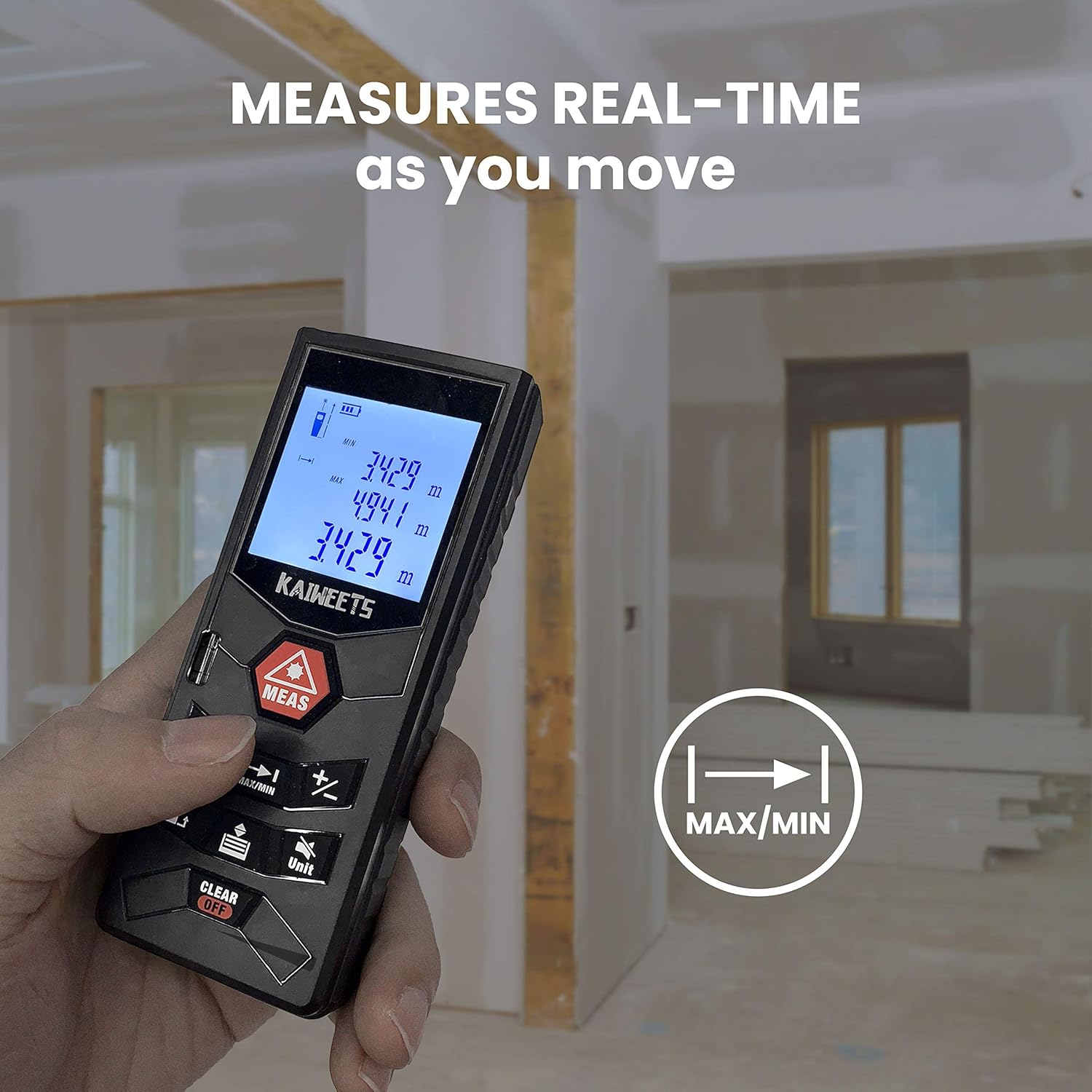
Image: A hand holding the KAIWEETS C60, demonstrating its real-time measurement capability as the user moves, with the display showing continuously updated readings.
5.4 Schimbarea unității
Apăsați tasta Unitate button to switch between measurement units: meters (m), feet (ft), inches (in), and feet+inches (ft+in).
Video: Demonstrates the process of installing batteries and changing units on the KAIWEETS C60 Laser Distance Measure, including how to exit and save unit changes.
5.5 Funcția Mute
The device features a mute function to silence the beep sounds during operation. Refer to the device's specific button layout for the mute button, typically indicated by a speaker icon.
6. Întreținere
- Curăţaţi dispozitivul cu un material moale, damp pânză. Nu utilizați agenți de curățare abrazivi sau solvenți.
- Ensure the laser aperture and display are free from dust and debris for accurate measurements.
- The device is IP54 rated for water and dust resistance, but avoid prolonged exposure to water or extreme conditions.
- Scoateți bateriile dacă dispozitivul nu va fi utilizat pentru o perioadă lungă de timp, pentru a preveni scurgerile.
7. Depanare
| Problemă | Cauza posibila | Soluţie |
|---|---|---|
| Dispozitivul nu pornește. | Baterii descărcate sau descărcate; instalare incorectă a bateriilor. | Înlocuiți bateriile; asigurați-vă că polaritatea este corectă. |
| Măsurători inexacte. | Obstructed laser path; dirty lens; measuring in bright outdoor light. | Clear obstructions; clean lens; use indoors or in shaded areas for best accuracy. |
| Laser beam not visible. | Lumină ambientală puternică; laserul nu este activat. | Move to a darker area; press MEAS button to activate laser. |
| Device beeps continuously. | Mute function is off. | Activate mute function (refer to section 5.5). |
8. Specificații
| Caracteristică | Detaliu |
|---|---|
| Marca | KAIWEETS |
| Numărul de model | S3 |
| Domeniul de măsurare | 196 picioare |
| Precizia măsurătorilor | ±1/16 inch |
| Clasa laser | Clasa II, <1mW |
| Sursa de alimentare | 2 baterii AAA de 1.5 V (incluse) |
| Stil de afișare | LCD cu iluminare din spate |
| Nivel de rezistență la apă | IP54 (rezistent la apă și praf) |
| Material | Acrilonitril butadienă stiren |
| Greutatea articolului | 4.2 uncii (120 grame) |
| Dimensiunile produsului | 4.72 x 1.89 x 1.46 inci |
9. Garanție și asistență
KAIWEETS provides a 36-month Quality Assurance for this product. For any questions, technical support, or warranty claims, please contact KAIWEETS customer service through the official channels or refer to the full user manual PDF available online.
Manual oficial de utilizare (PDF): Descărcați aici


