1. Introducere
The SONOFF MINI R2 is a compact Smart WiFi Switch designed to integrate traditional light switches into a smart home system. It enables remote control of connected devices via the eWeLink app, voice commands through Amazon Alexa or Google Home Assistant, and supports various smart scene automations. This module operates on a 2.4GHz WiFi network and does not require a separate hub.

Image 1.1: The SONOFF MINI R2 Smart WiFi Switch, a compact device for smart home integration.
2. Informații de siguranță și note importante
- Deconectare de la curent: Always cut off the power supply before installing or performing any maintenance on the device. Failure to do so can result in electric shock or damage to the device.
- Cablaj: Ensure that the neutral wire and live wire connections are correct according to the wiring diagram. Incorrect wiring can cause malfunction or safety hazards.
- Conexiune comutator extern: The S1/S2 terminals are designed for connecting a rocker light switch and operate with weak current for safety. Do not connect the neutral wire and live wire to S1/S2.
- Rețea WiFi: The device requires a 2.4GHz WiFi network for operation. 5.0GHz WiFi networks are not supported.
- Mediu de instalare: Do not install the device in a metal junction box. Metal enclosures can interfere with the WiFi signal, leading to poor performance or disconnection.

Image 2.1: Illustration showing the SONOFF MINI R2 and a warning against installation in a metal junction box due to potential WiFi interference.
3. Configurare
3.1 Instrucțiuni de cablare
Follow the diagram below carefully for proper installation. Ensure power is disconnected before proceeding.

Image 3.1: Detailed wiring diagram for the SONOFF MINI R2, showing connections for live (L In), neutral (N In), output (L Out), and external switch (S1/S2).
- Connect the incoming Live (L In) and Neutral (N In) wires to the corresponding terminals on the MINI R2.
- Connect the Live output (L Out) to your light fixture or appliance.
- Connect the Neutral output (N Out) to your light fixture or appliance.
- For an external rocker switch, connect the switch wires to the S1 and S2 terminals. These terminals use a weak current for safety.
3.2 Instalarea aplicației și asocierea dispozitivelor
The SONOFF MINI R2 uses the eWeLink app for control and configuration.
- Descărcați aplicația eWeLink din App Store (iOS) sau Google Play Store (Android).
- Înregistrați un cont și conectați-vă.
- Power on the SONOFF MINI R2. The device will enter pairing mode automatically (indicated by a rapidly blinking LED). If not, press and hold the pairing button for 5 seconds until the LED blinks rapidly.
- In the eWeLink app, tap the '+' icon to add a device. Follow the on-screen instructions to connect the device to your 2.4GHz WiFi network.

Image 3.2: Visual representation of the eWeLink app, the SONOFF MINI R2, and a smartphone, illustrating the device pairing process.
4. Instrucțiuni de utilizare
Telecomandă prin aplicație 4.1
Once paired, you can control the connected device from anywhere using the eWeLink app on your iOS or Android smartphone.
- Open the eWeLink app and select your SONOFF MINI R2 device.
- Tap the power icon to turn the connected light or appliance on/off.
- The app provides real-time status feedback, indicating whether the device is on or off.

Image 4.1: A smartphone showing the eWeLink app interface, used to remotely control a light connected to the SONOFF MINI R2.
4.2 Control vocal
The SONOFF MINI R2 is compatible with Amazon Alexa and Google Home Assistant, allowing for hands-free control.
- Link your eWeLink account with Amazon Alexa or Google Home Assistant through their respective apps.
- Use voice commands such as "Alexa, turn on the light" or "Hey Google, turn off the bedroom light."
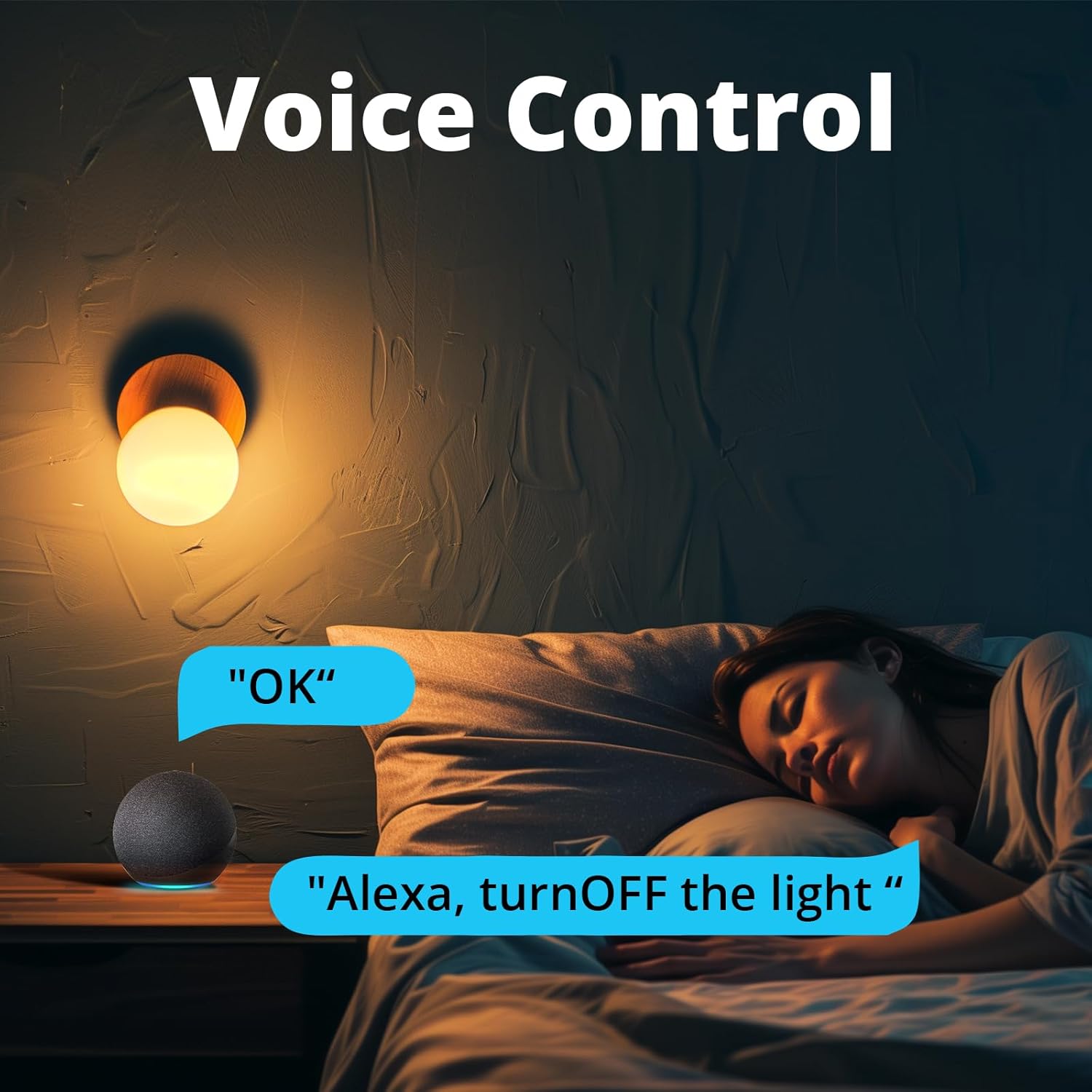
Image 4.2: A person in bed using an Amazon Echo Dot to issue a voice command, "Alexa, turn OFF the light," demonstrating voice control functionality.
4.3 Smart Scenes and Scheduling
Automate your devices with various scheduling options within the eWeLink app.
- Programa: Set specific times for the device to turn on or off daily or on selected days.
- Numărătoarea inversă: Setați un cronometru pentru ca dispozitivul să se oprească după o anumită durată.
- Temporizator de buclă: Configure the device to cycle on and off repeatedly at set intervals.
- Scena inteligentă: Create custom automation rules where one SONOFF device can trigger another, or group multiple devices to operate together with a single tap.
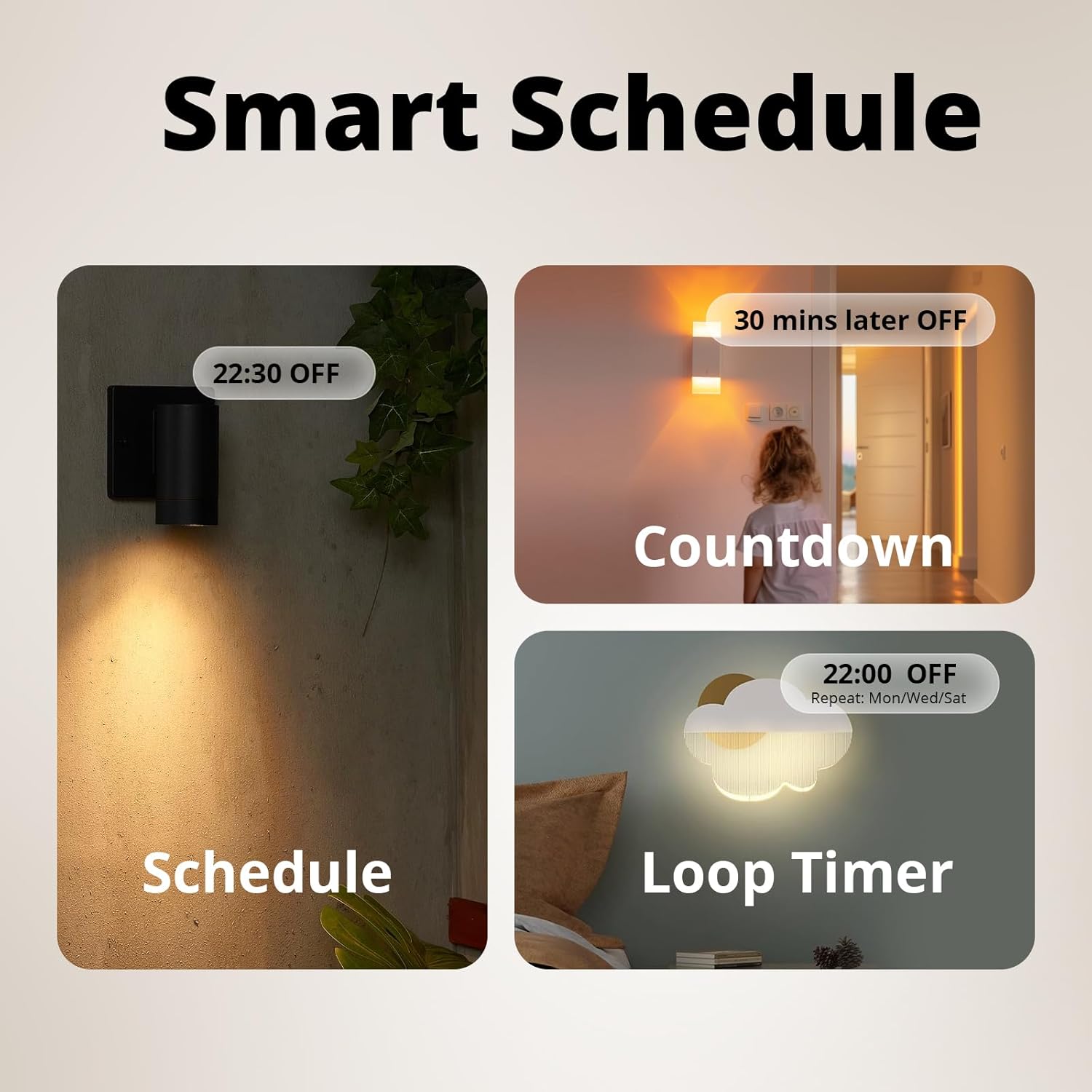
Imaginea 4.3: Exemplu vizualamples of smart scheduling features including a fixed schedule (e.g., 22:30 OFF), a countdown timer (e.g., 30 mins later OFF), and a loop timer (e.g., 22:00 OFF, repeat Mon/Wed/Sat).
4.4 External Switch Control
The MINI R2 allows you to retain the functionality of your existing rocker light switch while adding smart control.
- After wiring the external switch to the S1/S2 terminals, the physical switch can still control the connected light.
- This provides flexibility, allowing control via the app, voice, or the traditional wall switch.
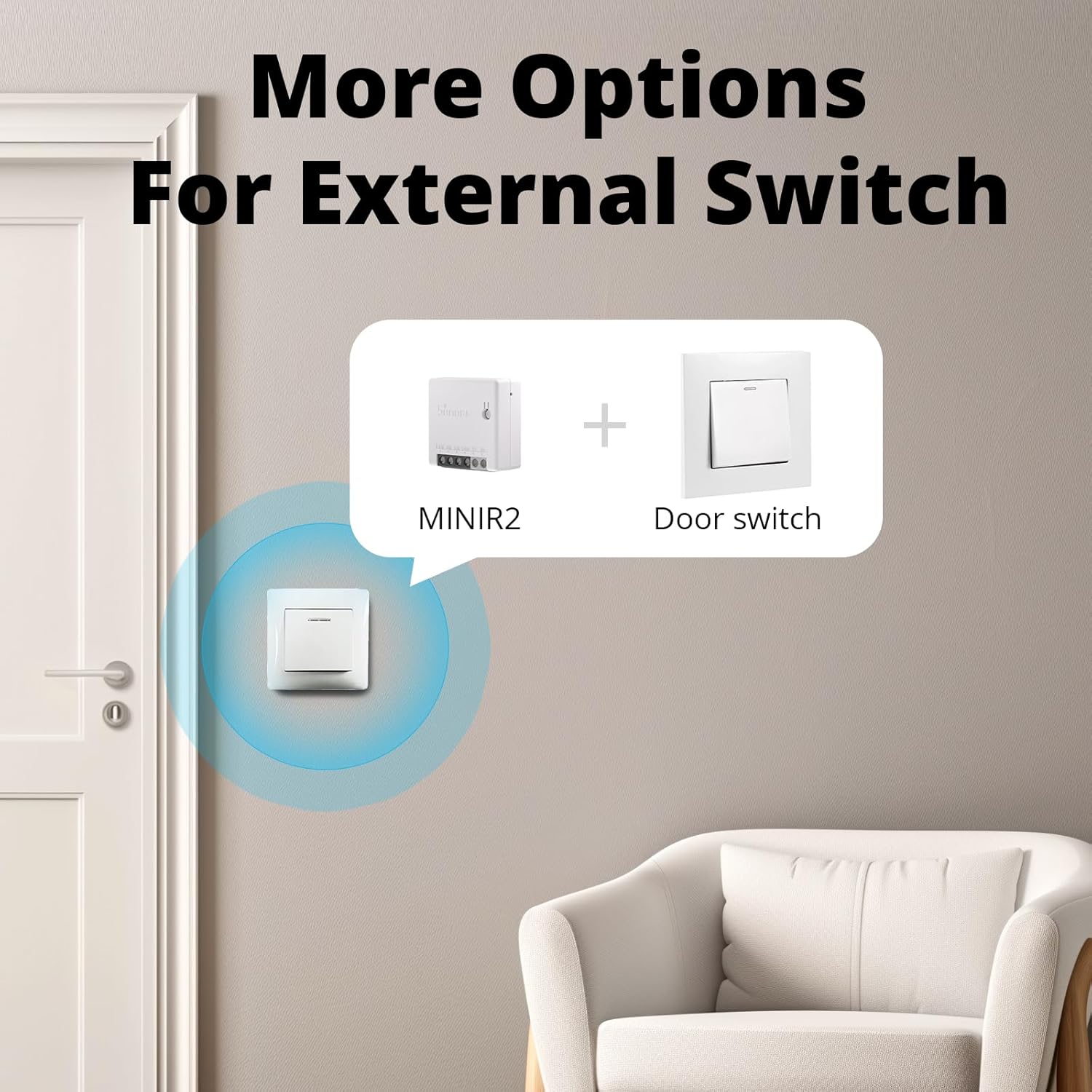
Image 4.4: An illustration showing the SONOFF MINI R2 integrated with a standard wall switch, providing multiple control options.
4.5 Sharing Control
You can share control of your SONOFF MINI R2 with other eWeLink users.
- In the eWeLink app, navigate to the device settings and select the 'Share' option.
- Enter the eWeLink account of the person you wish to share control with. They will receive a notification and gain access to operate the device.
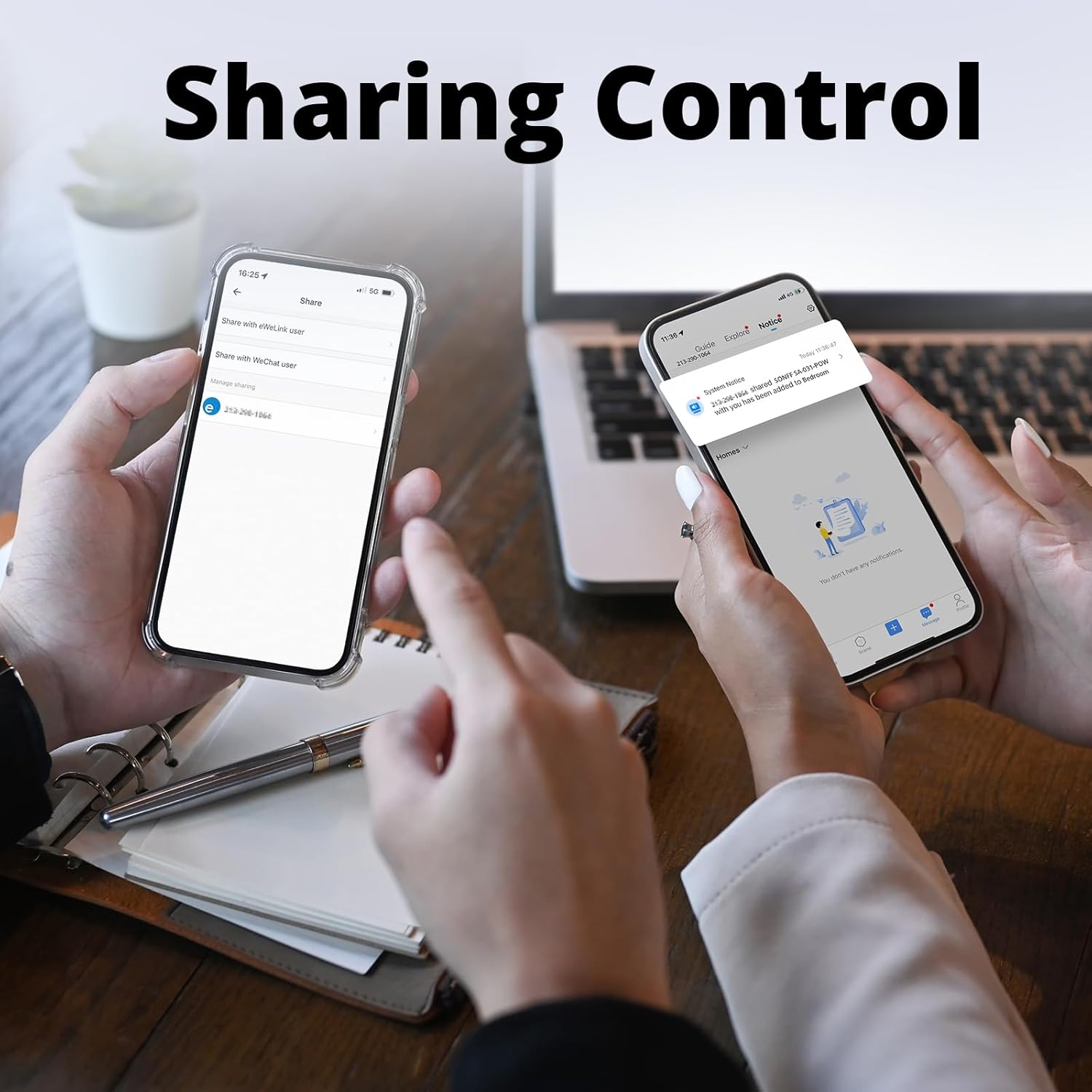
Image 4.5: Two hands holding smartphones, one displaying the 'Share' option in the eWeLink app, indicating the ability to share device control with other users.
5. Întreținere
- Păstrați dispozitivul curat și uscat. Evitați expunerea la umiditate sau temperaturi extreme.
- Nu încercați să dezasamblați sau să reparați dispozitivul singur. Apelați la personal calificat pentru service.
- Regularly check for firmware updates in the eWeLink app to ensure optimal performance and security.
6. Depanare
- Dispozitivul nu se conectează la WiFi: Ensure your router is operating on a 2.4GHz frequency. Check that the WiFi password is correct. Move the device closer to the router to improve signal strength.
- Device offline in app: Verify that your home WiFi network is active and the device has power. Restart the device by cycling its power. If the issue persists, try re-pairing the device.
- External switch not working: Confirm that the S1/S2 wires are correctly connected and that the physical switch itself is functional. Remember, S1/S2 should only be connected to a weak current switch, not live or neutral wires.
- Comanda vocală nu răspunde: Ensure your eWeLink account is properly linked to Amazon Alexa or Google Home Assistant. Check the device name in the eWeLink app and use that name in your voice commands.
- Conexiune intermitentă: Avoid installing the device in metal junction boxes, as this can block the WiFi signal. Ensure there are no major obstructions between the device and your WiFi router.
7. Specificații
| Caracteristică | Caietul de sarcini |
|---|---|
| Numărul de model | MINIR2 |
| Marca | SONOFF |
| Modul de operare | ON-OFF |
| Evaluare curentă | 10 Amps |
| Tip de contact | În mod normal închis |
| Tip conector | Conectați-vă |
| Terminal | Şurub |
| Dimensiuni articol (L x l x H) | 1.68 x 0.79 x 1.68 inci |
| Tipul circuitului | 1 sensuri |
| Tip actuator | Buton de apăsare |
| Material de contact | Cupru |
| Greutatea produsului | 1.48 uncii |
| Producător | SONOFF |
| Data primului disponibil | 29 iunie 2019 |


