Introducere
This manual provides detailed instructions for the safe and effective operation of your Donner DJ Par Light. Please read this manual thoroughly before use and retain it for future reference. This device is designed to produce various lighting effects for events, parties, and stage spectacole.
Informații de siguranță
- Asigurați-vă că sursa de alimentare voltage corespunde cerințelor dispozitivului.
- Do not expose the device to rain or moisture to prevent electric shock or fire.
- Deconectați întotdeauna de la sursa de alimentare înainte de curățare sau service.
- Evitați expunerea directă a ochilor la sursa de lumină, deoarece poate provoca leziuni oculare.
- Asigurați o ventilație adecvată pentru a preveni supraîncălzirea. Nu blocați orificiile de ventilație.
- Manevrați dispozitivul cu grijă. Evitați să îl scăpați sau să îl supuneți la impacturi puternice.
- A nu se lăsa la îndemâna copiilor.
Conținutul pachetului
Verificați dacă toate articolele sunt prezente la despachetare:
- Donner DJ Par Light (1 unit)
- Telecomanda (1 unitate)
- Suport de montare (1 unitate)
- Cablu de alimentare (1 unitate)
- Manual de utilizare (acest document)
Caracteristicile produsului
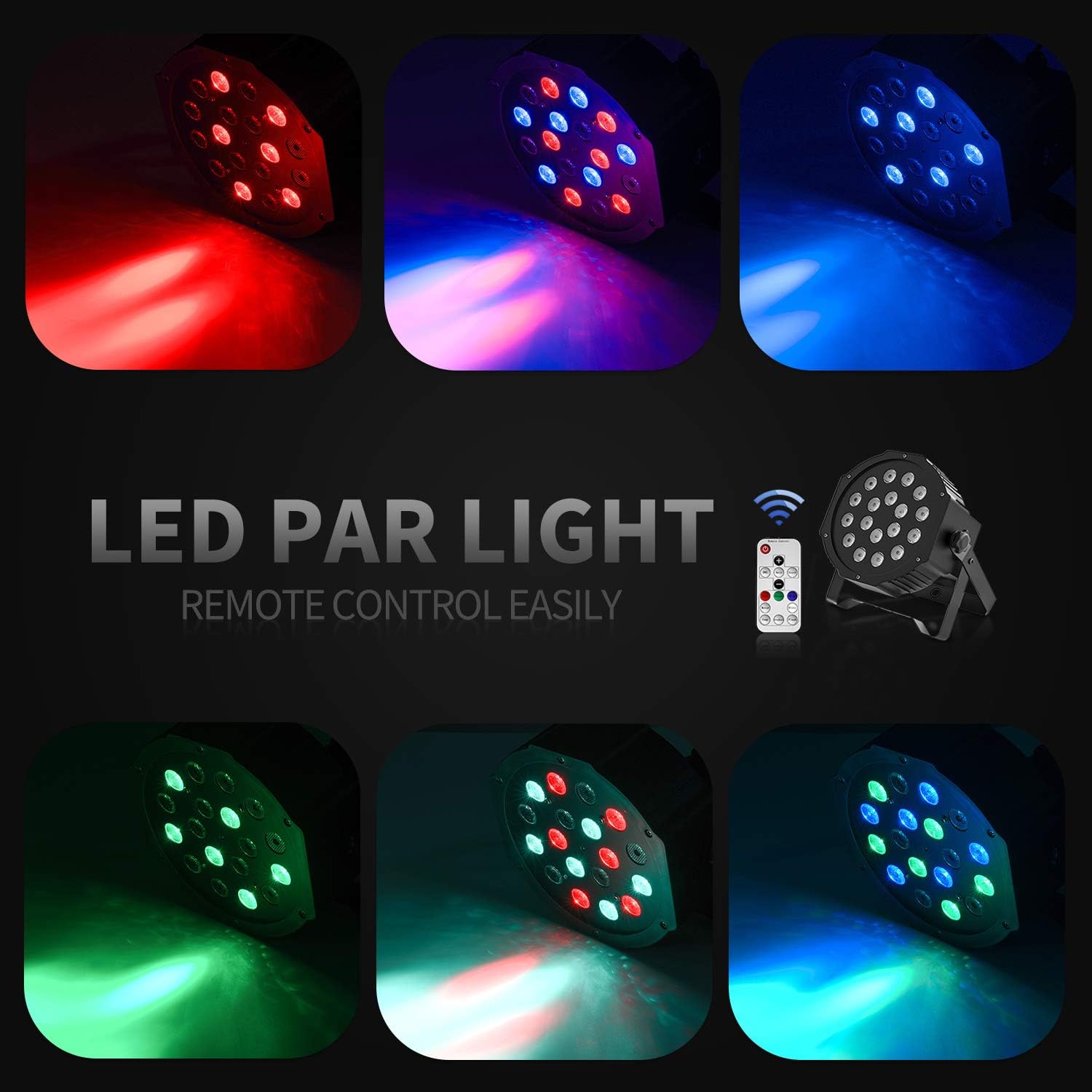
- 18 LED-uri RGB: Features 18 x 3W RGB LED lights (6 Red, 6 Green, 6 Blue) for a wide range of color effects.
- Funcționare multimod: Includes Static Color, Color Changing, Color Fade, Auto, Sound-activated, Master-slave, and DMX modes.
- Telecomanda: Easy control via the included IR remote.
- Compatibil cu DMX512: For professional lighting control.
- Ventilator de răcire încorporat: Ensures stable operation and extends lifespan.
- Adjustable Dual Brackets: Allows for flexible mounting on trusses, walls, or standing on the floor.
Înființat
- Despachetarea: Carefully remove the light and all accessories from the packaging.
- Instalare suport: Attach the dual brackets to the sides of the light using the provided screws and knobs. Ensure they are securely fastened.
- Montare:
- Stand de podea: Position the light on a flat, stable surface using the brackets as a stand. Adjust the angle as desired.
- Hanging/Truss Mount: Folosiți clamps (not included) to secure the light to a truss or ceiling. Always use a safety cable (not included) when hanging the unit.
- Conexiune de alimentare: Conectați cablul de alimentare la intrarea de alimentare a lămpii și apoi la o priză adecvată.

Moduri de operare
The Donner DJ Par Light offers multiple operating modes, selectable via the remote control or the control panel on the back of the unit.

- Mod culoare static: Displays a single, constant color. Use the remote's color buttons (Red, Green, Blue) or the control panel to select specific colors or mix RGB values.
- Color Changing (Jump) Mode: The light rapidly switches between different colors. The speed of the color change can be adjusted.
- Color Fade (Gradual) Mode: The light smoothly transitions from one color to another. The transition speed can be adjusted.
- Mod auto: The light cycles through various pre-programmed lighting effects automatically.
- Modul activat prin sunet: The light reacts to ambient sound or music, changing colors and patterns in sync with the beat. Ensure the built-in microphone is not obstructed.
- Modul master-slave: Connect multiple lights using DMX cables. One unit acts as the master, controlling all connected slave units, ensuring synchronized lighting effects.
- Modul DMX: For advanced control using a DMX512 controller. This mode allows precise control over individual light parameters such as color intensity, strobe, and mode selection.
Operare cu telecomandă
The included IR remote control provides convenient access to the light's functions:
- ON/STANDBY: Press to power on or put the device in standby mode.
- DMX: Activates DMX mode. Use '+' and '-' to adjust the DMX address.
- Auto: Activates Auto mode.
- Sunet: Activates Sound-Activated mode.
- Roșu/Verde/Albastru: Selects static red, green, or blue color.
- Alb: Selects static white color.
- A sari: Activates Color Changing (Jump) mode.
- Gradual: Activates Color Fade (Gradual) mode.
- Flash: Activates Strobe mode.
- Butoane +/-: Adjust speed in Jump/Gradual/Flash modes, or DMX address in DMX mode.
Control DMX
The Donner DJ Par Light supports DMX512 protocol for professional control. Connect a DMX controller to the DMX IN port using a 3-pin XLR cable. For multiple units, daisy-chain them by connecting the DMX OUT of one unit to the DMX IN of the next.
DMX Channel Functions (Example for 7-channel mode):
| Canal | Funcţie | Interval de valori | Descriere |
|---|---|---|---|
| 1 | Master Dimmer | 0-255 | Overall brightness (0=off, 255=max) |
| 2 | Intensitate roșie | 0-255 | Red LED brightness (0=off, 255=max) |
| 3 | Intensitate verde | 0-255 | Green LED brightness (0=off, 255=max) |
| 4 | Intensitatea albastră | 0-255 | Blue LED brightness (0=off, 255=max) |
| 5 | Stroboscop | 0-255 | Strobe speed (0=off, 255=fastest) |
| 6 | Selectarea modului | 0-255 | Selects various internal programs (Auto, Sound, Jump, Gradual) |
| 7 | Viteza programului | 0-255 | Adjusts speed of selected program (0=slow, 255=fast) |
Întreţinere
- curatenie: Regularly clean the lens and housing with a soft, lint-free cloth. Do not use abrasive cleaners.
- Depozitare: Depozitați dispozitivul într-un mediu uscat și fără praf atunci când nu îl utilizați.
- Inspecţie: Verificați periodic cablul de alimentare și conexiunile DMX pentru a depista orice semne de deteriorare.
Depanare
| Problemă | Cauza posibila | Soluţie |
|---|---|---|
| Lumina nu se aprinde. | No power, faulty cable, device in standby. | Check power connection. Ensure outlet is functional. Press ON/STANDBY button on remote or control panel. |
| Telecomanda nu funcționează. | Low battery, remote not aimed correctly, IR sensor blocked. | Replace remote battery. Point remote directly at the IR sensor on the front of the light. Ensure no obstructions. |
| Light not responding in DMX mode. | Incorrect DMX address, faulty DMX cable, incorrect DMX mode selected. | Verify DMX address matches controller. Check DMX cable connections. Ensure DMX mode is active on the light. |
| Modul activat prin sunet nu funcționează. | Microphone obstructed, sound level too low. | Ensure the microphone on the back panel is clear. Increase music volume or move the light closer to the sound source. |
Specificații
| Model: | Remote Control/DMX |
| Sursa de lumina: | 18 x 3W RGB LEDs (6 Red, 6 Green, 6 Blue) |
| Sursa de alimentare: | Electric cu fir |
| Moduri de control: | Static Color, Color Changing, Color Fade, Auto, Sound-activated, Master-slave, DMX512 |
| Material: | Plastic |
| Dimensiuni produs: | 7.48 cm L x 5.12 cm l x 7.48 cm Î |
| Greutatea articolului: | 1.45 lire sterline |
Garanție și suport
Donner provides a 12-month warranty for this product, covering manufacturing defects from the date of purchase. For warranty claims, technical support, or service inquiries, please contact Donner customer service through the retailer where the product was purchased or visit the official Donner website pentru informații de contact.