Introducere
This manual provides comprehensive instructions for the installation, operation, and maintenance of your Lockly Secure Plus Bluetooth Smart Door Lock. Please read this manual thoroughly before use to ensure proper function, optimal security, and longevity of your device. Keep this manual for future reference.
Produs terminatview
Caracteristici cheie
- Multiple Ways to Unlock: Access your home using the patented PIN Genie digital keypad, a 3D biometric fingerprint sensor, the Lockly mobile application, voice control (with optional Wi-Fi hub), Scan to Open QR code (with optional Wi-Fi hub), or traditional physical keys.
- Secure PIN Genie Keypad: Features a patented peek-proof numeric keypad where numbers dynamically shuffle after each use, making it impossible for onlookers to guess your code.
- Advanced 3D Biometric Fingerprint Sensor: Provides quick access in approximately 0.3 seconds and can store up to 99 unique fingerprints. The AI learning algorithm improves recognition over time.
- Controlul aplicației mobile: Remotely lock and unlock your door, monitor real-time status, and view access history from anywhere using the Lockly App (requires optional Wi-Fi hub for remote functionality).
- Integrare control vocal: Seamlessly connect with Amazon Alexa or Google Assistant-enabled devices for convenient voice commands (requires optional Wi-Fi hub).
- Real-Time Monitoring & Alerts: Receive instant notifications on your smartphone regarding lock status, unauthorized access attempts, and low battery warnings.
- Offline Access Code (OAC): Generate single-use or limited-use access codes that can be used without an internet connection or the Lockly app, ideal for guests or service providers.
- Programmable Auto-Lock: Customize the auto-lock delay from 5 to 300 seconds, ensuring your door is always secured after entry or exit.
Componente
The Lockly Secure Plus package typically includes the following:
- Exterior Assembly (Keypad with Handle)
- Asamblare interioara
- Bolt cu zăvor
- Placă de grevă
- Hardware de montare
- 4 x baterii AA
- 2 x Physical Backup Keys
- Manual de instalare și ghid de utilizare
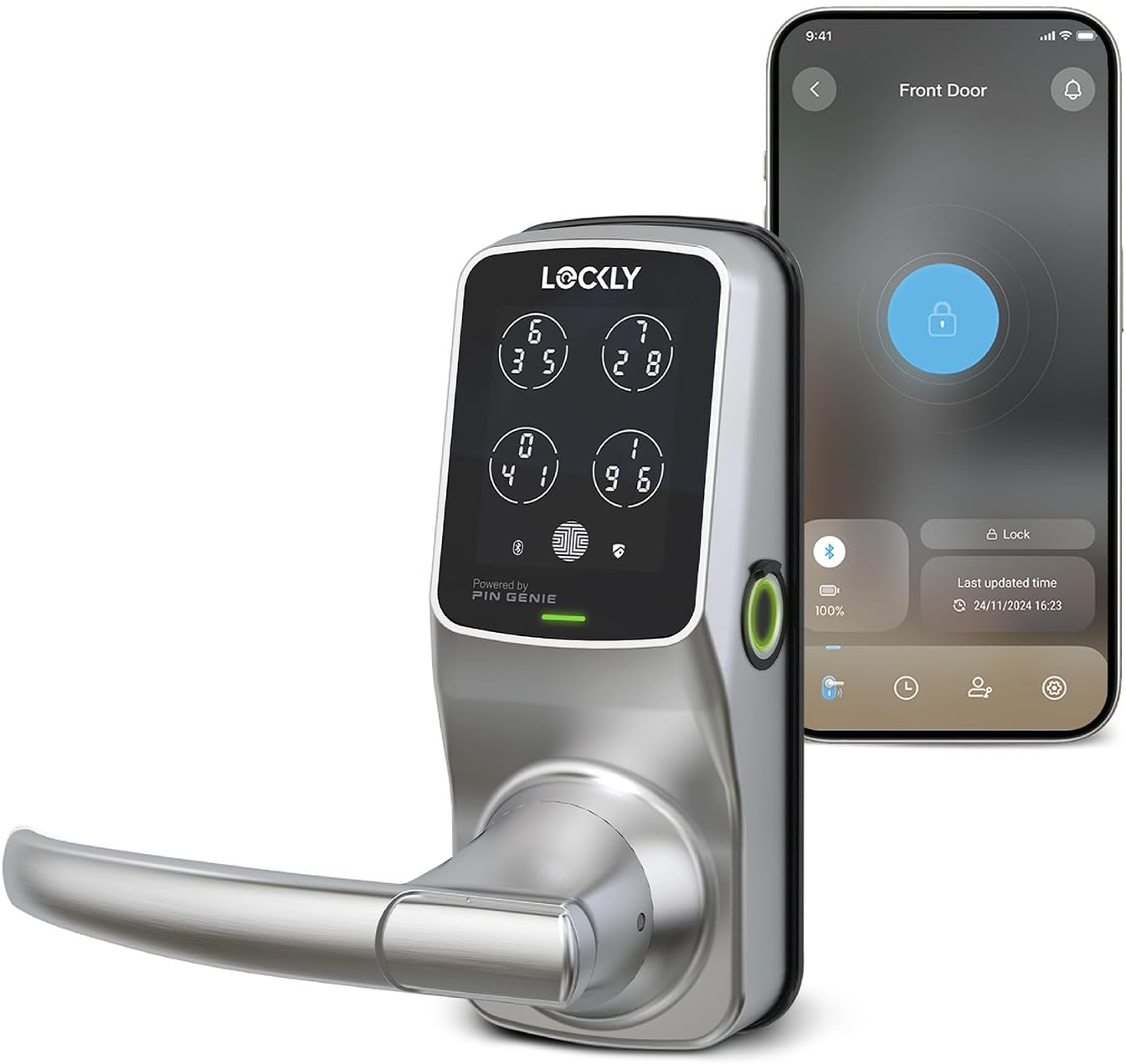
Image: Lockly Secure Plus Smart Door Lock in Satin Nickel finish, shown alongside a smartphone displaying the Lockly app interface for lock control.
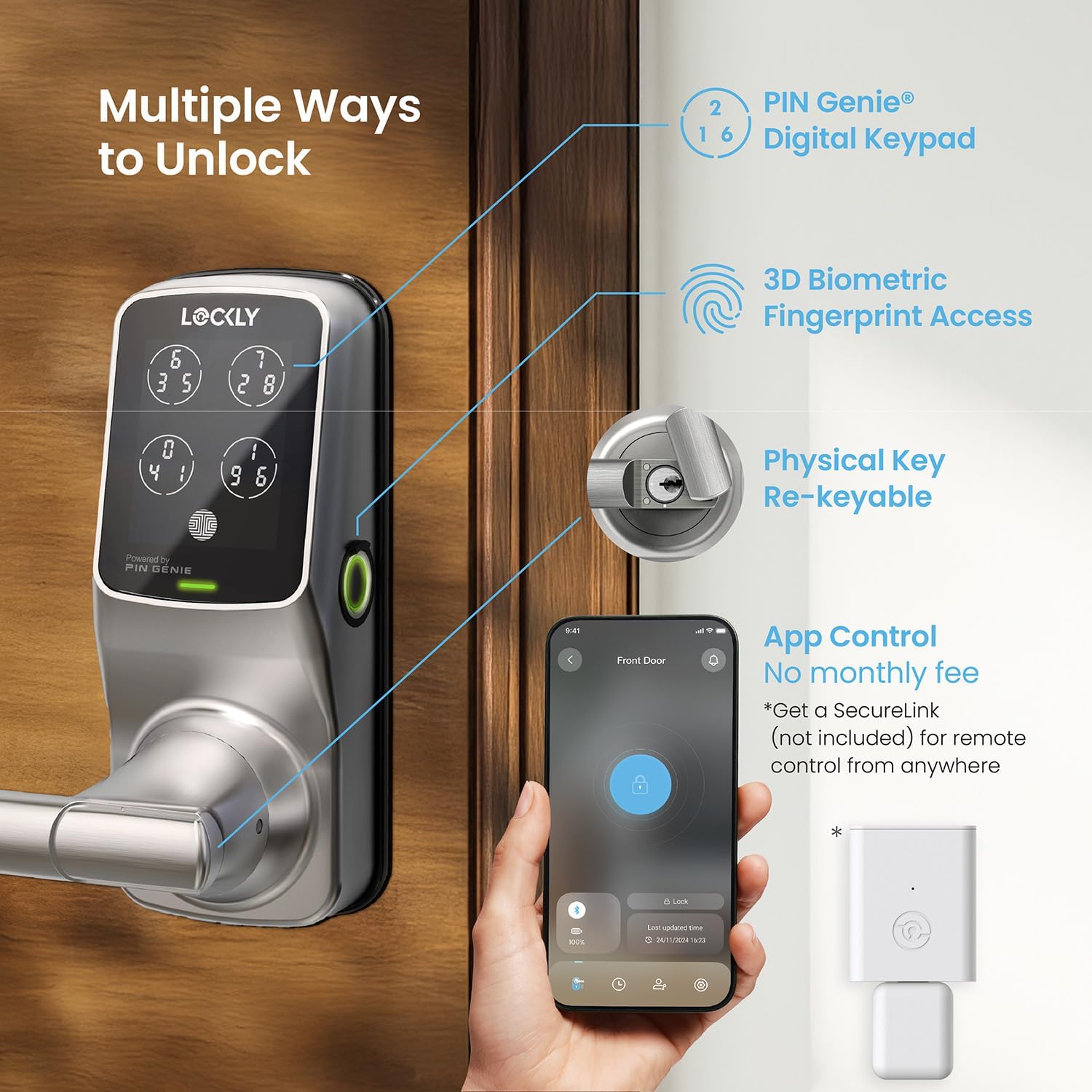
Image: Diagram illustrating the various unlocking methods: PIN Genie Digital Keypad, 3D Biometric Fingerprint Access, Physical Key, and App Control (with optional Secure Link Wi-Fi Hub).
Înființat
Compatibilitatea ușilor
Before beginning installation, verify that your door meets the following specifications:
- Grosimea ușii: 1 3/8" to 2" (35mm - 50mm)
- Backset: 2 3/8" or 2 3/4" (60mm or 70mm)
- Diametrul gaurii: 54 mm

Image: Diagram detailing door thickness (1 3/8" - 2"), backset (2 3/8" or 2 3/4"), and bore hole diameter (2 1/8") for compatibility.
Instalare
For detailed step-by-step installation instructions, please refer to the dedicated Installation Manual (PDF) included with your product. An official installation video may also be available on the Lockly support website-ul.
Configurarea și conectarea aplicației
To unlock the full potential of your Lockly Secure Plus, download and set up the Lockly App:
- Descărcați aplicația: Caută "LOCKLY" in your smartphone's app store (iOS or Android) and download the official application.
- Creează cont: Deschide aplicația și urmează instrucțiunile pentru a crea un cont de utilizator nou sau pentru a te conecta dacă ai deja unul.
- Adăugați blocare: Select the option to add a new lock and choose your specific model (Lockly Secure Plus Latch Edition).
- Conectare prin Bluetooth: Ensure Bluetooth is enabled on your smartphone and that you are within close proximity to the lock. The app will guide you through the connection process. You may need to scan a QR code or enter an initial code found on your Lockly Activation Card.
- Configurare administrator: Note that only one administrator is allowed per lock. If you wish to control the lock from multiple devices, log in with the same administrator account.

Image: A hand holding a smartphone displaying the Lockly app, showing options for managing trusted users, guests, one-time access codes, and offline access.
Instrucțiuni de operare
Metode de deblocare
Tastatură digitală PIN Genie
The PIN Genie keypad provides enhanced security by shuffling the numbers on the display:
- Activate Keypad: Lightly touch the keypad to activate the display.
- Introduceți codul: Input your 6-8 digit access code. The numbers on the four virtual buttons will change positions after each digit is pressed.
- Confirma: Press the Lockly button (located at the bottom right of the keypad) to confirm your entry and unlock the door.
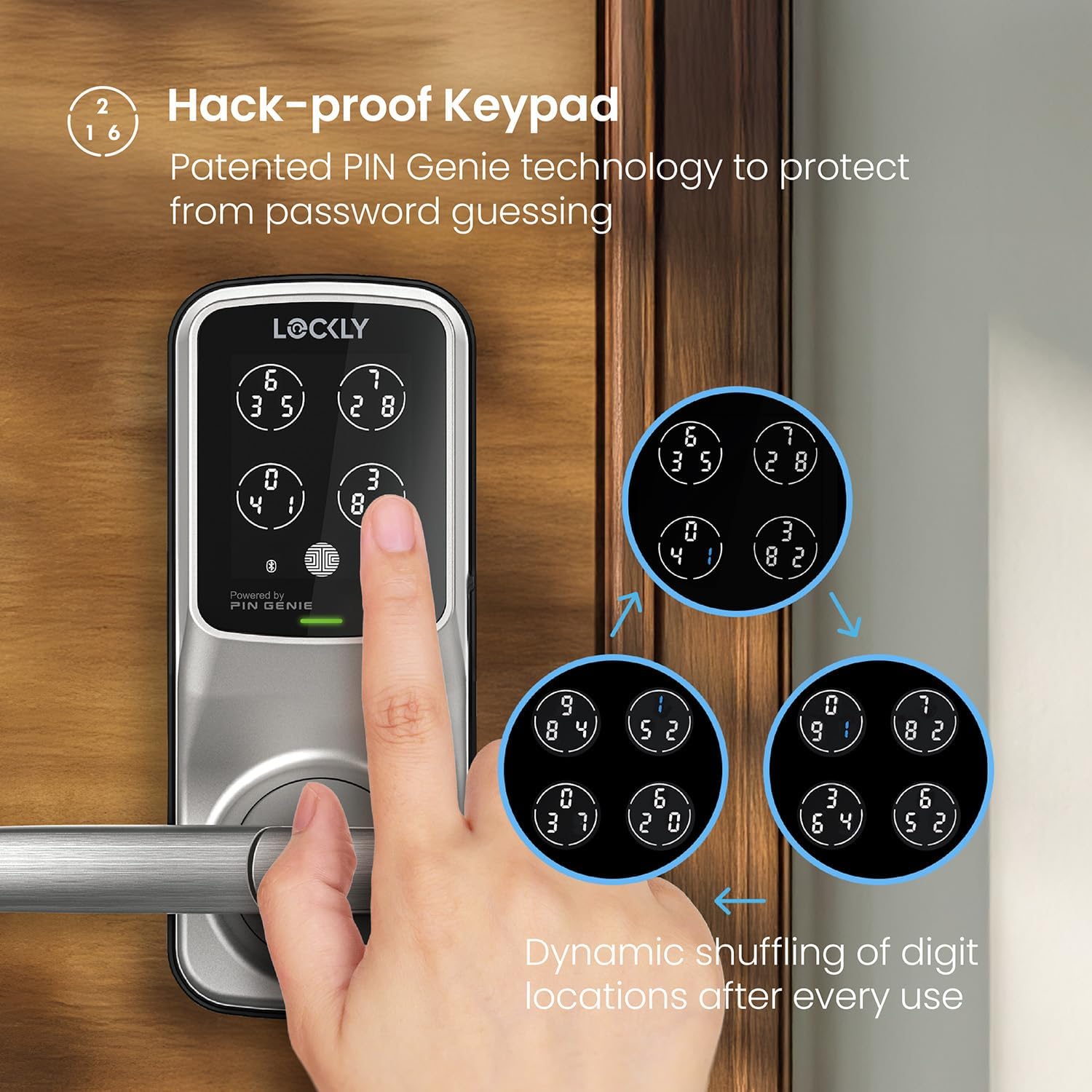
Image: A hand interacting with the Lockly PIN Genie keypad, demonstrating the dynamic shuffling of digits across the four virtual buttons for enhanced security.
3D Biometric Fingerprint Sensor
For quick and convenient access:
- Plasați degetul: Position your registered finger flat on the fingerprint sensor located on the side of the lock.
- Deblocare: The lock will recognize your fingerprint and unlock in approximately 0.3 seconds.
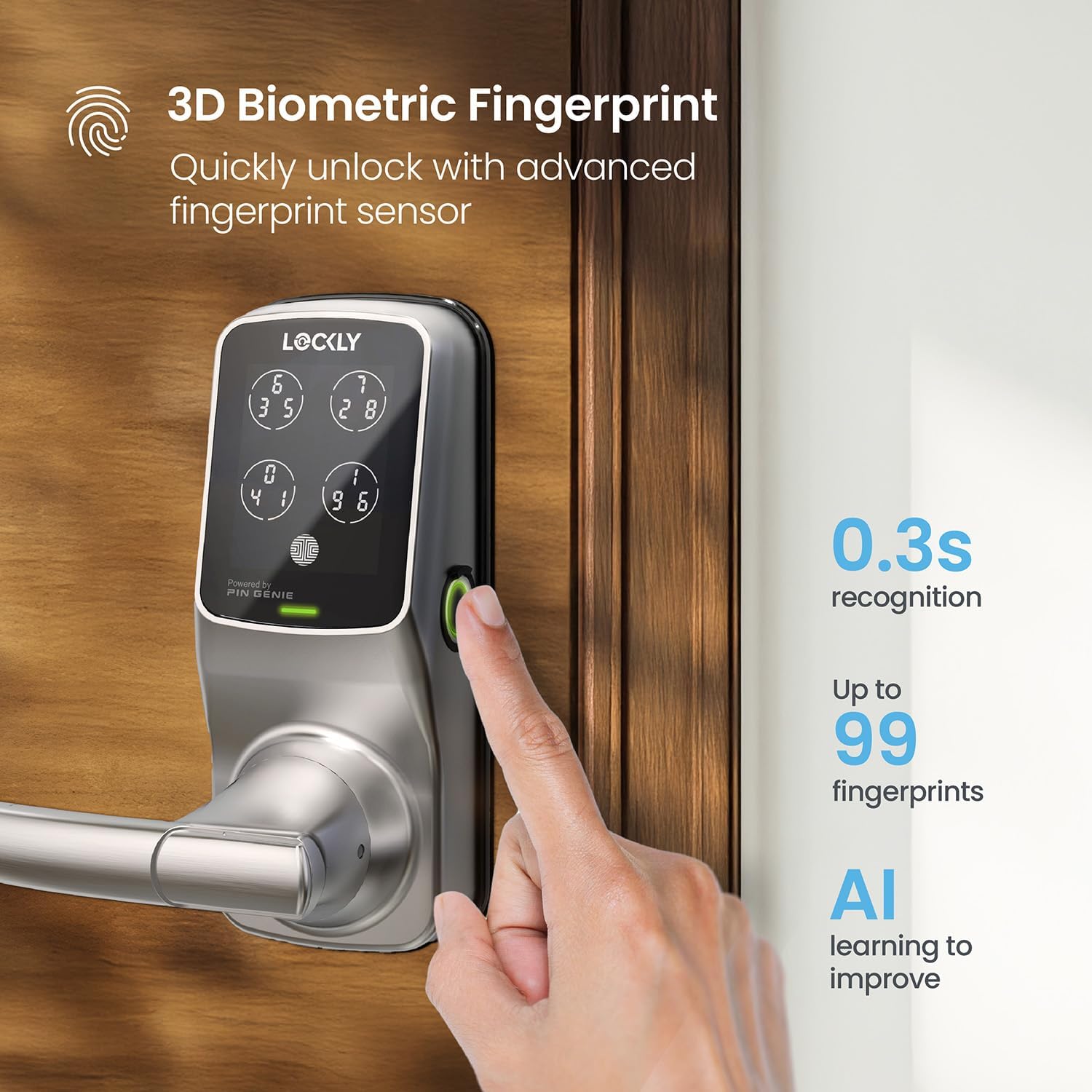
Image: A hand placing a finger on the side-mounted 3D biometric fingerprint sensor of the Lockly smart lock for quick unlocking.
Controlul aplicației mobile
Control your lock directly from your smartphone:
- Deschide aplicatia: Launch the Lockly App on your smartphone.
- Select Lock: Choose the specific lock you wish to control from your list of devices.
- Blocare/Deblocare: Tap the prominent lock/unlock icon on the main screen to change the door's status.

Image: A smartphone displaying the Lockly app's access history log, showing timestamps and methods of lock/unlock events.
Voice Control (with optional Wi-Fi Hub)
If you have the optional Lockly Secure Link Wi-Fi Hub, you can use voice commands:
- Activează abilitate/acțiune: Ensure the Lockly skill (for Amazon Alexa) or action (for Google Assistant) is enabled in your respective smart home app.
- Issue Command: Use voice commands such as "Alexa, unlock the front door" or "Hey Google, is the front door locked?"

Image: A woman using voice commands with a smart speaker to control her Lockly smart lock, illustrating compatibility with Alexa and Google Assistant.
Funcția de blocare automată
The auto-lock feature provides peace of mind by automatically securing your door after a specified time:
- Setări de acces: Navigate to the auto-lock settings within the Lockly App.
- Setați întârzierea: Choose your preferred auto-lock delay, ranging from 5 to 300 seconds.

Image: A smartphone screen displaying the Lockly app's auto-lock settings, showing options to customize the automatic locking delay.
Întreţinere
Înlocuirea bateriei
Your Lockly Secure Plus is powered by 4 AA batteries. The lock will provide low battery alerts via the app and on the lock's display when replacement is needed.
- Locate Compartment: The battery compartment is located on the interior side of the lock.
- Înlocuiți bateriile: Remove the cover and replace all four AA batteries, ensuring correct polarity.
Putere de urgență
In the event of complete battery depletion, you can temporarily power the lock using a 9V battery:
- Locate Contacts: Find the two contact points on the bottom edge of the exterior keypad.
- Aplicați putere: Press a 9V battery firmly against these contacts while simultaneously entering your access code or using your registered fingerprint.

Image: Diagram showing the location of the 4x AA battery compartment and the 9V battery emergency power contacts on the Lockly smart lock.
Curatenie
To maintain the appearance and functionality of your lock, clean the keypad and fingerprint sensor with a soft, dry, lint-free cloth. Avoid using abrasive cleaners, solvents, or harsh chemicals, as these can damage the finish or electronic components.
Depanare
Probleme comune și soluții
| Emisiune | Cauza posibila | Soluţie |
|---|---|---|
| Lock not responding to keypad or fingerprint. | Low batteries, incorrect code/fingerprint, sensor obstruction. | Replace all four AA batteries. Ensure correct PIN entry. Clean fingerprint sensor and re-register fingerprint if necessary. |
| Mobile app not connecting to lock. | Bluetooth disabled, out of range, app glitch, Wi-Fi Hub issue. | Verify Bluetooth is enabled on your phone and you are within range. Restart the Lockly app or your phone. Check Wi-Fi Hub connection if using remote access. |
| Auto-lock feature is not engaging. | Auto-lock setting is disabled or set to a long delay. | Open the Lockly App, navigate to settings, and confirm that auto-lock is enabled with your desired delay time. |
| Physical backup key is not working. | Incorrect key, debris in keyway, lock mechanism issue. | Ensure you are using one of the two provided backup keys. Check the keyway for any obstructions. If the issue persists, contact Lockly support. |
| Keypad numbers are not visible or dim. | Baterii descărcate, tastatură defectă. | Înlocuiți bateriile. Dacă problema persistă, contactați serviciul de asistență pentru clienți. |
Specificații
- Marca: Lockly
- Nume model: Lockly Secure Plus
- Număr de model: PGD628F
- UPC: 850003895062
- Tip blocare: Blocare inteligentă
- Material: Aliaj de zinc
- Culoare: Nichel satinat
- Dimensiuni (L x l x H): 7.8 x 2.9 x 7.2 inci
- Greutatea articolului: 6.48 lire sterline
- Sursa de alimentare: 4 baterii AA (incluse)
- Durata de viață a bateriei: Până la 12 luni (utilizare tipică)
- Conectivitate: Bluetooth, Wi-Fi (with optional Secure Link Wi-Fi Hub)
- Temperatura de functionare: -4°F până la 140°F (-20°C până la 60°C)
- Rezistenta la intemperii: IPX4 certified (Waterproof)
- Caracteristici speciale: Biometric Fingerprint, Touchscreen Keypad, Patented PIN Genie Technology, Smartphone Control, eKeys & eBadges, Offline Access Codes™
Garanție și suport
Lockly products are designed for durability and reliability. Your Lockly Secure Plus comes with a manufacturer's warranty. For detailed information regarding warranty terms, coverage, and duration, please refer to the warranty card included in your product packaging or visit the official Lockly website-ul.
For technical assistance, troubleshooting, or any product-related inquiries, Lockly offers dedicated customer support:
- Suport online: Visit the Lockly Support Center at www.lockly.com/support pentru întrebări frecvente, ghiduri și opțiuni de contact.
- Asistență telefonică: Refer to your product packaging or the Lockly website for the most current customer service contact numbers and operating hours.


