1. Introducere
This instruction manual provides essential information for the proper installation, use, and maintenance of the NEDIS SmartLife Surface Mount Back Box (Model: WIFIWB10WT). This back box is designed as an accessory for compatible NEDIS SmartLife devices, including models WIFIWC10WT, WIFIWS10WT, and WIFIWS20WT, enabling surface mounting where in-wall installation is not feasible or desired. Please read this manual thoroughly before installation and retain it for future reference.
2. Produs terminatview
The NEDIS SmartLife Surface Mount Back Box (WIFIWB10WT) is a white, rectangular enclosure made from durable ABS material. It provides a secure and aesthetically pleasing housing for various NEDIS SmartLife wall-mounted devices, allowing them to be installed on the surface of a wall rather than recessed. The design includes internal mounting points for easy attachment of compatible devices.

Figura 2.1: Față view of the NEDIS SmartLife Surface Mount Back Box, showing the internal structure and mounting points.
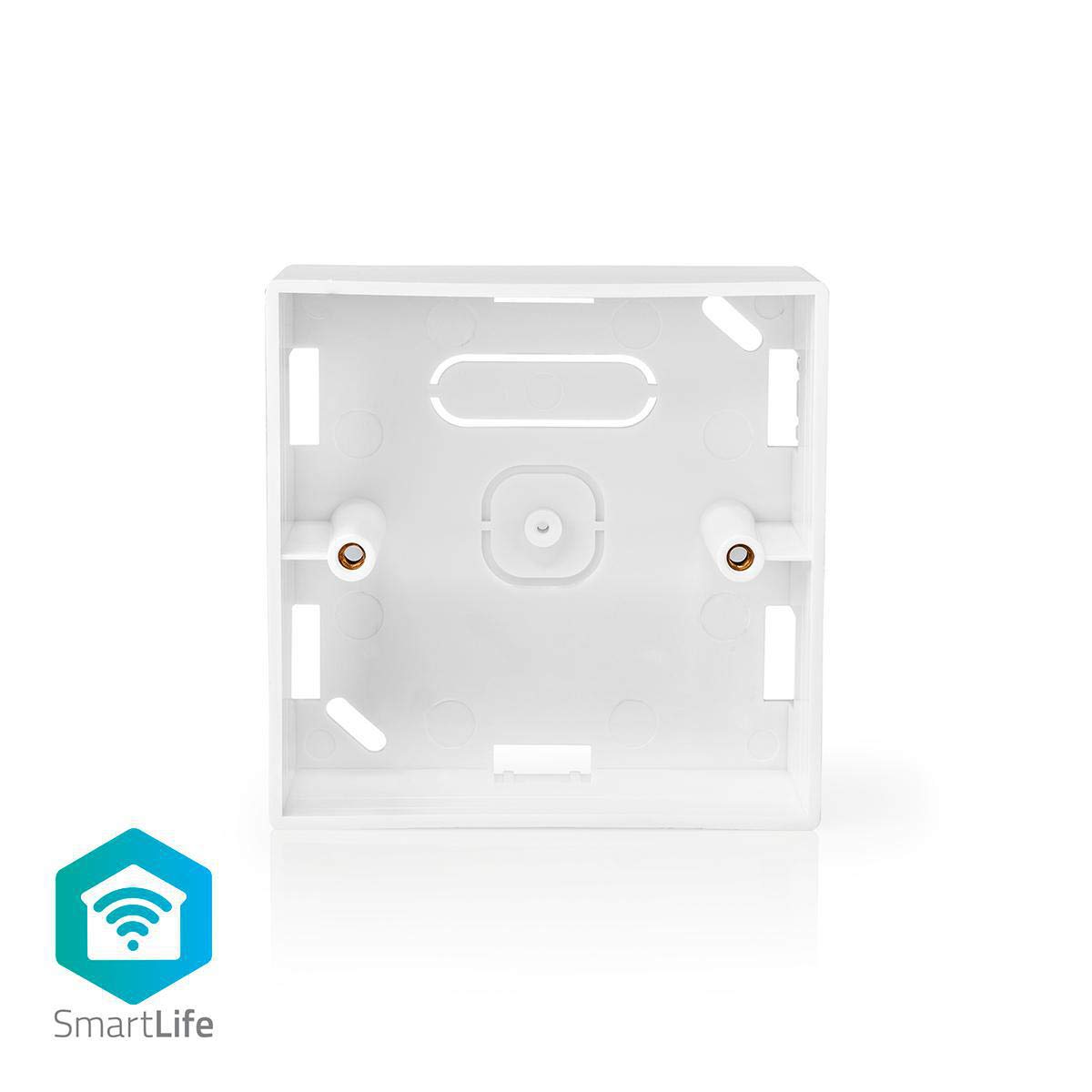
Figura 2.2: Față view of the back box, highlighting its compatibility with the SmartLife ecosystem.
3. Configurare și instalare
Before beginning installation, ensure the power supply to the installation area is disconnected at the main circuit breaker to prevent electrical shock. It is recommended that installation be performed by a qualified electrician.
- Pregătiți zona de instalare: Choose a suitable, flat surface on the wall for mounting. Ensure there is sufficient space for the back box and the device it will house.
- Marcați punctele de montare: Place the back box against the wall at the desired location. Use a pencil to mark the positions for the mounting screws through the designated holes on the back box.
- Găuriți găuri pilot: Drill pilot holes at the marked positions. The size of the drill bit should be appropriate for the wall plugs and screws you intend to use (not included).
- Secure the Back Box: Insert wall plugs into the pilot holes. Align the back box with the holes and secure it to the wall using screws. Do not overtighten.
- Install the Compatible Device: Carefully route any necessary wiring through the appropriate openings in the back box. Attach your compatible NEDIS SmartLife device (e.g., WIFIWC10WT, WIFIWS10WT, WIFIWS20WT) to the internal mounting posts of the back box. Ensure all electrical connections are made according to the device's specific instruction manual.
- Asamblare finala: Once the device is securely mounted and wired, attach the device's faceplate or cover to complete the installation.

Figura 3.1: Spate view of the back box, illustrating the screw mounting points for wall attachment.

Figura 3.2: Înclinat view of the back box, detailing the internal posts for securing a compatible device.
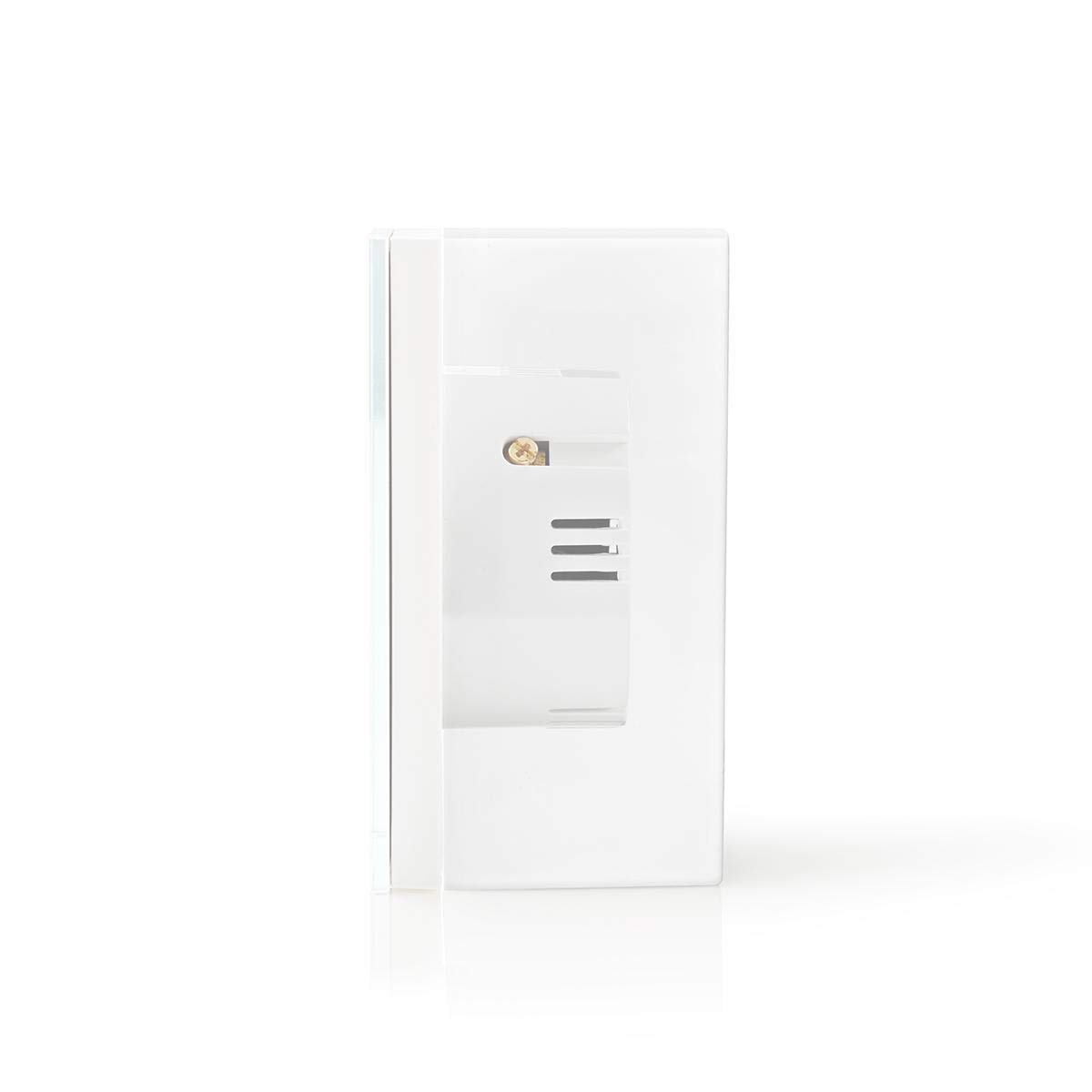
Figura 3.3: Pro lateralfile of the back box with a compatible SmartLife device mounted, demonstrating the surface-mount design.
Warning: Always ensure power is off before performing any electrical work.
4. Operare
The NEDIS SmartLife Surface Mount Back Box is a passive accessory. Its operation is entirely dependent on the functionality of the NEDIS SmartLife device installed within it. Refer to the instruction manual of your specific SmartLife device (e.g., WIFIWC10WT, WIFIWS10WT, WIFIWS20WT) for detailed operating instructions.
5. Întreținere
- curatenie: To clean the back box, gently wipe it with a soft, dry cloth. For stubborn marks, a slightly damp cloth with mild soap can be used, followed by drying. Avoid abrasive cleaners or solvents, as these can damage the ABS material.
- Inspecţie: Periodically inspect the back box and the installed device for any signs of damage, loose connections, or wear. If any issues are found, address them promptly.
- Conditii de mediu: Ensure the back box is not exposed to extreme temperatures, direct sunlight for prolonged periods, or excessive moisture, as these conditions can affect its durability and appearance.
6. Depanare
As a passive component, the back box itself has limited troubleshooting scenarios. Most issues will relate to the device installed within it or the installation process.
- Device Not Functioning:
- Verify that the power supply to the device is active.
- Check all wiring connections within the back box according to the device's manual.
- Refer to the troubleshooting section of the specific NEDIS SmartLife device's instruction manual.
- Back Box Appears Loose:
- Ensure the mounting screws are securely tightened to the wall.
- If the wall plugs are damaged or the wall material is compromised, consider relocating the back box or using more robust mounting hardware.
- Difficulty Mounting Device Inside:
- Confirm that your device is one of the compatible models (WIFIWC10WT, WIFIWS10WT, WIFIWS20WT) or another device explicitly stated as compatible by NEDIS.
- Ensure the device is correctly aligned with the internal mounting posts before attempting to secure it.
7. Specificații
| Numărul de model | WIFIWB10WT |
| Marca | NEDIS |
| Material | ABS (acrilonitril butadien stiren) |
| Dimensiuni (L x l x H) | 8.6 x 8.6 x 3.5 cm |
| Greutate | 50 de grame |
| Tip de montare | Montare la suprafață |
| Dispozitive compatibile | WIFIWC10WT, WIFIWS10WT, WIFIWS20WT (and other compatible NEDIS SmartLife devices) |
| Culoare | Alb |
| Țara de origine | China |
8. Garanție și asistență
For information regarding warranty terms and conditions, or for technical support, please refer to the official NEDIS website or contact NEDIS customer service directly. Specific warranty details may vary by region and purchase location.
Producător: Nedis


