1. Introducere
The Ewent EW1570 is a versatile 4-in-1 universal programmable remote control designed to consolidate the control of up to four different audio/video devices into a single unit. This remote is compatible with a wide range of equipment, including televisions, DTT/SAT/STB receivers, DVD/Blu-ray players, projectors, soundbars, media hard drives, and Hi-Fi systems. Its key feature is PC-based programming, which allows for precise customization and ensures compatibility with various brands and models.
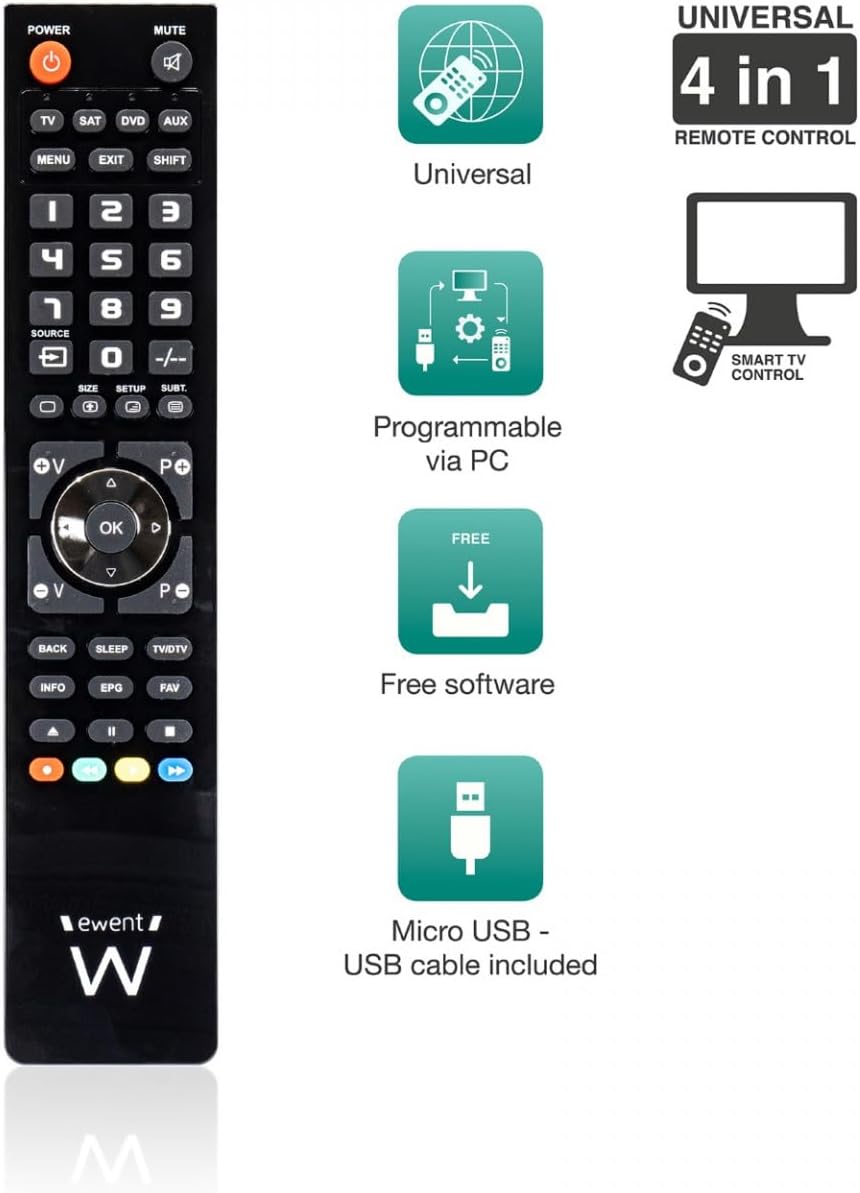
An image displaying the Ewent EW1570 remote control alongside icons representing its key features: universal compatibility, PC programmability, free software, and inclusion of a micro USB cable.
2. Produs terminatview
The Ewent EW1570 remote control features a standard layout with clearly labeled buttons for easy navigation and control. It is designed for comfortable handling and intuitive operation. The remote includes dedicated buttons for device selection (TV, SAT, DVD, AUX), a numeric keypad, channel and volume controls, and navigation buttons. A micro USB port is located on the remote for PC connection during the programming process.

Faţă view of the Ewent EW1570 remote control, showing its buttons and layout.
3. Configurare și programare
The Ewent EW1570 remote control is programmed via a Windows PC. This method ensures comprehensive compatibility and allows for detailed customization of functions.
3.1. Cerințe
- A computer running a Windows operating system.
- The included micro USB to USB cable.
- Internet access to download the programming software.
3.2. Programming Steps
- Descărcați software: Visit the official Ewent website to download the latest programming software for the EW1570. Ensure you download the correct version for your Windows operating system.
- Instalați software-ul: Follow the on-screen instructions to install the programming software on your PC.
- Conectare telecomandă: Connect the Ewent EW1570 remote control to your PC using the provided micro USB cable. The remote should be recognized by the software.
- Select Devices: Within the software, select the type and brand of the devices you wish to control (e.g., TV, Satellite Receiver, DVD Player). The software provides a comprehensive database of codes.
- Customize Functions (Optional): The software allows for individual key assignment, enabling you to map specific functions from your original remote controls to the EW1570 buttons.
- Upload Configuration: Once you have selected and customized your device settings, upload the configuration to the remote control via the software.
- Test de la distanță: Disconnect the remote from the PC and test its functionality with your devices.
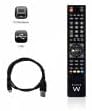
The Ewent EW1570 remote control shown alongside its micro USB cable, essential for PC programming.
4. Funcționare
After successful programming, operating the Ewent EW1570 is straightforward.
4.1. Selectarea unui dispozitiv
To control a specific device, press one of the dedicated device selection buttons at the top of the remote:
- TELEVIZOR: Pentru televizorul tău.
- SAT: For satellite or cable receivers.
- DVD: For DVD or Blu-ray players.
- AUX: For auxiliary devices such as soundbars, media boxes, or Hi-Fi systems.
Once a device button is pressed, the remote will operate that specific device until another device button is selected.
4.2. Funcții de bază
The remote provides standard control functions:
- PUTERE: Pornește sau oprește dispozitivul selectat.
- MUT: Dezactivează sunetul.
- Volumul (+/-): Reglează volumul.
- Canal (+/-): Schimbă canale.
- Tastatură numerică (0-9): For direct channel input or other numeric functions.
- Navigation (Up/Down/Left/Right, OK): Pentru navigarea în meniu.
- MENU, EXIT, INFO, EPG: Access device-specific menus and information.
5. Întreținere
5.1. Înlocuirea bateriei
The Ewent EW1570 requires two 1.5V AAA/LR03 batteries (not included). To replace them:
- Deschideți capacul compartimentului bateriei de pe spatele telecomenzii.
- Scoateți bateriile vechi.
- Insert two new AAA/LR03 batteries, ensuring correct polarity (+/-).
- Închideți capacul compartimentului bateriei.
The remote's permanent memory ensures that all programmed codes are retained even when batteries are removed or replaced.
5.2. Curatenie
To clean the remote control, use a soft, dry cloth. Avoid using abrasive cleaners, solvents, or wet cloths, as these can damage the remote's surface or internal components.
6. Depanare
- Telecomanda nu răspunde:
- Verificați dacă bateriile sunt introduse corect și au suficientă încărcare. Înlocuiți-le dacă este necesar.
- Ensure you have selected the correct device mode (TV, SAT, DVD, AUX) for the device you are trying to control.
- Verify that the remote is pointed directly at the device's infrared receiver.
- Device not responding to specific functions:
- The programming for that specific function might be incorrect or missing. Re-program the remote using the PC software, paying close attention to key assignments.
- Ensure the device you are trying to control is fully compatible with the selected code.
- Difficulty finding programming software:
- Always refer to the official Ewent website for the most up-to-date programming software and drivers. Caută 'EW1570 software' on their support page.
- Remote loses settings:
- The EW1570 features permanent memory, so settings should not be lost during battery changes. If settings are lost, re-program the remote. If the issue persists, contact Ewent support.
7. Specificații
| Caracteristică | Detaliu |
|---|---|
| Numărul de model | EW1570 |
| Marca | Ewent |
| Tip | 4-in-1 Universal Programmable Remote Control |
| Dispozitive compatibile | TV, DTT (DVB-T), SAT (DVB-S), STB, DVD, VCR, Blu-ray, Projectors, Soundbar, Media Hard Drive, Hi-Fi |
| Maximum Supported Devices | 4 |
| Metoda de programare | Via Windows PC (Micro USB cable included) |
| Sursa de alimentare | 2 x 1.5V AAA/LR03 batteries (not included) |
| Memorie | Permanent (retains settings during battery replacement) |
| Conectivitate | USB (for programming) |
| Raza maximă | 10 metri |
| Dimensiuni | 23.5 x 5.1 x 1.5 cm |
| Greutate | 102 g |
| Caracteristica specială | Iluminare de fundal |
8. Garanție și asistență
8.1. Disponibilitatea pieselor de schimb
Spare parts for the Ewent EW1570 are available for a period of 2 years from the date of purchase.
8.2. Actualizări software
The programming software for the EW1570 is regularly updated, with free daily updates available to ensure compatibility with new devices and to improve functionality.
8.3. Asistență pentru clienți
For further assistance, technical support, or warranty claims, please visit the official Ewent website or contact their customer service department. Ensure you have your product model number (EW1570) and proof of purchase available when seeking support.


