1. Introducere
This manual provides essential information for setting up, operating, and maintaining your HP Spectre x360 2-in-1 Laptop. This device combines the power of a traditional laptop with the versatility of a tablet, featuring a 15.6-inch 4K UHD touchscreen display and an Intel Core i7-8565U processor.
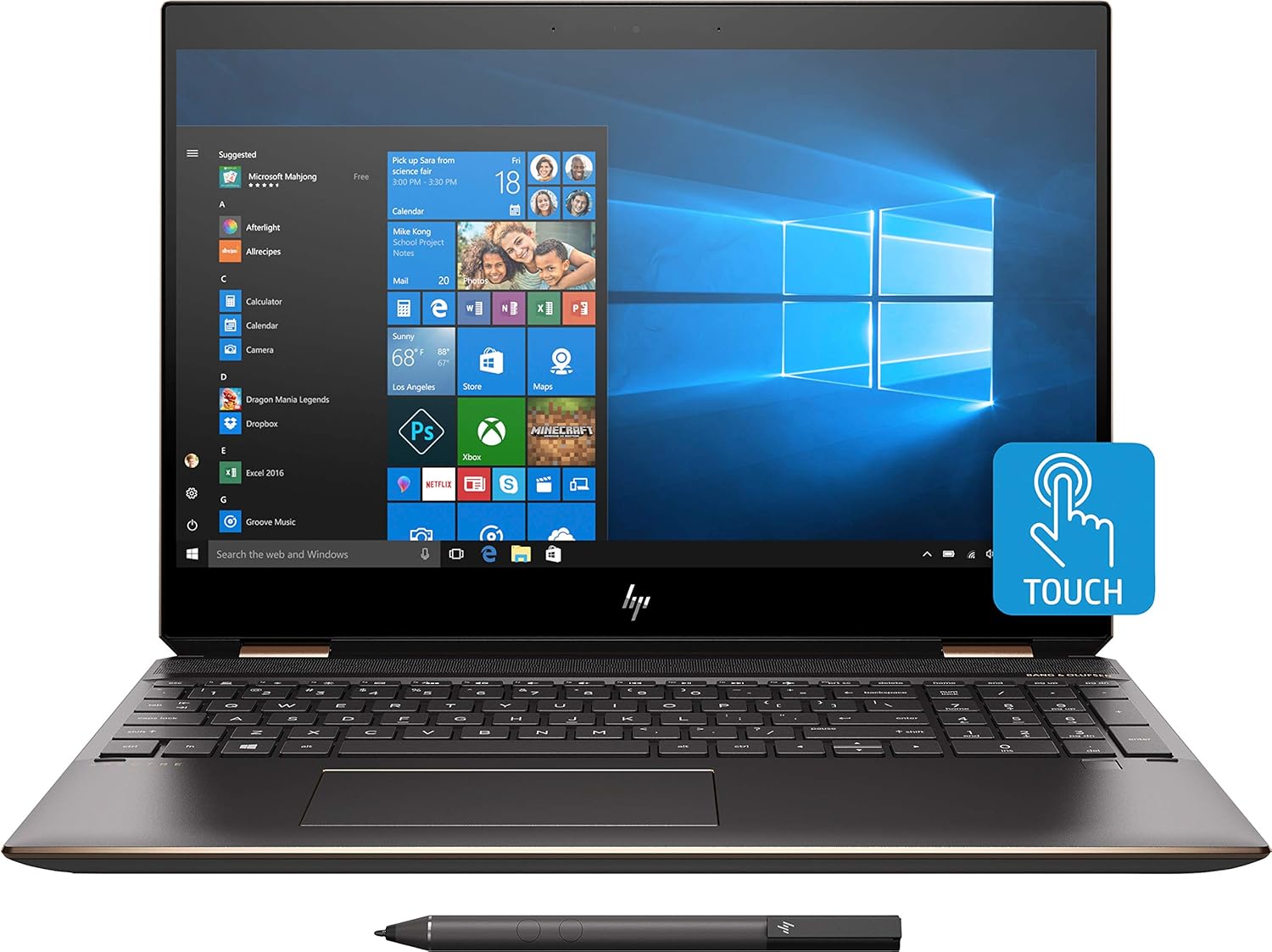
Imaginea 1.1: Față view of the HP Spectre x360 in laptop configuration.
2. Configurare
2.1 Pornirea inițială
- Unpack your HP Spectre x360 laptop and all accessories.
- Conectați adaptorul de alimentare la laptop și la o priză.
- Apăsați butonul de pornire pentru a porni dispozitivul.
- Urmați instrucțiunile de pe ecran pentru a finaliza configurarea inițială a Windows 10 Home, inclusiv limba, regiunea și crearea contului de utilizator.
2.2 Conectarea la o rețea wireless
- During the Windows setup or afterward, click the Wi-Fi icon in the taskbar.
- Selectați rețeaua wireless dorită din listă.
- Introduceți cheia de securitate a rețelei (parola) dacă vi se solicită.
- Faceți clic pe „Conectare”.
2.3 HP Active Stylus Setup
The HP Active Stylus is included for enhanced interaction with the touchscreen. Ensure the stylus has a working battery. The stylus should automatically pair with your device. If not, refer to the Windows Bluetooth settings for manual pairing.

Image 2.1: HP Spectre x360 with included Active Stylus.
3. Instrucțiuni de utilizare
3.1 Funcționalitate 2 în 1
The HP Spectre x360 can seamlessly transition between laptop, tablet, tent, and stand modes. Gently rotate the screen backward to switch modes. The system will automatically detect the orientation and adjust the display and keyboard functionality accordingly.

Image 3.1: HP Spectre x360 in a convertible mode.
3.2 Touchscreen and Stylus Usage
The 4K UHD touchscreen supports multi-touch gestures for intuitive navigation. Use the included HP Active Stylus for precise input, drawing, and note-taking directly on the screen. The stylus offers pressure sensitivity for a natural writing and drawing experience.
3.3 Tastatură și touchpad
The full-size backlit keyboard provides comfortable typing in various lighting conditions. Adjust backlight intensity using the function keys. The HP Imagepad supports multi-touch gestures for scrolling, zooming, and navigating.
3.4 Porturi și conectivitate
Your laptop is equipped with various ports for connecting peripherals:
- 1 Thunderbolt 3 Port: For high-speed data transfer (up to 40 Gb/s), DisplayPort 1.2, and HP Sleep and Charge functionality.
- 1 USB 3.1 Type-C Gen 1 Port: For data transfer (up to 5 Gb/s), DisplayPort 1.2, and HP Sleep and Charge functionality.
- 1 USB 3.1 Gen 1 Port: For connecting standard USB devices and HP Sleep and Charge functionality.
- 1 port HDMI: Pentru conectarea la afișaje externe sau proiectoare.
- 1 Headphone/Microphone Combo Jack: Pentru intrarea și ieșirea audio.

Imaginea 3.2: Vedere lateralăfile of the HP Spectre x360 displaying its connectivity ports.
3.5 Sistem audio
Experience rich audio with the Bang & Olufsen dual speakers. The integrated dual array digital microphone ensures clear voice input for calls and recordings.
3.6 Caracteristici de securitate
The HP Spectre x360 includes advanced security features:
- Cititor de amprente: Located on the keyboard deck for quick and secure login.
- HP Wide Vision FHD IR Camera: Compatibil cu Windows Hello pentru autentificare securizată prin recunoaștere facială.
4. Întreținere
4.1 Curățarea laptopului
- Folosiți o cârpă moale, fără scame dampclătite cu apă sau cu o soluție de curățare a ecranului.
- Pentru tastatură și carcasă, folosiți o cârpă moale și uscată. Evitați substanțele chimice dure.
4.2 Îngrijirea bateriei
- Pentru a prelungi durata de viață a bateriei, evitați temperaturile extreme.
- Lăsați periodic bateria să se descarce sub 20% înainte de a o reîncărca.
4.3 Actualizări de software
Verificați și instalați periodic actualizările Windows și actualizările driverelor HP pentru a asigura performanță și securitate optime.
5. Depanare
Această secțiune abordează problemele frecvente pe care le puteți întâmpina. Pentru o depanare mai detaliată, consultați serviciul de asistență HP. website-ul.
- Fără putere: Asigurați-vă că adaptorul de alimentare este conectat corect și că priza funcționează. Încercați o altă priză.
- Probleme de afișare: If the screen is blank, try pressing the power button briefly or connecting to an external monitor to diagnose.
- Probleme de conectivitate Wi-Fi: Check if Wi-Fi is enabled. Restart your router and laptop.
- Ecranul tactil nu răspunde: Reporniți laptopul. Asigurați-vă că nu există obstacole fizice pe ecran.
6. Specificații
| Caracteristică | Detaliu |
|---|---|
| Numele modelului | HP Spectre x360 2-in-1 (Model: Spectre) |
| Procesor | Intel Core i7-8565U (up to 4.6GHz) |
| Grafică | NVIDIA GeForce MX150 (2GB GDDR5 dedicated) |
| RAM | 16 GB DDR4-2400 SDRAM |
| Depozitare | SSD M.2 PCIe NVMe de 512 GB |
| Afişa | 15.6" diagonal 4K IPS eDP micro-edge BrightView WLED-backlit (3840 x 2160) Touchscreen |
| Sistem de operare | Windows 10 Home 64 |
| Conectivitate wireless | Intel 802.11b/g/n/ac (2x2) Wi-Fi and Bluetooth 4.2 Combo |
| Porturi | 1x Thunderbolt 3, 1x USB 3.1 Type-C Gen 1, 1x USB 3.1 Gen 1, 1x HDMI, 1x Headphone/Microphone Combo |
| Audio | Bang & Olufsen, Dual Speakers |
| Camera foto | Cameră IR HP Wide Vision FHD cu microfon digital dual array integrat |
| Accesorii incluse | HP Active Stylus, HP Sleeve |
| Culoare | Dark Ash Silver |
| Dimensiuni (Lxlxh) | 14.2 x 9.8 x 0.8 inci |
| Greutatea articolului | 12.3 uncii (aprox. 0.35 kg) |
| Durata medie a bateriei | Până la 17.5 ore |
7. Garanție și asistență
For warranty information, technical support, and additional resources, please visit the official HP support website. You can find detailed documentation, driver downloads, and contact options there.
Asistență HP Website: www.hp.com/support