1. Introducere și Pesteview
This manual provides instructions for the safe and effective use of your AGFA Photo Realishot DC5200 Compact Camera. The DC5200 is designed for capturing high-resolution 21-megapixel photos and 720p HD videos. It features an 8x digital zoom, a 2.4-inch TFT LCD screen for easy viewing, and various smart features like face detection and digital image stabilization.

Imaginea 1.1: Față view of the AGFA Photo Realishot DC5200 camera, showcasinobiectivul, blițul și brandingul.

Image 1.2: The Realishot DC5200 camera highlighting its 21-megapixel photo capability and HD video recording.
2. Informații de siguranță
- Siguranța bateriei: Use only the specified lithium battery. Do not expose to extreme temperatures, disassemble, or short-circuit. Dispose of batteries properly.
- Rezistenta la apa: Această cameră este nu water-resistant. Avoid exposure to water or high humidity.
- curatenie: Folosiți o lavetă moale și uscată pentru curățare. Nu utilizați agenți de curățare lichizi sau solvenți.
- Temperatura de functionare: Folosiți camera în intervalele de temperatură recomandate pentru a preveni deteriorarea.
- Copii: Nu lăsați camera și accesoriile acesteia la îndemâna copiilor mici.
3. Conținutul pachetului
Verificați dacă toate articolele sunt prezente în colet:
- AGFA Photo Realishot DC5200 Camera
- Cablu USB
- Manual de utilizare (acest document)
- Baterie cu litiu
Note: An SD card is not included and must be purchased separately. The camera supports SD cards up to 32 GB.
4. Componentele camerei
4.1 Față View
Image 4.1: Front of the camera, showing the lens, flash, and AF assist lamp.
- Obiectiv: Captează imagini și videoclipuri.
- Flash: Oferă iluminare în condiții de lumină slabă.
- Asistență AF Lamp: Helps the camera focus in dark environments.
- Microfon: Înregistrează sunetul în timpul capturii video.
4.2 Spate View

Image 4.2: Rear of the camera, featuring the 2.4-inch LCD screen and control buttons.
- Ecran LCD TFT de 2.4 inci: Afișează în direct view, meniuri și redare.
- Zoom Buttons (W/T): Controls digital zoom (Wide/Telephoto).
- Butonul de mod: Comută între modurile foto, video și redare.
- Buton SETARE/OK: Confirmă selecțiile din meniuri.
- Butoane de navigare (Sus/Jos/Stânga/Dreapta): Navigates menus and controls certain functions (e.g., flash, self-timer).
4.3 Partea superioară și laterală Views

Imaginea 4.3: Sus view of the camera, showing the power button and USB port.
- Butonul de declanșare: Press to capture a photo or start/stop video recording.
- Buton de alimentare: Pornește sau oprește camera.
- Port USB: Connects the camera to a computer for data transfer or charging.
- Slot pentru card SD: Insert your SD memory card here.
- Compartiment baterie: Găzduiește bateria reîncărcabilă cu litiu.
- Montare trepied: Pentru atașarea camerei la un trepied.
5. Configurare
5.1 Introducerea bateriei
- Deschideți capacul compartimentului bateriei din partea inferioară a camerei.
- Insert the lithium battery, ensuring the correct orientation as indicated inside the compartment.
- Închideți bine capacul compartimentului bateriei.
Image 5.1: The camera with an illustration of the lithium battery, indicating its power source.
5.2 Introducerea unui card SD
- Locate the SD card slot, usually on the side or bottom of the camera.
- Insert the SD card with the metal contacts facing the correct direction (refer to the diagram near the slot). Push until it clicks into place.
- Pentru a scoate cardul, împingeți ușor din nou până când acesta iese.
Note: The camera supports SD cards up to 32 GB. Ensure the card is formatted in the camera before first use (see "Menu Settings").
5.3 Încărcarea bateriei
- Connect the camera to a computer or a USB wall adapter using the provided USB cable.
- Indicatorul luminos de încărcare se va aprinde. Se va stinge sau își va schimba culoarea când încărcarea este completă.
5.4 Initial Power On and Date/Time Setting
- Apăsați și mențineți apăsat butonul de pornire pentru a porni camera.
- If prompted, set the date and time using the navigation buttons and confirm with the SET/OK button. This ensures correct timestamps on your photos and videos.
6. Operarea camerei
6.1 Fotografie de bază
- Pornire: Press the Power button. The camera will start in photo mode by default.
- Realizarea unei fotografii: Frame your shot using the LCD screen. Press the Shutter button halfway to focus, then press fully to capture the image.
- Utilizarea zoom-ului digital: Use the 'T' button to zoom in and the 'W' button to zoom out. The camera features 8x digital zoom.
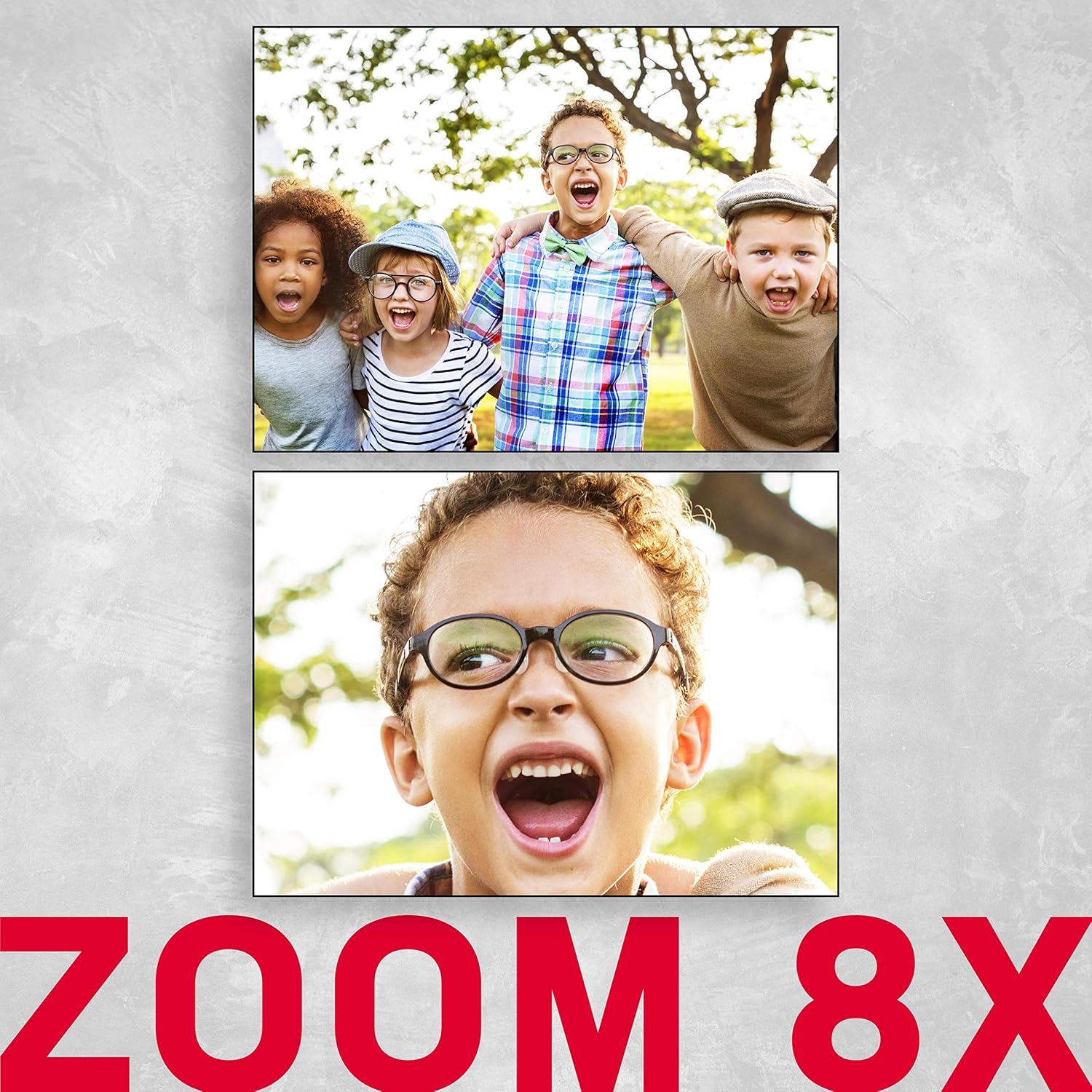
Image 6.1: An illustration demonstrating the 8x digital zoom capability of the camera, showing a zoomed-in image.
6.2 moduri de bliț
In photo mode, press the 'Right' navigation button to cycle through flash modes:
- Bliț automat: Camera stabilește automat dacă este necesar blițul.
- Force Flash: Flash fires for every shot.
- Bliț dezactivat: Blițul este dezactivat.
- Reducerea efectului de ochi rosi: Declanșează un pre-bliț pentru a reduce efectul de ochi roșii.
6.3 Autodeclanșator
Press the 'Down' navigation button to select self-timer options:
- Oprit
- Întârziere de 2 secunde
- Întârziere de 5 secunde
- Întârziere de 10 secunde
6.4 moduri de scenă
The camera offers various scene modes to optimize settings for different shooting conditions. Access these through the menu. Available modes include:
- masina
- Peisaj
- Portret
- Noapte
- Portret de noapte
- High Light Sensitivity
- Plajă
6.5 Înregistrare video
- Press the Mode button to switch to video recording mode.
- Press the Shutter button to start recording. A red indicator will typically appear on the screen.
- Apăsați din nou butonul declanșator pentru a opri înregistrarea.
6.6 Modul de redare
- Press the Mode button to switch to playback mode.
- Use the Left/Right navigation buttons to browse through your photos and videos.
- Pentru a șterge un file, select it and press the SET/OK button, then choose the delete option from the menu.
6.7 Setări meniu
Press the SET/OK button (or a dedicated Menu button if available) to access the camera's settings menu. Use the navigation buttons to scroll and the SET/OK button to confirm selections. Key settings include:
- Rezoluţie: Adjust photo and video resolution.
- Expunere: Compensate for bright or dark scenes.
- Balanța de alb: Adjust color temperature (Auto, Daylight, Cloudy, Fluorescent, Tungsten).
- Stabilizarea imaginii: Digital image stabilization helps reduce blur from camera shake.
- Detectare facială: Detectează automat și focalizează pe fețe.
- Formatează cardul SD: Erases all data on the SD card.

Image 6.2: An illustration of the camera's face detection feature, highlighting detected faces in a scene.

Image 6.3: The camera with an anti-shake icon, indicating its digital image stabilization feature.
7. Întreținere
- Curățarea corpului camerei: Folosiți o lavetă moale, fără scame, pentru a șterge corpul camerei. Pentru murdăria persistentă, ștergeți ușorampro pânza cu apă.
- Curățarea lentilei: Use a lens brush or a specialized lens cleaning cloth. Avoid touching the lens with your fingers.
- Îngrijirea bateriei: Store the battery in a cool, dry place when not in use. If storing for extended periods, charge it periodically to maintain battery health.
- Depozitare: Depozitați camera într-un mediu uscat, fără praf, ferit de lumina directă a soarelui și de temperaturi extreme.
8. Depanare
| Problemă | Cauza posibila | Soluţie |
|---|---|---|
| Camera nu pornește. | Bateria este descărcată sau introdusă incorect. | Încărcați bateria. Asigurați-vă că bateria este introdusă respectând polaritatea corectă. |
| Nu pot face fotografii/videoclipuri. | Cardul SD este plin, blocat sau nu este introdus. | Insert an SD card. Check if the SD card is locked (slide switch on card). Delete unnecessary filesau înlocuiți cardul. |
| Imaginile sunt neclare. | Camera shake, subject too close, or incorrect focus. | Hold the camera steady. Ensure adequate lighting. Use digital image stabilization. Maintain proper distance from subject. |
| Blițul nu se declanșează. | Flash mode is set to "Off" or battery is low. | Change flash mode to "Auto" or "Force Flash". Charge the battery. |
| Camera se blochează. | Eroare temporară de software. | Scoateți și introduceți la loc bateria pentru a reseta camera. |
9. Specificații
| Caracteristică | Detaliu |
|---|---|
| Numele modelului | DC5200 |
| Rezoluția senzorului foto | 21 MP |
| Rezoluție video | 1280x720 HD |
| Zoom digital | 8x |
| Dimensiunea ecranului | 2.4 Inches (TFT LCD) |
| Stabilizarea imaginii | Digital |
| Sprijinit File Format | JPEG (photos), AVI (videos) |
| Tip memorie flash | Card SD (până la 32 GB) |
| Tip baterie | Baterie litiu (reîncărcabilă) |
| Conectivitate | USB |
| Caracteristici speciale | Face Detection, Self-Timer (2s/5s/10s), Red-eye Reduction, Scene Modes |
| Greutatea articolului | 94 grame |
| Dimensiuni (aprox.) | Item Height: 6.1 centimeters |
10. Garanție și asistență
For warranty information and technical support, please refer to the official AgfaPhoto website-ul web sau contactați distribuitorul. Păstrați dovada achiziției pentru a putea solicita garanție.
Producător: AGFA


