Introducere
This manual provides detailed instructions for the setup, operation, maintenance, and troubleshooting of your Logitech HD Pro Webcam C922. Please read this manual thoroughly before using the product to ensure optimal performance and longevity.
The Logitech C922 HD Pro Webcam is designed for high-definition video calls and streaming, offering clear 1080p video capture and reliable performance.
Produs terminatview
Familiarize yourself with the components of your Logitech C922 Webcame.

Figura 1: Faţă view of the Logitech C922 HD Pro Webcam, showing the lens and "HD 1080p" branding.

Figura 2: Logitech C922 HDPro Webcam with its adjustable clip extended, suitable for mounting on monitors or laptops.
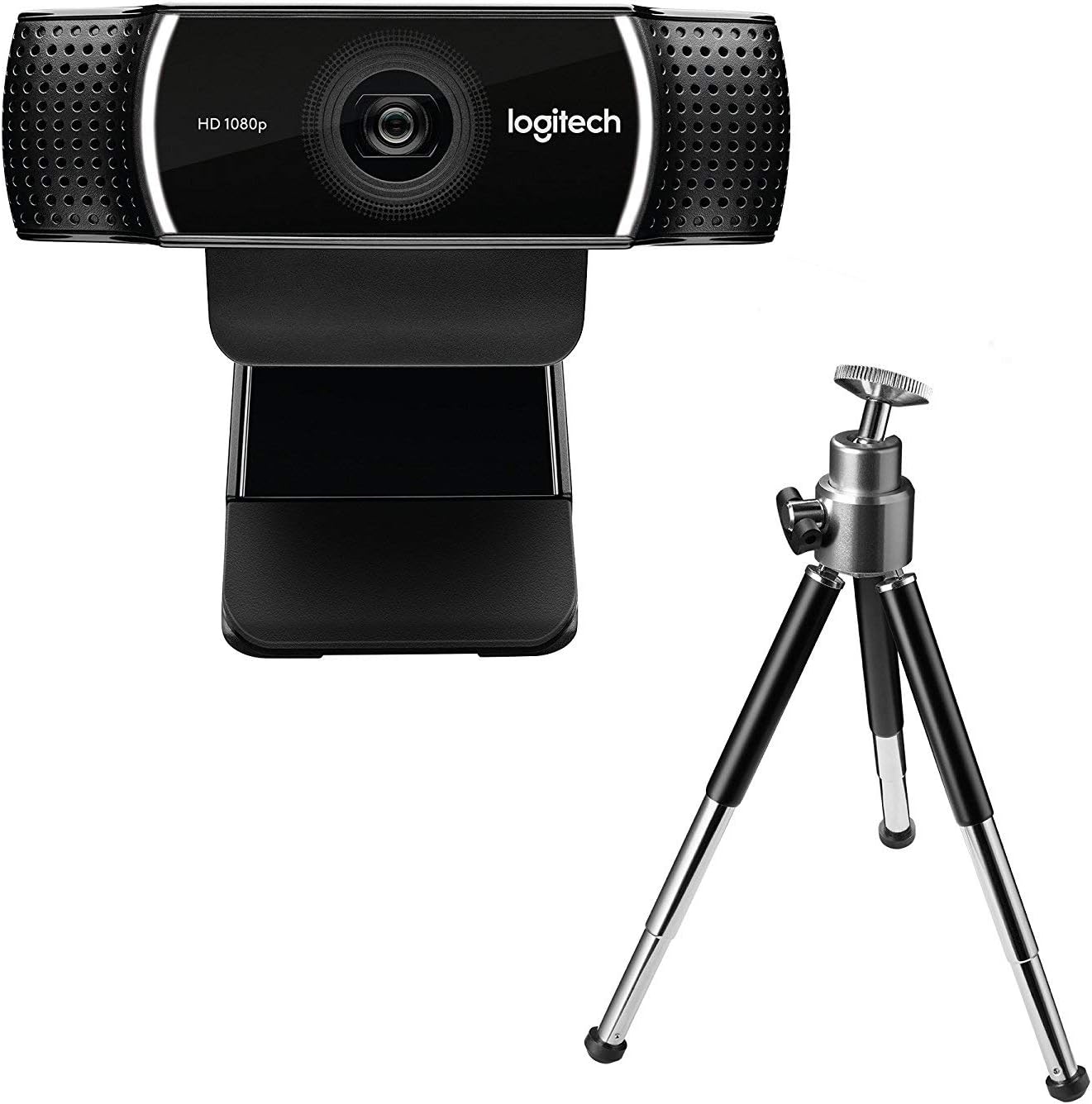
Figura 3: Logitech C922 HDPro Webcam shown with its included mini-tripod, offering alternative placement options.
Înființat
Cerințe de sistem
- Windows 7 sau o versiune ulterioară
- macOS 10.10 sau o versiune ulterioară
- Sistemul de operare Chrome
- Port USB 2.0
- Conexiune la internet pentru descărcare software
Etape de instalare
- Despachetează Webcamera: Carefully remove the C922 webcam and any accessories from its packaging.
- Conectare la computer: Plug the USB cable of the C922 webcam into an available USB 2.0 or 3.0 port on your computer.
- Poziționați Webcamera:
- On a Monitor/Laptop: Open the flexible clip base and place it over the top edge of your monitor or laptop screen. Adjust the front part of the clip so the webcam sits securely.
- Pe un trepied: If using the included tripod, screw the webcam onto the tripod mount. Place the tripod on a stable, flat surface.
- Instalare software: Your operating system should automatically detect and install basic drivers. For full functionality, including advanced settings and features, download and install the Logitech G HUB software from the official Logitech website (www.logitech.com/ghub).
- Testează Webcamera: Open a video conferencing application (e.g., Zoom, Skype, Google Meet) or your computer's camera application to verify the webcamera functioneaza corect.
Instrucțiuni de operare
Operare de bază
- Once connected and drivers are installed, the C922 webcam is ready for use with most video applications.
- Select "Logitech C922 Pro Stream Webcam" as your video device within your chosen application's settings.
- The integrated dual microphones will automatically be selected as the audio input.
Using Logitech G HUB Software
The Logitech G HUB software provides advanced control over your C922 webcamera:
- Rezoluție și frecvență de cadre: Adjust video resolution (up to 1080p) and frame rate (up to 60fps at 720p, 30fps at 1080p).
- Câmpul de View: Personalizați câmpul de view.
- Autofocalizarea: Enable or disable autofocus.
- Exposure and White Balance: Manually adjust exposure, white balance, and other image settings for optimal lighting conditions.
- ChromaCam (Background Replacement): Utilize the ChromaCam feature for virtual background replacement (requires compatible system).
- Profiles: Creați și salvați profesioniști personalizațifiles for different applications or lighting scenarios.
Întreţinere
- Curățarea lentilei: Folosiți o lavetă moale, fără scame, special concepută pentru optică, pentru a șterge ușor weblentilă cu came. Evitați materialele abrazive sau substanțele chimice dure.
- Curățarea corpului: Ștergeți corpul webcameră cu un d moaleamp pânză. Nu scufundați webcameră în apă sau folosiți umiditate excesivă.
- Depozitare: Când nu este utilizat, păstrați fișierul webA se păstra într-un loc curat și uscat, ferit de temperaturi extreme și de lumina directă a soarelui.
- Îngrijirea cablului: Evitați îndoirea sau ondularea excesivă a cablului USB pentru a preveni deteriorarea.
Depanare
| Problemă | Soluţie |
|---|---|
| WebCamera nu a fost detectată de computer. |
|
| No video or black screen. |
|
| Calitate video slabă (neclar, întunecat, granulat). |
|
| Fără sunet sau calitate audio slabă. |
|
Specificații
| Caracteristică | Detaliu |
|---|---|
| Numărul de model | 960-001088 |
| Marca | Logitech |
| Rezoluție captură video | 1080p (Full HD) at 30fps, 720p (HD) at 60fps |
| Tehnologia senzorului de imagine | CMOS |
| Diafragma maximă | 1.8 F |
| Distanța focală maximă | 52 de milimetri |
| Tehnologia de conectivitate | USB 2.0 |
| Format audio acceptat | AAC |
| Format de captură video | MP4 |
| Culoare | Negru |
| Dimensiuni de livrare | 12.8 x 8.6 x 5.2 cm; 162 de grame |
| Prima dată disponibilă | 11 februarie 2019 |
Note: Some specifications from the source data (e.g., "Removable Memory Type: SD", "Connectivity Technology: Wi-Fi") appear to be generic or incorrect for this specific webcam model and have been omitted or corrected for accuracy. The C922 is a wired USB webcame.
Garanție și suport
Produsele Logitech vin de obicei cu o garanție limitată pentru hardware. Pentru detalii specifice despre garanție, înregistrare și asistență tehnică, vă rugăm să vizitați pagina oficială de asistență Logitech. website:
You can also find FAQs, driver downloads, and community forums on their support page.


