1. Introducere
This manual provides detailed instructions for the installation, operation, and maintenance of your Tonton 2K Wireless Security Camera System. Please read this manual thoroughly before using the product to ensure proper setup and functionality.

2. Ce se află în cutie
Verificați dacă toate componentele sunt prezente la despachetare:
- 1 x NVR 2K cu HDD de 1TB
- 6 camere de 3MP
- 1 x 12V 2A Power Supply for NVR
- 6 x 12V 1A Power Supply for Cameras
- 6 Pack Screws

3. Configurare
3.1 Conectarea inițială
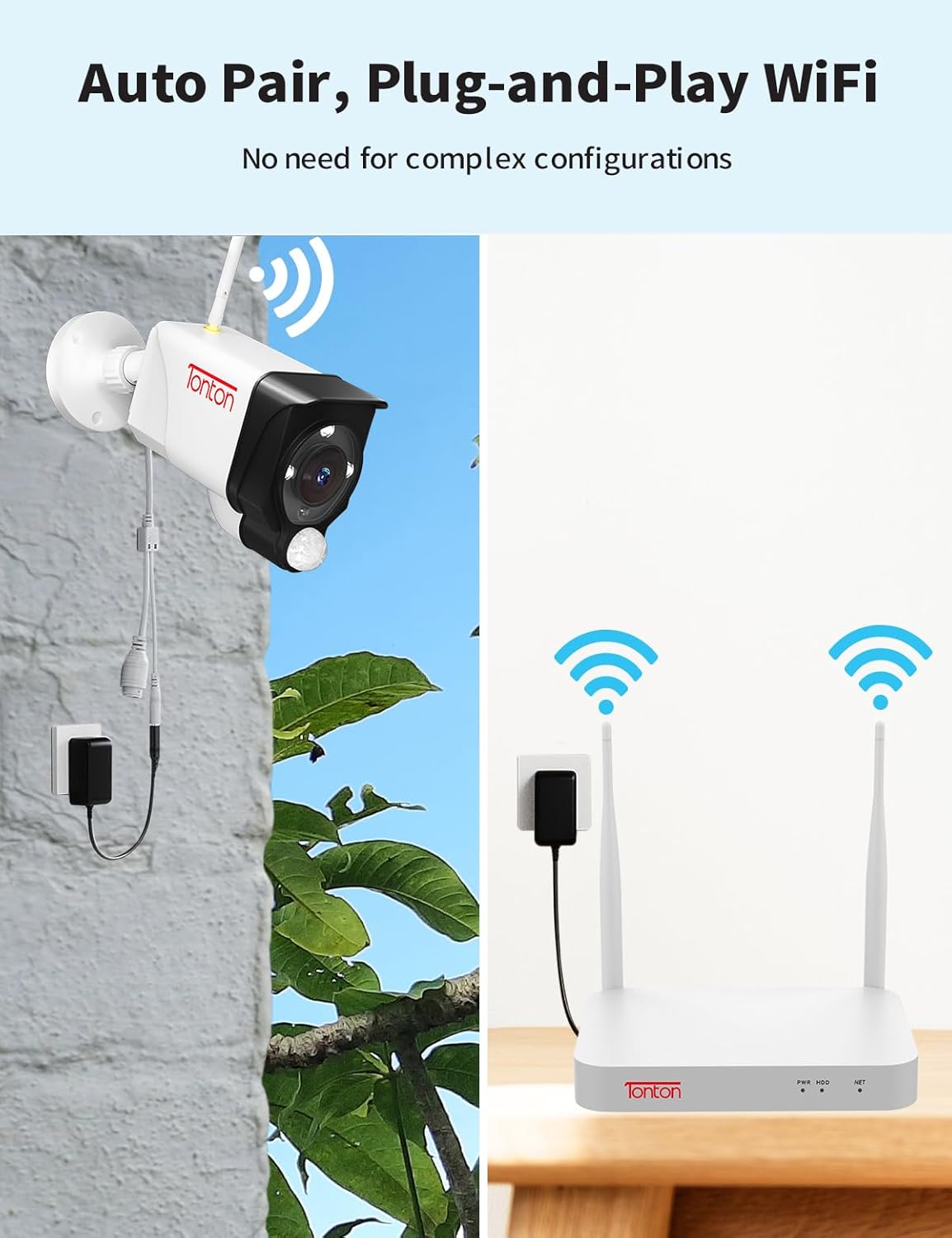
The Tonton security camera system is designed for plug-and-play operation. Cameras automatically pair with the NVR. Each camera requires a power source.
- Connect the NVR to a power source using the provided 12V 2A power supply.
- Connect each 3MP camera to a power source using its dedicated 12V 1A power supply.
- For remote access, connect the NVR to your router via WiFi or an Ethernet cable. The NVR has a built-in network card for direct WiFi connection.
- Connect the NVR to a monitor (not included) using an HDMI cable to view fluxul live.


3.2 Amplasarea camerei
Outdoor cameras feature a 360° adjustable bracket for flexible positioning. Before permanent installation, test the camera's WiFi connection and field of view.
3.3 Mobile App Setup (EseeCloud)
To access your system remotely, download the 'EseeCloud' app:
- Download the 'EseeCloud' app from your device's app store.
- Înregistrați un cont și conectați-vă.
- Scanați codul QR al dispozitivului de pe NVR pentru a-l adăuga în aplicație.

For PC software ('ismkit'), please contact customer support for download instructions.
3.4 How the Wireless Camera System Works
This video demonstrates the operational principles of the Tonton wireless camera system, showing how cameras connect to the NVR and how the system functions.
4. Instrucțiuni de utilizare
4.1 Continuous Recording
The system supports 24/7 continuous recording. The pre-installed 1TB hard drive can store over 30 days of video. When the hard drive is full, it will automatically overwrite the oldest recordings.

4.2 Detectarea și alertele umane prin inteligență artificială
The system utilizes PIR, motion, and AI humanoid detection sensors to minimize false alarms. When human motion is detected, you will receive mobile notifications and email alerts.

4.3 Sunet bidirecțional
Each camera features two-way audio, allowing you to hear and speak through the camera using the mobile app.

4.4 Moduri de vedere nocturnă
The cameras offer three night vision modes: full color, infrared, and smart mode (default). The spotlight and siren alarm can illuminate your yard and deter intruders, recording color videos even at night.

4.5 Integrare Alexa
The system is compatible with Amazon Alexa, allowing voice commands for viewfluxuri de date ale camerei.

This video provides instructions on how to integrate and operate the Tonton security camera system with Amazon Alexa.
5. Întreținere
- Curățare regulată: Curățați periodic obiectivele camerei cu o lavetă moale,amp o lavetă pentru a asigura o calitate clară a imaginii.
- Actualizări firmware: Check the EseeCloud app or Tonton website for available firmware updates to ensure optimal performance and security.
- Verificarea conexiunii: Regularly verify that all cameras are powered and connected to the NVR. Ensure the NVR has a stable internet connection for remote access.
- Gestionarea hard disk-ului: The 1TB HDD automatically overwrites old footage. For longer retention, consider upgrading the hard drive (up to 6TB) or backing up important recordings.
6. Depanare
- Fără imagine/video: Ensure cameras and NVR are powered on and connected. Check all cables and power adapters.
- Semnal wireless slab: Ensure cameras are within range of the NVR. Consider repositioning cameras or the NVR, or using the WiFi repeater function of the cameras.
- Alarme false: Adjust detection sensitivity settings in the NVR or app. Utilize custom motion detection areas to exclude irrelevant zones.
- Probleme de acces la distanță: Verify the NVR is connected to the internet. Check router settings and ensure the EseeCloud app is updated.
- Contactați asistența: If issues persist, refer to the support section for contact information.
7. Specificații
| Caracteristică | Detaliu |
|---|---|
| Marca | Tonton |
| Numărul de model | D5309HN8-W |
| Tehnologia de conectivitate | Fără fir |
| Rezoluție captură video | 2K, 3MP (2304*1296) |
| Numărul de canale | 10 |
| Capacitate de stocare a memoriei | 1 TB (extensibil până la 6 TB) |
| Sursa de alimentare | Electric cu fir (12V CC) |
| Dimensiuni articol (L x l x H) | 13.31 x 16.34 x 7.48 inci |
| Utilizări recomandate | Indoor, Outdoor, Home, Business |
| Dispozitive compatibile | Camere foto, computere personale, smartphone-uri, televizoare, tablete |
| Caracteristici speciale | Senzor PIR, Spotlight, Audio pe 2 căi, Carcasă metalică, 110 grade Viewing Angle, IP66 Weatherproof, Color Night Vision, 360 degree adjustable bracket, AI Humanbody Detection, Email/NVR/APP alerts, Remote Viewing, Smart Search Playback, USB backup, Cloud Storage Support, Privacy Mask Area (up to 4 areas), Works with Alexa |
| Tehnologie cu lumină scăzută | Culoarea Nopții |
| Distanța focală | F=3.6mm |
| Gama de vedere nocturnă | Până la 100 de picioare |
| Frame Rate | 15 fps |
| Modul de înregistrare | Eveniment, Program |
| Compresie video | H.265 + |
| UPC | 654913788847 |
8. Garanție și asistență
For technical support or inquiries, please contact Tonton customer service:
- E-mail: sales@tontonsecurity.com
- E-mail al producătorului: kontakt@tontonsecurity.com
You can also visit the official Tonton store for more information and resources: Magazinul Amazon Tonton.

The product is manufactured by Guangzhou Juan Intelligent Tech Joint Stock Co., Ltd Tonton security.


