1. Introducere
Mulțumesc pentru achizițieasing the ieGeek Portable DVD Player. This manual provides essential information for the safe and efficient operation of your device. Please read it thoroughly before use and retain it for future reference.
Informații de siguranță
- Nu expuneți dispozitivul la ploaie sau umezeală.
- Do not disassemble the device. Refer all servicing to qualified personnel.
- Use only the specified power adapters and accessories.
- Evitați temperaturile extreme și lumina directă a soarelui.
- Țineți dispozitivul departe de câmpuri magnetice puternice.
2. Conținutul pachetului
Verificați dacă toate articolele sunt prezente în colet:
- ieGeek Portable DVD Player
- Telecomanda
- Încărcător auto
- Adaptor de curent alternativ
- Cablu AV 3-în-1
- Manual de utilizare

Figura 2.1: Accesorii incluse
3. Produs terminatview
The ieGeek Portable DVD Player features a 10.5-inch HD swivel screen and supports various media formats for versatile entertainment.
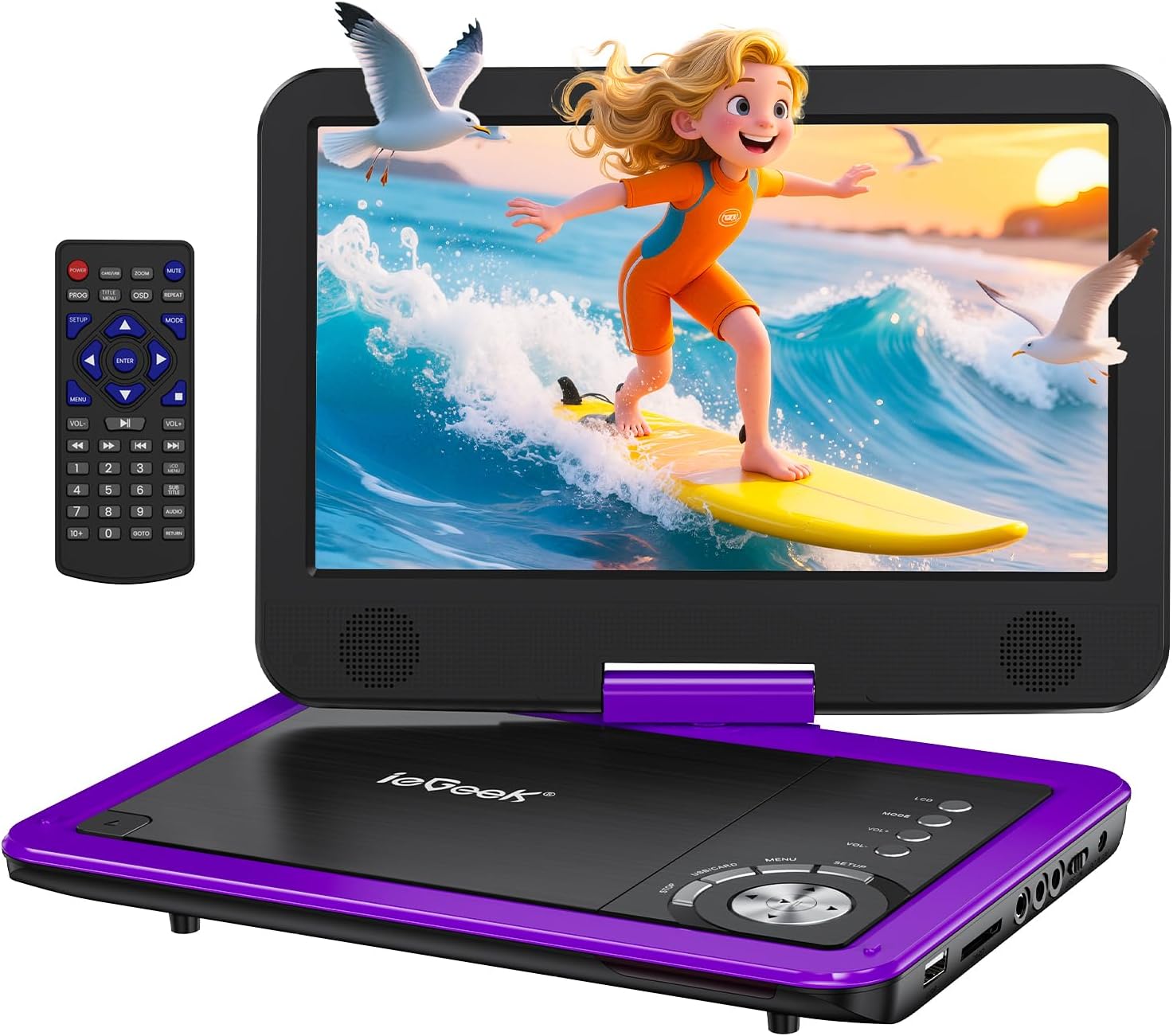
Figure 3.1: ieGeek Portable DVD Player
Comenzi și porturi

Figure 3.2: Side Ports and Controls
- Port USB: Pentru conectarea unităților flash USB.
- Slot pentru card SD: Pentru introducerea cardurilor de memorie SD.
- Mufă pentru căști: Pentru conectarea căștilor.
- AV OUT: Connects to a TV or projector for larger screen viewing.
- AV IN: Connects to another portable DVD player for synchronized viewing.
- Comutator PORNIT / OPRIT: Pornește sau oprește dispozitivul.
- DC IN 12V: Intrare de alimentare pentru adaptorul de curent alternativ sau încărcătorul auto.
- GAME Port: For connecting a game controller (if supported).
4. Configurare
4.1 Încărcare inițială
Before first use, fully charge the portable DVD player. The built-in rechargeable battery provides approximately 5 hours of video playback.
- Connect the AC Power Adapter to the DC IN 12V port and a power outlet.
- Alternatively, use the Car Charger to power the device in a vehicle.

Figura 4.1: Opțiuni de încărcare
4.2 Încărcarea unui disc
- Slide the 'OPEN' latch to open the disc lid.
- Place the DVD or CD onto the spindle, ensuring it clicks into place.
- Close the disc lid firmly. The player will begin loading automatically.
Nota: Blu-ray discs are not supported.
4.3 Inserting USB/SD Card
- Introduceți o unitate flash USB în portul USB.
- Insert an SD card into the SD Card slot.
The player will detect the media and allow you to select filepentru redare.

Figure 4.2: USB and SD Card Insertion
5. Instrucțiuni de utilizare
Redare de bază 5.1
- Pornire/Oprire: Use the ON/OFF switch on the side of the device.
- Redare/Pauză: Press the Play/Pause button on the device or remote to start or pause playback.
- Oprire: Apăsați butonul Stop pentru a termina redarea.
- Sari peste: Use the Previous/Next buttons to skip tracks or chapters.
- Controlul volumului: Adjust the volume using the VOL+ and VOL- buttons on the device or remote.
5.2 Rotația ecranului
The 10.5-inch HD screen can rotate 270° and flip 180°, allowing for multiple viewing angles or folding into a tablet-like form.

Figure 5.1: Screen Rotation Capabilities
5.3 Telecomandă
The included remote control provides full functionality for convenient operation from a distance.
5.4 External Connections (SYNC Screen Playing)
- Conectați-vă la televizor: Use the AV to RCA cable (3-in-1 AV Cable) to connect the AV OUT port of the DVD player to the AV IN ports of a television. This allows you to view conținut pe un ecran mai mare.
- Connect to Another Player: Use an AV to AV cable (not included) to connect the AV OUT of one player to the AV IN of another, enabling synchronized viewing across two devices.
5.5 Caracteristici speciale
- Ultima funcție de memorie: The player automatically resumes playback from where it was last stopped, even after powering off.
- Redare în buclă: Enable the repeat function to play files on a continuous loop.
- Funcție anti-shake: Designed to minimize disc skip issues during movement, ideal for car travel.
6. Media Compatibility
This portable DVD player supports a wide range of media formats and is region-free for DVD playback.

Figure 6.1: Supported Media Types
6.1 Formate de disc acceptate
- CD, DVD, VCD, DVD±R, DVD±RW, CD-R, CD-RW, CVD, SVCD.
- Not compatible with Blu-ray discs.
6.2 Supported Digital Media (USB/SD Card)
Supports USB and SD cards up to 32GB.
- Video: AVI, MPG, MPVG4, VOB, FLV, RMVB (resolution within 720*576).
- Audio: MP3, WMA, OGG, AAC.
7. Depanare
If you encounter issues with your ieGeek Portable DVD Player, refer to the following common solutions:
- Fără putere: Ensure the device is fully charged or connected to a power source. Check the ON/OFF switch.
- No Disc Detected: Verify the disc is inserted correctly and is a supported format (not Blu-ray). Clean the disc if necessary.
- No Picture/Sound on TV: Check the AV cable connections between the DVD player and the TV. Ensure the TV input is set to the correct AV channel.
- Calitate slabă a imaginii: Ensure the disc is clean and free of scratches. Adjust screen settings if available.
- Telecomanda nu funcționează: Check the remote's batteries. Ensure there are no obstructions between the remote and the player's sensor.
Game Functionality
The ieGeek Portable DVD Player supports game playback via the USB port. Connect a compatible game controller to the USB port to access pre-loaded games or games from a USB drive.
Video 7.1: Demonstrating game play on the ieGeek Portable DVD Player by connecting a game controller via USB and playing a classic game.
8. Specificații
| Dimensiunile produsului | 5.5 x 10.33 x 5.5 inci |
| Greutatea articolului | 3.25 lire sterline |
| baterii | Sunt necesare 1 baterii cu litiu polimer (incluse) |
| Marca | adică Geek |
| Tip media | DVD, VCD, CD, MP3, MPEG, AVI, VOB, USB, SD |
| Culoare | Violet |
| Dimensiunea ecranului | 10.5 inchi |
| Tip de afișare | LCD |
9. Garanție și asistență
The ieGeek Portable DVD Player typically comes with a 1-year warranty from the date of purchase. For technical support, warranty claims, or any inquiries, please contact ieGeek customer service.
- E-mail de contact: vp-service@iegeek.com
- Sprijin: Asistență tehnică pe viață disponibilă.
- Retururi/Schimburi: 24 Months Return and Exchange policy.


