1. Introducere
1.1 Produs terminatview
The ELRO AS8000 Surveillance Camera System offers advanced security features for your home or business. This kit includes two high-definition cameras designed to integrate seamlessly with your existing ELRO AS8000 alarm system. When your alarm system is triggered, you receive instant notifications on your smartphone, allowing you to access live camera feeds via the ELRO Smart Alarm application.
Caracteristicile cheie includ:
- Rezoluție HD 1080p: Oferă un videoclip clar și detaliattage.
- 100° Viewunghi: Captures a wide area, ideal for corner mounting.
- Audio bidirecțional: Built-in microphone and speaker for communication via the ELRO Smart Alarm app.
- Vedere de noapte: Infrared LEDs ensure visibility even in complete darkness.
- Integrare smartphone: Remote access and control through the ELRO Smart Alarm app.
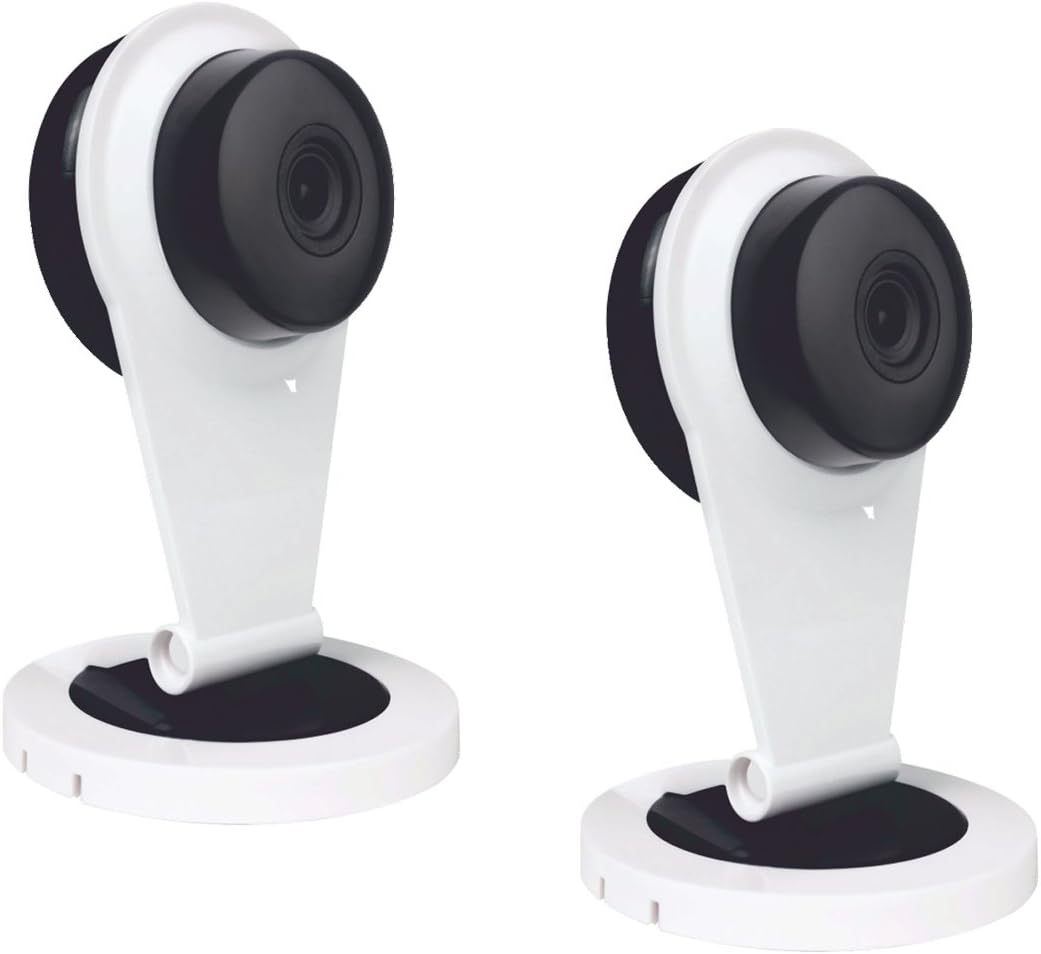
Figure 1: Two ELRO AS8000 Surveillance Cameras. These cameras provide high-definition video and are designed for indoor use.
1.2 Conținutul pachetului
Vă rugăm să verificați dacă toate articolele sunt prezente și în stare bună:
- 2 x ELRO AS8000 Surveillance Cameras
- 2 x adaptoare de alimentare
- Manual de utilizare (acest document)
2. Informații de siguranță
Citiți toate instrucțiunile de siguranță înainte de a utiliza produsul. Nerespectarea acestor instrucțiuni poate duce la electrocutare, incendiu sau alte pericole.
- Use only the power adapters supplied with the cameras.
- Do not expose the cameras to water or moisture. This product is designed for indoor use only.
- Avoid placing cameras near heat sources or in direct sunlight.
- Do not attempt to open or repair the camera yourself. Refer all servicing to qualified personnel.
- A nu se lăsa la îndemâna copiilor.
3. Configurare
3.1 Despachetarea
Scoateți cu grijă toate componentele din ambalaj. Păstrați ambalajul pentru depozitare sau transport ulterior.
3.2 Instalare
The ELRO AS8000 cameras are designed for easy installation. They are suitable for indoor use and can be mounted on a ceiling or placed on a flat surface.
- Alegeți o locație potrivită: Selectați o locație interioară care oferă calitatea dorită viewing angle and is within reach of a power outlet. For optimal coverage, consider corner mounting to utilize the 100° viewunghiul de ing.
- Conectați puterea: Plug the supplied power adapter into the camera and then into a wall outlet. The camera will power on.
3.3 Connecting to the ELRO AS8000 System
To integrate the cameras with your ELRO AS8000 alarm system, follow these steps:
- Download the ELRO Smart Alarm App: If you haven't already, download the ELRO Smart Alarm application from your smartphone's app store (available for iOS and Android).
- Open the App and Log In: Launch the ELRO Smart Alarm app and log in to your account associated with your ELRO AS8000 alarm system.
- Adăugați un dispozitiv nou: Navigate to the device management section within the app. Select the option to "Add New Device" or "Add Camera."
- Urmați instrucțiunile de pe ecran: The app will guide you through the process of pairing the camera with your alarm system. This typically involves scanning a QR code on the camera or entering a device ID.
- Configurați setările camerei: Once connected, you can configure settings such as motion detection zones, recording preferences, and notification alerts within the app.
4. Instrucțiuni de utilizare
4.1 Using the ELRO Smart Alarm App
The ELRO Smart Alarm app is your primary interface for managing and monitoring your surveillance cameras. Ensure your smartphone has an active internet connection.
- Accesați Live View: From the app's main dashboard, select the desired camera to view fluxul său live.
- Primiți notificări: When your ELRO AS8000 alarm system is triggered, or if motion is detected (if configured), you will receive push notifications on your smartphone. Tap the notification to quickly access the camera feed.

Figure 2: ELRO AS8000 Cameras highlighting key features: Camera function, Night Vision, and Live View prin App.
4.2 Sunet bidirecțional
The cameras are equipped with a microphone and speaker, enabling two-way communication:
- în timp ce viewing the live feed in the ELRO Smart Alarm app, locate the microphone icon.
- Press and hold the microphone icon to speak. Your voice will be transmitted through the camera's speaker.
- Eliberați pictograma pentru a asculta prin microfonul camerei.
4.3 Vedere nocturnă
The integrated infrared LEDs automatically activate in low-light conditions, providing clear black-and-white video footage up to a certain range. This ensures continuous surveillance 24/7.
5. Întreținere
Întreținerea regulată ajută la asigurarea performanței optime și a longevității camerelor dumneavoastră.
- curatenie: Ștergeți ușor obiectivul și corpul camerei cu o cârpă moale și uscată. Nu utilizați substanțe chimice dure sau produse de curățare abrazive.
- Actualizări firmware: Periodically check the ELRO Smart Alarm app for available firmware updates for your cameras. Keeping the firmware updated ensures you have the latest features and security enhancements.
- Ciclu de alimentare: If a camera becomes unresponsive, try unplugging its power adapter for 10 seconds and then plugging it back in.
6. Depanare
If you encounter issues with your ELRO AS8000 cameras, refer to the following common solutions:
| Problemă | Cauza posibila | Soluţie |
|---|---|---|
| Camera not connecting to app | Incorrect Wi-Fi password, camera too far from router, app not updated, camera not powered on. | Verify Wi-Fi credentials. Move camera closer to router. Update ELRO Smart Alarm app. Ensure camera is powered and indicator light is on. Try resetting the camera (refer to app for specific reset instructions). |
| Fără live view | Internet connection issues (phone or camera), camera offline. | Check your phone's internet connection. Verify the camera's status in the app. Power cycle the camera. Check your home internet connection. |
| Calitate video slabă | Obiectiv murdar, lățime de bandă redusă, iluminare slabă. | Clean the camera lens. Ensure stable and sufficient internet bandwidth. Adjust lighting conditions or rely on night vision. |
| Audio bidirecțional nu funcționează | Microphone/speaker muted in app, app permissions, internet delay. | Check audio settings in the ELRO Smart Alarm app. Ensure the app has microphone permissions on your phone. Verify stable internet connection. |
If the problem persists, please contact ELRO customer support.
7. Specificații
| Caracteristică | Detaliu |
|---|---|
| Numărul de model | SAS80CA11A |
| Rezoluție video | 1080p HD |
| Viewunghiul ing | 100 de grade |
| Tehnologia de conectivitate | Fără fir |
| Caracteristici speciale | HD Resolution, Night Vision, Two-Way Audio |
| Dispozitive compatibile | Smartphone (via ELRO Smart Alarm App) |
| Sursa de alimentare | Electric cu fir |
| Tip de montare | Ceiling Mount (also suitable for flat surface placement) |
| Material | Metal |
| Utilizări recomandate | Home Security, Night Vision Surveillance |
| Factor de formă | Dom |
8. Garanție și asistență
8.1 Informații despre garanție
ELRO products are designed and manufactured to the highest quality standards. For specific warranty details, please refer to the warranty card included with your product or visit the official ELRO webPăstrați dovada achiziției pentru reclamații în garanție.
8.2 Asistență pentru clienți
If you require further assistance or have questions not covered in this manual, please contact ELRO customer support. Contact information can typically be found on the ELRO website or within the ELRO Smart Alarm application.
Resurse online: For FAQs, additional guides, and software downloads, visit the official ELRO support page.


