Introducere
Thank you for choosing the Rapoo H100 Wired Stereo Headset. This manual provides detailed instructions for setting up, operating, and maintaining your headset to ensure optimal performance and longevity. The Rapoo H100 is designed for clear audio communication and comfortable wear, featuring smooth HD voice calls, microphone noise reduction, adjustable rotation, volume control, microphone mute, and a standard 3.5mm audio port.
Conținutul pachetului
Vă rugăm să verificați conținutul pachetului pentru a vă asigura că toate articolele sunt prezente:
- Rapoo H100 Wired Stereo Headset
Produs terminatview
Familiarize yourself with the components of your Rapoo H100 headset for proper use and understanding.

Figura 1: În unghi frontal view of the Rapoo H100 Wired Stereo Headset, showcasing the earcups, adjustable headband, and microphone arm.
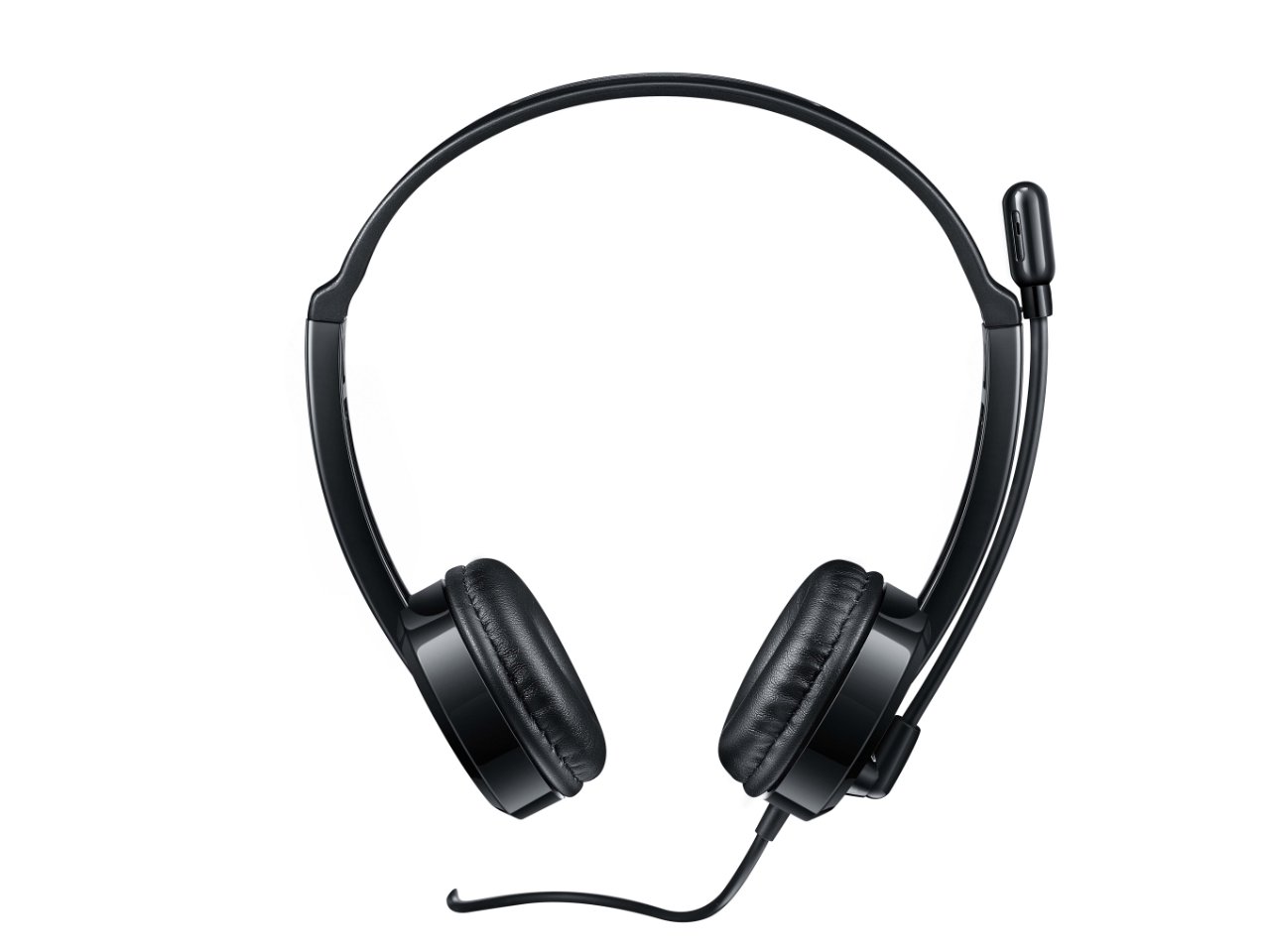
Figura 2: Partea superioară view of the headset, providing a clear perspective of the headband's curvature and the design of both earcups.
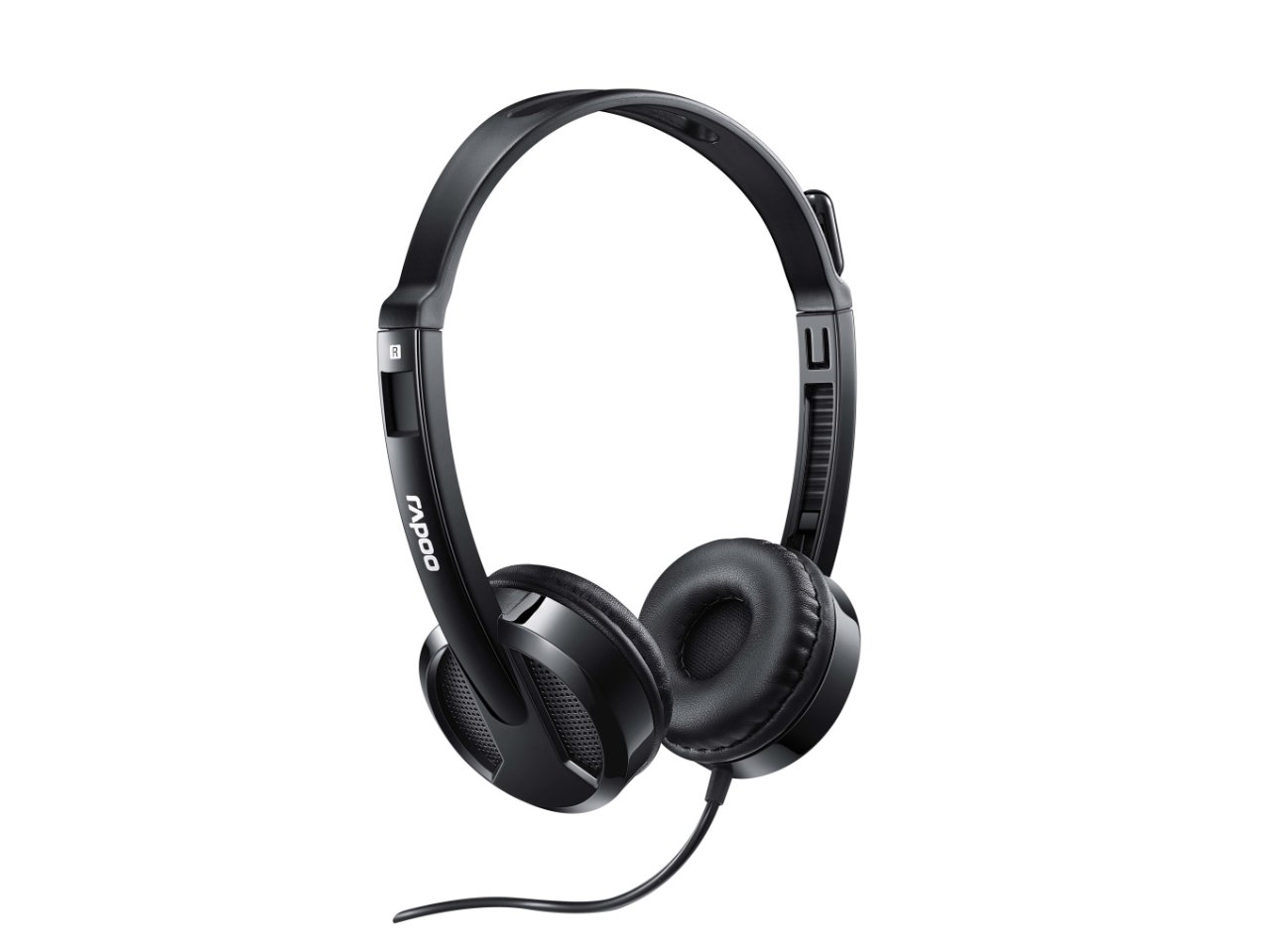
Figura 3: Înclinat view from behind the headset, showing the connection point of the audio cable to the earcup.

Figura 4: A închide view of the rotatable microphone arm, illustrating its design for optimal voice capture.

Figura 5: Side profile view of the Rapoo H100 headset, showing the slim design and the headband adjustment mechanism.
Componente cheie:
- Bandă pentru cap reglabilă: Allows for a comfortable fit for various head sizes.
- Pernițe moi pentru urechi: Conceput pentru confort în timpul utilizării prelungite.
- Microfon rotativ: Can be adjusted for optimal voice pickup and rotated out of the way when not in use.
- Unitate de control în linie: Contains the volume control wheel and microphone mute switch for easy access.
- Mufă audio de 3.5 mm: Standard connector for universal compatibility with devices.
Înființat
- Conectați căștile: Insert the 3.5mm audio jack into the corresponding audio port on your computer, laptop, tablet, or smartphone. Ensure the connection is secure.
- Reglați bentita: Întindeți sau retrageți ușor banda de susținere pe ambele părți până când căștile se așează confortabil peste urechi.
- Poziționați microfonul: Rotate the microphone arm downwards and position the microphone approximately 2-3 cm (1 inch) from your mouth for clear voice pickup. The microphone is adjustable for optimal placement.
- Configurați setările audio (dacă este necesar): On your device, navigate to the sound settings and ensure the Rapoo H100 is selected as the default input (microphone) and output (speaker) device.
Instrucțiuni de operare
- Controlul volumului: Use the in-line volume control wheel on the headset cable to adjust the listening volume. Rotate the wheel upwards to increase volume and downwards to decrease it.
- Dezactivare microfon: Locate the mute switch on the in-line control. Slide the switch to mute or unmute the microphone. This is useful for privacy during calls or when you do not wish your voice to be transmitted.
- Efectuand apeluri: Once connected and configured, you can use the headset for voice calls through various communication applications (e.g., Skype, Zoom, Microsoft Teams) or for standard phone calls on compatible devices.
- Ascultarea audio: The headset will output audio from your connected device, allowing you to listen to music, videos, or game audio.
Întreţinere
Proper maintenance will extend the life of your headset.
- curatenie: Folosiți o lavetă moale și uscată pentru a șterge căștile și banda pentru cap. Pentru murdăria persistentă, ștergeți ușor.amp Se poate folosi o cârpă, dar asigurați-vă că nu pătrunde umezeală în grilele difuzoarelor sau în microfon. Nu utilizați substanțe chimice dure sau produse de curățare abrazive.
- Depozitare: Când nu le utilizați, depozitați setul cu cască într-un loc curat și uscat, ferit de lumina directă a soarelui și de temperaturi extreme. Evitați încurcarea cablului.
- Îngrijirea cablului: Do not pull the cable forcefully or wrap it too tightly around the headset. This can damage the internal wires.
Depanare
If you encounter issues with your Rapoo H100 headset, refer to the following common problems and solutions:
| Problemă | Cauza posibila | Soluţie |
|---|---|---|
| Niciun sunet din căști |
|
|
| Microfonul nu funcționează |
|
|
| Calitatea sunetului este slabă |
|
|
Specificații
| Caracteristică | Detaliu |
|---|---|
| Numele modelului | H100 |
| Tehnologia de conectivitate | Cablat |
| Componente incluse | Căști |
| Dispozitive compatibile | Tablets, Telephones, Laptops, Desktops |
| Tip control | Controlul volumului |
| Greutatea articolului | 400 grame |
| Forma căștilor | Peste ureche |
| Producător | Rapoo |
| Factor de formă | Over Ear, On ear |
| Dimensiunile produsului (Lxlxh) | 1.8 x 18.6 x 11.6 cm |
| Mufă pentru căști | 3.5 mm Jack |
| Culoare | Negru |
Garanție și suport
Pentru informații despre garanție și asistență tehnică, vă rugăm să consultați pagina oficială Rapoo. website-ul lor web sau contactați serviciul lor de asistență pentru clienți. Păstrați bonul fiscal ca dovadă a achiziției pentru reclamațiile în garanție.
Producător: Rapoo
Website: www.rapoo.com (Please note: This is a general placeholder. Refer to your product packaging or Rapoo's official documentation for the most accurate support contact information.)


