Produs terminatview
The Rapoo V500PRO is a 104-key mechanical gaming keyboard designed for durability and responsiveness. It features custom mechanical switches with medium resistance, precise actuation, and tactile feedback. The keyboard includes LED backlighting with multiple colors and lighting modes, a full numeric keypad, and multimedia keys. Its construction combines metal alloy and ABS for robust performance, and it features a splash-proof design for added protection.

Figure 1: Rapoo V500PRO Mechanical Gaming Keyboard with full RGB backlighting.
Instrucțiuni de configurare
Despachetarea: Carefully remove the keyboard from its packaging. Ensure all components, including the keyboard and USB cable, are present.
Conexiune: Connect the USB-A end of the keyboard's cable to an available USB port on your computer. The keyboard is plug-and-play and does not require additional drivers for basic functionality on Windows 10, 8, 7, Vista, or XP. Limited Mac OS support is available.
Pornire inițială: Upon connection, the keyboard's LED backlighting will illuminate, indicating it is powered on and ready for use.
Instrucțiuni de operare
Caracteristici și funcții cheie
Comutatoare mecanice: The V500PRO features custom mechanical switches designed for durability and a responsive typing experience. These switches provide tactile feedback and an audible click sound.
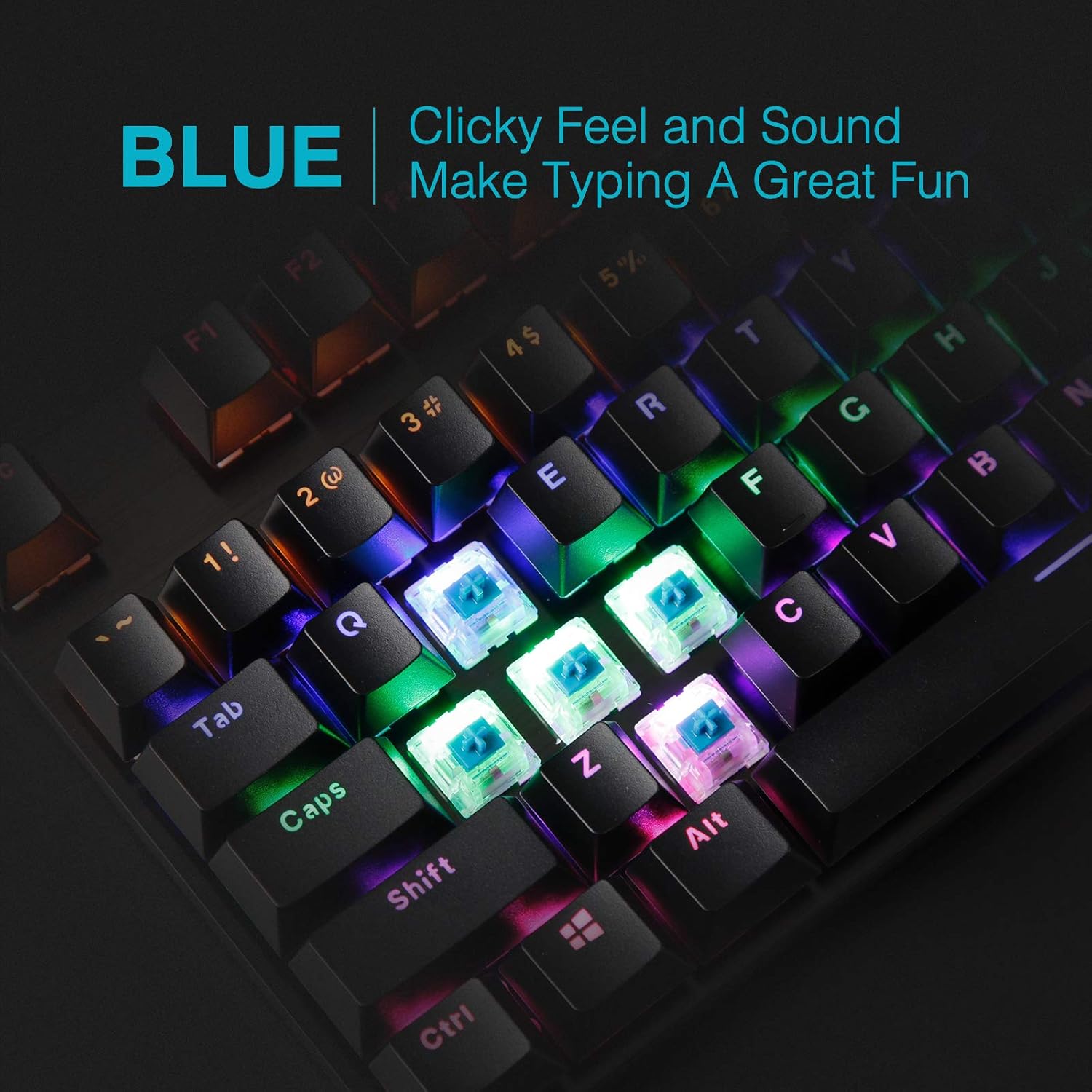
Figura 2: Prim-plan view of the blue mechanical switches, highlighting their clicky feel and sound for an enhanced typing experience.
Iluminare LED din spate: The keyboard is equipped with LED backlighting offering 6 colors and 5 different lighting modes. Backlight brightness levels and breathing speed can be adjusted. The molded keycaps ensure clear and uniform illumination.

Figure 3: Visual representation of the different backlighting modes available on the V500PRO keyboard, including static, breathing, waving, overlaying, and dropping effects.
Taste multimedia: The keyboard includes 12 multimedia keys for convenient control of audio and other functions. Refer to the keyboard layout for specific key assignments (often accessed via the 'Fn' key).
Rollover N-key: All 104 keys are conflict-free (N-Key Rollover), ensuring that every keystroke is registered accurately, even during rapid, simultaneous presses, which is crucial for gaming performance.
Windows Key Lock Function: The keyboard features a Windows key lock function to prevent accidental presses of the Windows key during gaming sessions. This function is typically activated by pressing the 'Fn' key in combination with the Windows key.
Video 1: Demonstration of the Rapoo V500PRO Mechanical Keyboard's mixed color backlighting and key functions. This video showcases the keyboard's aesthetic and responsiveness.
Întreţinere
curatenie: To clean the keyboard, disconnect it from your computer. Use a soft, dry cloth to wipe down the surface. For dust and debris between keys, use compressed air. The floating keycap design allows for easier cleaning underneath the keys.

Figure 4: Detail of the two-color injection molding suspension backlit keycaps, designed for durability and anti-fading properties, ensuring even light transmission.
Rezistență la scurgeri: The keyboard features a splash-proof design. In case of accidental spills, immediately disconnect the keyboard and allow it to dry completely before reconnecting. While splash-proof, it is not fully waterproof, so avoid submerging it.

Figure 5: The keyboard's splash-proof design, showing how it can withstand minor liquid spills, enhancing its durability.
Înlocuirea capacului tastelor: The keycaps can be removed for cleaning or replacement. Use a keycap puller (not included) to gently remove keycaps. Ensure proper alignment when reattaching.
Depanare
| Problemă | Cauza posibila | Soluţie |
|---|---|---|
| Tastatura nu răspunde | Conexiune USB slăbită, port USB defect, problemă cu driverul. | Asigurați-vă că este conectat corect cablul USB. Încercați un alt port USB. Reporniți computerul. |
| Iluminarea de fundal nu funcționează sau este inconsistentă | Backlight settings, power issue. | Adjust backlight settings using 'Fn' key combinations (e.g., 'Fn' + 'Page Up'/'Page Down' for brightness, 'Fn' + 'Insert' for mode). Ensure sufficient power from USB port. |
| Cheile nu se înregistrează sau sunt fantomă | Debris under keycap, software conflict. | Clean under the affected keycap. Ensure no conflicting software is running. The N-Key Rollover feature minimizes ghosting. |
Specificații
| Caracteristică | Detaliu |
|---|---|
| Marca | Rapoo |
| Model | V500 Pro |
| Numărul de chei | 104 |
| Tip comutator | Mechanical (Blue Switches) |
| Iluminare din spate | RGB (6 colors, 5 lighting modes, adjustable brightness/speed) |
| Conectivitate | USB cu fir |
| Material | Metal alloy and ABS construction |
| Dimensiuni (Lxlxh) | 14.37 x 5.31 x 1.65 inci |
| Greutate | 2.07 lire sterline |
| Compatibilitate | Windows 10, 8, 7, Vista, XP; Suport limitat pentru Mac OS |
| Componente incluse | Cablu USB |
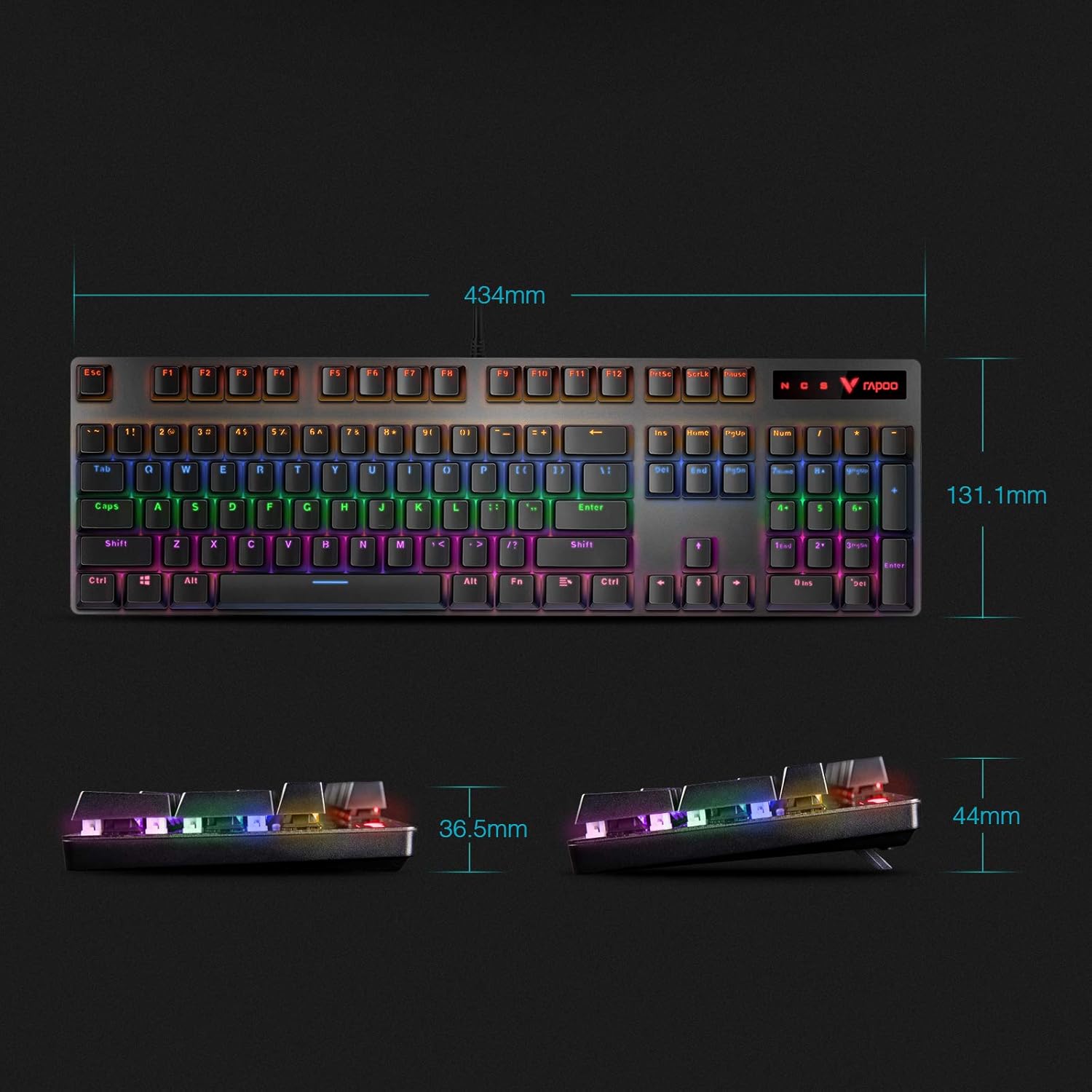
Figure 6: Detailed dimensions of the Rapoo V500PRO keyboard, showing its length, width, and height.
Garanție și suport
Pentru informații despre garanție și asistență tehnică, vă rugăm să consultați pagina oficială Rapoo. website-ul lor web sau contactați direct serviciul lor de asistență pentru clienți. Păstrați bonul fiscal pentru reclamații în garanție.
Video 2: Un overview of the RAPOO Mechanical Gaming Keyboard, highlighting its full-size ergonomic design, LED backlight, and black-blue switches. This video provides a general look at the product's features.