Introducere
Thank you for choosing the Oregon Scientific CIR600 Alarm Clock and Audio Speaker. This device combines a precise digital clock with calendar and day display, a powerful Bluetooth speaker, and an adjustable LED display, all designed to enhance your daily routine. This manual provides detailed instructions for setting up, operating, maintaining, and troubleshooting your new device to ensure optimal performance.

Figura 1: Față view of the Oregon Scientific CIR600, displaying the time and featuring the fabric speaker grille.
Înființat
1. Despachetare și componente
Scoateți cu grijă toate articolele din ambalaj. Asigurați-vă că toate componentele sunt prezente:
- CIR600 Alarm Clock with built-in audio speaker
- AC/DC 12V, 2.0 Adapter
- Manual de utilizare (acest document)
- 1 x CR2025 battery (pre-installed for backup)
2. Conexiune la alimentare
The CIR600 operates primarily via the included AC/DC adapter. The CR2025 battery serves as a backup for time and alarm settings during power outages.
- Locate the DC 12V input port on the back of the unit.
- Connect the AC/DC 12V, 2.0 adapter to this port.
- Plug the adapter into a standard wall outlet. The display should illuminate.

Figure 2: Rear panel of the CIR600, highlighting connection ports and the battery compartment.
3. Battery Backup Installation (if not pre-installed)
The CR2025 battery ensures that your time and alarm settings are retained in case of a power interruption.
- Locate the battery compartment on the back of the unit (next to the power input).
- Deschideți capacul compartimentului bateriei.
- Insert one CR2025 battery, ensuring the correct polarity (+/-).
- Închideți bine capacul compartimentului bateriei.
Instrucțiuni de operare
1. Controale asupraview
The CIR600 features intuitive controls located on the top panel. Familiarize yourself with these buttons for easy operation.

Figure 3: Top panel controls of the CIR600.
- Butoane + / -: Adjust volume, navigate menus, or set time/alarm values.
- Buton alarmă: Set or activate/deactivate alarms.
- Buton Bluetooth: Inițiați modul de asociere Bluetooth.
- Butonul M (Mod): Switch between different modes (e.g., time display, Bluetooth).
- Butonul SNOOZE: Snooze an active alarm or adjust display brightness.
2. Setarea orei și datei
- Țineți apăsat butonul M (Mod) apăsați butonul până când afișajul orei începe să clipească.
- Utilizați + or - Apăsați butoanele pentru a regla ora. M pentru a confirma.
- Utilizați + or - Apăsați butoanele pentru a regla minutul. M pentru a confirma.
- Continue using + or - şi M to set the year, month, and day.
- Once all settings are confirmed, the display will return to normal time display.
3. Setarea alarmei
- Țineți apăsat butonul Alarma button until the alarm time display starts flashing.
- Utilizați + or - buttons to adjust the alarm hour. Press Alarma pentru a confirma.
- Utilizați + or - buttons to adjust the alarm minute. Press Alarma pentru a confirma.
- Apăsați tasta Alarma button again to activate or deactivate the alarm. An alarm icon will appear on the display when active.
- Când alarma sună, apăsați tasta PUI DE SOMN button to temporarily silence it for a few minutes. To turn off the alarm completely, press any other button.
4. Conexiune Bluetooth
The CIR600 features a 2 x 10 Watt speaker with Bluetooth connectivity for wireless audio streaming.
- Apăsați tasta Bluetooth button on the top panel. The Bluetooth indicator on the display will flash, indicating pairing mode.
- Pe dispozitivul mobil (smartphone, tabletă etc.), activați Bluetooth și căutați dispozitivele disponibile.
- Select "CIR600" from the list of devices.
- Once successfully paired, the Bluetooth indicator on the CIR600 display will stop flashing and remain solid. You can now play audio through the speaker.
- Utilizați + or - buttons on the CIR600 to adjust the volume.
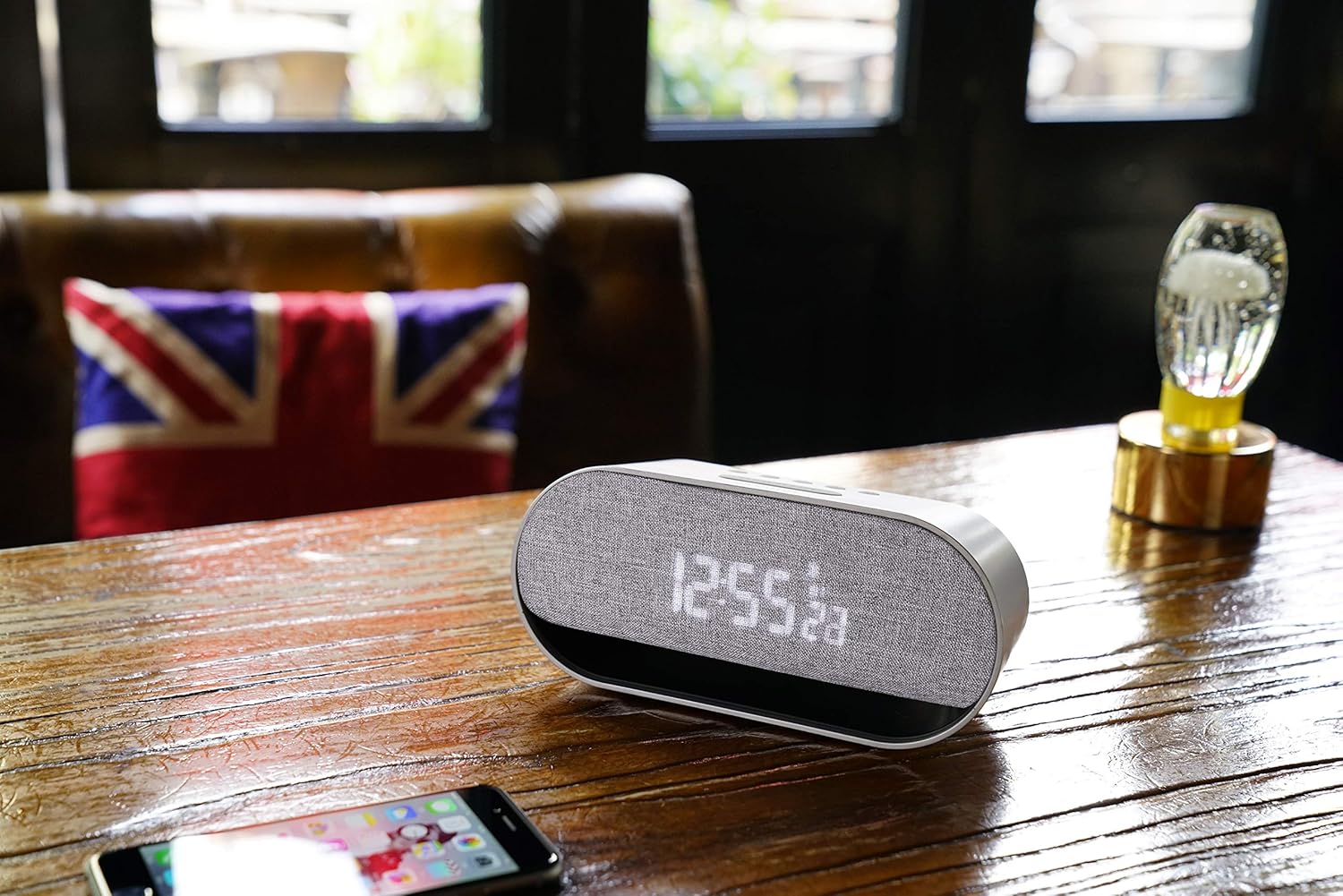
Figure 4: The CIR600 connected via Bluetooth to a mobile device.
5. Adjusting Display Brightness
The CIR600 features a white LED display with 3 adjustable intensity levels.
- Apăsați tasta PUI DE SOMN button repeatedly to cycle through the brightness levels (High, Medium, Low, Off).
- Select the desired brightness level for comfortable viewing.
Întreţinere
Curatenie
To maintain the appearance and functionality of your CIR600:
- Deconectați adaptorul de alimentare înainte de curățare.
- Folosiți o lavetă moale și uscată pentru a șterge suprafețele exterioare.
- Nu utilizați agenți de curățare abrazivi, ceară sau solvenți, deoarece aceștia pot deteriora finisajul.
- Evitați pătrunderea umezelii în orice deschidere.
Depozitare
If storing the unit for an extended period, disconnect it from power and remove the CR2025 backup battery to prevent leakage.
Depanare
If you encounter issues with your CIR600, refer to the following common problems and solutions:
| Problemă | Cauza posibila | Soluţie |
|---|---|---|
| No power/Display is off. | Adaptorul de alimentare nu este conectat sau priza este defectă. | Asigurați-vă că adaptorul de alimentare este conectat corect la unitate și la o priză de perete funcțională. Încercați o altă priză. |
| Dispozitivul Bluetooth nu se poate conecta. | CIR600 not in pairing mode; device too far; previously paired device connected. | Apăsați tasta Bluetooth button to enter pairing mode. Ensure your device is within range. Disconnect from any other Bluetooth devices. |
| Alarma nu sună. | Alarm not set or deactivated; volume too low. | Verify the alarm is set and activated (alarm icon visible). Increase the volume using the + buton. |
| Afișajul este prea slab sau prea luminos. | Nivelul de luminozitate necesită ajustare. | Apăsați tasta PUI DE SOMN button repeatedly to cycle through the 3 brightness levels. |
| Time/Date is incorrect after power loss. | Bateria de rezervă este descărcată sau lipsește. | Replace the CR2025 backup battery. Reset the time and date. |
Specificații
| Caracteristică | Detaliu |
|---|---|
| Dimensiunile produsului | 20 x 8.9 x 7.2 cm |
| Greutatea produsului | 300 grame |
| Sursa de alimentare | AC/DC Adapter (12V, 2.0A) |
| Baterie de rezervă | 1 x CR2025 (inclus) |
| Ieșire difuzor | 2 x 10 wați |
| Conectivitate | Bluetooth |
| Tip de afișare | White LED Digital Display |
| Luminozitatea afișajului | 3 niveluri reglabile |
| Culoare | Argint |
| Material | Plastic |
| Numărul de model | OSCIR600 |
Informații despre garanție
The Oregon Scientific CIR600 Alarm Clock and Audio Speaker comes with a 2 an garanție from the date of purchase. This warranty covers manufacturing defects and workmanship under normal use. Please retain your proof of purchase for warranty claims. For detailed warranty terms and conditions, refer to the official Oregon Scientific website-ul sau contactați asistența pentru clienți.
Asistență pentru clienți
For further assistance, technical support, or inquiries regarding your Oregon Scientific CIR600, please visit the official Oregon Scientific website or contact their customer service department. You may find FAQs, additional resources, and contact information on their support pages.
Note: Always refer to the latest information available on the manufacturer's official support channels for the most up-to-date assistance.


