1. Introducere
Welcome to the Bloody B930 TKL Tenkeyless Optical Switch Gaming Keyboard. This manual provides essential information for setting up, operating, maintaining, and troubleshooting your new keyboard. Please read thoroughly to ensure optimal performance and longevity of your device.

Figure 1: Bloody B930 TKL Tenkeyless Optical Switch Gaming Keyboard
2. Informații de siguranță
Instrucțiuni generale de siguranță
- Țineți tastatura departe de lichide și umiditate excesivă.
- Evitați temperaturile extreme.
- Nu încercați să dezasamblați sau să modificați tastatura.
- Folosiți doar cablul USB furnizat pentru conectare.
3. Conținutul pachetului
Ce este în cutie
- Bloody B930 TKL Tenkeyless Optical Switch Gaming Keyboard
- Cablu USB
4. Configurare
Conectarea tastaturii
- Connect the provided USB cable to an available USB-A port on your computer.
- Connect the other end of the USB cable to the corresponding port on the Bloody B930 keyboard.
- Sistemul de operare ar trebui să detecteze și să instaleze automat driverele necesare.
- For advanced customization, download the exclusive software from the official Bloody website-ul.
Configurație inițială
The keyboard features plug-and-play functionality. Upon initial connection, the default RGB LED backlighting animation will activate.
5. Instrucțiuni de utilizare
Caracteristici cheie
- Comutatoare optice: Experience lightning-fast response times with optical detection technology, offering a 0.2ms response.
- Tenkeyless Design: The compact form factor provides an ergonomic setup, reducing shoulder strain and optimizing mouse positioning.
- Durabilitate: Constructed with weapons-grade anodized aluminum and engineered to withstand over 100 million keystrokes per switch.
- Rezistenta la apa: Features nanocoating and drainage channels to protect against accidental spills and corrosion.
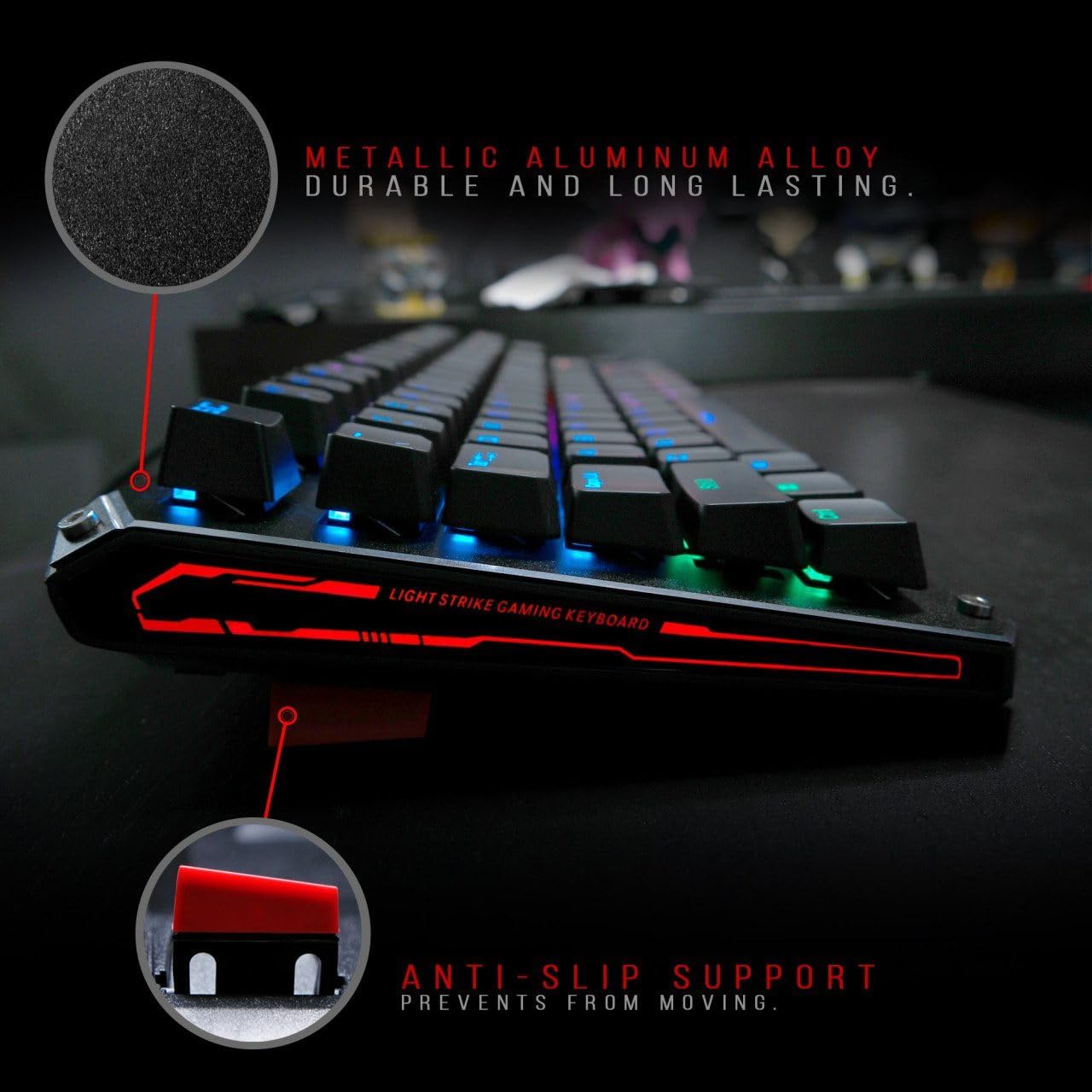
Figure 2: Metallic aluminum alloy construction with anti-slip support.
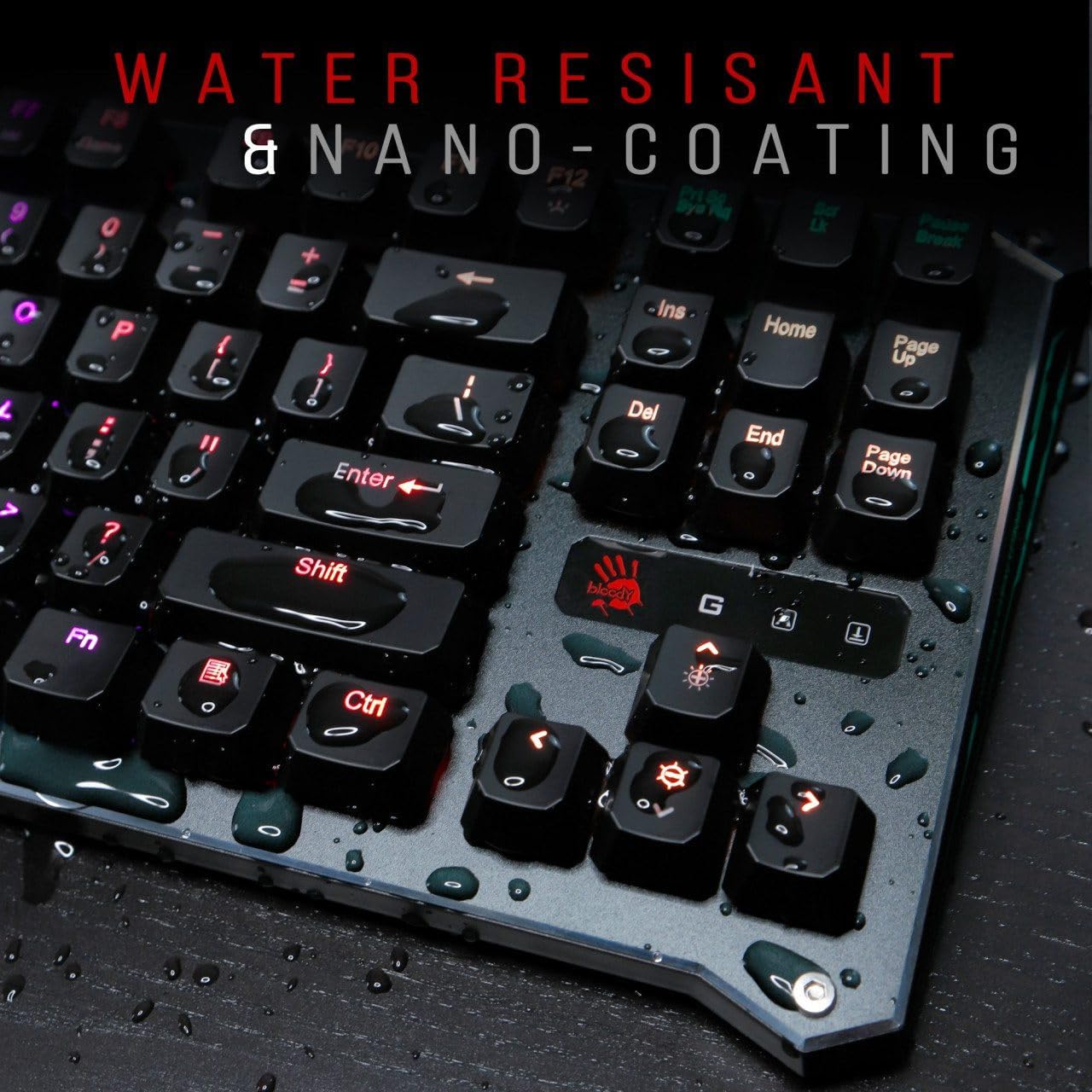
Figure 3: Water resistant and nano-coating features.
Controlul iluminării de fundal RGB
The Bloody B930 offers customizable RGB backlighting.
- Default Animations: Switch between 6 pre-programmed RGB LED backlighting animations.
- Personalizare: Utilize the exclusive software to access 16.8 million customizable color options and schemes.
- Reglarea luminozității: Adjust the brightness levels to suit your environment.

Figure 4: Dynamic RGB LED backlighting.
Programare macro
The keyboard supports macro programming for enhanced functionality. Refer to the exclusive software for detailed instructions on creating and assigning macros.
Videoclipul produsului de mai susview
Video 1: Prezentare video oficială a produsuluiasing the Bloody B930 TKL "Tournament Edition" keyboard features and design.
6. Întreținere
Curatenie
- Deconectați tastatura de la computer înainte de curățare.
- Use a soft, dry cloth to wipe down the surface of the keyboard.
- Pentru praf și resturi între taste, folosiți aer comprimat.
- Evitați utilizarea substanțelor chimice dure sau a materialelor abrazive.
Depozitare
Depozitați tastatura într-un loc răcoros și uscat, ferit de lumina directă a soarelui și de temperaturi extreme.
7. Depanare
Probleme comune și soluții
- Tastatura nu răspunde: Asigurați-vă că este conectat corect cablul USB atât la tastatură, cât și la computer. Încercați un alt port USB.
- Iluminarea de fundal nu funcționează: Check the brightness settings. Ensure the software is correctly installed and configured if using custom profiles.
- Cheile nu se înregistrează: Clean around the affected keys. If the issue persists, contact customer support.
8. Specificații
Detalii tehnice
| Caracteristică | Detaliu |
|---|---|
| Dimensiunile produsului | 25.2 x 25.2 x 7.6 inci |
| Greutatea articolului | 2.2 lire sterline |
| Producător | A4Tech |
| Numărul de model | B930 |
| Marca | Sângeros |
| Dispozitive compatibile | Consola de jocuri |
| Tehnologia de conectivitate | USB-A |
| Descrierea tastaturii | Jocuri |
| Utilizări recomandate | Jocuri |
| Caracteristica specială | Ușoare |
| Culoare | B930 - Orange Switch (Tactile & Clicky) |
| Stil | Modern |
| Material | Aluminiu, Metal |
9. Garanție și asistență
Garanția produsului
For warranty information and customer support, please refer to the official Bloody website-ul web sau contactați distribuitorul local.
Informații de contact
Visit the official Bloody website for the latest drivers, software, and support resources.


