Introducere
This manual provides comprehensive instructions for the operation and maintenance of your Marathon Adanac 4000 Digital Stopwatch Timer. Please read this manual thoroughly to ensure proper use and to maximize the lifespan of your device.
Produs terminatview
The Marathon Adanac 4000 is a high-precision digital stopwatch designed for various timing needs. It features a clear display, durable construction, and multiple timing modes.
Caracteristici cheie:
- High precision accuracy to 1/100th seconds.
- Design rezistent la apă, praf și șocuri.
- Multiple operating modes: Stopwatch, Time-Out, Split, and Time/Calendar with alarm.
- Large, easy-to-read digital display.
- Includes a 46-inch lanyard for convenient carrying.
Componente:

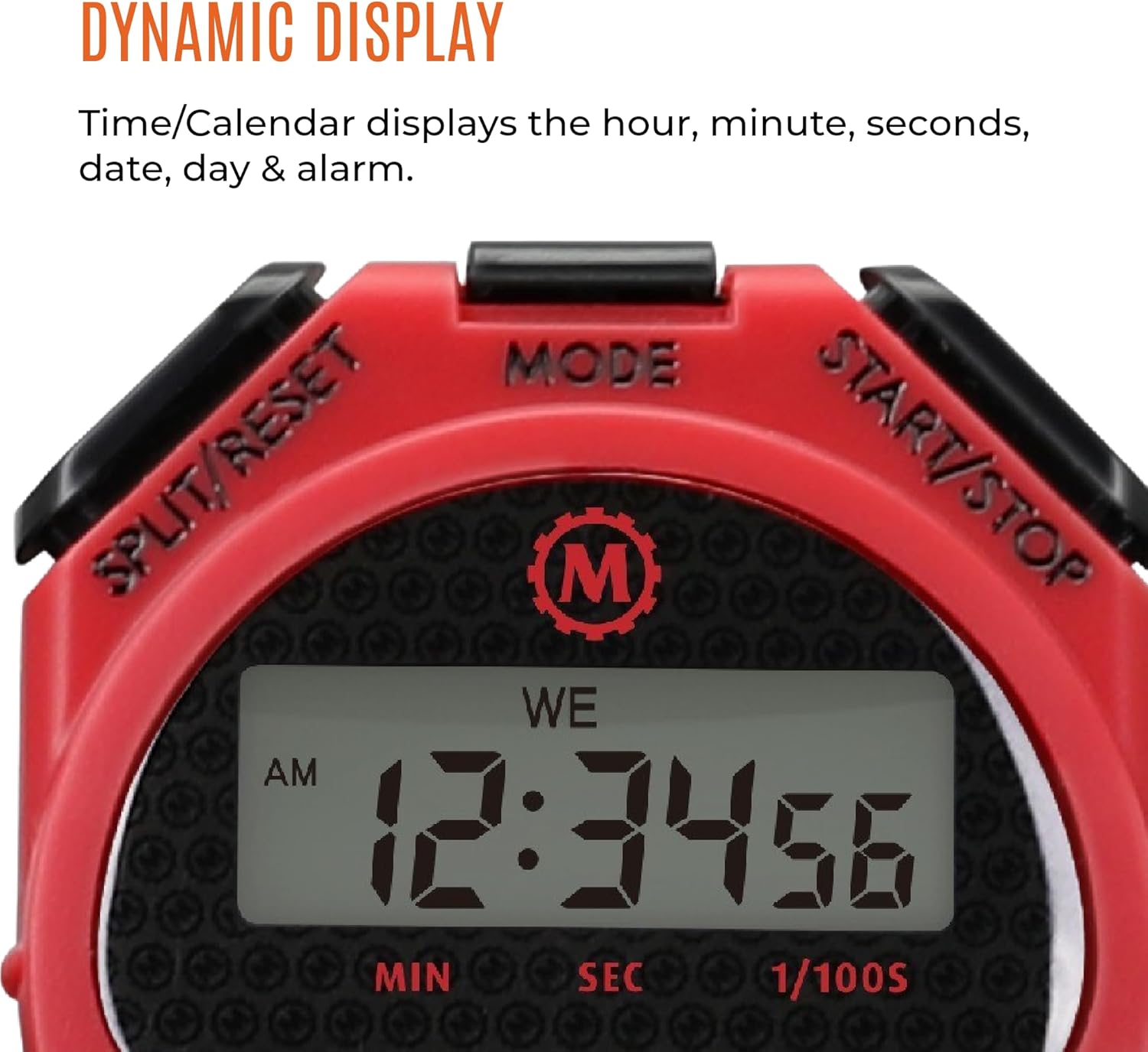
- Butonul START/STOP: Initiates and pauses timing functions.
- Buton SPLIT/RESET: Records split times and resets the timer.
- Butonul MOD: Comută între diferite moduri de operare (Cronometru, Timp/Calendar).
- Afişa: Shows time, date, and stopwatch readings.
- Şnur: Pentru o transportare sigură și convenabilă.
Înființat
Instalare baterie:
The Marathon Adanac 4000 uses one LR44 battery (included). To install or replace the battery:
- Localizați compartimentul bateriei pe spatele cronometrului.
- Carefully open the compartment using a small screwdriver.
- Insert the LR44 battery with the correct polarity (+/-).
- Închideți bine compartimentul bateriei.
Note: Ensure the compartment is sealed properly to maintain water resistance.
Setarea orei și datei:
Pentru a seta ora și data curente:
- Apăsați tasta MOD button repeatedly until the Time/Calendar display is shown.
- Țineți apăsat butonul SPLIT / RESET button until the time digits begin to flash.
- Utilizați START/STOP pentru a ajusta cifra intermitentă (ore, minute, secunde, lună, zi, an).
- Apăsați tasta MOD pentru a trece la următoarea cifră sau setare.
- După ce toate setările sunt corecte, apăsați SPLIT / RESET pentru a ieși din modul de setare.
Moduri de operare
1. Stopwatch Mode:
This mode is used for precise timing of events.
- Apăsați tasta MOD apăsați butonul până când apare afișajul cronometrului (00:00:00).
- Presa START/STOP pentru a începe cronometrarea.
- Presa START/STOP din nou pentru a întrerupe cronometrul.
- Pentru a relua cronometrarea, apăsați START/STOP.
- Pentru a reseta cronometrul la zero, asigurați-vă că este în pauză, apoi apăsați SPLIT / RESET.
2. Split Time Mode:
This function allows you to record intermediate times while the main timer continues to run.
- Start the stopwatch as described above.
- During timing, press SPLIT / RESET to record a split time. The display will momentarily freeze to show the split time, while the internal timer continues.
- Presa SPLIT / RESET din nou pentru a reveni la timpul total de alergare.
- Repeat to record multiple split times.
- Presa START/STOP pentru a pune capăt cronometrajului.
- Presa SPLIT / RESET la view the final time, then again to reset.

3. Time-Out Mode:
This mode allows for pausing and resuming the timer without losing the accumulated time.
- Start the stopwatch.
- Presa START/STOP to pause the timer (time-out).
- Presa START/STOP din nou pentru a relua cronometrarea.
- To reset the timer after stopping, press SPLIT / RESET.
4. Time/Calendar Mode:
This mode displays the current time, date, and day of the week. It also allows for setting an alarm.
- Apăsați tasta MOD button until the time and date are displayed.
- To set the alarm: In Time/Calendar mode, press START/STOP to toggle the alarm on/off. When the alarm icon is visible, the alarm is active.
- To adjust the alarm time: While in Time/Calendar mode, press and hold MOD until the alarm time flashes. Use START/STOP pentru a ajusta cifrele și SPLIT / RESET to move between hours and minutes. Press MOD a salva.
Întreţinere
curatenie:
Ștergeți cronometrul cu o lavetă moale,amp cloth. Avoid using harsh chemicals or abrasive cleaners, as these can damage the casing sau afișaj.
Rezistenta la apa:
The Adanac 4000 is designed to be water resistant. However, it is not intended for prolonged submersion. Ensure the battery compartment is securely closed to maintain water resistance. Avoid pressing buttons while the stopwatch is wet or submerged to prevent water ingress.
Depozitare:
Store the stopwatch in a cool, dry place when not in use. Avoid extreme temperatures and direct sunlight.
Depanare
| Problemă | Cauza posibila | Soluţie |
|---|---|---|
| Afișajul este gol sau întunecat. | Baterie descărcată sau descărcată. | Înlocuiți bateria LR44. |
| Butoanele nu răspund. | Temporary software glitch or moisture. | Remove and reinsert the battery. Ensure the stopwatch is dry. |
| Ora/data afișată incorect. | Ora/data nu sunt setate corect. | Consultați secțiunea „Setarea orei și datei” pentru a reajusta. |
| Cronometrul nu se cronometrează corect. | Rare internal malfunction. | Contact customer support if battery replacement and reset do not resolve the issue. |
Specificații
- Model: ST083009-RD
- Precizie: 1/100 de secundă
- Material: Plastic
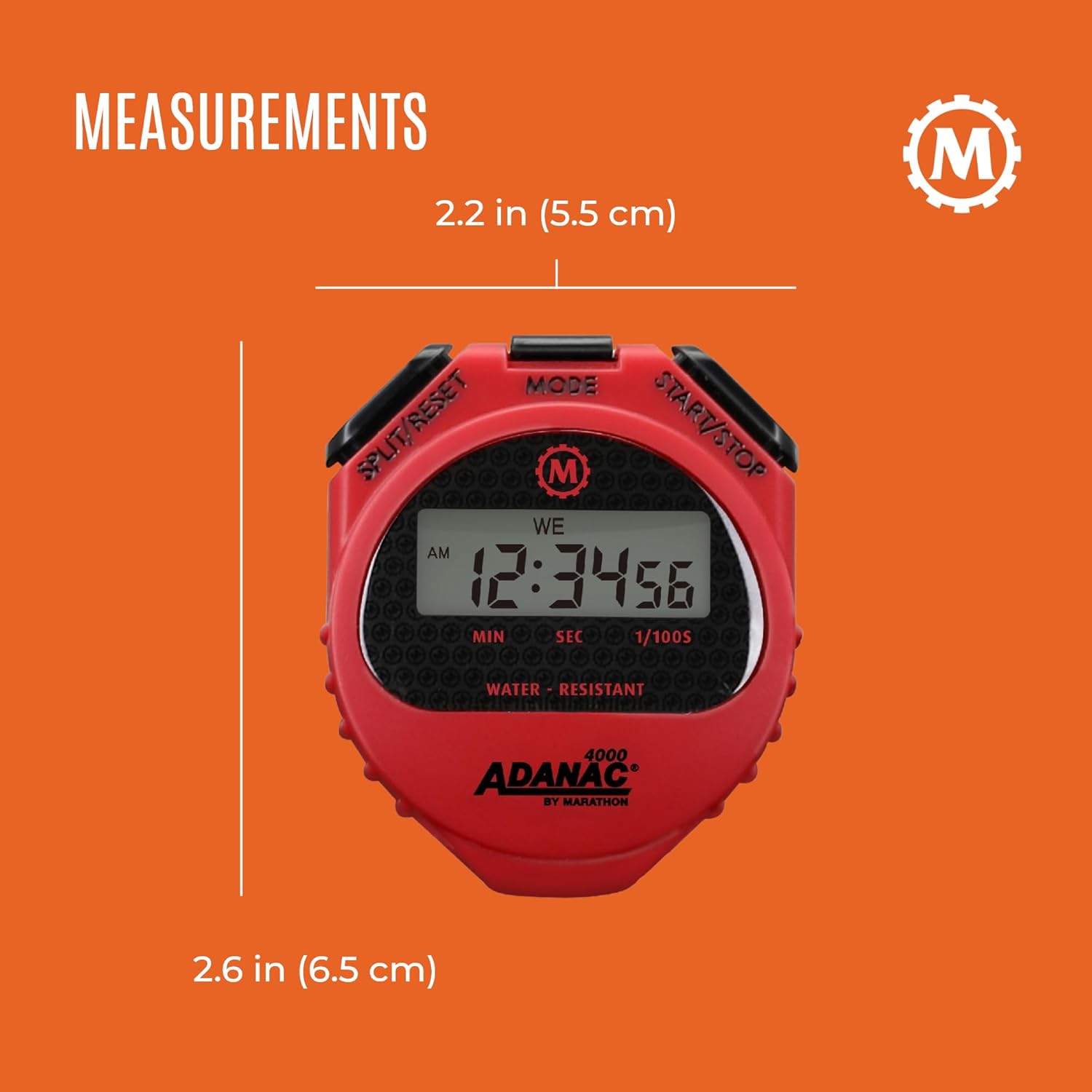
- Dimensiuni: 0.59 x 2.24 x 2.64 inchi (1.5 x 5.7 x 6.7 cm)
- Greutate: 0.64 uncii (18.14 grame)
- Baterie: 1 x LR44 (inclusă)
- Caracteristici: Water, dust, and shock resistant
- Lanyard Length: 46 inchi (116.8 cm)
Garanție și suport
For warranty information or technical support, please refer to the official Marathon product website or contact their customer service department. Details are typically provided with the product packaging or on the manufacturer's website-ul.
Marathon has been manufacturing precision timing instruments since 1941, upholding a legacy of quality and craftsmanship.


