1. Introducere
Mulțumesc pentru achizițieasing the GPX PDB1077B Portable DVD Player. This device offers versatile entertainment with its 10.1-inch display, DVD/CD playback capabilities, and built-in Bluetooth wireless transmitter for audio streaming to compatible headphones. This manual provides detailed instructions for setup, operation, and maintenance to ensure optimal performance and longevity of your device.
2. Informații importante privind siguranța
Please read all safety warnings and instructions carefully before using this product. Retain this manual for future reference.
- Sursa de alimentare: Use only the specified power adapter. Incorrect voltagPoate deteriora dispozitivul și poate anula garanția.
- Apă și umiditate: Do not expose the device to rain, moisture, or immerse it in water.
- Căldură: Țineți dispozitivul departe de surse de căldură, cum ar fi calorifere, registre de căldură, sobe sau alte aparate (inclusiv ampliificatori) care produc căldură.
- Ventilare: Asigurați o ventilație corespunzătoare. Nu blocați nicio deschidere de ventilație.
- curatenie: Curățați numai cu o cârpă uscată. Nu utilizați detergenți lichidi sau aerosoli.
- Service: Nu încercați să reparați singur acest produs. Consultați toate lucrările de service către personalul calificat de service.
- Siguranța bateriei: The device contains a rechargeable battery. Do not expose to excessive heat or direct sunlight. Dispose of batteries properly according to local regulations.
- Protecția auzului: Evitați să ascultați la niveluri mari de volum pentru perioade lungi de timp pentru a preveni deteriorarea auzului.
3. Conținutul pachetului
Verificați dacă toate articolele enumerate mai jos sunt incluse în pachetul dumneavoastră:
- GPX PDB1077B Portable DVD Player
- Căști Bluetooth fără fir
- Telecomanda
- Adaptor de alimentare AC/DC
- Adaptor pentru mașină
- Cablu AV
- Manual de utilizare (acest document)
4. Produs terminatview
Familiarize yourself with the components of your GPX PDB1077B Portable DVD Player.
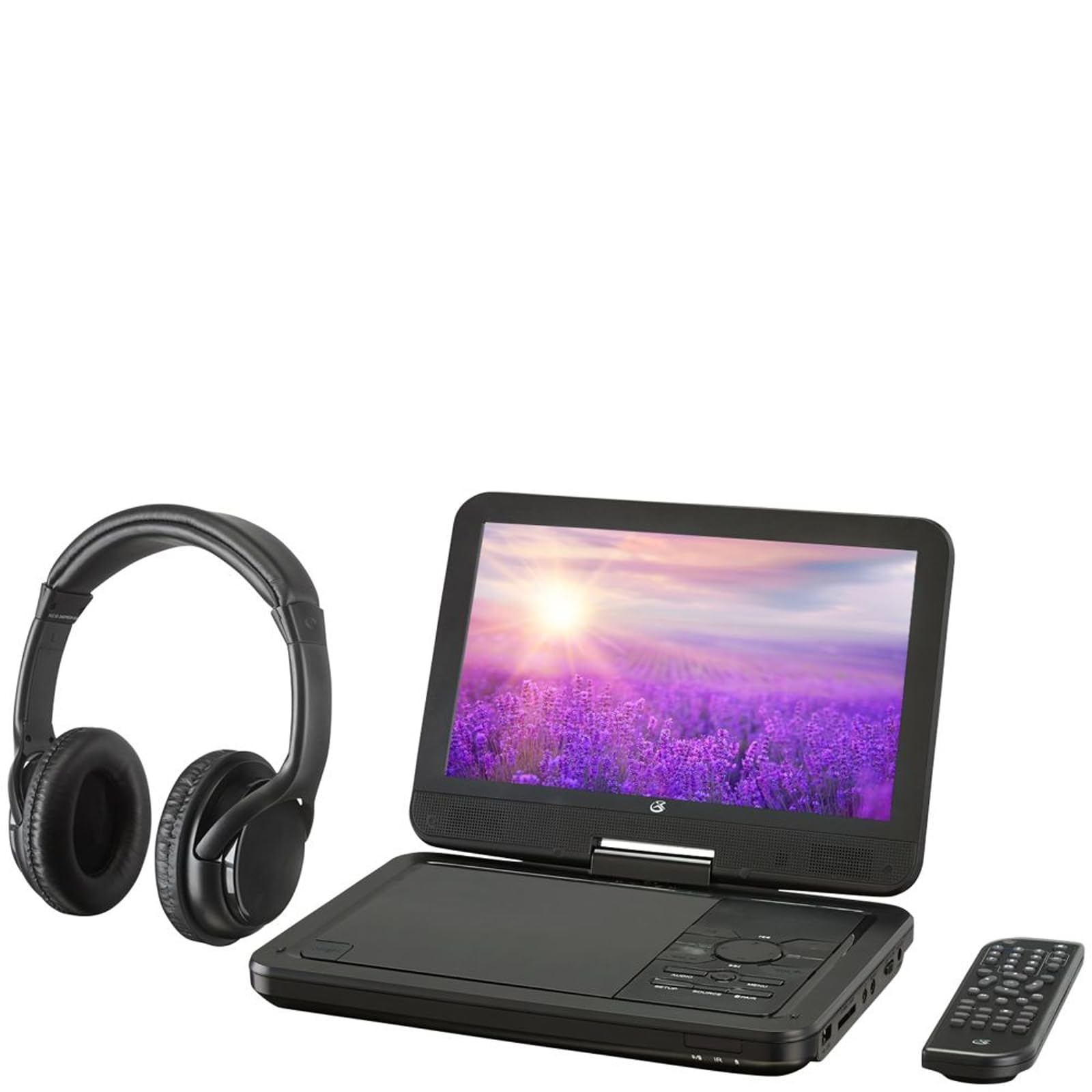
Figura 4.1: The GPX PDB1077B Portable DVD Player, showing the 10.1-inch screen, control panel, wireless Bluetooth headphones, and remote control.
4.1 Portable DVD Player Unit
The main unit features a swivel screen, disc tray, and control buttons. Key components include:
- Ecran LCD de 10.1 inchi: Pentru viewconținut video.
- Tava disc: Pentru introducerea DVD-urilor și CD-urilor.
- Panou de control: Buttons for playback, menu navigation, volume, and source selection.
- Porturi: USB, SD card slot, AV out, headphone jack, DC in.
- Difuzoare: Difuzoare stereo integrate.
4.2 Wireless Bluetooth Headphones
The included headphones connect wirelessly to the DVD player via Bluetooth for private listening.
Figura 4.2: Un prim plan view of the black wireless Bluetooth headphones, featuring padded earcups and an adjustable headband.
4.3 Telecomandă
Telecomanda oferă acces convenabil la toate funcțiile de la distanță.
Figura 4.3: Un prim plan view of the compact black remote control with various buttons for playback, menu navigation, and volume adjustment.
5. Ghid de instalare
5.1 Încărcarea dispozitivului
- Connect the AC/DC power adapter to the DC IN port on the DVD player.
- Conectați adaptorul la o priză de perete standard.
- Indicatorul luminos de încărcare se va aprinde. Așteptați aproximativ 3-4 ore pentru o încărcare completă.
- For in-car use, connect the car power adapter to the DC IN port and your vehicle's 12V power outlet.
5.2 Pornire/Oprire
- To power on, slide the POWER switch to the ON position. The screen will light up.
- Pentru a opri, glisați comutatorul POWER în poziția OFF.
5.3 Connecting Bluetooth Headphones
- Ensure the DVD player is powered on.
- Turn on the Bluetooth headphones and put them into pairing mode (refer to headphone manual if needed).
- On the DVD player, navigate to the Bluetooth settings menu.
- Select "Scan for Devices" or similar option.
- Choose your headphones from the list of available devices to pair.
- Once paired, audio will automatically transmit to the headphones.
5.4 Connecting to an External Display (Optional)
Use the included AV cable to connect the DVD player to a TV or monitor.
- Conectați un capăt al cablului AV la portul AV OUT al playerului DVD.
- Connect the other end to the AV IN ports (Yellow for Video, White for Left Audio, Red for Right Audio) on your external display.
- Select the correct AV input on your external display.
6. Instrucțiuni de utilizare
6.1 Redarea DVD-urilor și CD-urilor
- Open the disc tray by gently lifting the screen.
- Place a DVD or CD onto the spindle with the label side facing up.
- Gently close the disc tray.
- Playerul va detecta automat discul și va începe redarea sau va afișa meniul discului.
- Use the navigation buttons (Up, Down, Left, Right, Enter) on the control panel or remote to navigate menus.
- Apăsați tasta REDARE/PAUZĂ butonul pentru a porni sau întrerupe redarea.
- Apăsați tasta STOP pentru a opri redarea.
6.2 Using USB and SD Card Media
- Introduceți o unitate flash USB în portul USB sau un card SD în slotul pentru card SD.
- Apăsați tasta SURSĂ button on the control panel or remote to select "USB" or "SD".
- Navigați prin fileutilizând butoanele de control.
- Selectați a file (e.g., MP3, JPEG) and press ENTER a juca sau view.
6.3 Ajustarea setărilor
Access the system settings to customize your viewexperiență de ing și ascultare.
- Apăsați tasta ÎNFIINȚAT button on the remote or control panel.
- Use the navigation buttons to select options such as:
- Setări de afișare: Adjust brightness, contrast, color.
- Setări audio: Adjust volume, equalizer.
- Setări de limbă: Select OSD language, audio language, subtitle language.
- Control parental: Set rating levels for disc playback.
- Presa ENTER to confirm selections and ÎNFIINȚAT din nou pentru a ieși.
6.4 Utilizarea telecomenzii
The remote control provides full functionality. Ensure batteries are correctly inserted (2 x AAA, not included).
| Buton | Funcţie |
|---|---|
| PUTERE | Pornește sau oprește playerul. |
| ÎNFIINȚAT | Accesează meniul de configurare a sistemului. |
| SURSĂ | Switches between DVD, USB, SD, and AV input modes. |
| REDARE/PAUZĂ | Pornește sau întrerupe redarea. |
| STOP | Oprește redarea. |
| VOL + / VOL- | Reglează nivelul volumului. |
| NAVIGATE (Up/Down/Left/Right/ENTER) | Navighează prin meniuri și confirmă selecțiile. |
| MENIU | Accesses the disc menu during DVD playback. |
7. Întreținere
7.1 Curăţarea dispozitivului
- Asigurați-vă că dispozitivul este oprit și deconectat înainte de curățare.
- Folosiți o lavetă moale, uscată și fără scame pentru a șterge suprafețele exterioare.
- For the screen, use a screen-specific cleaning solution and a microfiber cloth, applying gentle pressure.
- Nu utilizați agenți de curățare abrazivi, ceară sau solvenți.
7.2 Îngrijirea discului
- Manevrați discurile de margini pentru a evita amprentele.
- Store discs in their cases when not in use to prevent scratches.
- Curățați discurile murdare cu o lavetă moale, fără scame, ștergând din centru spre exterior.
7.3 Îngrijirea bateriei
- To prolong battery life, fully charge the device before first use.
- If storing the device for an extended period, charge it to approximately 50% every few months.
- Evitați expunerea dispozitivului la temperaturi extreme.
8. Depanare
If you encounter issues with your GPX PDB1077B, refer to the following common problems and solutions.
| Problemă | Cauza posibila | Soluţie |
|---|---|---|
| Fără putere | Battery drained; Power adapter not connected properly; Power switch off. | Charge the device; Ensure power adapter is securely connected; Slide power switch to ON. |
| No Disc Playback | Disc introdus incorect; Discul este murdar sau zgâriat; Formatul discului nu este acceptat. | Reinsert disc label-side up; Clean or replace disc; Check supported media types in specifications. |
| Fără sunet | Volume too low; Mute function active; Headphones not connected/paired correctly. | Increase volume; Deactivate mute; Reconnect or re-pair headphones. |
| Bluetooth Headphones Not Pairing | Headphones not in pairing mode; Player not in Bluetooth scan mode; Interference. | Ensure headphones are in pairing mode; Activate Bluetooth scan on player; Move closer to player, away from other devices. |
| Telecomanda nu funcționează | Batteries are dead or inserted incorrectly; Obstruction between remote and player; Remote sensor blocked. | Replace batteries, check polarity; Remove obstructions; Ensure remote sensor on player is clear. |
9. Specificații
Technical specifications for the GPX PDB1077B Portable DVD Player.
| Caracteristică | Detaliu |
|---|---|
| Model | PDB1077B |
| Dimensiunea afișajului | 10.1 inci |
| Tip de afișare | LCD |
| Rezoluție nativă | 1024 x 600 |
| Media acceptate | DVD, DVD±R/RW, CD, CD-R/RW, MP3 CD, JPEG CD |
| Conectivitate | Bluetooth wireless transmitter, USB port, SD card slot, AV Out, Headphone Jack, DC In |
| Sursa de alimentare | Built-in rechargeable battery, AC/DC adapter, Car adapter |
10. Garanție și asistență pentru clienți
GPX products are designed for reliability and performance. For specific warranty information, please refer to the warranty card included with your purchase or visit the official GPX website. If you require technical assistance or have questions regarding your device, please contact GPX customer support.
GPX Official Website: www.gpx.com
Please note that warranty terms and customer support availability may vary by region.


