1. Introducere
This manual provides detailed instructions for the installation, operation, and maintenance of your MERCUSYS AC1200 Wireless Dual Band Router, model AC12. Please read this guide thoroughly to ensure proper setup and optimal performance of your device.
The MERCUSYS AC1200 Router offers high-speed Wi-Fi connectivity with dual-band support, designed to provide reliable internet access for your home or office network.
2. Conținutul pachetului
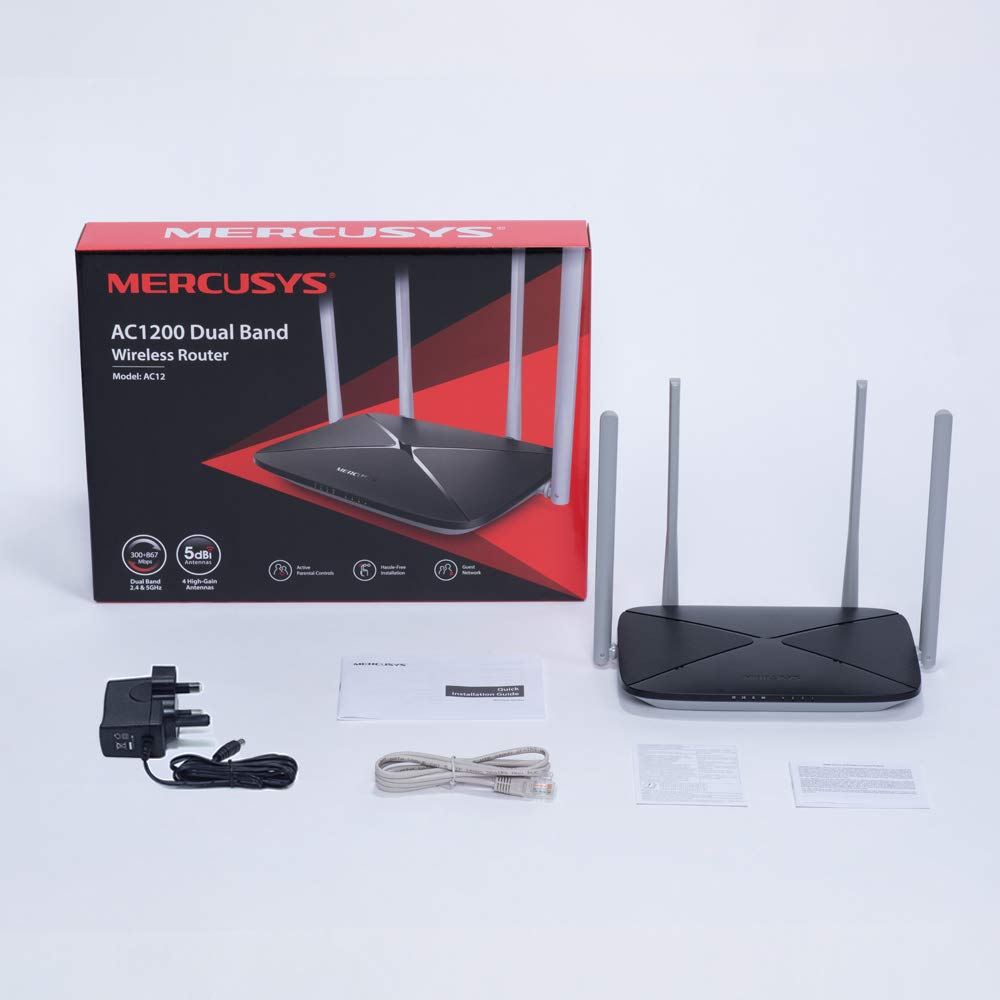
Verificați dacă toate articolele sunt prezente în pachetul produsului:
- MERCUSYS AC1200 Dual Band Wireless Router (AC12)
- Adaptor de alimentare
- Ghid de instalare rapidă
- Cablu Ethernet
3. Hardware terminatview
3.1 Panoul frontal
The front panel features LED indicators that provide status information about the router's operation, including power, internet connection, and Wi-Fi activity.

3.2 Panoul din spate
The rear panel contains all the physical ports and buttons necessary for connecting the router to your network and power source.
- WAN Port (Orange): Se conectează la modemul sau la echipamentul furnizorului de servicii de internet (ISP).
- LAN Ports (Blue): Connects to wired devices such as computers, gaming consoles, or network printers. The AC12 model features 4 LAN ports.
- Putere de intrare: Se conectează la adaptorul de alimentare furnizat.
- Buton Resetare/WPS: Used to reset the router to factory settings or to initiate a Wi-Fi Protected Setup (WPS) connection.

3.3 Antene
The router is equipped with four external 5dBi omni-directional antennas, designed to enhance wireless coverage and signal strength.

4. Ghid de instalare
Follow these steps to set up your MERCUSYS AC1200 Router:
- Conectare hardware:
- Opriți modemul.
- Connect the modem's Ethernet cable to the WAN port (orange) of the AC12 router.
- Connect your computer to one of the LAN ports (blue) on the router using an Ethernet cable, or connect wirelessly using the default Wi-Fi name (SSID) and password printed on the router's label.
- Power on your modem, then power on the AC12 router.
- Configure Router via Web Interfata:
Deschide a web browser on your connected computer or device. The intuitive webpage guides you through the setup process in minutes.
- Pasul 1: Create a unique login password for the router's management page.
- Pasul 2: Choose your internet service type and enter any required information provided by your ISP.
- Pasul 3: Set your wireless network name (SSID) and password for both 2.4 GHz and 5 GHz bands.

5. Instrucțiuni de utilizare
5.1 Dual Band Wi-Fi
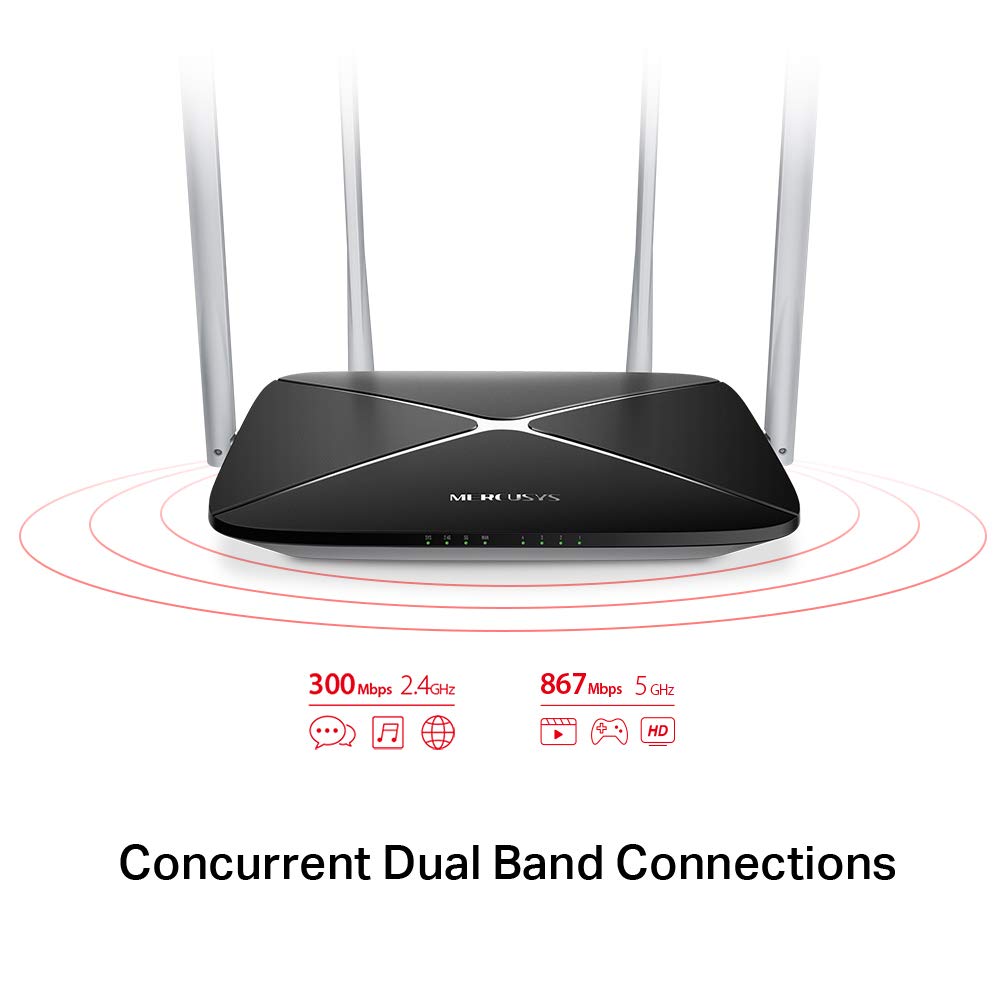
The AC1200 router operates on two distinct Wi-Fi bands:
- Banda de 2.4 GHz: Provides speeds of up to 300 Mbps, suitable for general internet use, web navigare și e-mail.
- Banda de 5 GHz: Offers faster speeds of up to 867 Mbps, ideal for online gaming, HD video streaming, and other bandwidth-intensive applications.
5.2 Enhanced Wireless Coverage
The four external 5dBi omni-directional antennas are designed to provide extensive wireless coverage and strong signal intensity throughout your home or office, minimizing weak spots and dropped connections.

5.3 Rețea de oaspeți
The Guest Network feature allows you to provide secure Wi-Fi access to guests without sharing your main network password. This enhances security by isolating guest devices from your primary network resources.
5.4 Protocol de securitate
The router supports WPA-PSK / WPA2-PSK security protocols to protect your wireless network from unauthorized access.
6. Întreținere
- Actualizări firmware: Regularly check the MERCUSYS official website pentru actualizări de firmware pentru a asigura performanță și securitate optime.
- Curățare fizică: Păstrați routerul curat și fără praf. Folosiți o cârpă moale și uscată pentru curățare. Nu utilizați produse de curățare lichide.
- Plasare: Plasați routerul într-o locație centrală, departe de obstacole și dispozitive care pot cauza interferențe (de exemplu, cuptoare cu microunde, telefoane fără fir).
- Repornire: Dacă întâmpinați probleme de rețea, încercați să reporniți routerul deconectând adaptorul de alimentare timp de 10 secunde, apoi conectându-l din nou.
7. Depanare
- Fara acces la internet:
- Verificați dacă LED-ul portului WAN este aprins. Dacă nu, asigurați-vă că este conectat corect cablul Ethernet de la modem.
- Verificați dacă modemul funcționează corect.
- Reporniți atât modemul, cât și routerul.
- Contactați furnizorul de servicii de internet (ISP) dacă problema persistă.
- Semnal Wi-Fi slab:
- Mutați routerul într-o poziție mai centrală.
- Asigurați-vă că antenele sunt poziționate vertical.
- Reduceți la minimum obstrucțiile fizice (pereți, mobilier mare) dintre router și dispozitive.
- Avoid placing the router near other electronic devices that may cause interference.
- Nu se pot accesa routerele Web Pagina de management:
- Asigurați-vă că dispozitivul este conectat la router (cu fir sau fără fir).
- Verify that you are using the correct IP address (e.g.,
192.168.1.1ormwlogin.net) în dvs web browser. - Ștergeți memoria cache a browserului sau încercați un alt browser.
- Am uitat parola Wi-Fi sau parola de conectare:
- You can reset the router to factory default settings by pressing and holding the Reset/WPS button on the rear panel for approximately 6-10 seconds until the LEDs flash. Note that this will erase all your custom settings.
8. Specificații
| Caracteristică | Detaliu |
|---|---|
| Marca | MERCUSYS |
| Numele modelului | AC12 |
| standard wireless | 802.11ac |
| Clasa de bandă de frecvență | Bandă duală (2.4 GHz și 5 GHz) |
| Viteză Wi-Fi de 2.4 GHz | Până la 300 Mbps |
| Viteză Wi-Fi de 5 GHz | Până la 867 Mbps |
| Antene | 4 x 5dBi Omni-Directional Antennas |
| Porturi Ethernet | 1 WAN, 4 LAN |
| Protocol de securitate | WPA-PSK / WPA2-PSK |
| Dimensiunile produsului | 22.2 x 14 x 3.2 cm |
| Greutatea articolului | 260 g |
| Voltage | 9 volți |
| Compatibilitatea sistemelor de operare | Windows (for setup via web interfață) |
9. Garanție și asistență
9.1 Informații despre garanție
This MERCUSYS AC1200 Router comes with a 3 an garanție. Please retain your purchase receipt for warranty claims. The warranty covers manufacturing defects under normal use conditions.
9.2 Suport tehnic
For technical assistance, please visit the official MERCUSYS website or contact their customer support. Manufacturer: TP-Link Technologies Co.,Ltd.


