Introducere
The TURBOLOCK TL99 is a Bluetooth-enabled smart lock designed for keyless entry, offering enhanced security and convenience for homes, offices, and rental properties. This manual provides comprehensive instructions for installation, operation, maintenance, and troubleshooting to ensure optimal performance of your TL99 smart lock.
Key features include live monitoring via a dedicated app, the ability to share and delete unlimited eKeys on demand, a passive mode for easy guest access, and a durable, weatherproof design for long-lasting security. Its simple installation process allows for a quick and efficient setup without the need for specialized tools or professional assistance.
Configurare și instalare
The TURBOLOCK TL99 is designed for straightforward installation, typically requiring only a screwdriver. It is compatible with most standard US front door locks and fits both left and right-hinged doors.
Componente terminateview
Înainte de a începe instalarea, asigurați-vă că toate componentele sunt prezente:
- Ansamblu exterior al tastaturii
- Ansamblu de blocare interioară
- Bolt cu zăvor
- Placă de grevă
- Șuruburi de montare
- Battery Pack (4 AAA batteries required, not included)
- Backup Battery Pack (for emergency power)

Figura 1: Explodat view of the TurboLock TL99 components, showing the keypad, interior assembly, latch, and mounting hardware.
Etape de instalare
- Remove your existing door knob or lock.
- Install the latch bolt into the door edge, ensuring it is oriented correctly for your door's swing.
- Connect the exterior keypad assembly to the interior lock assembly, feeding the wires through the door hole.
- Secure the assemblies with the provided mounting screws.
- Connect the battery pack wires to the interior assembly.
- Insert 4 AAA batteries into the battery pack and secure its cover.
- Attach the interior cover plate.
- Test the lock's mechanical function before proceeding to electronic setup.
Figure 2: A hand installing the interior portion of the TurboLock TL99 onto a wooden door, demonstrating the simple setup process.
Video Guide: Installation and Setup
Video 1: This official video from TURBOLOCK provides a step-by-step guide on the easy installation and initial setup of the TL99 Bluetooth Smart Lock, including component assembly and basic wiring.
Operating the TL99 Smart Lock
Keyless Entry via Keypad
The TL99 features a backlit keypad for convenient keyless entry, day or night. The keypad automatically illuminates when a button is pressed.

Figure 3: A hand interacting with the backlit keypad of the TL99 smart lock, illustrating its visibility in low-light conditions.
You can program a master code, a standard entry code, and up to 8 user-specific codes directly on the keypad. Refer to the app's "Admin Password" section for detailed instructions on managing these codes.
Bluetooth App Control and eKeys
The TurboLock app (available for Android/iOS) provides comprehensive control over your TL99 lock via Bluetooth. This includes live monitoring, sending eKeys, managing users, and reviewing password records.

Figure 4: A smartphone screen showing the TurboLock application interface, demonstrating how users can control and monitor their smart lock remotely via Bluetooth.
Asocierea cu aplicația:
- Download and install the "Turbolock" app from your device's app store.
- Creați un cont și conectați-vă.
- Asigurați-vă că Bluetooth este activat pe smartphone-ul dvs.
- On the lock's keypad, enter your Admin Password followed by '#' and then '2#'. This puts the lock into pairing mode.
- In the app, tap the '+' icon and select the type of lock (Door Lock).
- Once the app detects your lock, tap "Connect Lock" to complete the pairing process.
Sending eKeys:
eKeys allow you to grant access to others without sharing your main codes. You can send permanent, time-sensitive, or single-use eKeys.
- First, reset the Dynamic Password in the app under "Reset Keys" to enable eKey generation.
- Navigate to "Send Key" in the app.
- Enter the recipient's email or phone number.
- Choose between "Permanent" or "Time Sensitive" access using the toggles. For time-sensitive keys, specify the start and end dates/times.
- Tap "Send" to transmit the eKey.
Managing Users and Password Records:
- The "Manage Users" section allows you to view and modify access permissions for all eKey recipients.
- "Password Records" provides a log of when your lock has been accessed, including the passcode used and the time of entry.
Passive Mode for Guest Access
Activate Passive Mode during high-traffic occasions, such as parties or open houses, to allow guests to enter by simply pressing any button on the keypad. This temporarily bypasses the need for a specific code.

Figure 5: A group of people entering a room, demonstrating the convenience of the TL99's passive mode for easy guest access during social gatherings.
Safe Automatic Locking
For enhanced security, the TL99 smart lock is designed to automatically re-lock approximately 3 seconds after being opened. This ensures your entry point is always secured, even if you forget to manually lock it.
Întreţinere
Managementul bateriei
The TL99 is powered by 4 AAA batteries, which can last for up to 12 months with regular daily use. The lock will provide a low-battery warning when it's time for replacement.

Figure 6: Illustration showing four AAA batteries, highlighting the 12-month battery life of the TL99 smart lock.
Emergency Backup Power:
In the event of complete battery depletion, the TL99 includes a backup battery pack. Simply connect this pack to the designated port on the exterior keypad to temporarily power the lock and gain entry.
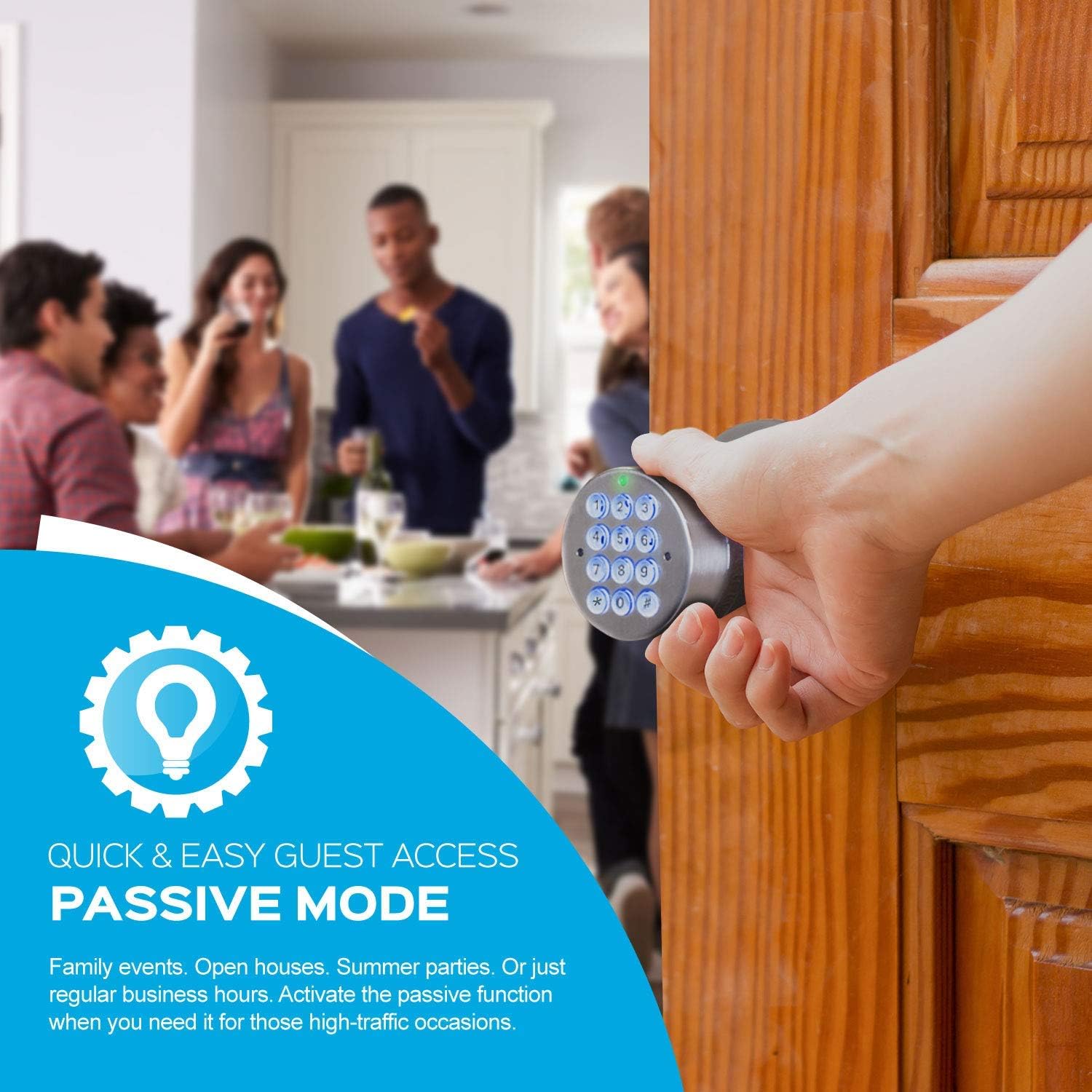
Figure 7: A hand connecting the external backup battery pack to the TL99 smart lock, providing emergency power for access.
Cleaning and Weatherproofing
The TL99 is constructed from durable, easy-to-clean zinc alloy, designed to withstand various weather conditions. To maintain its appearance and functionality, wipe the exterior surfaces with a soft, damp pânză. Evitați utilizarea agenților de curățare abrazivi sau a solvenților.
Depanare
If you encounter issues with your TURBOLOCK TL99, consider the following common solutions:
- Încuietoarea nu răspunde: Check the batteries. Ensure they are correctly inserted and have sufficient charge. Use the emergency backup battery pack if needed.
- Tastatura nu se aprinde: This usually indicates low or dead batteries. Replace all 4 AAA batteries.
- Difficulty Pairing with App: Ensure Bluetooth is active on your phone and the lock is in pairing mode (Admin Password + # + 2#). Move closer to the lock to improve signal strength.
- Codurile nu funcționează: Verify that the codes are entered correctly. If using eKeys, ensure they are still within their valid time frame. Reset dynamic passwords in the app if necessary.
- Mecanismul de blocare este blocat: Ensure the latch bolt is properly aligned with the strike plate on the door frame. Check for any obstructions in the door's path or within the lock mechanism.
- Probleme de conectare la aplicație: If the app frequently disconnects or fails to connect, try restarting the app or your phone. Ensure the app is updated to the latest version.
For persistent issues not resolved by these steps, please refer to the official TURBOLOCK support resources or contact customer service.
Specificații
| Marca | TURBLOCK |
| Numărul de model | TL99 (Part Number: TL-99-SS) |
| Tip blocare | Blocare inteligentă a tastaturii |
| Caracteristica specială | Blocare inteligentă |
| Material | Aliaj de zinc |
| Culoare | Argint |
| Dimensiuni articol (L x l x H) | 6 x 3 x 3 inci |
| Greutatea articolului | 1.9 lire sterline |
| Sursa de alimentare | Alimentat cu baterii (sunt necesare 4 baterii AAA) |
| Protocol de conectivitate | Bluetooth |
| Metoda de control | Aplicație, Tastatură |
| Utilizări recomandate | Monitorizare, securitate |
| UPC | 819194020110 |
Garanție și suport
For detailed warranty information, please refer to the warranty card included with your product packaging or visit the official TURBOLOCK website. Termenii și condițiile de garanție pot varia.
If you require further assistance, technical support, or have questions regarding your TL99 smart lock, please contact TURBOLOCK customer service through their official channels. Contact information is typically available on the manufacturer's website-ul sau în documentația produsului.
Additional resources, including user guides and FAQs, may be available on the TURBOLOCK Store on Amazon.


