Introducere
The Altec Lansing MZX300-BLK Wireless Over Ear Bluetooth Headphones are designed for comfortable, high-quality audio playback with wireless freedom. Featuring a long-lasting battery and robust connectivity, these headphones are suitable for various activities, from daily commutes to workouts.
Caracteristicile cheie includ:
- Până la 6 de ore de autonomie a bateriei cu o singură încărcare.
- 33-foot wireless Bluetooth range for flexible movement.
- IPX7 waterproof rating, making them suitable for active use.
- Padded headband and soft ear cups for extended comfort.
- Microfon integrat pentru apeluri hands-free.
- Compatibility with Apple, Android, tablets, and laptops.
Componentele produsului
Pachetul include următoarele articole:
- Altec Lansing MZX300-BLK Wireless Over Ear Bluetooth Headphones
- Cablu de încărcare USB
- Husă de transport

Figura 1: Față view of the Altec Lansing MZX300-BLK headphones.
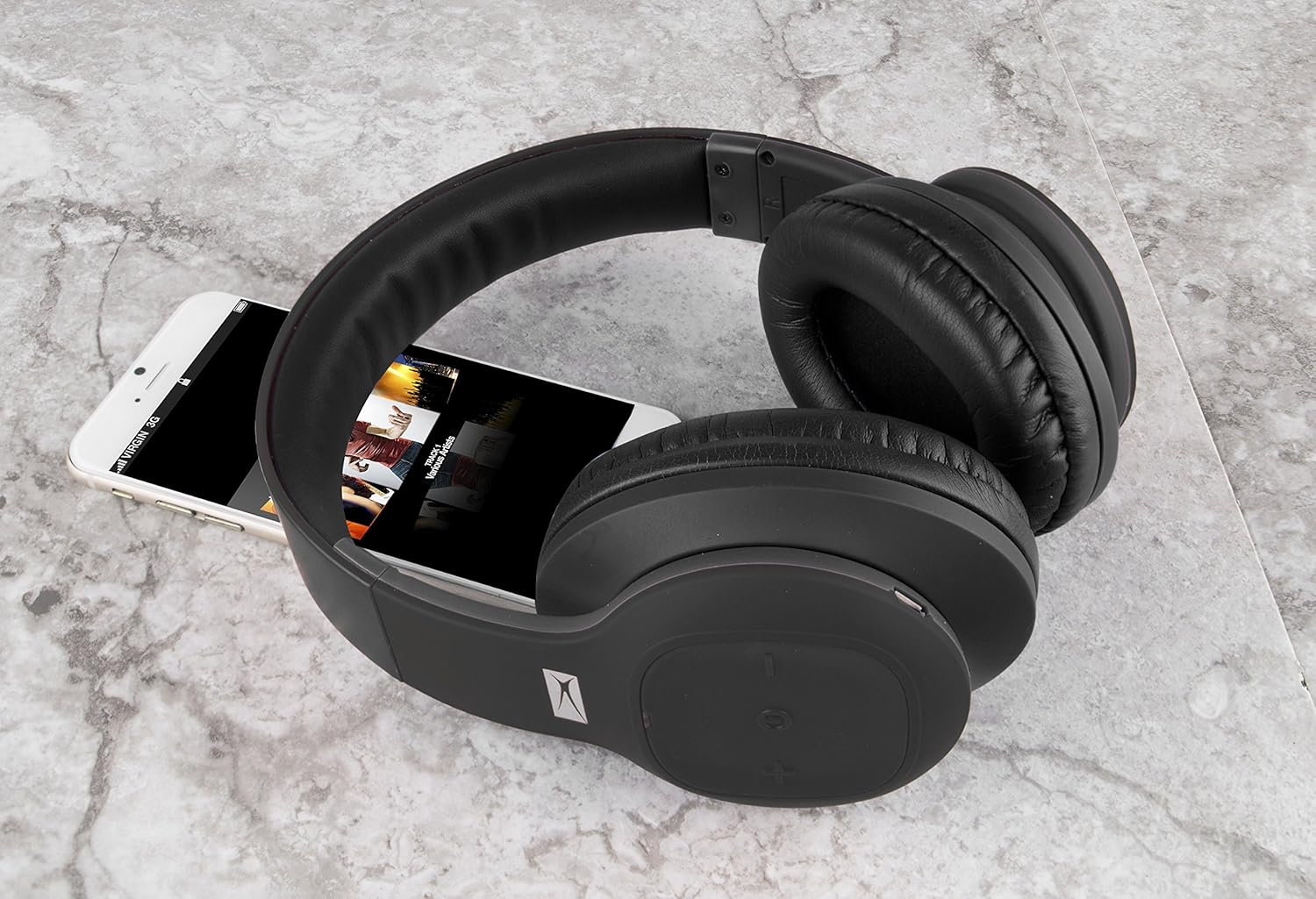
Figure 2: The MZX300-BLK headphones shown with a smartphone, illustrating their size and typical use.
Înființat
1. Încărcarea căștilor
Before initial use, fully charge your MZX300-BLK headphones. Use the provided USB charging cable to connect the headphones to a USB power source (e.g., computer USB port, wall adapter). The charging indicator light will illuminate during charging and turn off or change color when fully charged. A full charge provides approximately 6 hours of playback time.

Figura 3: Sus view of the right earcup, showing the control panel and typically where the charging port is located.
2. Pornire/Oprire
- Pentru a porni: Press and hold the Power button (often integrated with the multi-function button) until you hear an audible prompt or see the indicator light flash.
- Pentru a opri: Press and hold the Power button again until the indicator light turns off or you hear an audible prompt.
3. Asociere Bluetooth
- Asigurați-vă că căștile sunt oprite.
- Press and hold the Power button for approximately 5-7 seconds until the indicator light flashes rapidly (often blue and red), indicating pairing mode.
- Pe dispozitivul dvs. (smartphone, tabletă, laptop), navigați la setările Bluetooth.
- Caută available devices. The headphones should appear as "MZX300" or "Altec MZX300".
- Select the headphones from the list to connect. Once paired, the indicator light will typically slow its flashing or turn solid blue, and you may hear a confirmation tone.
The headphones support multi-point connection, allowing you to connect to two devices simultaneously.
4. Ajustarea potrivirii
The headband is adjustable. Gently slide the earcups up or down to extend or retract the headband until the headphones fit comfortably over your ears, ensuring the earcups fully enclose your ears for optimal sound and comfort.

Figure 4: The adjustable headband of the MZX300-BLK headphones, designed for a comfortable fit.
Instrucțiuni de operare
Controale pentru redarea muzicii
Căștile au comenzi integrate pe cupă pentru o gestionare ușoară a sunetului.
- Redare/Pauză: Press the multi-function button (often the power button) once.
- Creșterea volumului: Apăsați butonul „+”.
- Volum scăzut: Apăsați butonul „-”.
- Următoarea piesă: Press and hold the '+' button (or double-press, refer to specific product manual if available).
- Pista anterioară: Press and hold the '-' button (or double-press, refer to specific product manual if available).

Figura 5: lateral view of the right earcup, highlighting the control buttons for media playback and volume.
Managementul apelurilor
Cu microfonul încorporat, poți gestiona apelurile telefonice direct din căști.
- Răspundeți/Terminați apelul: Apăsați o dată butonul multifuncțional.
- Respinge apelul: Apăsați și mențineți apăsat butonul multifuncțional timp de aproximativ 2 secunde.
Rezistență la apă (IPX7)
The MZX300-BLK headphones are IPX7 rated, meaning they can be submerged in up to 1 meter of water for 30 minutes. This makes them resistant to sweat and splashes, suitable for workouts or outdoor activities. Nota: While water-resistant, it is not recommended to intentionally submerge the headphones or expose them to harsh chemicals.
Întreţinere
- curatenie: Use a soft, dry, lint-free cloth to clean the headphones. For stubborn dirt, slightly dampen the cloth with water. Do not use abrasive cleaners, alcohol, or chemical solvents.
- Depozitare: When not in use, store the headphones in the included carry pouch to protect them from dust and scratches. Avoid storing in extreme temperatures or high humidity.
- Îngrijirea bateriei: Pentru a prelungi durata de viață a bateriei, evitați descărcarea completă frecventă a acesteia. Încărcați căștile în mod regulat, chiar dacă nu le utilizați pentru perioade lungi de timp.
Depanare
| Problemă | Cauza posibila | Soluţie |
|---|---|---|
| Căștile nu pornesc. | Baterie descărcată. | Încărcați căștile folosind cablul USB furnizat. |
| Nu se poate realiza asocierea cu dispozitivul. | Headphones not in pairing mode; device's Bluetooth off; interference. | Ensure headphones are in pairing mode (rapid flashing light). Turn device's Bluetooth off and on. Move closer to the device. Clear previous Bluetooth connections on your device. |
| Niciun sunet sau volum redus. | Volum prea mic la căști sau la dispozitiv; nu este conectat corect. | Increase volume on both headphones and connected device. Re-pair the headphones. Ensure the correct audio output is selected on your device. |
| Calitate slabă a sunetului. | În afara razei de acoperire; interferențe; baterie descărcată. | Move closer to your device. Avoid strong electromagnetic interference. Charge the headphones. |
Specificații
| Numele modelului | MZX300 |
| Tehnologia de conectivitate | Wireless (Bluetooth) |
| wireless Range | Până la 33 de picioare (10 metri) |
| Durata de viață a bateriei | Până la 6 ore |
| Nivel de rezistență la apă | IPX7 |
| Forma căștilor | Peste ureche |
| Tip control | Control media, Telecomandă |
| Mufă pentru căști | USB (pentru încărcare) |
| Greutatea articolului | 0.5 livre (aproximativ 8 uncii) |
| Dimensiunile produsului | 6.6 x 3.4 x 8.8 inci |
Garanție și suport
Pentru informații despre garanție și asistență tehnică, vă rugăm să consultați documentația inclusă odată cu achiziția sau să vizitați site-ul oficial Altec Lansing. website. You may also contact Altec Lansing customer service directly for assistance with product operation, troubleshooting, or warranty claims.
Altec Lansing Oficial Website: www.alteclansing.com


