1. Introducere
Welcome to the instruction manual for your Gigaset E560A DECT Cordless Phone. This phone is specifically designed to offer ease of use and enhanced safety features, making it ideal for seniors. It combines a user-friendly interface with robust functionality, including an integrated answering machine, a clear color display, hands-free operation, and large, easy-to-press buttons. The dedicated SOS emergency call button provides an additional layer of security.
Please read this manual carefully to ensure proper setup, operation, and maintenance of your device. Keep it for future reference.
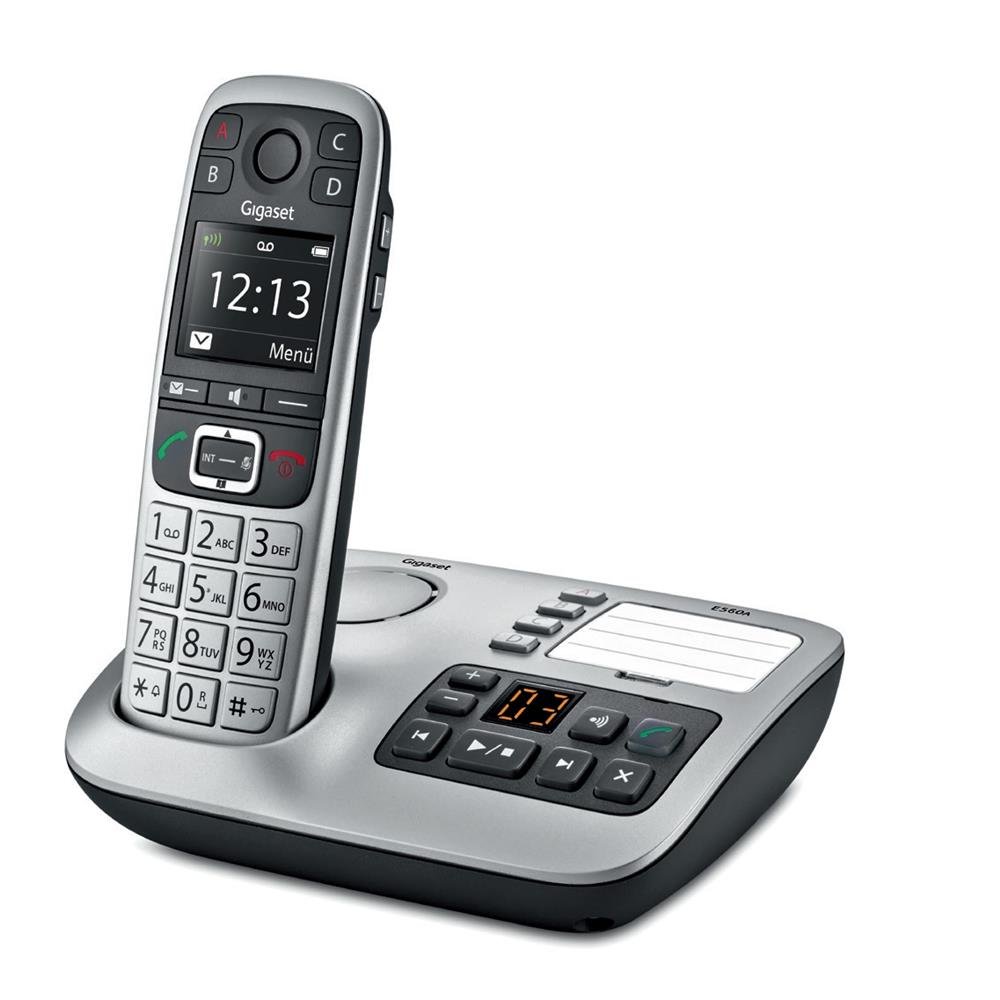
Image 1.1: The Gigaset E560A DECT Cordless Phone handset docked in its base station. The handset features a color display and large, clearly labeled buttons. The base station includes an integrated answering machine with control buttons.
2. Informații de siguranță
- Use only the power adapter and batteries supplied with the device.
- Do not expose the phone to extreme temperatures, direct sunlight, or high humidity.
- Avoid dropping the handset or base station.
- Keep the device away from medical equipment, as it may cause interference.
- Nu deschideți dispozitivul casing. Repairs should only be performed by authorized service personnel.
- Aruncați bateriile în mod responsabil, conform reglementărilor locale.
3. Conținutul pachetului
Vă rugăm să verificați dacă toate articolele sunt prezente în coletul dumneavoastră:
- 1 Gigaset E560A Handset
- 1 Base Station with Integrated Answering Machine
- 1 Power Adapter for the Base Station
- 1 Telephone Connection Cable
- 2 AAA (NiMH) Rechargeable Batteries
- 1 Manual de utilizare (acest document)
If any items are missing or damaged, please contact your retailer or Gigaset customer support.
4. Configurare
4.1 Conectarea stației de bază
- Connect the telephone connection cable to the socket marked with a telephone symbol on the base station and to your telephone wall outlet.
- Connect the power adapter to the socket marked with a power symbol on the base station and plug it into a mains power outlet.
- Ensure the base station is placed on a flat, stable surface, away from other electronic devices that might cause interference.
4.2 Inserting Batteries into the Handset
- Deschideți capacul compartimentului bateriei de pe spatele receptorului.
- Introduceți cele două baterii reîncărcabile AAA NiMH, respectând polaritatea corectă (+/-).
- Închideți capacul compartimentului bateriei.
- Place the handset in the base station to charge. The display will indicate charging. Allow the batteries to charge for at least 6 hours before initial use.
4.3 Initial Setup and Registration
The handset is pre-registered to the base station at the factory. If registration is lost or you are adding a new handset, follow these steps:
- On the base station, press and hold the registration/paging button for approximately 3 seconds. The base station will enter registration mode.
- On the handset, navigate to the 'Settings' menu, then 'Registration', and select 'Register Handset'.
- Enter the system PIN (default is 0000) when prompted.
- The handset will display a confirmation message once successfully registered.
5. Instrucțiuni de utilizare
5.1 Funcții de apel de bază
- Efectuarea unui apel: Enter the phone number using the keypad and press the green call button (→).
- Răspunsul la un apel: When the phone rings, press the green call button (→).
- Încheierea unui apel: Press the red end call button (→).
- Reglarea volumului: During a call, use the navigation keys to adjust the earpiece volume. Press the 'Extra Volume' button for an additional boost.
- Apeluri fără mâini: During a call, press the hands-free button (speaker icon) to activate the speakerphone.
5.2 Funcția de apel de urgență SOS
The Gigaset E560A features a dedicated SOS button (Key A) for emergency situations. You can program up to four emergency numbers.
- Programarea numerelor SOS: Navigate to 'Settings' > 'SOS Function' > 'SOS Numbers'. Enter up to four contact numbers.
- Initiating an SOS Call: In an emergency, press and hold the 'A' button on the handset. The phone will sequentially dial the programmed SOS numbers until one is answered.
Note: SOS functionality may have regional limitations; refer to the Gigaset website for specific details regarding your region.
5.3 Robot telefonic
The base station has an integrated answering machine with up to 25 minutes of recording time.
- Activare/Dezactivare: Apăsați tasta ON/OFF butonul de pe stația de bază.
- Redarea mesajelor: Apăsați tasta JUCA butonul de pe stația de bază.
- Înregistrarea unui anunț: Access the answering machine settings via the handset menu to record a personalized greeting.
5.4 Agenda telefonică
Stocați numerele apelate frecvent în agenda telefonică pentru acces rapid.
- Adăugarea unui contact: Go to 'Menu' > 'Phonebook' > 'New Entry'. Enter the name and number, then save.
- Apelarea din agenda telefonică: Press the phonebook button, select the desired contact, and press the green call button.
6. Întreținere
- curatenie: Folosiți un moale, damp lavetă pentru a curăța receptorul și stația de bază. Nu utilizați substanțe de curățare abrazive sau solvenți.
- Îngrijirea bateriei: For optimal battery life, fully discharge and recharge the batteries periodically. Replace batteries when their performance significantly decreases. Use only recommended NiMH rechargeable batteries.
- Depozitare: Dacă depozitați telefonul pentru o perioadă lungă de timp, scoateți bateriile din receptor.
7. Depanare
| Problemă | Cauza posibila | Soluţie |
|---|---|---|
| Fără ton de apel | Telephone cable not connected or faulty. | Check the telephone cable connection to the base station and wall outlet. Try a different cable if available. |
| Telefonul nu se încarcă | Handset not correctly placed in base station; dirty charging contacts; faulty batteries. | Ensure handset is properly seated. Clean charging contacts on handset and base with a dry cloth. Replace batteries if old. |
| Calitate slabă a sunetului | Handset too far from base station; interference from other devices. | Move closer to the base station. Relocate the base station away from other electronics (e.g., Wi-Fi routers, microwaves). |
| Butonul SOS nu funcționează | SOS numbers not programmed; regional restrictions. | Verify that SOS numbers are correctly programmed in the settings. Check Gigaset website for regional compatibility. |
If the problem persists after attempting these solutions, please contact Gigaset customer support.
8. Specificații
- Marca: Gigaset
- Model: E560A
- Tip produs: DECT Cordless Phone with Answering Machine
- Culoare: Platină
- Dimensiunea ecranului: 1.8 inchi
- Conectivitate: Fără fir (DECT)
- Caracteristici speciale: Hands-free function, Large buttons, SOS emergency call button, Suitable for seniors
- Dispozitive compatibile: Gigaset GO-Box, Gigaset Box100, Gigaset Box200
- Tip baterie: 2 baterii AAA NiMH (incluse)
- Tip de sistem de răspuns: Digital, timp de înregistrare de până la 25 de minute
- Dimensiuni articol (L x l x H): 30 x 55 x 170 milimetri
- Greutatea articolului: 140 grame
- Producător: Gigaset
9. Garanție și asistență
9.1 Informații despre garanție
Spare parts for the Gigaset E560A are available for a period of 1 year from the date of purchase. Please retain your proof of purchase for warranty claims.
9.2 Asistență pentru clienți
For any questions regarding your Gigaset E560A DECT Cordless Phone, technical assistance, or warranty inquiries, please contact Gigaset customer service:
- Telefon: 02871-912 912 (Standard landline rates apply)
Please have your model number (E560A) and purchase details ready when contacting support.


