1. Produs terminatview
The Manhattan USB 2.0 Multi-Card Reader/Writer is designed for efficient data transfer and management across various flash memory card formats. This device allows you to easily access, download, and manage digital content such as pictures, music, and videos without directly connecting your media device to a computer. It supports simultaneous reading and writing on up to five different flash memory cards and functions as a USB mass storage device.
Caracteristicile cheie includ:
- Compatibilitate cu mai multe carduri: Supports 79 card formats, including CompactFlash, Memory Stick, Secure Digital, MultiMedia, and XD.
- Funcționare Plug-and-Play: Nu este necesară instalarea de drivere pentru majoritatea sistemelor de operare.
- Transfer de date de mare viteză: Achieves speeds up to 480 Mbps.
- Acces simultan cu cardul: Read and write to five different card slots concurrently.
- Alimentat prin USB: No external power supply or adapters needed.

Figure 1: The Manhattan USB 2.0 Multi-Card Reader/Writer, showing its compact design and integrated USB cable.
2. Conținutul pachetului
Verificați dacă pachetul dvs. conține următoarele articole:
- Manhattan USB 2.0 Multi-Card Reader/Writer (Model 101998)
- Manual de utilizare (acest document)
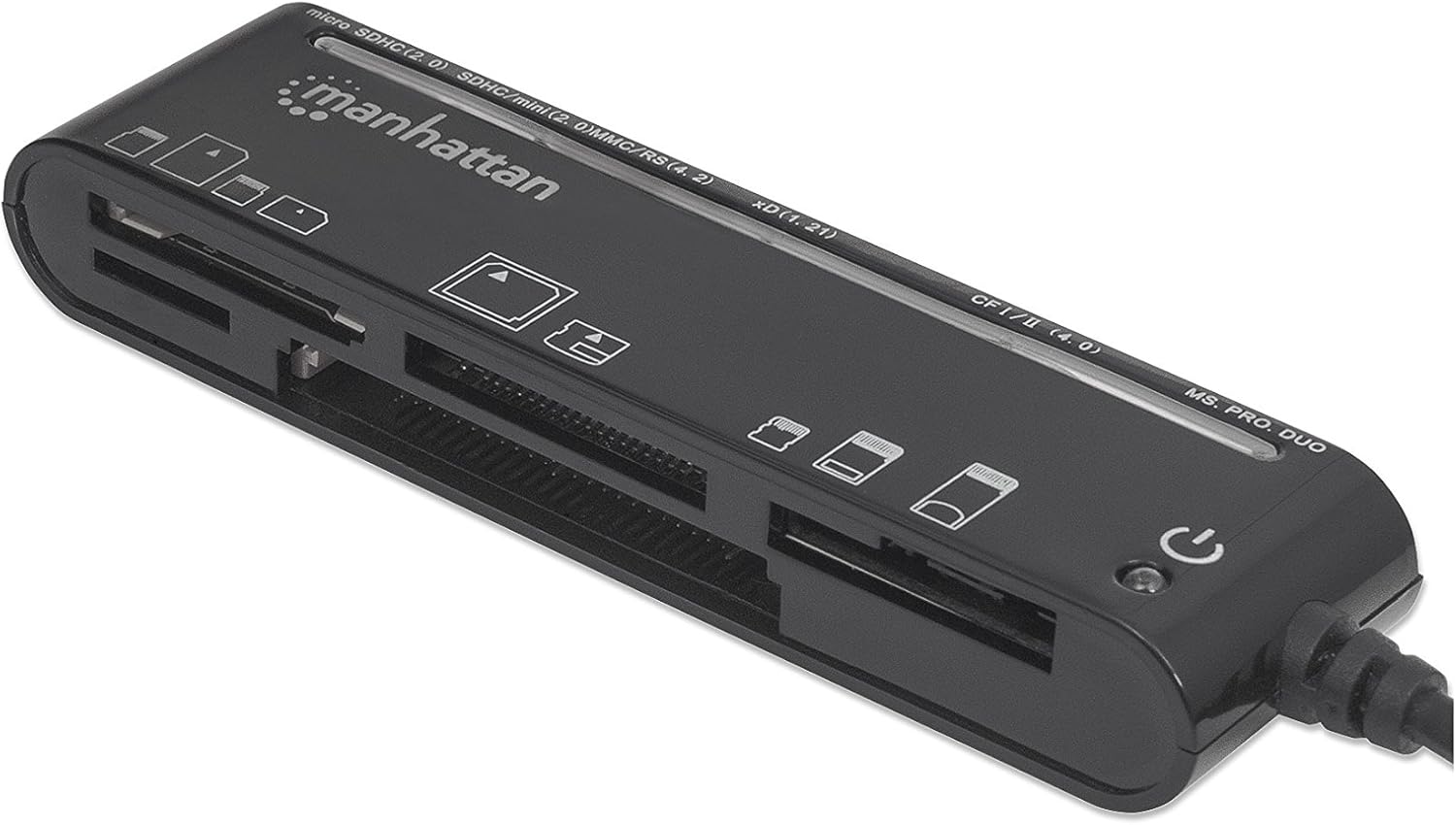
Figure 2: The Manhattan Multi-Card Reader/Writer shown in its retail packaging.
3. Cerințe de sistem
- Port USB 2.0 sau 1.1 disponibil
- Windows operating system (Windows XP/Vista/7/8/10/11)
- Mac operating system (macOS 10.x or later)
4. Instrucțiuni de configurare
- Conectați cititorul de carduri: Plug the USB connector of the Manhattan Multi-Card Reader/Writer into an available USB port on your computer.
- Instalare automată a driverelor: Your operating system will automatically detect the device and install the necessary drivers. This process typically takes a few moments. No manual driver installation is required.
- Verificare: Once installed, the device will appear as several removable disk drives in your computer's "My Computer" (Windows) or "Finder" (Mac) section.

Figure 3: The card reader connected via its USB cable.
5. Instrucțiuni de utilizare
5.1 Introducerea unui card de memorie
Identify the correct slot for your memory card type. The card reader features multiple slots, each designed for specific card formats. Refer to the labels on the device for guidance.

Figura 4: Sus view of the card reader, highlighting the various card slots and their labels.
- Selectați slotul: Locate the appropriate slot for your memory card (e.g., SD, microSD, CF, MS PRO DUO, xD).
- Introduceți card: Gently insert the memory card into the designated slot until it is fully seated. Do not force the card; if it does not insert easily, verify the card's orientation.
- Date de acces: Once inserted, the card will appear as a removable drive on your computer. You can now access, copy, move, or delete files după cum este necesar.
5.2 Removing a Memory Card
- Ejectare în siguranță: Before physically removing the card, always safely eject the removable drive from your operating system to prevent data corruption.
- Windows: Right-click on the drive icon in "My Computer" and select "Eject."
- Mac: Trageți pictograma unității în Coșul de gunoi sau faceți clic pe butonul Eject de lângă unitatea respectivă în Finder.
- Scoateți cardul: Once safely ejected, gently pull the memory card out of its slot.
5.3 Acces simultan la card
The Manhattan Multi-Card Reader/Writer supports simultaneous access to multiple card types. You can insert different types of memory cards into their respective slots and access them as separate drives on your computer. This allows for easy data transfer between different card formats.
6. Întreținere
- curatenie: Folosiți o lavetă moale și uscată pentru a curăța exteriorul cititorului de carduri. Evitați utilizarea de produse de curățare lichide sau solvenți.
- Depozitare: Depozitați dispozitivul într-un loc răcoros și uscat, ferit de lumina directă a soarelui și de temperaturi extreme atunci când nu îl utilizați.
- Manipulare: Avoid dropping the device or subjecting it to strong impacts. Do not attempt to disassemble the unit.
7. Depanare
| Problemă | Cauza posibila | Soluţie |
|---|---|---|
| Card reader not detected by computer. | Loose USB connection, faulty USB port, operating system issue. |
|
| Cardul de memorie nu este recunoscut. | Incorrect card slot, improper card insertion, damaged card, unsupported card format. |
|
| Viteze mici de transfer de date. | Using a USB 1.1 port, system resource contention, slow memory card. |
|
8. Specificații
| Caracteristică | Detaliu |
|---|---|
| Numărul de model | 101998 |
| Interfață | USB 2.0 |
| Viteza de transfer de date | Până la 480 Mbps |
| Formate de card acceptate | CompactFlash (Type I/II, 4.0, Alpha, Elite Pro, PRO I/II, Turbo, Ultima I/II, UltraX, CF-PSP II, Extreme I/III/IV CF, Platinum II CF, ProMax CF/CF II), IBM/Hitachi/Seagate Microdrive, MagicStor, Memory Stick (MagicGate, MagicGate PRO, MagicGate Duo, High Speed Memory Stick PRO Duo, High Speed MagicGate PRO Duo, High Speed MagicGate PRO, Memory Stick, Memory Stick Duo, Memory Stick Extreme III PRO, Memory Stick Extreme III PRO Duo, Memory Stick Extreme PRO, Memory Stick PRO Duo, Memory Stick PRO Duo PSP, Memory Stick Ultra II PRO, Memory Stick Ultra II PRO Duo, Gaming Edition Memory Stick PRO Duo), SecureDigital (SD, Elite Pro SD, Extreme III SD, Gaming Edition SD, microSD/TransFlash, microSDHC, miniSD, miniSD Ultra II, miniSDHC, miniSD-Pro, Platinum II SD, SD Pro, SDHC, SDXC, SD-Max, SD-Pleomax, SD-Pro C, Super SD, Turbo SD, Ultima I SD, Ultima II SD, Ultimate SD, Ultra High Speed SD, Ultra II SD, Ultra II SD Plus, Ultra SD, Ultra-X SD), MultiMediaCard (MMC/MMC 4.0, DV-RS MMC, High Speed MMC/RS-MMC, MCCmobile, MMC Pro, MMCplus, MMCplus Turbo, RS-MMC), xD Picture Card (1.21/Type M/Type H) |
| Compatibilitatea sistemelor de operare | Windows, Mac OS |
| Putere | USB powered (5 Volts) |
| Dimensiuni (Lxlxh) | 8.66 x 3.15 x 7.87 inci |
| Greutatea articolului | 1.28 uncii |
9. Garanție și asistență
This Manhattan product is backed by a Garanție de 3 an de la producător when purchased from the manufacturer or an authorized reseller. For warranty claims or technical support, please contact Manhattan customer service or visit their official website-ul.
Producător: MANHATTAN LUXURY BRANDS LLC Parent Code
For further assistance, please refer to the official Manhattan website-ul sau contactați canalele lor de asistență.
10. Informații de siguranță
AVERTIZARE: Acest produs poate conține substanțe chimice cunoscute de Statul California ca fiind cancerigene și amenințătoare pentru reproducere. Pentru mai multe informații, vă rugăm să vizitați P65WARNINGs.ca.gov.


