1. Introducere
The Klein Tools CL800 is an automatically ranging True Root Mean Squared (TRMS) digital clamp meter designed for professional electricians and DIY enthusiasts. This versatile tool measures AC/DC voltage, resistance, continuity, frequency, capacitance, and tests diodes via test-leads. It also measures temperature via a thermocouple probe and features a Low Impedance (LoZ) mode for identifying and eliminating ghost or stray voltages. Built for durability, the CL800 is engineered to withstand demanding jobsite conditions.
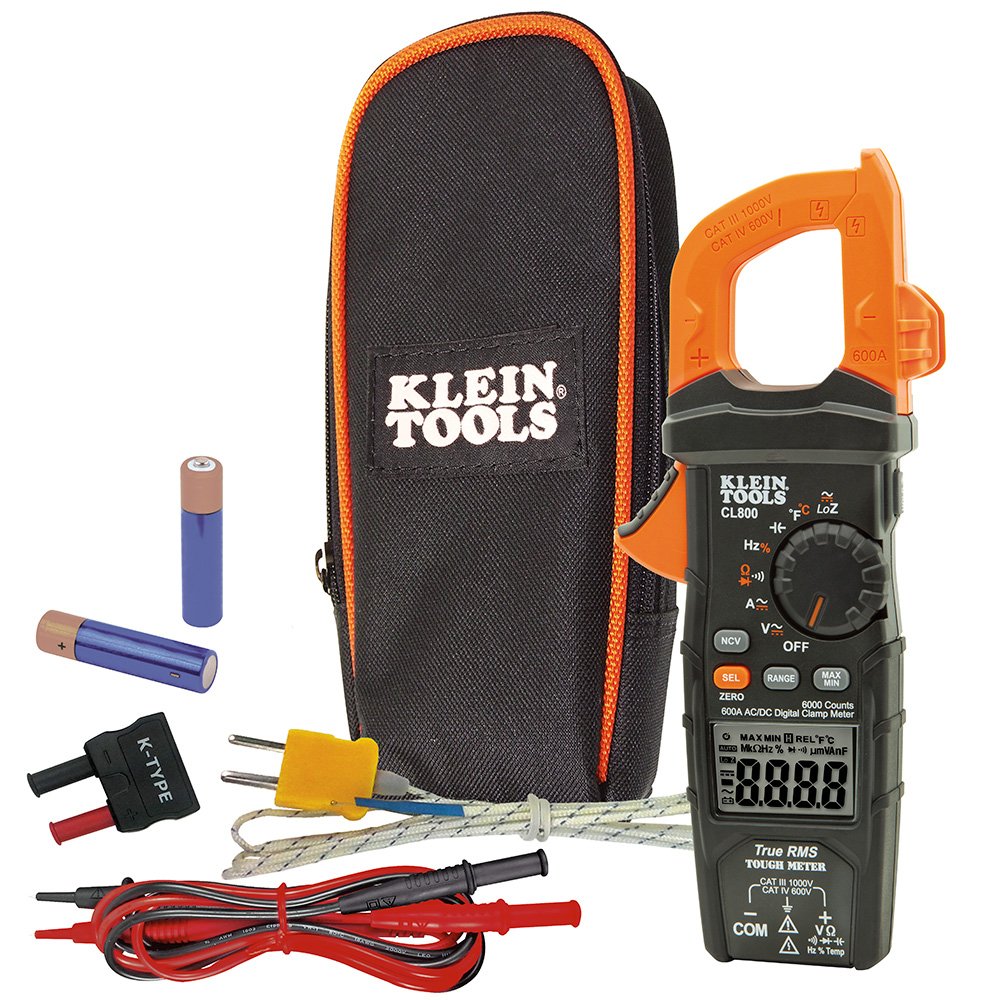
Figura 1: Klein Tools CL800 Digital Clamp Meter highlighting its True RMS measurement technology, voltage, current, resistance, temperature ranges, 2m drop protection, IP40 ingress protection, and CAT III/CAT IV safety ratings.
2. Informații de siguranță
WARNING: Read, understand, and follow all instructions, cautions, and warnings attached to and/or packed with all test and measurement devices before each use.
- Do not attempt to measure resistance or continuity on live circuits.
- Înainte de fiecare utilizare, verificați funcționarea contorului prin măsurarea unui volum cunoscuttage sau curent.
- Nu utilizați contorul în timpul furtunilor electrice sau pe vreme umedă.
- Nu utilizați contorul sau cablurile de testare dacă par a fi deteriorate.
3. Configurare
3.1. Instalarea bateriei
The CL800 requires 2 AAA batteries (included). To install or replace batteries:
- Ensure the meter is OFF.
- Localizați compartimentul bateriilor pe spatele contorului.
- Folosiți o șurubelniță pentru a deschide capacul bateriei.
- Introduceți bateriile, respectând polaritatea corectă (+/-).
- Puneți la loc capacul și fixați-l cu șurubul.
3.2. Conectarea cablurilor de testare
The meter comes with test leads. Connect them to the appropriate jacks:
- The black lead connects to the COM (Common) jack.
- The red lead connects to the VΩHz%Temp jack for most measurements (voltage, resistance, frequency, temperature, capacitance, diode).

Figura 2: Sus view of the Klein Tools CL800, illustrating the input jacks for connecting test leads. The black COM jack and the red VΩHz%Temp jack are clearly visible.
4. Instrucțiuni de utilizare
The CL800 features a rotary dial to select measurement functions and buttons for additional settings. The backlit LCD display provides clear readings.

Figura 3: Față view of the Klein Tools CL800, displaying the LCD screen, rotary function dial, and control buttons for various measurement modes.
4.1. AC/DC Voltage Măsurare
- Rotiți butonul rotativ spre V~ (Volumul AC)tage) sau V- (DC Voltage) position. Use the SEL button to toggle between AC and DC if needed.
- Conectați sondele de testare la punctele circuitului pe care doriți să le măsurați.
- Citiți voltage valoarea pe display.

Figure 4: An electrician uses the Klein Tools CL800 to safely measure voltage across terminals in a circuit breaker panel, demonstrating practical application.
4.2. Măsurarea curentului AC/DC (Clamp)
- Rotiți butonul rotativ spre A~ (curent alternativ) sau A- (DC Current) position. Use the SEL button to toggle between AC and DC if needed.
- Apăsați clamp trăgaciul pentru a deschide fălcile.
- Închideți un singur conductor (nu un fascicul de fire) în interiorul clamp fălci.
- Citiți valoarea curentă de pe afișaj.

Figure 5: An electrician utilizes the clamp function of the Klein Tools CL800 to measure current on a wire, with the backlit display providing visibility in dim conditions.
4.3. Resistance, Continuity, Diode, Capacitance, Frequency, Temperature
Select the corresponding function on the rotary dial. For resistance (Ω), continuity ()))), diodă (->|), and capacitance (--| |--), connect the test leads to the component. For frequency (Hz%) and temperature (°F/°C), connect the leads or thermocouple probe as appropriate.

Figure 6: The Klein Tools CL800 is shown measuring temperature using its thermocouple probe, demonstrating its multi-functionality beyond electrical parameters.
4.4. Low Impedance (LoZ) Mode
The LoZ mode helps identify and eliminate ghost or stray voltages. Select the LoZ function on the dial and connect the test leads to the circuit. This mode provides a more accurate reading by presenting a low impedance to the circuit, which drains away ghost voltages.
4.5. Vol. fără contacttage Tester (NCVT)
To use the NCVT feature, press the NCV button. Hold the tip of the meter near a voltage source. The meter will indicate the presence of AC voltage with visual and/or audible alerts.
4.6. Backlit Display and Worklight
The CL800 features a backlit display for improved visibility in low-light conditions. It also includes an integrated worklight to illuminate the work area. Refer to the full user manual for specific button presses to activate these features.
5. Întreținere
5.1. Curatenie
Ștergeți contorul cu o lavetă uscată, fără scame. Nu utilizați substanțe de curățare abrazive sau solvenți. Asigurați-vă că contorul este oprit și deconectat de la orice circuit înainte de curățare.
5.2. Înlocuirea bateriei
Replace batteries when the low battery indicator appears on the display to ensure accurate readings and proper operation. Follow the steps in Section 3.1.
5.3. Depozitare
When not in use, store the meter and its accessories in the included carrying case in a cool, dry place away from direct sunlight and extreme temperatures.
6. Depanare
- Contorul nu pornește: Verificați instalarea bateriilor și asigurați-vă că bateriile nu sunt descărcate. Înlocuiți-le dacă este necesar.
- Citiri inexacte: Verify correct function selection on the rotary dial and proper test lead connection. Ensure batteries are not low. For DC current, remember to zero out the display using the ZERO button before measurement.
- Afișajul arată „OL” (Suprasarcină): The measured value exceeds the meter's range for the selected function. Select a higher range if available, or ensure the measurement is within the meter's capabilities.
- Display is jumping or unstable: This can occur with AC voltage due to floating voltages. Use the LoZ mode for more stable readings in such situations.
- Negative symbol on DC voltage / curent: Indicates reversed polarity of the test leads. The magnitude of the reading is still correct.
7. Specificații
| Caracteristică | Caietul de sarcini |
|---|---|
| Producător | Klein Tools |
| Numărul piesei | CL800 |
| Greutatea articolului | 12.5 uncii |
| Dimensiunile produsului | 9.09 x 3.82 x 1.54 inci |
| Numărul de model al articolului | CL800 |
| baterii | Sunt necesare 2 baterii AAA (incluse) |
| Stil de afișare | LCD cu 6000 de puncte |
| Precizia măsurătorilor | Voltage Tester |
| Caracteristici speciale | Low Battery Indicator, Auto Shut Off |
| Componente incluse | Carrying Case, 41'' (1041.4 mm) Test Leads, Thermocouple with Adapter, and Batteries |
| Certificare | Meets relevant industry standards (CAT III 1000V, CAT IV 600V) |
| Protecție la intrare | IP40 |
| Protecție împotriva căderii | 2 m |
8. Garanție și asistență
The Klein Tools CL800 Digital Clamp Meter comes with a 1-year manufacturer's warranty. For technical support, service, or warranty claims, please refer to the contact information provided in the original product packaging or visit the official Klein Tools website-ul.