1. Introducere
This manual provides detailed instructions for the setup, operation, and maintenance of your Marathon Digital Desktop Clock, Model CL030050BK. This compact and versatile digital clock is designed for use on a desk or nightstand, offering time, date, day of the week, and temperature displays, along with a dual alarm function and a button-activated backlight.
2. Produs terminatview

Figura 2.1: Față view of the Marathon Digital Desktop Clock CL030050BK, showing its large digital display with time, date, day, and temperature.
2.1 Caracteristici cheie
- Large, High-Quality Display: Enhanced contrast for clear legibility.
- Nightowl Super Glow Backlight: Button-activated, gentle blue backlight that illuminates for approximately 10 seconds.
- Funcție de alarmă dublă: Separate alarm settings for weekdays (Monday-Friday) and weekends (Saturday-Sunday).
- Buton de amanare: Conveniently located for temporary alarm suspension.
- Moduri de afișare multiple: Time in 12 or 24-hour format, temperature in Fahrenheit or Celsius.
- Multilingual Day of Week: Displays the day of the week in seven languages: English, Dutch, French, Spanish, Italian, Danish, and German.
- Design compact și ușor: Ideal for desktop, nightstand, or travel.
2.2 Conținutul pachetului
- 1 x Marathon Digital Desktop Clock CL030050BK
- 3 x baterii AAA (incluse)
- 1 x Manual de utilizare
3. Configurare
3.1 Instalarea bateriei
- Localizați capacul compartimentului bateriilor pe spatele ceasului.
- Glisați capacul în jos pentru a deschide compartimentul.
- Insert 3 new AAA batteries, ensuring the correct polarity (+ and -) as indicated inside the compartment.
- Puneți la loc capacul compartimentului bateriei glisându-l în sus până când se fixează cu un clic.
3.2 Pornirea inițială
Upon successful battery installation, the clock display will activate, typically showing a default time and date. It is recommended to perform a reset after battery installation to ensure optimal performance.
3.3 Resetting the Clock
To reset the clock, use a thin, pointed object (like a paperclip) to press the recessed RESET button located on the back of the unit. This will clear all settings and return the clock to its factory defaults.
4. Instrucțiuni de utilizare
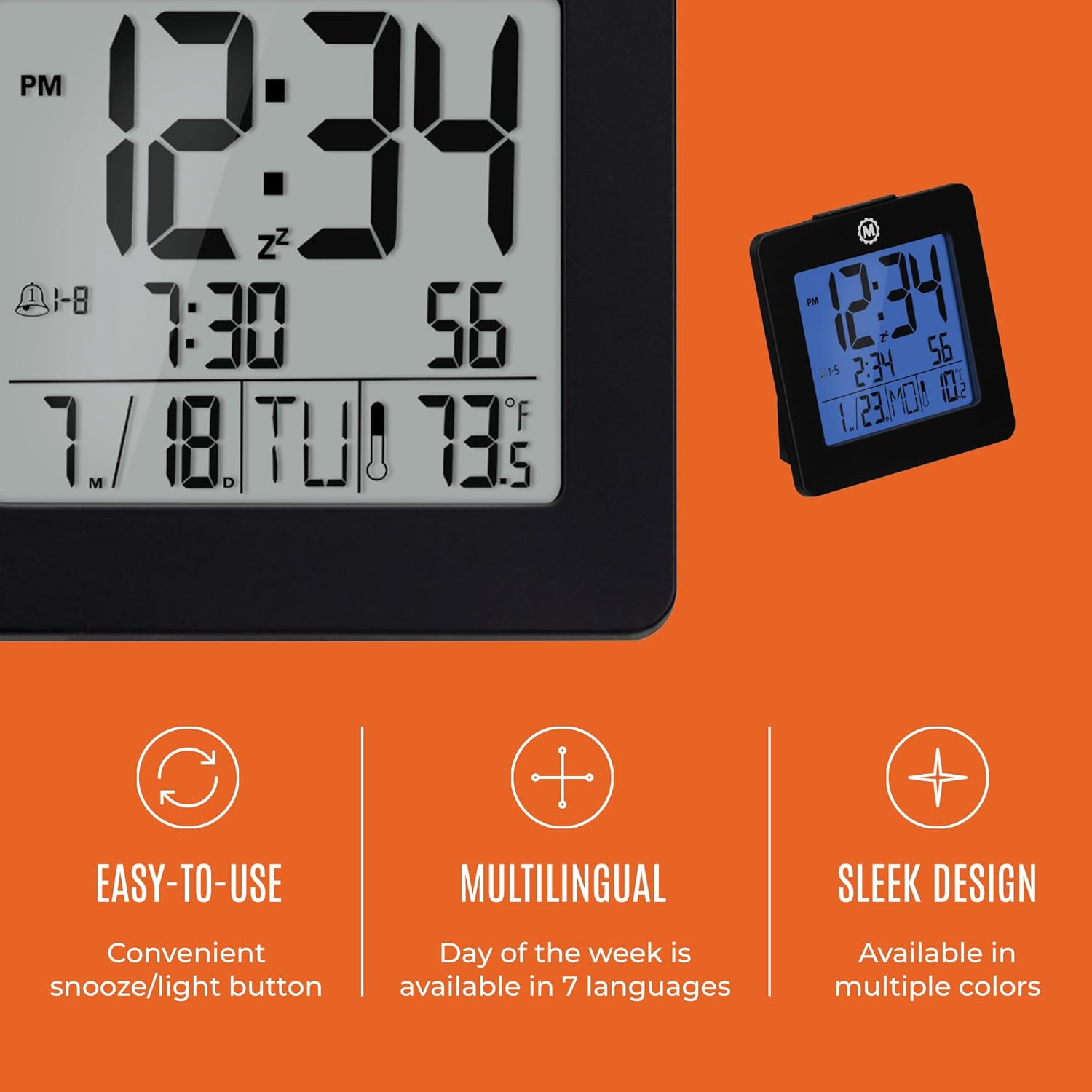
Figura 4.1: Pesteview of key features and design elements.
4.1 Funcțiile butoanelor
The clock features several buttons on the back for configuration:
- Mod de administrare: Toggles between Time, Alarm, and Timer display modes.
- A STABILIT: Enters setting mode for the currently displayed mode (Time, Alarm, Timer).
- UP / 12/24: In setting mode, increases the value. In time display mode, toggles between 12-hour and 24-hour format.
- DOWN / °C/°F: In setting mode, decreases the value. In time display mode, toggles between Celsius and Fahrenheit temperature units.
- LIGHT / SNOOZE: Activates the backlight for 10 seconds. When the alarm sounds, press to activate snooze.
- RESETARE: Resets the clock to factory defaults (requires a pointed object).
4.2 Setarea orei și datei
- Apăsați tasta MOD button until the time is displayed.
- Țineți apăsat butonul SET button for approximately 3 seconds until the year flashes.
- Utilizați UP or JOS butoane pentru a regla anul.
- Presa SET to confirm and move to the month setting.
- Repeat steps 3 and 4 to set the month, day, 12/24-hour format, hour, and minute.
- After setting the minutes, press SET to exit time/date setting mode.
4.3 Setting the Day of Week Language
While in time display mode, repeatedly press the UP or JOS button to cycle through the 7 available languages for the day of the week display (English, Dutch, French, Spanish, Italian, Danish, German).
4.4 Setting the Temperature Unit
În modul de afișare a orei, apăsați butonul DOWN / °C/°F button to toggle the temperature display between Celsius (°C) and Fahrenheit (°F).
4.5 Setting the Dual Alarm
- Apăsați tasta MOD button until the alarm time is displayed (indicated by an alarm icon).
- Țineți apăsat butonul SET button for approximately 3 seconds until the alarm hour flashes.
- Utilizați UP or JOS butoane pentru a regla ora alarmei.
- Presa SET to confirm and move to the alarm minute setting.
- Repeat steps 3 and 4 to set the alarm minute.
- After setting the minutes, press SET to select the alarm type: Weekday (1-5) or Weekend (6-7). Use UP or JOS a alege.
- Presa SET pentru a confirma și a ieși din modul de setare a alarmei.
- Pentru a activa/dezactiva alarma, apăsați butonul UP button while in alarm display mode. An alarm icon will appear/disappear on the screen.
4.6 Using the Snooze and Backlight
Apăsați pe mare LUMINĂ / SNOOZE button on the top of the clock to activate the blue backlight. The backlight will remain illuminated for approximately 10 seconds. If the alarm is sounding, pressing this button will activate the snooze function, temporarily silencing the alarm for a short period before it sounds again.
5. Întreținere
- curatenie: Wipe the clock with a soft, dry cloth. Avoid using abrasive cleaners or solvents.
- Înlocuire baterie: Replace all 3 AAA batteries when the display becomes dim or the clock functions erratically. Always replace with new batteries of the same type.
- Depozitare: Dacă depozitați ceasul pentru o perioadă lungă de timp, scoateți bateriile pentru a preveni scurgerile.
6. Depanare
| Problemă | Cauza posibila | Soluţie |
|---|---|---|
| Afișajul este gol sau întunecat. | Baterii slabe sau descărcate. | Înlocuiți toate cele 3 baterii AAA. |
| Ora/data afișată incorect. | Settings were not saved or incorrect. | Perform a reset and re-enter time/date settings as per Section 4.2. |
| Alarma nu sună. | Alarma nu este activată sau este setată incorect. | Ensure the alarm is activated (alarm icon visible) and the alarm time is correctly set (Section 4.5). |
| Lumina de fundal nu funcționează. | Baterii descărcate sau defecțiune a butonului. | Înlocuiți bateriile. Dacă problema persistă, contactați serviciul de asistență pentru clienți. |
7. Specificații
- Număr de model: CL030050BK
- Marca: Maraton
- Tip de afișare: Digital
- Culoare: Negru
- Dimensiuni produs: 3.7 cm lățime x 3.7 cm înălțime
- Greutatea articolului: 5.6 uncii
- Sursa de alimentare: Battery Powered (3 x AAA batteries included)
- Material: Plastic
- Tip de montare: Blat de masă
- Caracteristica speciala: Button-activated backlight, dual alarm, temperature display, multilingual day of week.
8. Garanție și asistență
8.1 Informații despre garanție
This Marathon Digital Desktop Clock CL030050BK comes with a 1 an garanție de la data achiziției. Această garanție acoperă defectele de fabricație și manoperă în condiții normale de utilizare. Nu acoperă daunele cauzate de utilizarea necorespunzătoare, accidente, modificări neautorizate sau uzură normală.
8.2 Asistență pentru clienți
For technical assistance, troubleshooting, or warranty claims, please visit the official Marathon website or contact their customer service department. Please have your model number and proof of purchase ready when contacting support.


