Tekpower YX-360TRe-b Analog Multimeter
Manual de utilizare
Model: YX-360TRe-b
1. Introducere
The Tekpower YX-360TR (also known as YX-360TReb and YX-360TRn) is a versatile analog multimeter designed for general purpose electrical testing. This device allows you to accurately measure AC/DC voltage, DC electric current, resistance, and perform diode and continuity checks. Its compact design, large mirrored scale, and built-in tilt stand make it a practical tool for various applications.
2. Informații de siguranță
Always observe standard safety precautions when using any electrical testing equipment. Failure to do so may result in injury or damage to the meter or equipment under test.
- Read this manual thoroughly before operation.
- Ensure the test leads are in good condition, free from cracks or damage.
- Always select the correct function and range before connecting the test leads to the circuit.
- Nu încercați niciodată să măsurați volumultage on a current range setting, or vice versa.
- Nu utilizați contorul dacă pare deteriorat sau dacă carcasa este deschisă.
- Evitați utilizarea contorului în zone umede sau damp conditii.
- Fiți precauți când lucrați cu volumtagpeste 30V AC RMS, 42V peak sau 60V DC, deoarece acestea prezintă un pericol de electrocutare.
- The meter is rated for CAT II installations, meaning it is suitable for measurements performed on circuits directly connected to the low-voltage instalatie.
3. Produs terminatview
The Tekpower YX-360TRe-b Analog Multimeter consists of several key components:
- Afișaj analogic: Features a large, mirrored 80mm scale for precise readings across various measurement types.
- Rotary Function/Range Switch: Used to select the desired measurement function (DCV, ACV, DCA, Resistance, etc.) and the appropriate range.
- Mufe de intrare: Includes common (COM), voltage/resistance/mA (VΩmA), and 10A input terminals for connecting test leads.
- Zero Ohm Adjustment Knob: Used to zero the meter for resistance measurements.
- Tilt Back-Stand: Suport integrat pentru confort viewunghiul de ing.
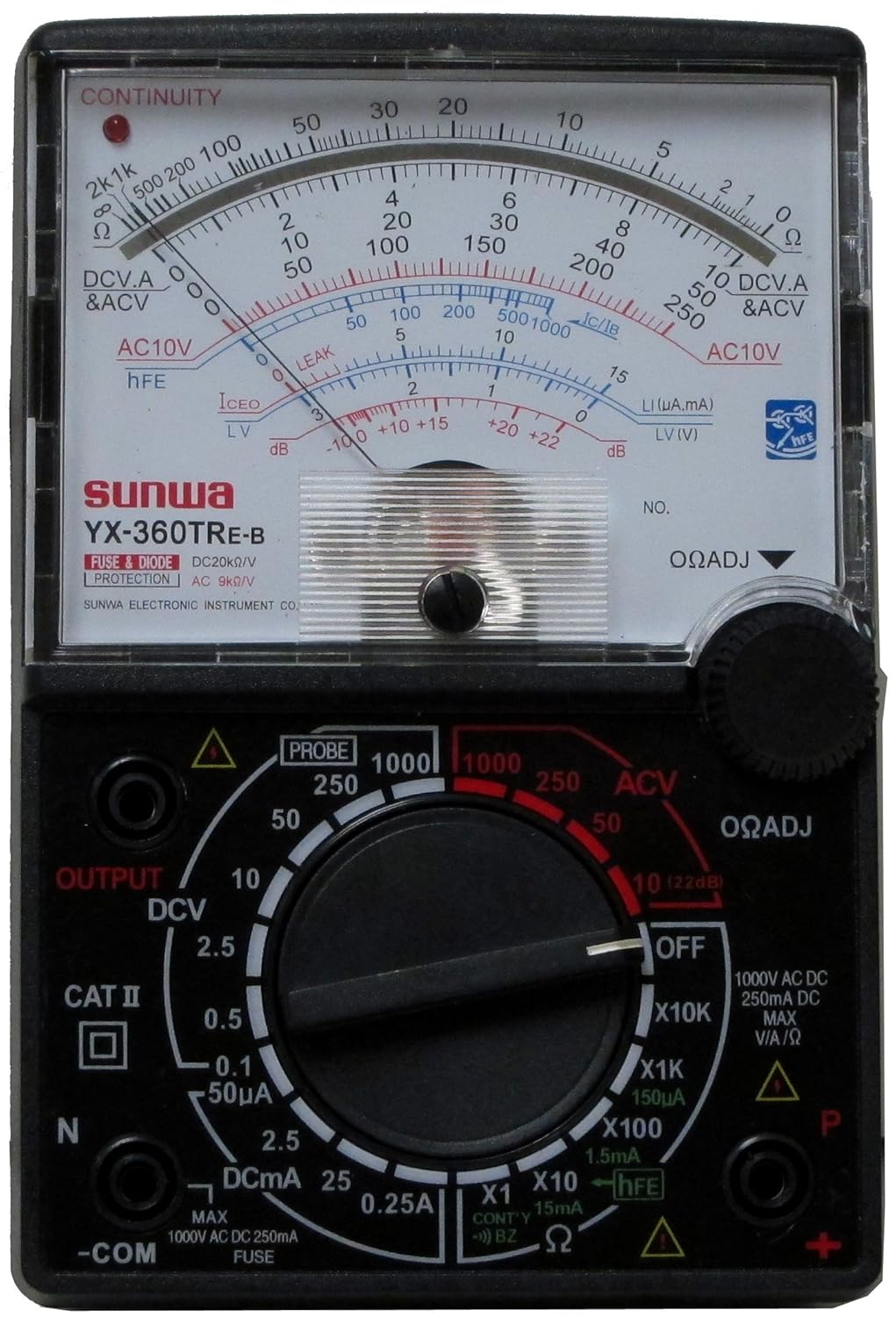
Figura 3.1: Față view of the Tekpower YX-360TRe-b Analog Multimeter, showing the analog display, rotary switch, and input jacks.
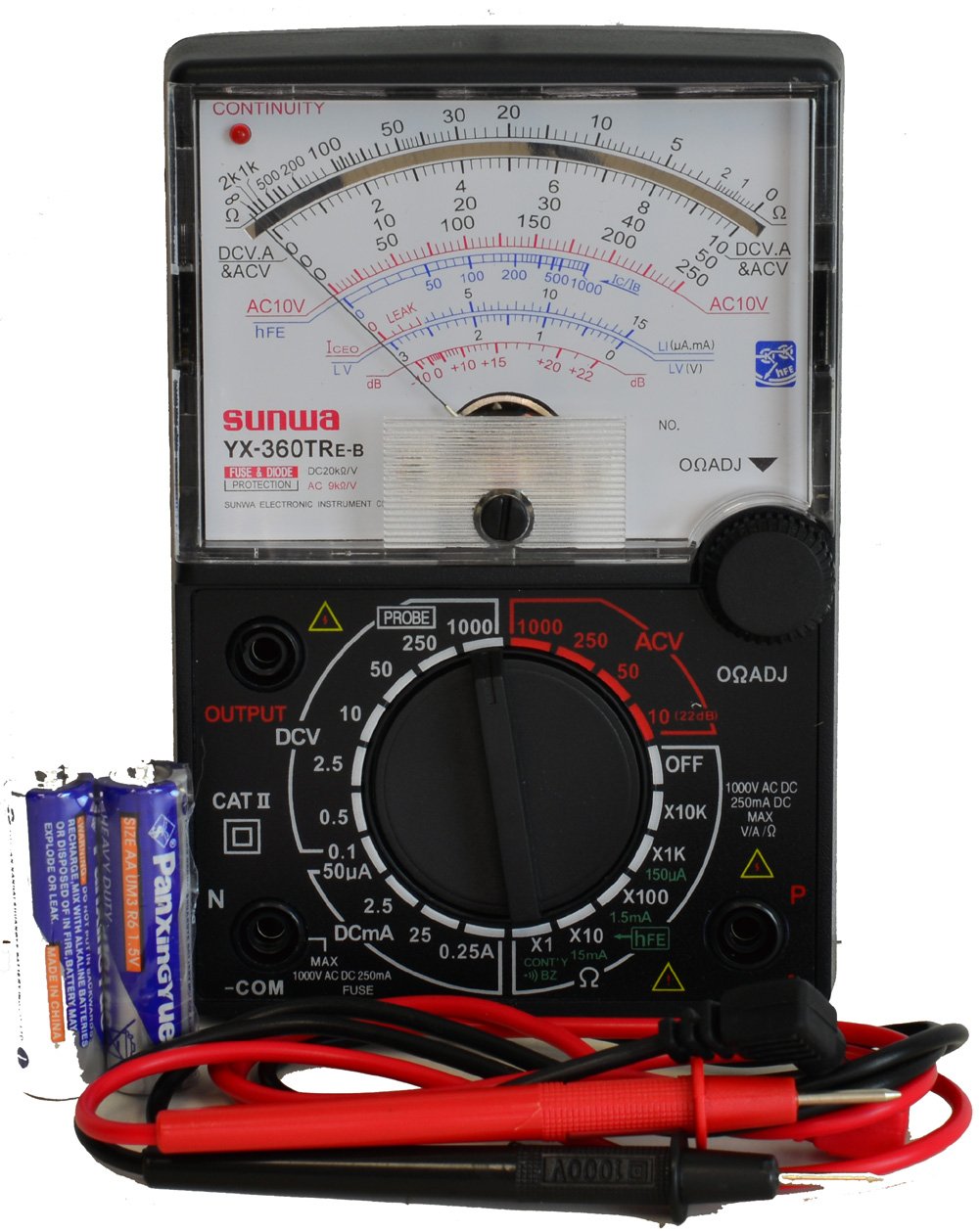
Figure 3.2: The Tekpower YX-360TRe-b Multimeter displayed with its included test leads and AA batteries.
4. Configurare
4.1. Instalarea bateriei
The Tekpower YX-360TRe-b requires two AA batteries for operation. These batteries are typically included with the multimeter.
- Localizați capacul compartimentului bateriei pe spatele multimetrului.
- Use a screwdriver to remove the screw(s) securing the cover, if present.
- Deschideți cu grijă compartimentul bateriei.
- Introduceți cele două baterii AA, asigurându-vă de polaritatea corectă (+ și -) așa cum este indicat în interiorul compartimentului.
- Puneți la loc capacul compartimentului bateriei și fixați-l cu șurubul (șuruburile).
4.2. Conectarea cablurilor de testare
Connect the red and black test leads to the appropriate input jacks on the multimeter.
- Introduceți cablul de testare negru în -COM (Common) jack. This is the negative terminal.
- Introduceți cablul de test roșu în VΩmA jack for most voltage, resistance, and current measurements (up to 250mA).
- For higher DC current measurements (up to 250mA), ensure the rotary switch is set to the appropriate DCA range.
5. Instrucțiuni de utilizare
Before taking any measurement, ensure the meter is set to the correct function and range. If the value is unknown, start with the highest range and work downwards.
5.1. DC Voltage (DCV) Measurement
- Set the rotary switch to the desired DCV range (e.g., 0.1V, 0.25V, 2.5V, 10V, 50V, 250V, 1000V).
- Conectați sonda roșie de testare la partea pozitivă (+) a circuitului și sonda neagră la partea negativă (-).
- Citiți voltage value from the DCV scale on the analog display.
5.2. AC Voltage (ACV) Measurement
- Set the rotary switch to the desired ACV range (e.g., 10V, 50V, 250V, 1000V).
- Conectați sondele de testare la priza de curent alternativtage sursa.
- Citiți voltage value from the ACV scale on the analog display.
5.3. DC Current (DCA) Measurement
- Important: Ensure the circuit is de-energized before connecting the meter in series.
- Set the rotary switch to the desired DCA range (e.g., 50µA, 2.5mA, 25mA, 250mA).
- Break the circuit and connect the multimeter in series with the load. The current must flow through the meter.
- Apply power to the circuit and read the current value from the DCA scale.
5.4. Resistance (Ω) Measurement
- Important: Asigurați-vă că circuitul sau componenta este dezactivată înainte de a măsura rezistența.
- Set the rotary switch to the desired Ω range (e.g., X1, X10, X100, X1K, X10K).
- Scurtcircuitați sondele de testare (atingeți sondele roșie și neagră).
- Reglați ΩADJ (Zero Ohm Adjustment) knob until the needle points exactly to '0' on the Ohms scale.
- Conectați sondele de testare la componenta care urmează să fie măsurată.
- Read the value from the Ohms scale and multiply by the range multiplier (e.g., if on X100 range and reading is 50, the resistance is 50 x 100 = 5000 Ω).
5.5. Diode Check
- Setați comutatorul rotativ pe Dioda or Continuitate function (often combined).
- Connect the red lead to the anode and the black lead to the cathode of the diode. The meter should show a low resistance reading.
- Reverse the leads. The meter should show a very high or infinite resistance reading.
- For LEDs, the LED should light up when connected in the forward bias direction.
5.6. Test de continuitate
- Setați comutatorul rotativ pe Continuitate funcţie.
- Conectați sondele de testare la circuitul sau componenta care urmează să fie testată.
- If there is continuity (low resistance), the meter will emit an audible buzzer sound and/or illuminate an LED indicator.
5.7. dB Measurement
The meter can measure decibels (dB) within a range of -10 dB to 22 dB. Refer to the specific dB scale on the analog display for readings.
6. Întreținere
6.1. Înlocuirea bateriei
When the meter's readings become erratic or the display dims, it's time to replace the batteries. Follow the steps in Section 4.1 for battery installation.
6.2. Înlocuirea siguranței
The multimeter is equipped with fuse protection. If the meter stops functioning on current ranges, the fuse may need replacement. Refer to the meter's internal layout for fuse location and specifications. Always replace with a fuse of the same type and rating.
6.3. Curățare și depozitare
Ștergeți suprafața contoruluiasing cu anunțamp cloth and mild detergent. Do not use abrasives or solvents. Store the meter in a cool, dry place away from direct sunlight and extreme temperatures. If storing for extended periods, remove the batteries to prevent leakage.
7. Depanare
| Problemă | Cauza posibila | Soluţie |
|---|---|---|
| No needle deflection / Meter not responding. | Dead or incorrectly installed batteries. Incorrect function/range selected. Blown fuse (for current measurements). Open circuit. | Check and replace batteries. Ensure correct polarity. Select appropriate function and range. Check and replace fuse if necessary. Verify circuit continuity. |
| Citiri inexacte. | Incorrect range selected. Poor contact with test leads. Battery low. Zero Ohm adjustment not performed (for resistance). | Select a more appropriate range. Ensure firm contact with test leads. Replace batteries. Perform Zero Ohm adjustment before resistance measurement. |
| Continuity buzzer not working. | Open circuit. Low battery. | Verify continuity of the circuit. Replace batteries. |
8. Specificații
| Parametru | Caietul de sarcini |
|---|---|
| Model | YX-360TRe-b (also YX-360TR, YX-360TReb, YX-360TRn) |
| DC VoltagIntervale e (DCV) | 0.1V, 0.25V, 2.5V, 10V, 50V, 250V, 1000V |
| Precizie DCV | ±1% (0.1V), ±3% (0.25V-1000V) |
| AC VoltagIntervale e (ACV) | 10V, 50V, 250V, 1000V |
| Precizie ACV | ±4% |
| Intervale de curent continuu (DCA) | 50µA, 2.5mA, 25mA, 250mA |
| Precizie DCA | ±3% |
| Domenii de rezistență | 2KΩ, 20KΩ, 200KΩ, 2MΩ, 20MΩ |
| Precizia rezistenței | ±3% |
| dB Range | -10 dB la 22 dB |
| Verificare diode | Yes (including LED) |
| Continuitate | Buzzer & LED indicator |
| DC/AC Sensitivity | 20kΩ/V |
| Tip baterie | 2 x baterii AA (incluse) |
| Dimensiuni (L x l x H) | 7.7 x 3.6 x 2.2 inci |
| Greutate netă | Aproximativ. 12 uncii |
| Culoare | Negru |
9. Garanție și asistență
For information regarding the product warranty, please refer to the documentation included with your purchase or contact Tekpower directly. For technical support or inquiries, please visit the official Tekpower website-ul sau contactați departamentul de servicii pentru clienți.
Tekpower Store Link: Visit the Tekpower Store on Amazon


