1. Introducere
Acest manual oferă instrucțiuni pentru cablul VIVO Cat5e Bulk de 250 m, model CABLE-V013. Acest produs este o rolă de 250 m de cablu Ethernet Cat5e (Cat5e) neecranat, cu pereche răsucită neecranată (UTP), cu conductori din aluminiu placat cu cupru (CCA) de calibre 24 AWG. Este conceput pentru instalații de rețea personalizate, permițând utilizatorilor să creeze cabluri de patch sau să instaleze linii de rețea pentru diverse aplicații de interior.
2. Informații de siguranță
Notă importantă de siguranță:
Acest cablu Ethernet este construit cu conductori din aluminiu placat cu cupru (CCA). Este important de reținut că cablul CCA nu este certificat UL, NEC, ETL sau TIA. În plus, cablul din aluminiu placat cu cupru nu este recomandat pentru aplicații Power Over Ethernet (POE) din cauza potențialelor probleme de performanță și siguranță. Asigurați o ventilație corespunzătoare și evitați depășirea lungimilor recomandate ale cablurilor pentru performanță și siguranță optime.
3. Caracteristicile produsului
- Tip cablu: Cablu Ethernet Cat5e în vrac, rolă de 250 m, fără conectori.
- Material: Conductori solizi CCA (aluminiu placat cu cupru) de 24 AWG.
- Constructie: Design cu 4 perechi de fire răsucite neecranate (UTP).
- Ambalare: Cutie de bobină ușoară pentru o instalare convenabilă.
- Utilizare prevăzută: Ideal pentru instalații de rețea în interior, cabluri patch personalizate și cabluri crossover.
- Culoare: Jachetă exterioară gri.

Figura 3.1: Structura internă a cablului Cat5e, prezentând cele patru perechi răsucite codificate prin culori.

Figura 3.2: Un tehnician conectează un cablu Cat5e cu terminație personalizată la un dispozitiv de rețea.
4. Configurare și instalare
Acest cablu vrac necesită terminare cu conectori RJ45 (nu sunt incluși) pentru a crea cabluri Ethernet funcționale. Următorii pași prezintă procesul general:
- Pregătirea cablului:
Așezați cutia bobinei de cablu într-un loc stabil. Cablul este conceput să se tragă ușor din centrul cutiei, reducând încurcăturile și îndoiturile în timpul instalării. - Măsurați și tăiați:
Măsurați lungimea necesară a cablului pentru rețeaua dvs. Tăiați cablul folosind un clește de tăiat cabluri adecvat, asigurând o tăietură curată și dreaptă. - Îndepărtați învelișul exterior:
Îndepărtați cu grijă aproximativ 2.5 cm din mantaua exterioară gri de la ambele capete ale cablului tăiat, folosind un instrument de dezizolare a cablurilor. Aveți grijă să nu crestați sau să deteriorați perechile interne de fire răsucite. - Desfășurarea și îndreptarea firelor:
Desfășurați cele patru perechi de fire și îndreptați-le. Aranjați-le conform standardului de cablare T568A sau T568B, în funcție de aplicația dvs. (de exemplu, cablu direct pentru conectarea dispozitivelor la un comutator, cablu crossover pentru conectarea directă a două dispozitive similare). - Fire de finisare:
Tăiați firele îndreptate la o lungime egală, asigurându-vă că sunt suficient de scurte pentru a se potrivi în conectorul RJ45 fără a expune excesiv firele. - Introduceți în conectorul RJ45:
Introduceți cu grijă firele aranjate într-un conector RJ45, asigurându-vă că fiecare fir se glisează în slotul corect pentru pin. Verificați dacă mantaua exterioară este așezată în interiorul conectorului pentru a reduce tensiunea. - Sertizați conectorul:
Folosește o unealtă de sertizare RJ45 pentru a sertiza ferm conectorul pe cablu. Aceasta fixează firele și stabilește contactul electric cu pinii. Repetă pentru celălalt capăt al cablului. - Testați cablul:
Se recomandă testarea cablului nou terminat cu un tester de cabluri pentru a asigura conectivitatea și cablarea corectă înainte de instalare.

Figura 4.1: Cablul este tras din cutia bobinei easy.
Figura 4.2: Dezizolarea mantalei exterioare a cablului.
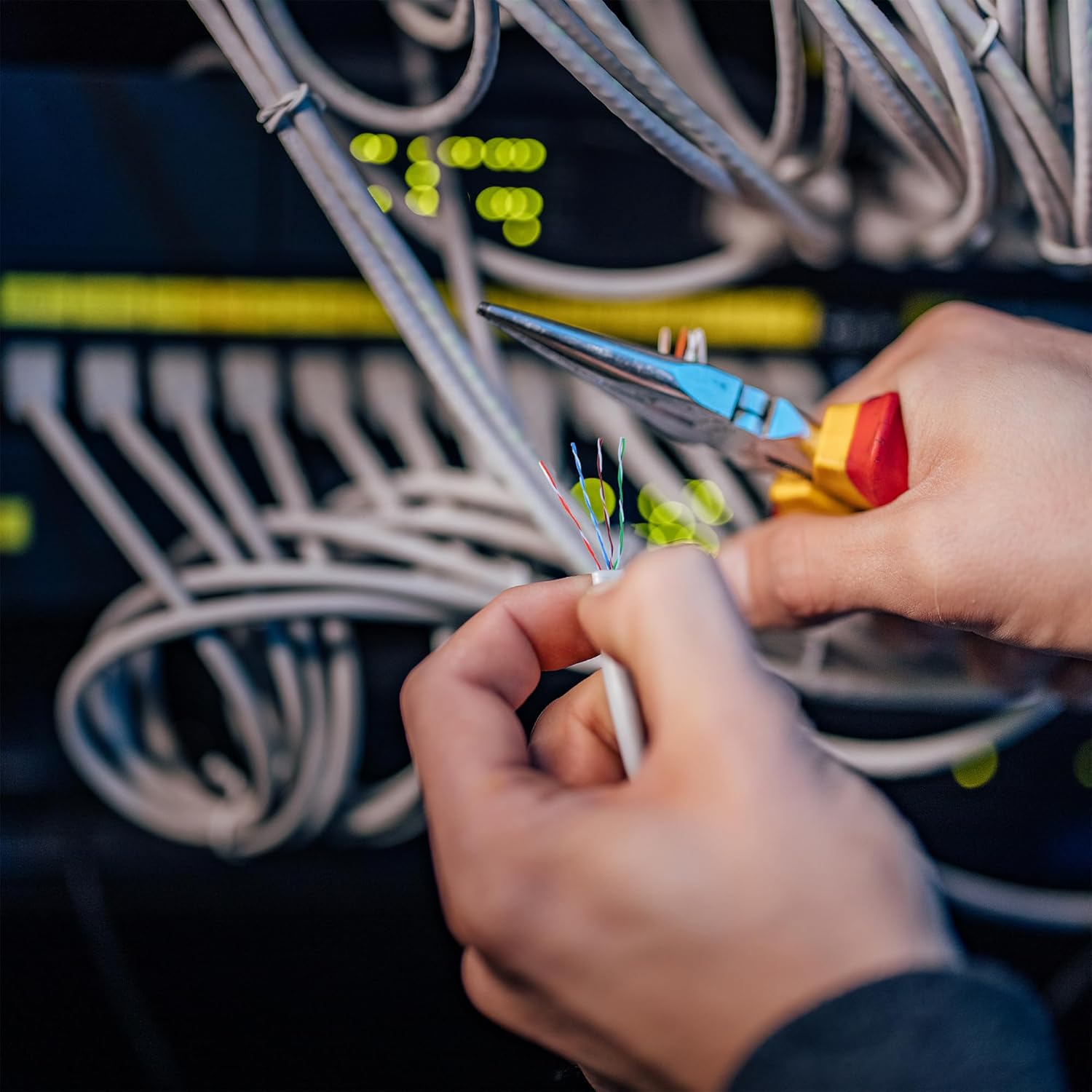
Figura 4.3: Sertizarea unui conector RJ45 pe cablu.
Produs terminatview Video
Video 4.1: Un overview a cablului de rețea VIVO Cat5e, demonstrând caracteristicile și potențialele aplicații ale acestuia în configurațiile de rețea.
5. Instrucțiuni de utilizare
Odată ce cablul Cat5e este terminat corect cu conectori RJ45, acesta poate fi utilizat pentru a stabili conexiuni de rețea:
- Conectați dispozitive:
Conectați un capăt al cablului Ethernet terminat la un port Ethernet disponibil al dispozitivului de rețea (de exemplu, modem, router, switch de rețea). - Conectați-vă la dispozitivul final:
Conectați celălalt capăt al cablului în portul Ethernet al dispozitivului terminal (de exemplu, computer, consolă de jocuri, televizor inteligent, imprimantă de rețea). - Verificați conexiunea:
Verificați luminile indicatoare atât de pe dispozitivul de rețea, cât și de pe dispozitivul terminal. O lumină continuă sau intermitentă indică de obicei o conexiune reușită la rețea și activitate de date.
Cablul Cat5e acceptă rate de transfer de date de până la 1000 Mbps (Gigabit Ethernet) pentru performanțe de rețea fiabile și rapide.
6. Întreținere
Pentru a asigura longevitatea și performanța optimă a cablului VIVO Cat5e, urmați aceste instrucțiuni de întreținere:
- Protecție fizică: Evitați curburile bruște, îndoiturile sau forța excesivă de tragere a cablului, deoarece acest lucru poate deteriora conductorii interni și poate afecta performanța.
- Conditii de mediu: Acest cablu este conceput pentru utilizare în interior. Deși poate avea o oarecare rezistență la radiațiile UV, expunerea prelungită la intemperii, temperaturi extreme sau umiditate nu este recomandată, deoarece poate degrada cablul în timp.
- Organizare de cabluri: Folosiți coliere de cablu sau alte soluții de gestionare pentru a menține traseele ordonate și a preveni deteriorarea accidentală sau deconectarea.
- Inspecție regulată: Inspectați periodic secțiunile expuse ale cablului pentru a depista orice semne de uzură, tăieturi sau deteriorare. Înlocuiți secțiunile deteriorate dacă este necesar.
7. Depanare
Dacă întâmpinați probleme cu conexiunea la rețea utilizând cablul VIVO Cat5e, luați în considerare următorii pași de depanare:
- Fără conexiune la rețea:
- Verificați dacă ambele capete ale cablului Ethernet sunt conectate corect la dispozitivele respective.
- Verificați indicatoarele luminoase de rețea de pe dispozitivele dvs. Dacă sunt stinse, reconectați cablul sau încercați un alt port.
- Asigurați-vă că conectorii RJ45 au fost sertizați corect și că toate cele opt fire fac contact. Un tester de cabluri poate confirma acest lucru.
- Testați cu un cablu Ethernet funcțional pentru a exclude problemele cu dispozitivul de rețea sau cu dispozitivul terminal.
- Viteză redusă a rețelei:
- Asigurați-vă că dispozitivele de rețea (router, switch, placă de rețea) acceptă viteze Gigabit Ethernet.
- Verificați dacă există deteriorări fizice ale cablului, cum ar fi îndoituri sau tăieturi, care pot degrada calitatea semnalului.
- Verificați dacă lungimea cablului nu depășește lungimea maximă recomandată pentru Cat5e (100 de metri sau 328 de picioare) pentru o performanță optimă.
- Minimizați interferențele electromagnetice prin dispunerea cablului departe de liniile electrice, lămpile fluorescente și alte surse de zgomot electric.
- Conexiune intermitentă:
- Verificați conectorii RJ45 pentru fire slăbite sau pini îndoiți.
- Asigurați-vă că cablul nu este mișcat sau solicitat frecvent, deoarece acest lucru poate duce la contact intermitent.
8. Specificații
| Caracteristică | Detaliu |
|---|---|
| Tip cablu | Ethernet Cat5e |
| Lungime | 250 ft |
| Material conductor | CCA solid (aluminiu placat cu cupru) |
| Gauge de sârmă | 24 AWG |
| Perechi | UTP cu 4 perechi (pereche răsucită neecranată) |
| Culoarea jachetei | Gri |
| Tip conector | RJ45 (terminat de utilizator) |
| Dispozitive compatibile | Modemuri, routere, switch-uri, computere etc. |
| Caracteristica specială | Rezistent la UV (pentru jachetă) |
| Numărul de model al articolului | CABLU-V013 |
| Dimensiuni produs (cutie) | 10.5 x 10 x 7.4 inci |
| Greutate articol (cutie) | 4.39 lire sterline |
9. Garanție și asistență
VIVO se angajează să ofere produse de calitate și satisfacția clienților. Acest produs vine cu o protecție generoasă. Pentru orice întrebări, asistență tehnică sau nevoi de suport, vă rugăm să contactați echipa de vânzări și asistență tehnică VIVO din SUA.
Pentru informații suplimentare sau pentru a explora alte produse VIVO, vă rugăm să vizitați magazinul oficial VIVO: Magazinul VIVO pe Amazon.


