1. Introducere
Thank you for choosing the Pro-Ject Debut Carbon DC Turntable. This manual provides essential information for the proper setup, operation, and maintenance of your turntable. Please read these instructions carefully before using the device to ensure optimal performance and longevity.
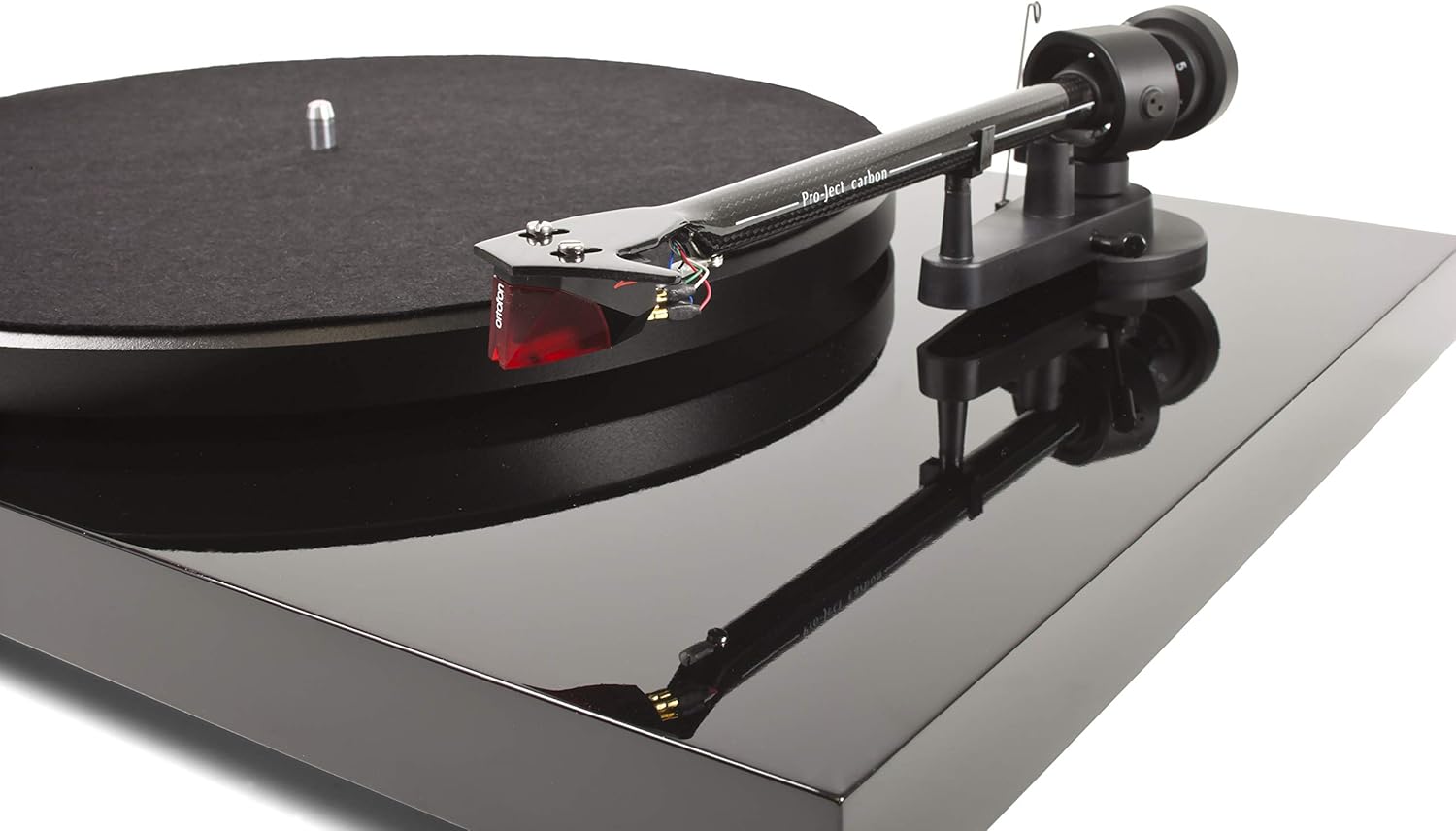
The Pro-Ject Debut Carbon DC is a high-fidelity turntable designed for exceptional audio reproduction, featuring an 8.6-inch carbon fiber tonearm and a pre-mounted Ortofon 2M Red cartridge.
2. Instrucțiuni de siguranță
- Always disconnect the turntable from the power supply before cleaning or performing any maintenance.
- Keep the turntable away from water, moisture, and direct sunlight.
- Place the turntable on a stable, level surface to prevent vibrations and ensure proper operation.
- Nu încercați să reparați unitatea singur. Apelați la personal calificat pentru toate lucrările de service.
- Avoid touching the stylus with your fingers to prevent damage.
3. Conținutul pachetului
Verificați dacă toate articolele enumerate mai jos sunt prezente în colet:
- Pro-Ject Debut Carbon DC Turntable with pre-mounted Ortofon 2M Red Cartridge
- Connect-It E RCA Cable
- Removable Power Supply
- Covoraș din pâslă
- Capac de praf
- Contragreutate
- Greutate anti-patinaj
4. Configurare
4.1 Despachetarea și plasarea
Scoateți cu grijă toate componentele din ambalaj. Așezați platanul pe o suprafață fermă și plană, departe de surse directe de căldură sau vibrații puternice. Asigurați o ventilație adecvată în jurul unității.
4.2 Instalarea platoului și a curelei
- Place the main platter onto the turntable spindle.
- Locate the drive belt. Carefully stretch the belt around the inner rim of the platter and around the motor pulley. Ensure the belt is not twisted.
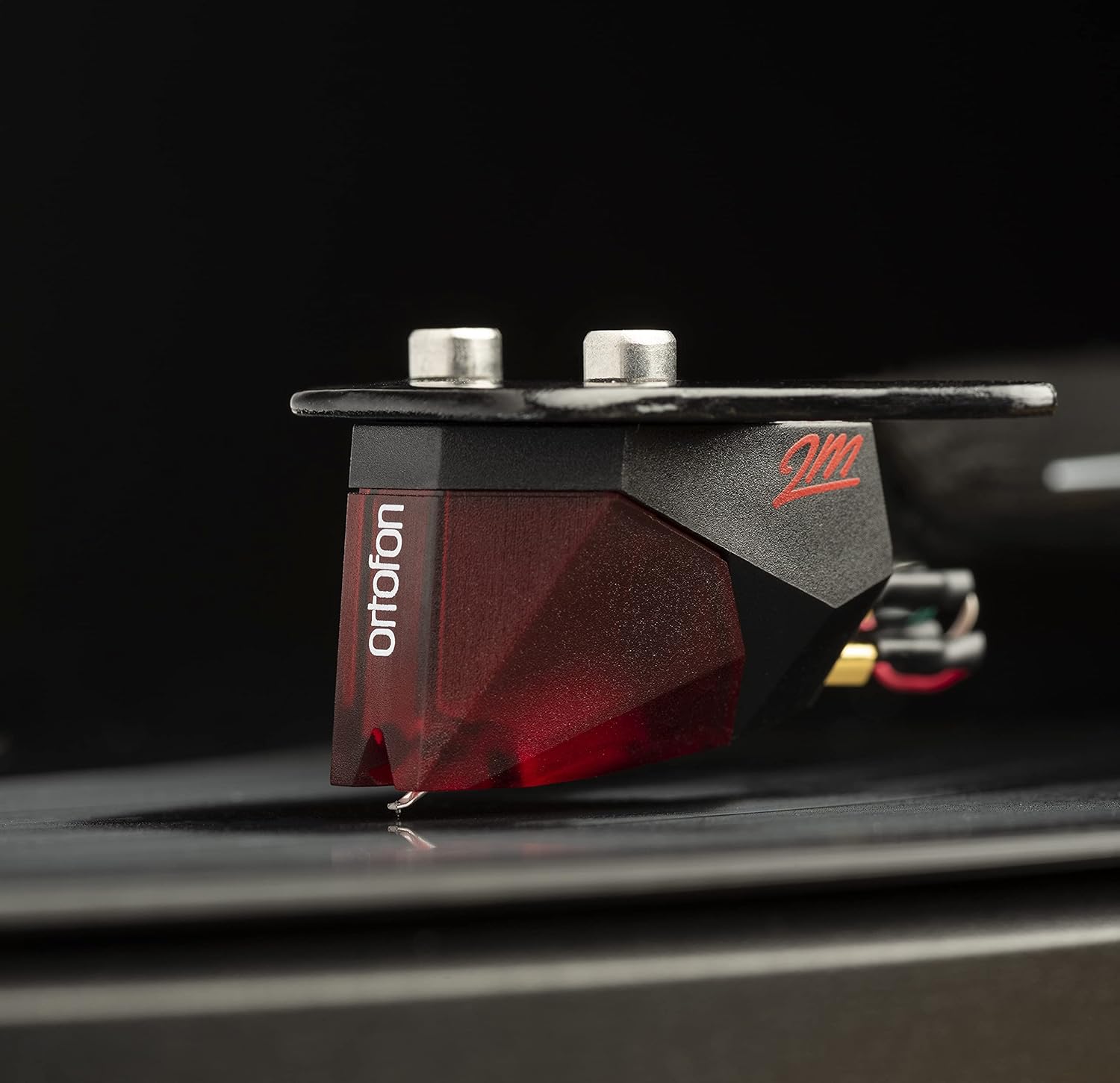
Image: The Pro-Ject Debut Carbon DC Turntable fully assembled, showing the platter, tonearm, and Ortofon 2M Red cartridge. This image illustrates the overall appearance of the turntable after initial setup.
4.3 Tonearm Balance and Tracking Force
The Ortofon 2M Red cartridge is pre-mounted. However, proper tonearm balance and tracking force adjustment are crucial for optimal sound and record preservation.
- With the anti-skate weight removed, carefully unclip the tonearm and move it away from the tonearm rest.
- Rotate the counterweight on the rear of the tonearm until the tonearm floats freely and is perfectly balanced horizontally.
- Once balanced, return the tonearm to its rest. Hold the counterweight steady and rotate the numbered ring until '0' aligns with the line on the tonearm.
- Rotate the entire counterweight counter-clockwise until the desired tracking force is set. For the Ortofon 2M Red, the recommended tracking force is typically 1.8 grams.
Imagine: Un prim-plan view of the Ortofon 2M Red cartridge mounted on the carbon fiber tonearm of the Pro-Ject Debut Carbon DC turntable. This highlights the stylus and cartridge assembly.
4.4 Anti-Skate Adjustment
The anti-skate mechanism prevents the tonearm from being pulled inwards towards the center of the record. Attach the small loop of the anti-skate weight's thread to the second groove of the anti-skate stub on the tonearm support.
4.5 Conectarea la un Ampmai în viață
Connect the supplied RCA cable from the turntable's output jacks to the 'Phono' input on your amplifier or a dedicated phono pre-amplifier. Dacă ale tale amplifier does not have a 'Phono' input, you will need an external phono pre-amplifier. Connect the ground wire from the turntable to the ground terminal on your amplifier or phono pre-amplificator pentru a minimiza zumzetul.

Imagine: O parte view of the Pro-Ject Debut Carbon DC Turntable, illustrating the rear panel with RCA output jacks and the power input. This shows where to connect audio cables and the power supply.
4.6 Conexiune la alimentare
Connect the power supply to the turntable's power input and then plug it into a suitable wall outlet.
4.7 Capac de praf
Carefully attach the dust cover to the hinges on the rear of the turntable. The dust cover protects the turntable from dust when not in use.
5. Instrucțiuni de utilizare
5.1 Pornire/Oprire
The power switch is located on the underside of the turntable, near the front left corner. Flip the switch to the 'ON' position to start the platter rotation. Flip it to 'OFF' to stop.
5.2 Redarea unui disc
- Așezați un disc pe platan, asigurându-vă că este centrat.
- Porniți platoul folosind comutatorul de alimentare.
- Carefully lift the tonearm using the cueing lever.
- Poziționați brațul peste șanțul de început dorit al discului.
- Gently lower the tonearm using the cueing lever. The stylus will make contact with the record and playback will begin.
- At the end of the record, lift the tonearm using the cueing lever and return it to the tonearm rest.
5.3 Changing Playback Speed (33/45 RPM)
The Pro-Ject Debut Carbon DC requires manual adjustment to change playback speed between 33 and 45 RPM.
- Turn off the turntable.
- Carefully remove the felt mat and lift the platter off the spindle.
- Locate the motor pulley. It has two different diameter steps.
- For 33 RPM, place the drive belt around the smaller diameter step of the motor pulley.
- For 45 RPM, place the drive belt around the larger diameter step of the motor pulley.
- Replace the platter and felt mat.
6. Întreținere
6.1 Curățarea platanului rotativ
Use a soft, lint-free cloth to gently wipe the turntable chassis and dust cover. Avoid using abrasive cleaners or solvents. For the platter, use a slightly damp cloth if necessary, ensuring it is dry before use.
6.2 Îngrijirea stylusului
The stylus is delicate. Use a soft stylus brush, brushing gently from back to front, to remove dust and debris. Never use your fingers to clean the stylus. A dirty stylus can damage your records and degrade sound quality.
6.3 Drive Belt Inspection
Periodically inspect the drive belt for signs of wear or stretching. A worn belt can lead to inconsistent playback speed. Replace the belt if it appears damaged or loose.
7. Depanare
| Problemă | Cauza posibila | Soluţie |
|---|---|---|
| Fără putere | Cablul de alimentare nu este conectat; priza defectă; întrerupătorul este oprit. | Check power connections; try a different outlet; ensure power switch is ON. |
| Niciun sunet de la unul sau ambele canale | RCA cables not connected correctly; phono input not selected; damaged stylus; ampprobleme de viață. | Check RCA connections; select correct input on amplifier; inspect stylus; test amplifier with another source. |
| Zgomot de zumzet | Ground wire not connected; proximity to other electronic devices; faulty cables. | Connect ground wire; move turntable away from other electronics; try different RCA cables. |
| Viteză de redare incorectă | Drive belt incorrectly positioned; worn drive belt. | Adjust drive belt to correct motor pulley step; replace drive belt if worn. |
| Sunet distorsionat | Dirty or damaged stylus; incorrect tracking force; worn record. | Clean or replace stylus; re-adjust tracking force; try a different record. |
If you encounter problems not listed here or if the suggested solutions do not resolve the issue, please contact your dealer or Pro-Ject customer support for assistance.
8. Specificații
| Caracteristică | Detaliu |
|---|---|
| Numele modelului | Debut Carbon DC |
| Numărul de model al articolului | 9120050435933 |
| Dimensiunile produsului | 12.6 x 16.34 x 4.65 inci |
| Greutatea articolului | 12.35 lire sterline (5600 grame) |
| Marca | Proiect |
| Viteza maximă de rotație | 45 RPM (also supports 33 RPM) |
| Componente incluse | Turntable with pre-mounted Ortofon 2M Red Cartridge, Connect-It E RCA Cable, removable Power Supply, felt platter mat, and dust cover |
| Caracteristici speciale | Carbon Tube Tone-Arm, Balanced Steel Platter, Decoupled Motor, Pre-Mounted Ortofon 2M Red Cartridge |
| Material | Lemn stratificat, Plastic |
| Culoare | Negru de pian |
| Dispozitive compatibile | Speaker, Personal Computer, Desktop, Smartphone, Tablet, Laptop (via appropriate audio interfaces/pre-amps) |
9. Garanție și asistență
Specific warranty information for the Pro-Ject Debut Carbon DC Turntable is typically provided with the product packaging or available from your authorized dealer. Please retain your proof of purchase for warranty claims.
For technical support, service, or further inquiries, please contact your local Pro-Ject dealer or visit the official Pro-Ject Audio Systems website-ul.


