1. Introducere
This manual provides essential information for the installation, operation, and maintenance of IBM OS/2 2.1 for Windows OS2. OS/2 2.1 is an advanced operating system designed to run DOS, Windows, and native OS/2 applications, offering a robust and multitasking environment for personal computers.
This upgrade edition is intended for users with a previously installed version of DOS or OS/2. Please read through this manual carefully before beginning the installation process to ensure a smooth setup and optimal performance.
2. Cerințe de sistem
To successfully install and operate IBM OS/2 2.1, your computer system must meet the following minimum requirements:
- Procesor: Intel386™ SX-compatible or higher based personal computer.
- Memorie (RAM): 4.0MB minimum; IBM recommends 6.0MB or greater for optimal performance.
- Diskette Drive: One 1.44MB 3.5-inch diskette drive ("A:").
- Spațiu pe hard disk: 20 to 40MB of free space required on the hard disk.
- Dispozitiv de intrare: A mouse or compatible pointing device is required.
- Existing Operating System: A previously installed version of DOS or OS/2 on the hard disk is necessary for this upgrade edition.

Figure 2.1: System requirements listed on the product packaging. This image shows the specific hardware and software prerequisites for installing IBM OS/2 2.1, including processor type, memory, diskette drive, hard disk space, and input device.
3. Conținutul pachetului
Upon opening your IBM OS/2 2.1 for Windows OS2 package, you should find the following components:
- OS/2 2.1 Diskettes: A set of 13 3.5-inch diskettes (Diskette 1-13) containing the core operating system files.
- Manager/2 Diskettes: Two 3.5-inch diskettes (Manager/2 Diskette 1-2) for the Manager/2 component.
- Display Driver Diskettes: Two 3.5-inch diskettes (Display Driver Diskette 1-2) containing various display drivers.
- Installation Diskette: A dedicated 3.5-inch diskette for initiating the installation process.
- MS-DOS Series Diskettes: Two 3.5-inch diskettes (MS-DOS Series Diskette 1-2) for MS-DOS compatibility.
- Using The Operating System Book: A comprehensive user guide for navigating and utilizing OS/2.
- Ghid de instalare: A step-by-step guide for the installation process.
- Informații despre licență: Documentation detailing software licensing terms.
- Ghid de referință rapidă: A concise guide for common tasks and commands.
- Book Catalog: A catalog of available IBM publications.
- Solutions Pak: Additional software or utilities.
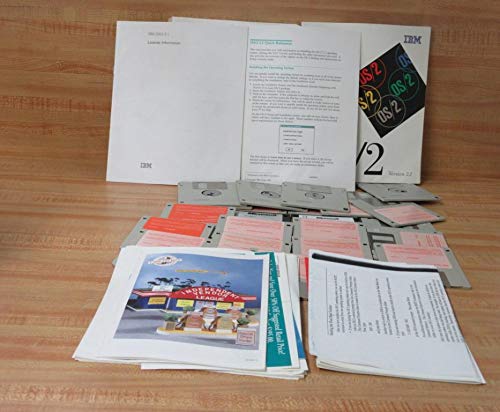
Figure 3.1: All components included in the IBM OS/2 2.1 package. This image displays the full set of floppy diskettes, various instruction manuals, and other printed materials that come with the operating system.

Figure 3.2: IBM OS/2 2.1 Diskettes 1-6. These are 3.5-inch high-density floppy disks, essential for the operating system installation.
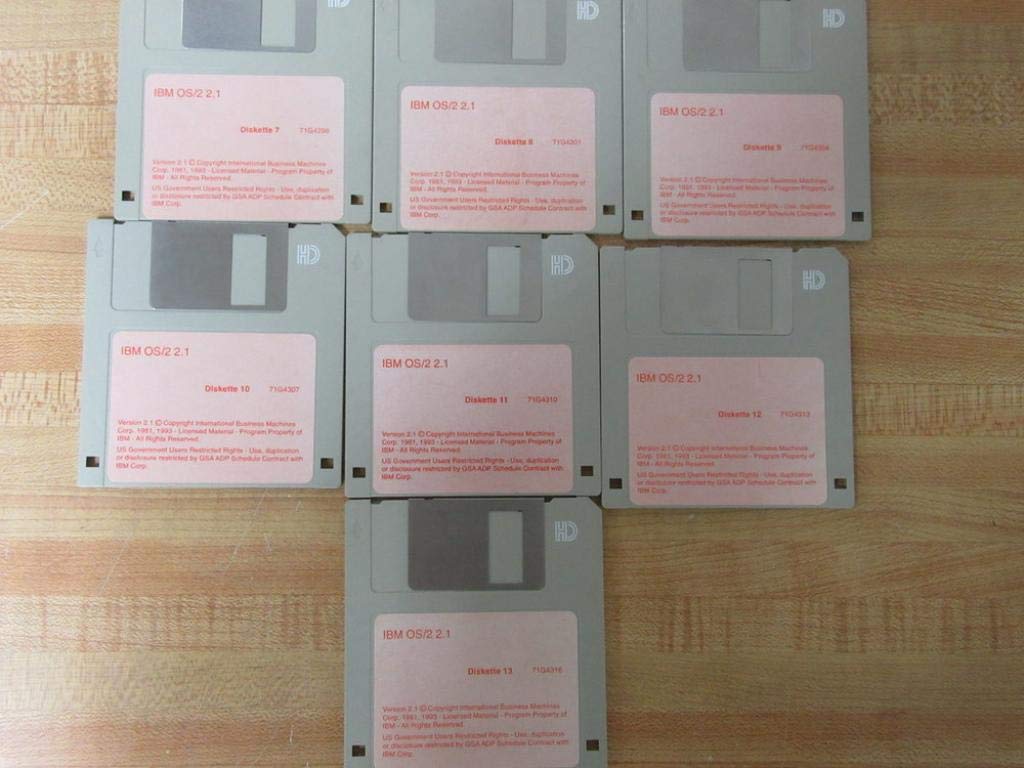
Figure 3.3: IBM OS/2 2.1 Diskettes 7-13. This image shows the remaining set of core operating system installation diskettes.

Figure 3.4: IBM Multimedia Presentation Manager/2 Diskettes. These two diskettes contain components for multimedia capabilities within OS/2.
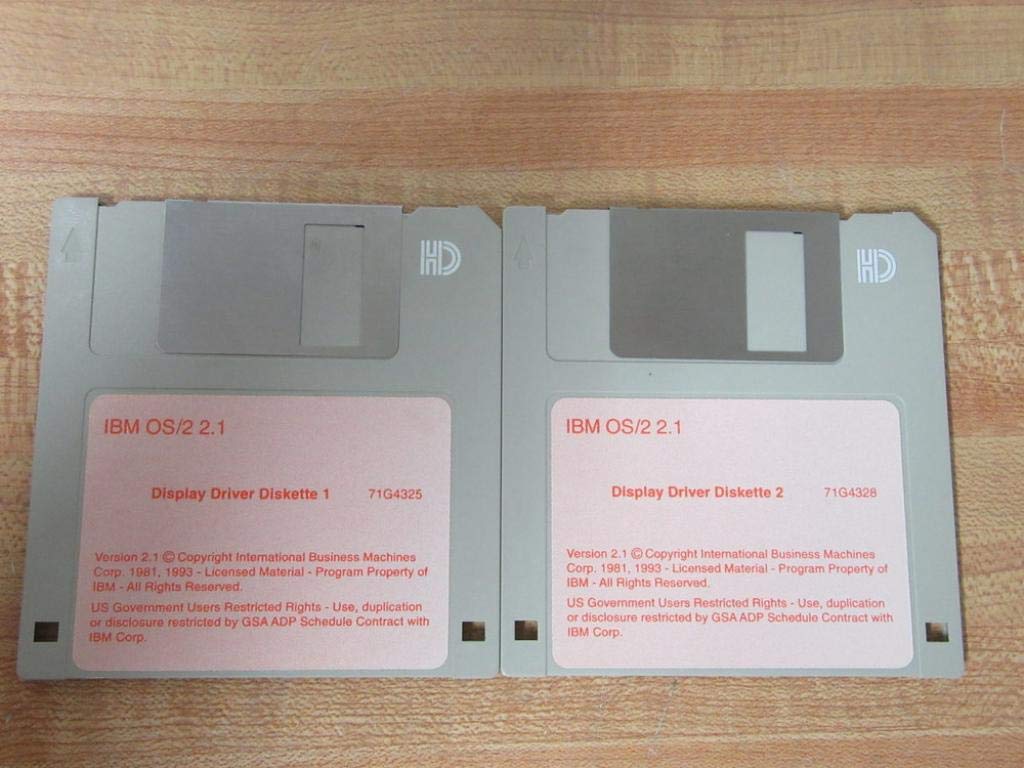
Figure 3.5: IBM OS/2 2.1 Display Driver Diskettes. These two diskettes provide necessary drivers for various display adapters.
4. Configurare și instalare
The installation of IBM OS/2 2.1 is a multi-step process involving the use of multiple 3.5-inch floppy diskettes. It is crucial to follow the instructions provided in the included Ghid de instalare exact.
- Preparare: Ensure your computer meets all Cerințe de sistem. Back up any critical data on your hard drive before proceeding.
- Booting from Installation Diskette: Insert the "Installation Diskette" into your 3.5-inch floppy drive (typically drive A:). Restart your computer and ensure it is configured to boot from the floppy drive.
- Configurare inițială: Follow the on-screen prompts. The installation program will guide you through partitioning your hard drive (if necessary) and selecting the target drive for OS/2.
- Diskette Swapping: The installer will prompt you to insert the numbered OS/2 Diskettes (1 through 13) in sequence. Ensure you insert the correct diskette when prompted.
- Component Selection: You will have the option to select which OS/2 components to install, including the Multimedia Presentation Manager/2 and various display drivers. Refer to the Ghid de instalare for recommended selections.
- Configurare: După copiere files, the system will reboot and guide you through initial configuration steps, such as setting up your display, printer, and network (if applicable).
- Prima pornire: Upon successful installation, OS/2 will boot to the Workplace Shell desktop.
For detailed, step-by-step instructions, always refer to the official Ghid de instalare included in your package.
5. Operating IBM OS/2 2.1
IBM OS/2 2.1 introduces the Workplace Shell, an object-oriented graphical user interface that allows for intuitive interaction with your computer. It supports running applications designed for DOS, Microsoft Windows, and native OS/2 environments simultaneously.
5.1. The Workplace Shell
The Workplace Shell organizes your system resources, applications, and files as objects on the desktop. You can drag and drop objects, open them by double-clicking, and access their properties via the right-click context menu.
5.2. Rularea aplicațiilor
- OS/2 Applications: Launch directly from their icons on the desktop or within folders.
- DOS Applications: OS/2 provides a DOS compatibility layer. You can open a DOS window from the desktop or run DOS applications directly.
- Windows Applications: OS/2 2.1 includes a built-in Windows 3.1 compatibility layer, allowing most Windows 3.1 applications to run seamlessly within OS/2.
5.3. Multitasking
OS/2's robust multitasking capabilities allow you to run multiple applications concurrently without significant performance degradation. You can switch between running applications using the Window List (accessible via Ctrl+Esc) or by clicking on their respective icons on the desktop.

Figura 5.1: Pesteview of OS/2 2.1 capabilities on the product box. This image illustrates the key features of OS/2, including its ability to run various application types and its graphical user interface.
6. Întreținere
Regular maintenance helps ensure the stability and longevity of your OS/2 system.
- Backup-uri regulate: Periodically back up your important data files to external media (e.g., floppy disks, tape drives) to prevent data loss.
- Disk Maintenance: Use the built-in disk utilities (e.g., CHKDSK) to check for and repair file system errors. Defragment your hard drive regularly to optimize performance.
- Actualizări de sistem: While OS/2 2.1 is an older operating system, any available patches or fixes should be applied to maintain system integrity. Refer to IBM's official support channels for information on updates.
- Protecție contra virus: Install and regularly update antivirus software if your system is connected to external networks or uses removable media from unknown sources.
7. Depanare
This section provides general guidance for common issues. For more specific problems, consult the Using The Operating System Book sau cel Solutions Pak documentare.
7.1. Installation Issues
- "Diskette Read Error": Ensure the diskette is clean and inserted correctly. Try a different diskette drive if available. The diskette may be damaged; contact support if issues persist with multiple diskettes.
- "Insufficient Disk Space": Verify that your hard drive has at least 20-40MB of free space as per Cerințe de sistem. You may need to free up space or re-partition your drive.
- System Hangs During Installation: This could indicate a hardware incompatibility or a corrupted diskette. Review your system's hardware configuration against the requirements.
7.2. Probleme ale sistemului de operare
- Applications Not Launching: Check if the application's executable file is present and not corrupted. Ensure necessary DLLs or support files are in the correct directories.
- Încetinire a sistemului: Close unnecessary applications. Check for background processes. Consider defragmenting your hard drive.
- Probleme de afișare: Ensure the correct display drivers are installed. If the display is garbled, try booting into a safe mode or basic VGA mode (if available) and reinstalling drivers.
- Mesaje de eroare: Note down the exact error message. Consult the Using The Operating System Book or search IBM's knowledge base for specific error codes.
8. Specificații
Key specifications for the IBM OS/2 2.1 for Windows OS2 product package:
| Atribut | Detaliu |
|---|---|
| Numele produsului | IBM OS/2 2.1 for Windows OS2 |
| Numărul de model | P61G0902 |
| UPC | 087944057543 |
| Dimensiunile produsului | 10 x 8 x 3 inci |
| Greutatea articolului | 4.84 lire sterline |
| Producător | IBM |
| ASIN | B00HCR5TSM |
| Data primului disponibil | 16 decembrie 2013 |

Figure 8.1: Product identification details on the box. This image displays the UPC barcode (087944057543) and the product number (P61G0902) found on the bottom of the OS/2 2.1 packaging.
9. Garanție și asistență
Specific warranty terms and support information for IBM OS/2 2.1 are typically provided within the Informații privind licența document included in your product package. Given the age of this software, direct manufacturer support may no longer be available.
For historical documentation or community support, you may need to consult online archives or forums dedicated to vintage operating systems. Always refer to the official documentation provided at the time of purchase for the most accurate and up-to-date warranty and support details.


