Introducere
This manual provides comprehensive instructions for the installation, operation, and maintenance of your StarTech.com 4-Port USB 3.0 SuperSpeed Hub (ST4300MINU3B). This portable hub expands your USB connectivity, converting a single USB 3.0 port into four external USB 3.0 ports. Its compact design and integrated cable make it suitable for use with laptops and Ultrabooks.
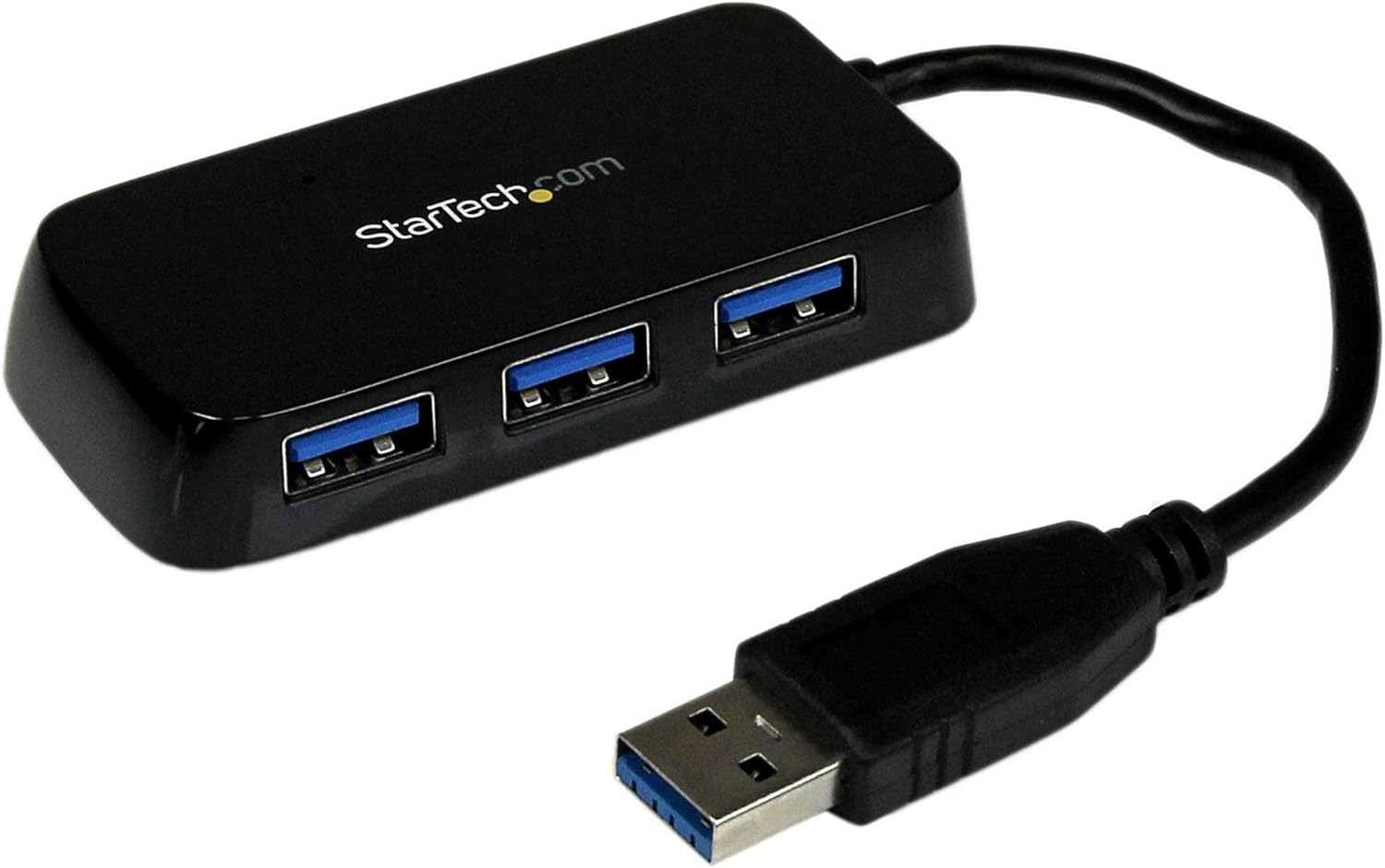
Image: The StarTech.com 4-Port USB 3.0 SuperSpeed Hub, black, with its integrated USB-A cable and four USB-A ports visible.
Conținutul pachetului
Verificați dacă pachetul dvs. conține următoarele articole:
- 1 x StarTech.com 4-Port USB 3.0 SuperSpeed Hub (ST4300MINU3B)
Caracteristicile produsului
- Adds four external USB 3.0 ports to a computer.
- Compact and portable design, suitable for travel.
- Supports SuperSpeed USB 3.0 data transfer rates up to 5Gbps.
- Backward compatible with USB 2.0 and 1.1 devices.
- USB-powered, requiring no external power adapter.
- Plug-and-play functionality, no additional software or drivers required.
- Compatible with various operating systems.
Înființat
- Conectați hub-ul: Locate an available USB 3.0 port on your computer (PC, Mac, or Ultrabook). Plug the integrated USB-A cable from the ST4300MINU3B hub into this port.
- Recunoașterea sistemului: Your operating system will automatically detect and install the necessary drivers for the hub. This process typically takes a few moments.
- Conectați dispozitive: Once the hub is recognized, you can connect up to four USB devices (e.g., keyboard, mouse, flash drive, external hard drive) to the available USB 3.0 ports on the hub.
The hub is USB-powered and does not require an external power source for most devices. For high-power USB devices, ensure your computer's USB port can supply sufficient power.
Instrucțiuni de operare
The StarTech.com 4-Port USB 3.0 SuperSpeed Hub operates on a plug-and-play basis. Once connected to your computer, it functions as an extension of your computer's USB ports.
- Transfer de date: Connect your USB 3.0 compatible devices to the hub for SuperSpeed data transfer rates up to 5Gbps. For optimal performance, ensure both the connected device and your computer's USB port support USB 3.0.
- Compatibilitate dispozitiv: The hub is backward compatible, allowing you to connect older USB 2.0 and USB 1.1 devices. These devices will operate at their respective maximum speeds.
- Indicator LED: The hub may feature an LED indicator to show power and activity status. Refer to the product's physical design for the exact location and behavior of any indicators.
Întreţinere
To ensure the longevity and optimal performance of your USB hub, follow these simple maintenance guidelines:
- curatenie: Use a soft, dry cloth to clean the exterior of the hub. Avoid using liquid cleaners or solvents, as they may damage the device.
- Depozitare: When not in use, store the hub in a cool, dry place, away from direct sunlight and extreme temperatures.
- Manipulare: Evitați să scăpați hub-ul sau să îl supuneți la impacturi puternice. Nu încercați să dezasamblați dispozitivul.
Depanare
If you encounter issues with your StarTech.com USB hub, consider the following troubleshooting steps:
- Dispozitiv nerecunoscut:
- Ensure the hub's integrated cable is securely plugged into a functioning USB port on your computer.
- Încercați să conectați hub-ul la un alt port USB de pe computer.
- Connect the USB device directly to your computer's port to verify the device itself is working.
- Reporniți computerul.
- Transfer lent de date:
- Ensure the hub is connected to a USB 3.0 port on your computer. USB 3.0 ports are typically blue or marked with a 'SS' (SuperSpeed) symbol.
- Verify that the connected USB device also supports USB 3.0.
- Avoid connecting multiple high-bandwidth devices simultaneously if experiencing performance issues.
- Putere insuficientă:
- The ST4300MINU3B is USB-powered. If connecting high-power devices (e.g., some external hard drives), ensure your computer's USB port can provide adequate power. Some devices may require direct connection to a powered USB port on the computer or an externally powered hub.
Specificații
| Numărul de model | ST4300MINU3B |
| Dimensiunile produsului | 6.3 x 5.12 x 1.57 inci |
| Greutatea articolului | 1.3 uncii |
| Interfață hardware | USB, USB 3.0 |
| Numărul de porturi | 4 x USB-A |
| Rata de transfer de date | Până la 5 Gbps (USB 3.0 SuperSpeed) |
| Caracteristici speciale | Lightweight, Portable, LED Indication, Powered (USB Bus-Powered) |
| Dispozitive compatibile | Desktops, Laptops |
Informații despre garanție
StarTech.com products are backed by a manufacturer's warranty. For specific warranty terms and conditions applicable to your ST4300MINU3B hub, please refer to the warranty card included with your product or visit the official StarTech.com webPăstrați dovada achiziției pentru reclamații în garanție.
Suport tehnic
StarTech.com offers technical support to assist you with any questions or issues regarding your product. For support, please visit the StarTech.com website and navigate to the support section. You may find FAQs, driver downloads, and contact information for technical assistance.


