
1. Introducere și Pesteview
The Cloud b Tranquil Turtle is an innovative nightlight and sound machine designed to create a peaceful and soothing environment for children. It projects moving ocean waves onto the ceiling and plays calming sounds, aiding in relaxation and sleep.

Image: The pink Cloud b Tranquil Turtle, a plush turtle with a clear shell that projects light, shown next to its product packaging.
This manual provides detailed instructions for setting up, operating, maintaining, and troubleshooting your Tranquil Turtle to ensure optimal performance and a tranquil experience for your child.
2. Caracteristici cheie
- Proiecția valurilor oceanice: Projects a dynamic underwater light effect with gently undulating waves onto the ceiling and walls, creating a serene aquatic ambiance.
- Two Calming Sounds: Offers a choice between a tranquil ocean melody and soothing wave sounds, designed to promote relaxation.
- Setări reglabile: Features adjustable brightness and movement settings for the light projection, allowing customization to suit different environments and preferences.
- Oprire automată: Equipped with a 23-minute timer that automatically turns off the light and sound to conserve battery life and ensure a quiet environment for deep sleep.
- Soft and Tactile Design: Made with super soft plush material, making it a comforting companion for children.
- LED-uri cu durată lungă de viață: Utilizes LED lights that do not heat up, ensuring safety.

Image: Diagram illustrating the Tranquil Turtle's features: patented technology, 23-minute auto-shutoff, underwater projections, and two sound options (waves and underwater melody).
3. Configurare
3.1 Instalarea bateriei
The Tranquil Turtle requires 3 AA batteries (included). To install or replace batteries:
- Locate the battery compartment on the underside of the turtle. It is typically secured by a fabric flap with Velcro or a small screw.
- If secured by a screw, use a small Phillips head screwdriver to open the compartment.
- Introduceți 3 baterii AA noi, asigurându-vă că polaritatea este corectă (+/-).
- Închideți bine compartimentul bateriei.
Note: For optimal performance and to avoid frequent battery replacement, consider using high-quality alkaline or rechargeable batteries.
4. Instrucțiuni de utilizare
4.1 Pornire/Oprire
- To turn the Tranquil Turtle ON, locate the power switch on the control panel (usually on the underside or within the shell) and slide it to the 'ON' position.
- To turn the Tranquil Turtle OFF, slide the power switch to the 'OFF' position.
- The unit will automatically shut off after 23 minutes of operation.
4.2 Light Projection Control
- The Tranquil Turtle projects a calming ocean wave effect.
- Reglarea luminozității: Use the dedicated light intensity slider or button (if present) to adjust the brightness of the projected waves.
- Controlul mișcării: Some models allow you to choose between static waves or gently moving waves. Refer to the control panel for a switch or button to toggle this feature.

Image: The Tranquil Turtle projecting blue ocean waves onto a surface, with product dimensions (11 inches, 10 inches, 4 inches) indicated.
4.3 Controlul sunetului
- Press the sound selection button to cycle through the available sounds: ocean melody and wave sounds.
- Use the volume control buttons (usually '+' and '-') to adjust the sound level to your desired comfort.
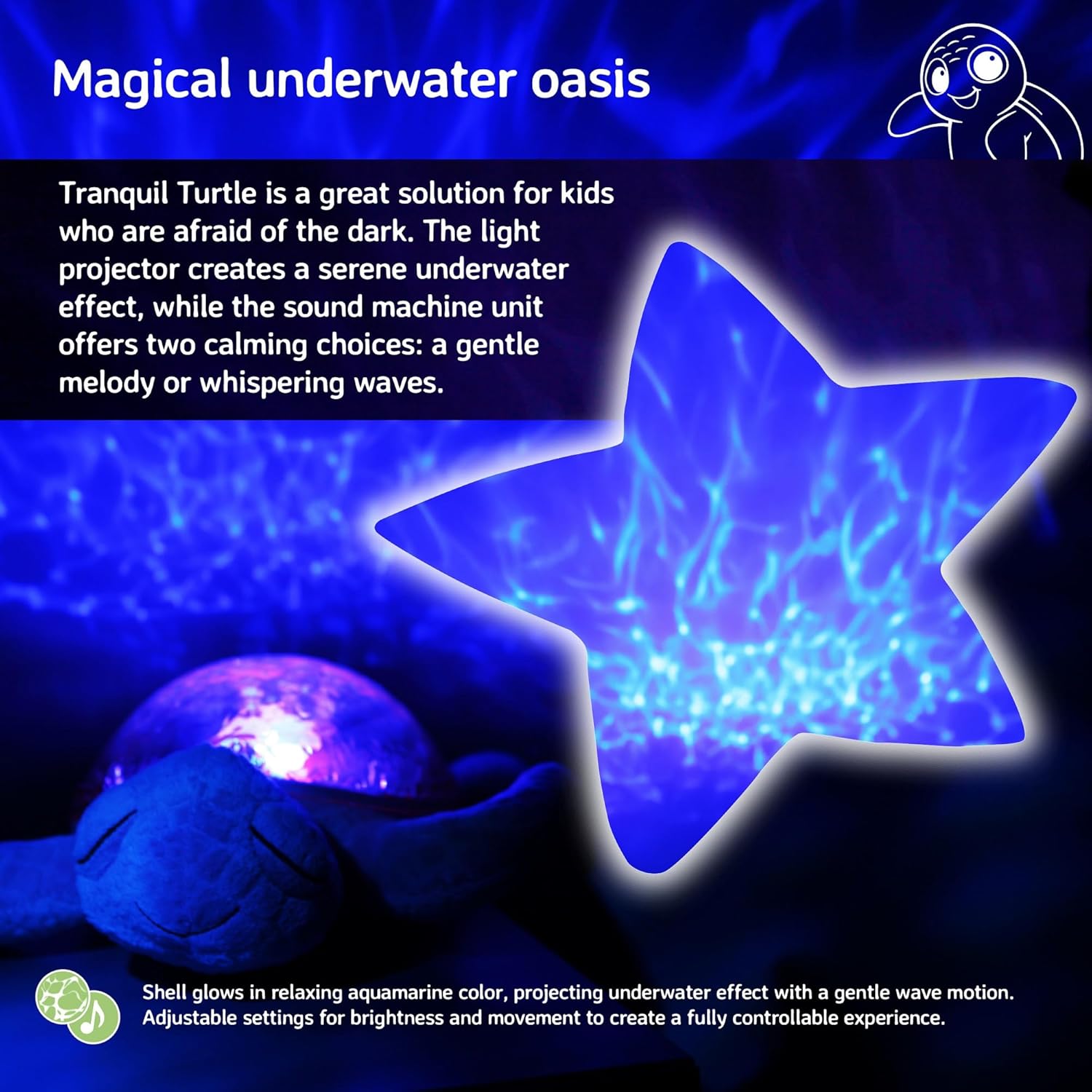
Image: The Tranquil Turtle creating a magical underwater oasis effect, with a star-shaped projection of rippling water.
4.4 Sound Sensor (if applicable)
- Some models feature a sound sensor that can activate the unit when it detects noise, such as a baby crying.
- To enable or disable this feature, locate the 'SOUND SENSOR' switch (often with 'HI', 'LO', 'OFF' settings) and select your preferred mode.
5. Întreținere
5.1 Instrucțiuni de curățare
- To clean the plush exterior, gently wipe with a damp cloth and mild soap. Do not immerse the entire unit in water.
- For the plastic shell, wipe with a soft, dry cloth. Avoid abrasive cleaners that may scratch the surface.
- Ensure the unit is completely dry before storing or using.
5.2 Depozitare
- Când nu le utilizați pentru perioade lungi de timp, scoateți bateriile pentru a preveni scurgerile și deteriorarea unității.
- Store the Tranquil Turtle in a cool, dry place away from direct sunlight.
6. Depanare
| Problemă | Cauza posibila | Soluţie |
|---|---|---|
| Unitatea nu pornește. | Baterii descărcate sau instalate incorect. | Verificați polaritatea bateriilor. Înlocuiți-le cu baterii AA noi. |
| Luminile sunt slabe sau pâlpâie. | Putere scăzută a bateriei. | Replace batteries. Ensure the light intensity slider is set to a higher level. |
| Fără sunet sau sunet distorsionat. | Volume too low or batteries low. | Increase volume. Replace batteries. |
| Projection is not clear. | Room is too bright or unit is too far from surface. | Ensure the room is dark. Place the turtle closer to the projection surface (ceiling/wall). |
| Unit turns off too quickly. | Automatic shut-off timer activated. | The unit is designed to turn off after 23 minutes to conserve battery life and promote deep sleep. This is normal operation. |
7. Specificații
| Caietul de sarcini | Detaliu |
|---|---|
| Dimensiunile produsului | 11.02 x 9.84 x 4 inci |
| Numărul de model al articolului | CB7423-PK |
| Bateriile necesare | 3 baterii AA (incluse) |
| Tip material | Plastic, Plush Fabric |
| Greutatea articolului | 1.21 lire sterline |
| Sursa de alimentare | Alimentat cu baterie |
| Temporizator de oprire automată | 23 minute |
8. Garanție și asistență
For warranty information or technical support, please refer to the product packaging or visit the official Cloud b website. You may also contact Cloud b customer service directly for assistance with your Tranquil Turtle.
Pentru informații suplimentare și înregistrarea produsului, vă rugăm să vizitați: Cloud b Official Store


