Introducere
This manual provides essential information for the setup, operation, and maintenance of your Logitech USB Keyboard for Business. Designed for efficiency and durability, this keyboard offers a comfortable and reliable typing experience for various computing environments.

Imagine: De sus în jos view of the Logitech USB Keyboard for Business, showcasing its full layout.
Înființat
The Logitech USB Keyboard for Business is designed for simple plug-and-play functionality. No additional software or drivers are typically required for basic operation on compatible systems.
Conectarea tastaturii
- Găsiți un port USB disponibil pe computer.
- Introduceți ferm conectorul USB al tastaturii în portul USB.
- Wait for your operating system to recognize the new hardware. This process is usually automatic and takes a few seconds.
- Tastatura este acum gata de utilizare.

Image: The Logitech K120 keyboard, highlighting its plug-and-play USB connectivity.
Instrucțiuni de operare
This keyboard features a standard 104-key layout, including a full-size F-key row and a dedicated number pad, providing comprehensive functionality for business and general use.
Caracteristici cheie
- Low-Profile Chei: Designed for a quiet and comfortable typing experience.
- Aspect la dimensiune completă: Includes a complete set of keys, F-keys, and a numeric keypad for efficient data entry.
- Bold, Bright Characters: Key legends are designed to be easy to read and resistant to wear.
- Picioare reglabile înclinabile: Allows for personalized ergonomic adjustment to suit your typing preference.

Image: A hand positioned on the keyboard, demonstrating the familiar and comfortable typing experience.

Image: A detailed diagram illustrating key features such as spill-proof design, deep-profile keys, full-size layout, adjustable height, Windows layout, and the integrated number pad.
Durabilitate și design
The Logitech USB Keyboard for Business is built to withstand daily use and common office accidents, ensuring long-lasting performance.
Design rezistent la varsare
This keyboard features a spill-resistant design, meaning accidental liquid spills can drain out without damaging the internal components. This feature is tested under limited conditions (maximum of 60 ml liquid spillage). It is important not to immerse the keyboard in liquid.

Image: The keyboard surface with water droplets, demonstrating its spill-resistant capabilities.
Adjustable Typing Angle
The integrated adjustable tilt legs allow you to customize the keyboard's angle for a more comfortable and ergonomic typing position, reducing strain during extended use.
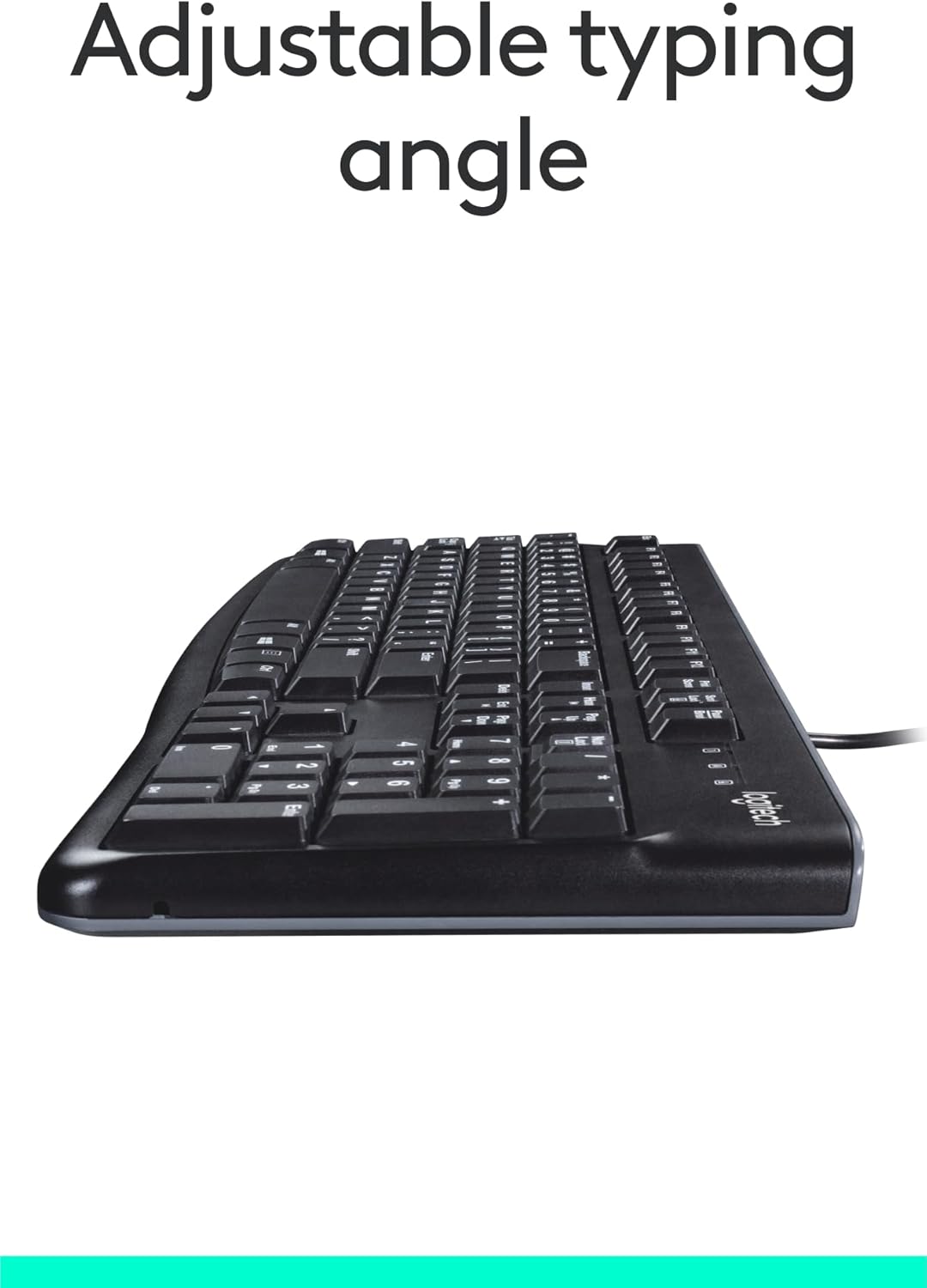
Imagine: Laterală view of the keyboard with its adjustable tilt legs extended, showing the elevated typing angle.
Întreţinere
Proper care and cleaning will help maintain the performance and appearance of your keyboard.
Instrucțiuni de curățare
- Deconectați tastatura de la computer înainte de curățare.
- Folosiți o cârpă moale, fără scame dampClătiți cu apă sau o soluție de curățare delicată pentru a șterge suprafața tastaturii.
- Avoid using harsh chemicals, abrasive cleaners, or solvents, as these can damage the keyboard's finish and key legends.
- Pentru curățarea dintre taste, folosiți aer comprimat pentru a îndepărta praful și resturile.
- Asigurați-vă că tastatura este complet uscată înainte de a o reconecta la computer.
Depanare
If you encounter issues with your Logitech USB Keyboard for Business, try the following troubleshooting steps:
Tastatura nu răspunde
- Verificați conexiunea USB: Ensure the keyboard's USB cable is securely plugged into a working USB port on your computer. Try a different USB port.
- Reporniți computerul: O simplă repornire poate rezolva adesea problemele de conectivitate.
- Testați pe un alt computer: Dacă este posibil, conectați tastatura la un alt computer pentru a determina dacă problema este cu tastatura sau cu configurația computerului original.
- Verificați Managerul de dispozitive (Windows): Open Device Manager, locate 'Keyboards', and check for any error indicators. You may need to update or reinstall the keyboard driver (though typically not required for this plug-and-play model).
Tastele nu funcționează corect
- Curățați tastele: Ensure no debris is lodged under the non-functioning keys. Use compressed air to clear any obstructions.
- Spill Damage: If the keyboard has been exposed to a significant liquid spill, allow it to dry completely. If issues persist, internal damage may have occurred.
Specificații
| Caracteristică | Detaliu |
|---|---|
| Marca | Logitech |
| Numărul de model | FBA_920-002582 |
| Tehnologia de conectivitate | USB, USB-A |
| Descrierea tastaturii | Ergonomic |
| Numărul de chei | 104 |
| Material | Plastic |
| Compatibilitatea sistemelor de operare | Windows 10 (and compatible with other standard OS) |
| Greutatea articolului | 1.52 livre (aproximativ 689 grame) |
| Dimensiunile produsului (Lxlxh) | 18.43 x 7.24 x 7.24 inci (aprox. 46.8 x 18.4 x 18.4 cm) |

Image: Visual representation of the keyboard with its key dimensions and weight detailed.
Conținutul pachetului
The retail package for the Logitech USB Keyboard for Business typically includes the following:
- Logitech USB Keyboard for Business (Model: FBA_920-002582)

Image: The Logitech USB Keyboard for Business, indicating it is the primary item included in the product package.
Garanție și suport
Logitech products are manufactured to high quality standards and are backed by a limited hardware warranty. For specific warranty terms and conditions, please refer to the warranty information provided with your product at the time of purchase or visit the official Logitech support website-ul.
For technical support, frequently asked questions, and driver downloads (if applicable), please visit the official Logitech support page or the Magazinul Logitech pe Amazon.


