1. Introducere
The IRiver IAB60 is a versatile audio system designed to enhance your daily life with multiple entertainment and utility features. It combines a CD player, FM radio, Bluetooth connectivity, wireless charging, and an alarm clock into a compact and stylish unit. This manual provides detailed instructions for setup, operation, and maintenance to ensure optimal performance and longevity of your device.

2. Conținutul pachetului
- IRiver IAB60 Main Unit
- Cablu de alimentare
- Telecomanda
- Manual de utilizare (acest document)
3. Configurare
3.1 Conexiune la alimentare
- Connect the provided power cable to the DC IN port on the rear of the IAB60 unit.
- Plug the other end of the power cable into a standard AC power outlet (100-240V, 60Hz).
3.2 Battery Installation (for Clock Memory)
Pentru a păstra setările de oră și alarmă în timpul unei pene de curenttage, install two AAA batteries (not included) in the battery compartment located on the bottom of the unit.
Conectarea antenei FM 3.3
For optimal FM radio reception, connect the included FM antenna wire to the FM ANT port on the rear of the unit. Extend the antenna fully and position it for best signal.
4. Instrucțiuni de utilizare
4.1 Pornire/Oprire
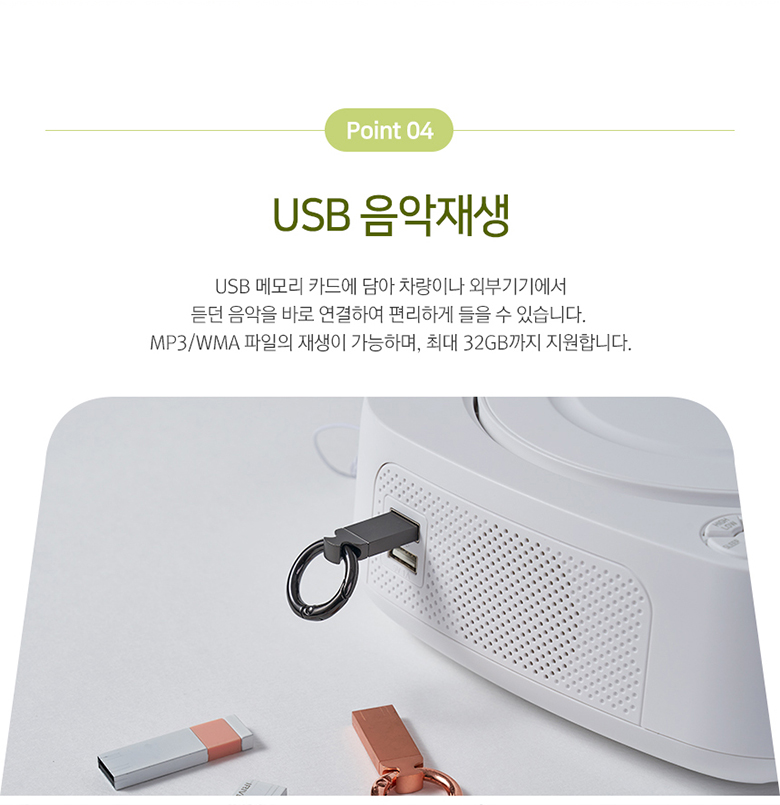
Apăsați tasta PUTERE butonul de pe panoul superior sau de pe telecomandă pentru a porni sau opri unitatea.
4.2 Clock and Alarm Settings
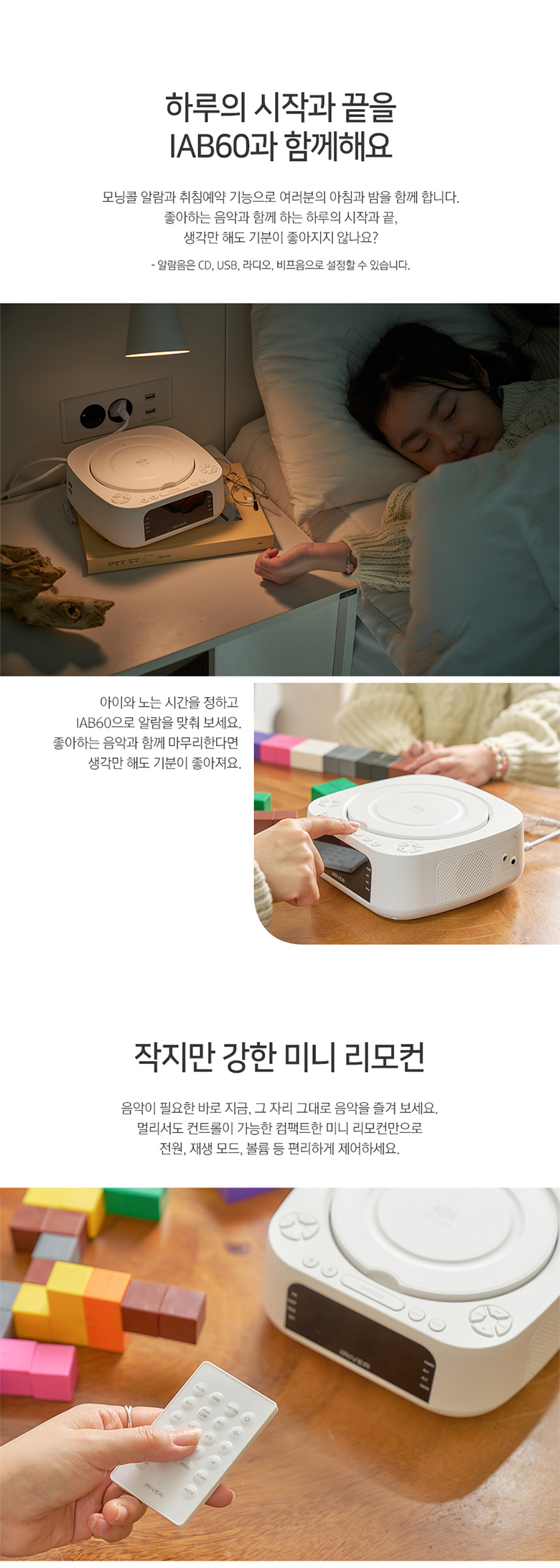
The IAB60 features a clear LED display for time and alarm functions.
- Setarea orei: Utilizați SETAREA OREI pentru a intra în modul de setare a orei. Folosiți butonul +/- butoane pentru a regla orele și minutele.
- Setarea alarmelor: Presa AL1 or AL2 to set individual alarms. You can choose to wake up to CD, FM radio, or a buzzer sound.
4.3 Funcționarea CD Player-ului
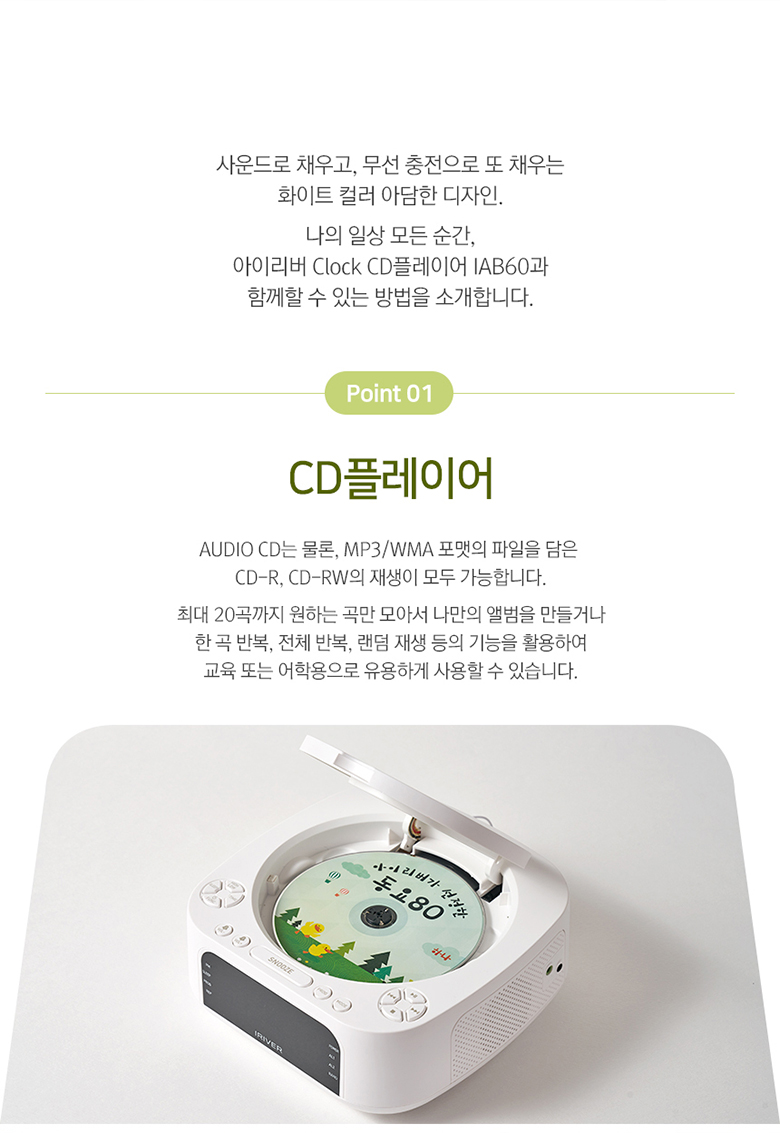
The IAB60 supports AUDIO CD, CD-R, and CD-RW discs with MP3/WMA formats.
- Gently open the top cover of the CD player.
- Așezați un CD cu eticheta în sus pe ax.
- Close the top cover. The unit will automatically detect the CD and begin playback or display 'OP' if no disc is detected.
- Utilizați REDARE/PAUZĂ, STOP, SKIP (◀◀/▶▶), REPETA, și PROG (program up to 20 tracks) buttons for control.
4.4 Bluetooth Connectivity (v5.0)
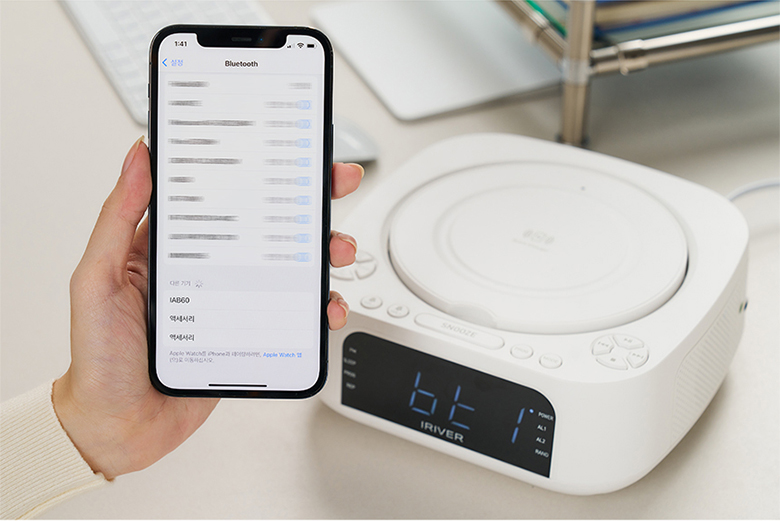
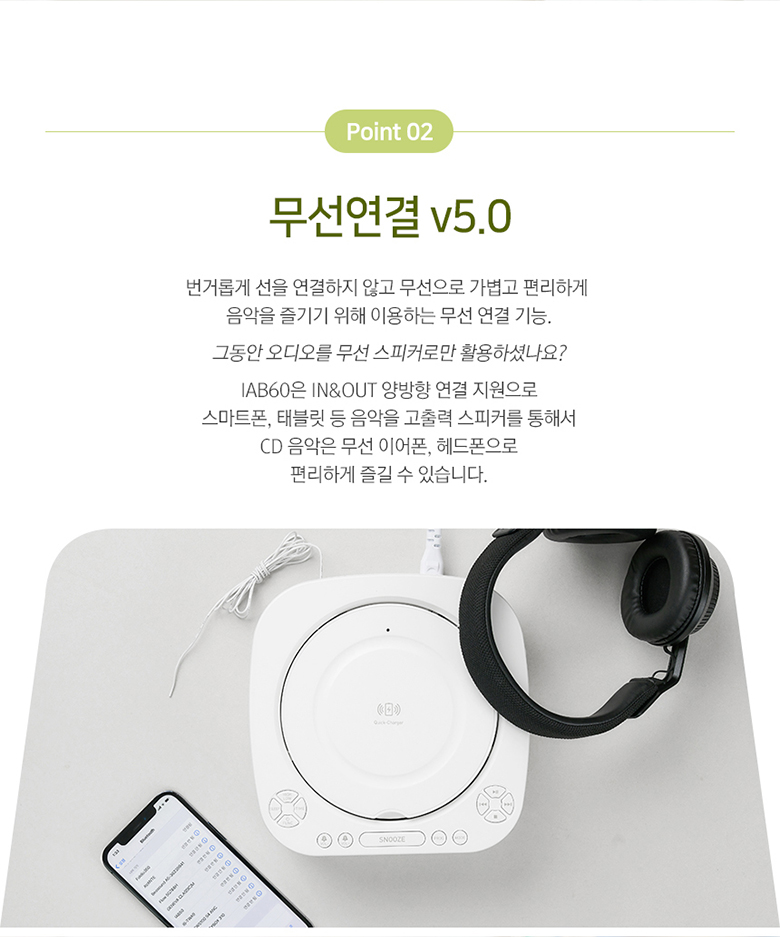
The IAB60 supports Bluetooth v5.0 for both input (playing audio from your phone) and output (connecting to Bluetooth headphones/speakers).
- Mod de asociere: Apăsați tasta MOD button until 'BT' appears on the display. The unit will enter pairing mode.
- Connecting to a Device (Input): On your smartphone or other Bluetooth device, search for 'IAB60' in the Bluetooth settings and connect.
- Connecting to Headphones/Speakers (Output): Refer to the specific instructions for your Bluetooth headphones or speakers to put them into pairing mode, then initiate pairing from the IAB60 (specific button or menu option may vary, refer to remote control functions).
4.5 Radio FM
Enjoy clear FM radio reception with the built-in tuner.
- Apăsați tasta MOD apăsați butonul până când pe afișaj apare „FM”.
- Utilizați TUNE +/- pentru a regla manual un post sau apăsați și țineți apăsate butoanele pentru a scana automat următorul post disponibil.
- Apăsați tasta PROG button to save favorite stations.
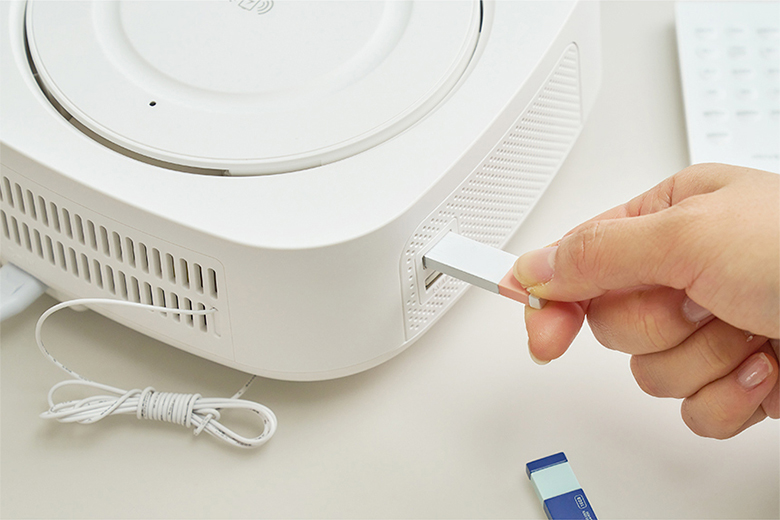
4.6 Redare muzică prin USB
Play MP3/WMA audio filedirect de pe o unitate flash USB (până la 32 GB).
- Insert a USB flash drive into the USB port on the side of the unit.
- Apăsați tasta MOD button until 'USB' appears on the display.
- Utilizați comenzile de redare (REDARE/PAUZĂ, SARE) to navigate your music.
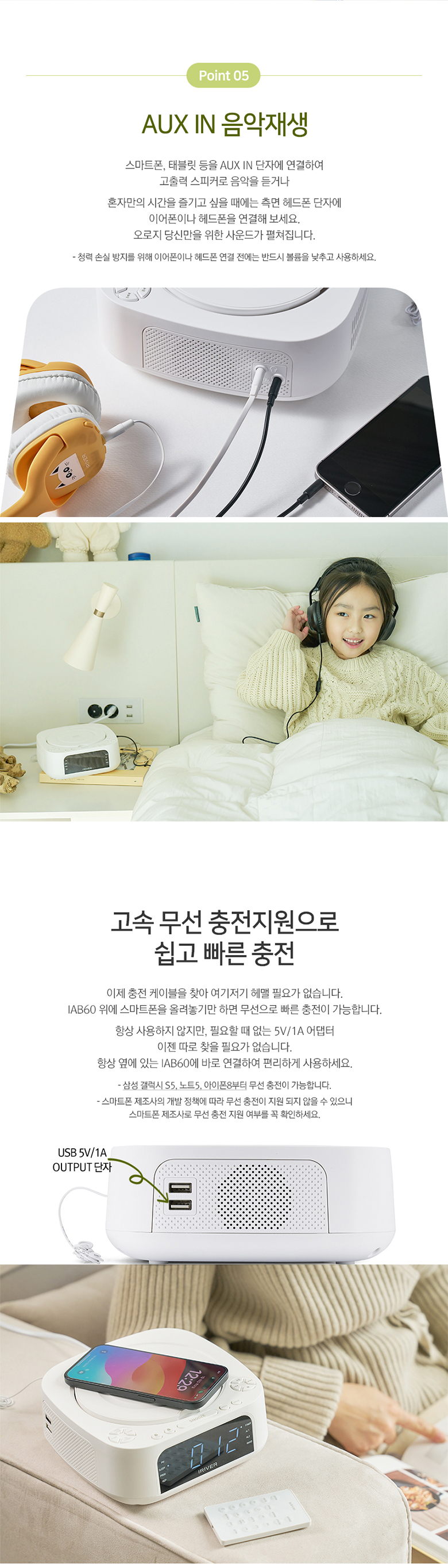
4.7 AUX IN
Connect external audio devices (e.g., MP3 players, smartphones) using a 3.5mm audio cable.
- Connect one end of a 3.5mm audio cable to the AUX IN port on the side of the IAB60.
- Conectați celălalt capăt la mufa pentru căști sau la ieșirea audio a dispozitivului extern.
- Apăsați tasta MOD apăsați butonul până când pe afișaj apare „AUX”.
- Controlați redarea de pe dispozitivul dvs. extern.
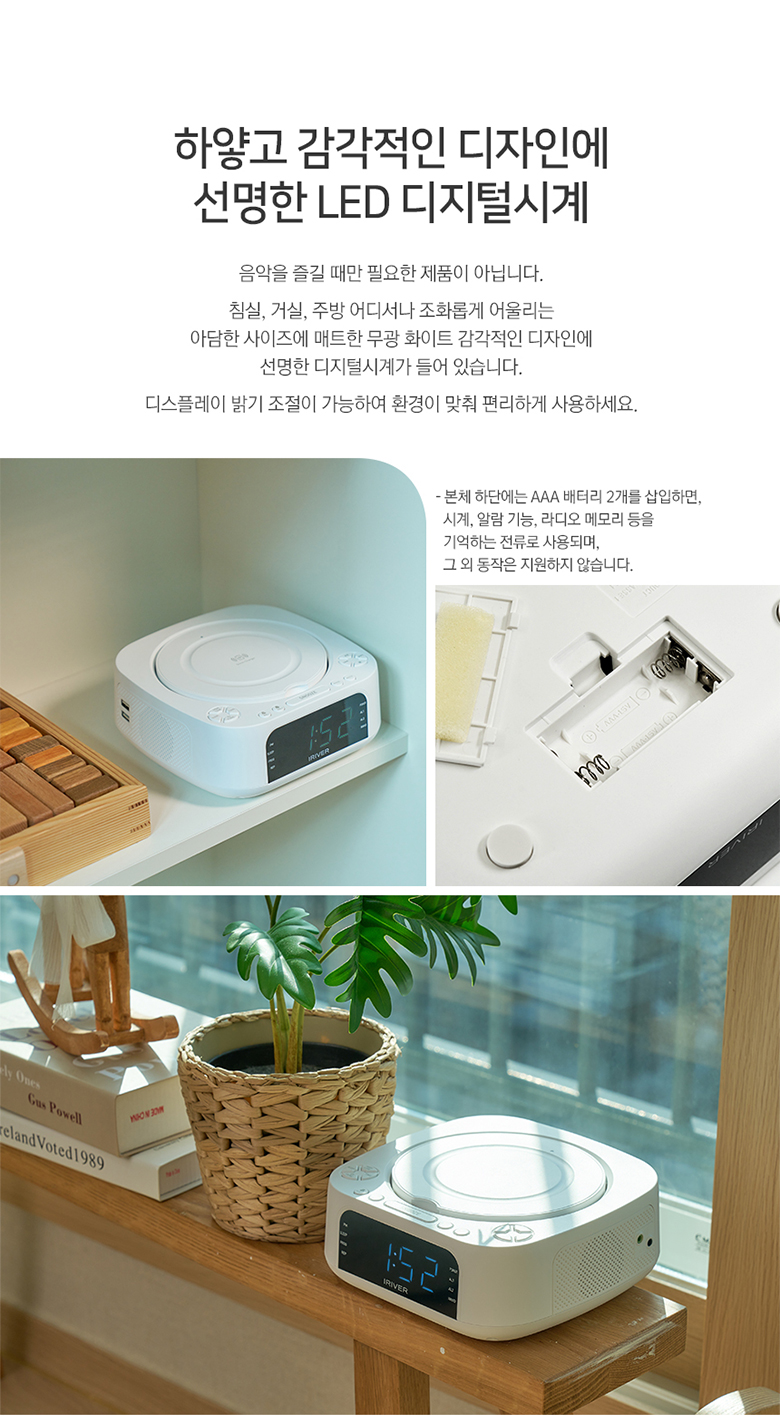
4.8 Încărcare fără fir
The IAB60 features a high-speed wireless charging pad on its top surface.
- Ensure the IAB60 is powered on.
- Place your Qi-compatible smartphone or device on the center of the wireless charging pad.
- The device should indicate that it is charging. If not, adjust its position slightly.
4.9 Telecomandă
The included mini remote control provides convenient access to all major functions, including power, mode selection, playback controls, volume, alarm settings, and sleep timer.
5. Întreținere
- curatenie: Folosiți o lavetă moale și uscată pentru a curăța exteriorul unității. Nu utilizați substanțe de curățare abrazive sau solvenți.
- CD player: Keep the CD compartment clean and free of dust. Avoid touching the lens.
- Înlocuire baterie: Replace the AAA backup batteries annually or when the clock settings are not retained during power interruptions.
- Depozitare: If storing the unit for an extended period, disconnect it from power and remove the backup batteries.
6. Depanare
- Fără putere: Ensure the power cable is securely connected to both the unit and the power outlet.
- Fără sunet: Check the volume level. Ensure the correct mode (CD, FM, BT, USB, AUX) is selected. If using Bluetooth output, ensure your external device is properly paired and connected.
- CD-ul nu se redă: Asigurați-vă că CD-ul este introdus corect (cu eticheta în sus) și că este curat și fără zgârieturi. Încercați un alt CD.
- Bluetooth nu se conectează: Ensure the IAB60 is in Bluetooth mode and your external device's Bluetooth is enabled and in pairing mode. Move devices closer together.
- Încărcarea fără fir nu funcționează: Ensure your device is Qi-compatible and placed centrally on the charging pad. Remove any thick cases that might interfere with charging.
- Recepție FM slabă: Reglați poziția antenei FM. Încercați să mutați unitatea într-o altă locație.
7. Specificații
| Caracteristică | Caietul de sarcini |
|---|---|
| Model | IAB60 |
| Culoare | Alb |
| Dimensiuni (L x A x H) | 180.5 x 198 x 73.5 mm |
| Greutate | Aproximativ. 1.13 kg |
| Intrare de putere | AC 100-240V, 60Hz |
| Putere de ieșire | DC 9V, 2A |
| Temperatura de operare | 0°C - 40°C |
| Ieșire difuzor | 5W x 2 (Total 10W) |
| Versiune Bluetooth | 5.0 |
| Bluetooth Profiles | A2DP, AVRCP |
| Gama Bluetooth | Până la 10 metri (33 picioare) |
| Redare CD | AUDIO CD, CD-R, CD-RW |
| Formate audio acceptate | MP3, WMA |
| Frecvența radio FM | 87.5 - 108.0 MHz (0.1 MHz step) |
| Port USB | 5V 1A output, Max 32GB support |
| AUX IN | mufă stereo de 3.5 mm |
| Baterie de rezervă | 2 x AAA batteries (for clock memory) |

8. Garanție și asistență
Pentru informații despre garanție și asistență tehnică, vă rugăm să consultați documentația furnizată în momentul achiziției sau să contactați distribuitorul. Păstrați dovada achiziției pentru orice reclamații în garanție.
9. Sfaturi pentru utilizatori
- Plasarea încărcării wireless: For optimal wireless charging, ensure your device is centered on the charging pad. Slight adjustments may be needed for different phone models.
- Interval de control de la distanță: Ensure there are no obstructions between the remote control and the main unit for best performance.
- Calitate sunet: Experiment with the unit's placement in your room to find the best acoustic environment for sound quality.