
Introducere
Thank you for choosing the UGREEN HiTune Max 5s Wireless ANC Headphones. This manual provides detailed instructions for setting up, operating, maintaining, and troubleshooting your headphones to ensure optimal performance and longevity. Please read this manual thoroughly before use.
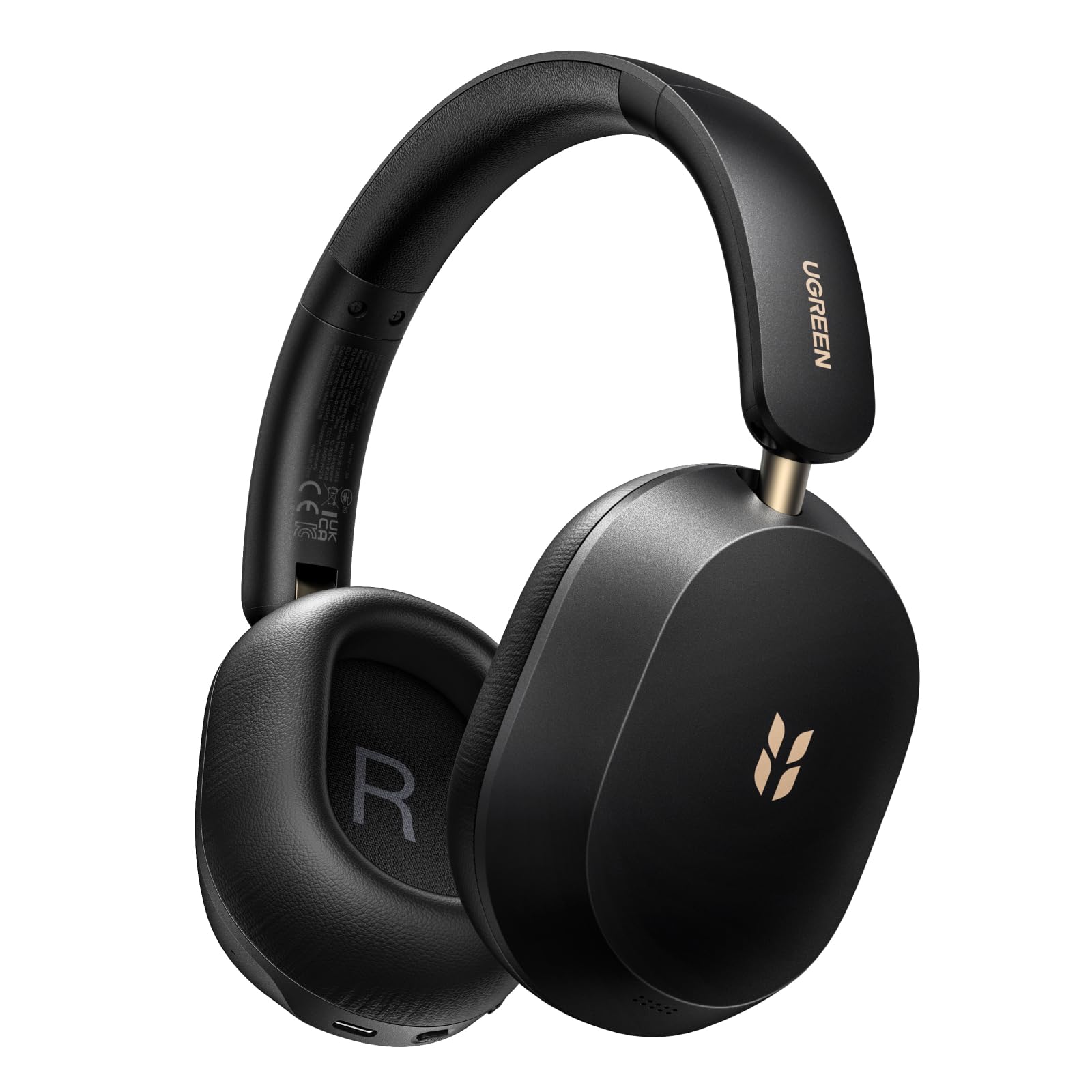
Image: UGREEN HiTune Max 5s Wireless ANC Headphones, black, shown from a slight angle.
Caracteristici cheie:
- 45dB Adaptive Hybrid Active Noise Cancellation: Equipped with a 5-microphone array, these headphones intelligently adjust and reduce ambient noise by up to 45dB.
- Hi-Res Audio & Spatial Audio: Supports Hi-Res Audio and Hi-Res Audio Wireless certifications, including LDAC high-resolution codec. Features 40mm PET diaphragm drivers for clear, balanced sound and immersive 360° spatial audio.
- Durată de viață a bateriei de până la 112 de ore: Enjoy extended listening with an 800mAh battery, providing up to 112 hours of playback with ANC off. A 10-minute charge offers 18 hours of listening.
- AI-Enhanced 5-Microphone Calls: Five integrated microphones with AI noise reduction algorithm ensure clear voice pickup and effective filtering of environmental noise during calls.
- Design ușor și pliabil: Weighing only 240 grams, the headphones offer comfort for prolonged use. The ergonomic headband and soft memory foam earcups provide a secure fit. The foldable design enhances portability.
- Bluetooth 6.0 și conexiune multipunct: Offers stable and secure wireless connectivity with the ability to connect to two devices simultaneously.
Înființat
Încărcarea căștilor
Before first use, fully charge your UGREEN HiTune Max 5s headphones. Connect the included USB-C cable to the charging port on the headphones and to a compatible USB power source. The charging indicator light will show the charging status.

Image: UGREEN HiTune Max 5s headphones with text indicating 'Up to 112 Hours Battery Life' and '10 Minutes Charge = 18 Hours Music'.
Pornire/Oprire
- Pentru a porni: Press and hold the Power button for approximately 2 seconds. A white light indicator will confirm power-on.
- A opri: Press and hold the Power button for approximately 2 seconds. A red light indicator will confirm power-off.
Asociere Bluetooth
- Asigurați-vă că căștile sunt oprite.
- Press and hold the Bluetooth button until the light rapidly flashes, indicating pairing mode.
- Pe dispozitivul gazdă (smartphone, tabletă, computer), activați Bluetooth și căutați dispozitivele disponibile.
- Select "UGREEN Studio Headphone" from the list to connect.
- După conectare, indicatorul luminos se va schimba în albastru constant sau se va stinge, în funcție de model.
Clearing Pairings
To clear all previous Bluetooth pairings from the headphones, press and hold the Bluetooth button for 10 seconds.
Instrucțiuni de operare
Moduri de anulare activă a zgomotului (ANC)
The UGREEN HiTune Max 5s features adaptive hybrid active noise cancellation. You can switch between different modes:
- ANC ON: Activates noise cancellation, reducing ambient sounds by up to 45dB. This mode may consume battery faster.
- ANC OFF: Dezactivează anularea zgomotului.
- Mod sunet ambiental: Allows you to hear some surrounding sounds while still enjoying your audio. Note that ambient sounds are slightly reduced in level.

Image: UGREEN HiTune Max 5s headphones with a visual representation of -45dB noise reduction.
Conexiune multipunct
The headphones support multipoint connection, allowing you to connect to two devices simultaneously (e.g., a smartphone and a PC). This enables seamless switching between audio sources without re-pairing.

Image: UGREEN HiTune Max 5s headphones shown with a smartphone displaying the UGREEN app and a tablet, illustrating multipoint connection.
Caracteristici audio
- Sunet de înaltă rezoluție și LDAC: Enjoy high-fidelity audio with support for Hi-Res Audio and the LDAC codec (up to 990 kbps).
- Audio spațial: Experience immersive 360° sound for an enhanced listening experience.
- Mod de joc cu latență scăzută: For gaming, activate the low latency mode (0.08s) for synchronized audio and visuals.

Image: A person wearing UGREEN HiTune Max 5s headphones playing a mobile game, illustrating the low latency feature.
Funcționalitatea apelului
The integrated 5-microphone system with AI noise reduction ensures clear voice transmission during calls, even in noisy environments. The adaptive wind noise attenuation further improves call clarity.
UGREEN Audio App
Customize your listening experience using the UGREEN Audio app. The app allows for EQ adjustments (preset profiles or graphic EQ) and button customization. A personalized sound profile feature, based on an auditory test, is expected via an OTA update.

Image: A smartphone screen displaying the UGREEN Audio app interface with options for noise cancellation control, music modes, game mode, and equalizer settings.
Întreţinere
Proper care and maintenance will extend the life of your UGREEN HiTune Max 5s headphones.
- curatenie: Folosiți o lavetă moale și uscată pentru a curăța căștile. Evitați utilizarea de produse de curățare abrazive sau solvenți.
- Depozitare: When not in use, store the headphones in a cool, dry place. The foldable design allows for compact storage. Avoid exposing them to extreme temperatures or humidity.
- Îngrijirea bateriei: To maintain battery health, avoid fully discharging the headphones frequently. Charge them regularly, even if not used for extended periods.
- Expunerea la apă: Aceste căști nu sunt impermeabile. Evitați expunerea la apă sau umiditate excesivă.

Image: UGREEN HiTune Max 5s headphones in a folded state, being placed into a backpack, demonstrating their compact and portable design.
Depanare
Dacă întâmpinați probleme cu căștile, consultați următoarele soluții comune:
| Problemă | Soluție posibilă |
|---|---|
| Căștile nu pornesc. | Ensure the headphones are charged. Connect them to a power source and try again. |
| Nu se poate realiza asocierea cu un dispozitiv. | Make sure the headphones are in pairing mode (rapidly flashing light). Clear previous pairings by holding the Bluetooth button for 10 seconds, then try pairing again. Ensure Bluetooth is enabled on your device. |
| Poor sound quality or unbalanced audio. | Check the audio source. Use the UGREEN Audio app to adjust the equalizer settings. Ensure the headphones are properly seated on your ears. |
| ANC nu este eficient. | Ensure ANC mode is activated. For optimal performance, ensure earcups form a good seal around your ears. ANC is most effective against low-frequency, constant noises. |
| Conexiunea Bluetooth este instabilă. | Ensure your device is within the effective range (typically 10 meters) and there are no significant obstructions. Disconnect and reconnect the Bluetooth connection. |
Specificații
| Caracteristică | Detaliu |
|---|---|
| Numele modelului | HiTune Max 5s |
| Numărul de model | 16172 |
| Marca | UGREEN |
| Culoare | Negru |
| Greutate | 240 grame |
| Plasarea urechii | Peste ureche |
| Factor de formă | Circum-Aural |
| Controlul zgomotului | Hybrid Noise Reduction (up to 45dB) |
| Tehnologia de conectivitate | Wireless (Bluetooth) |
| Tehnologia comunicațiilor fără fir | Bluetooth |
| Versiune Bluetooth | 6.0 |
| Componente incluse | Cable (USB-C charging cable) |
| Metoda de control | Buton de apăsare |
| Tip de driver audio | Dinamic |
| Gama de frecvente | 20 Hz - 40 kHz |
| Material intern | Piele falsă |
| Special Product Uses | Muzică, Călătorii |
| Dispozitive compatibile | Telefon celular |
| Baterie | 1 baterie litiu-ion (inclusă) |
| Producător | Ugreen Group Limited |
| Țara de origine | China |
Garanție și suport
Informații despre garanție
The UGREEN HiTune Max 5s Wireless ANC Headphones come with a 24-month UGREEN warrantyVă rugăm să păstrați dovada achiziției pentru a putea face reclamații în garanție.
Asistență pentru clienți
For further assistance, technical support, or warranty inquiries, please contact UGREEN customer service through their official website-ul sau comerciantul de unde ați achiziționat produsul.


