
Introducere
This manual provides detailed instructions for the installation, operation, and maintenance of your FTes RFKits 2-Wire WiFi Video Door Intercom. Please read this manual thoroughly before using the product to ensure proper function and safety. Keep this manual for future reference.
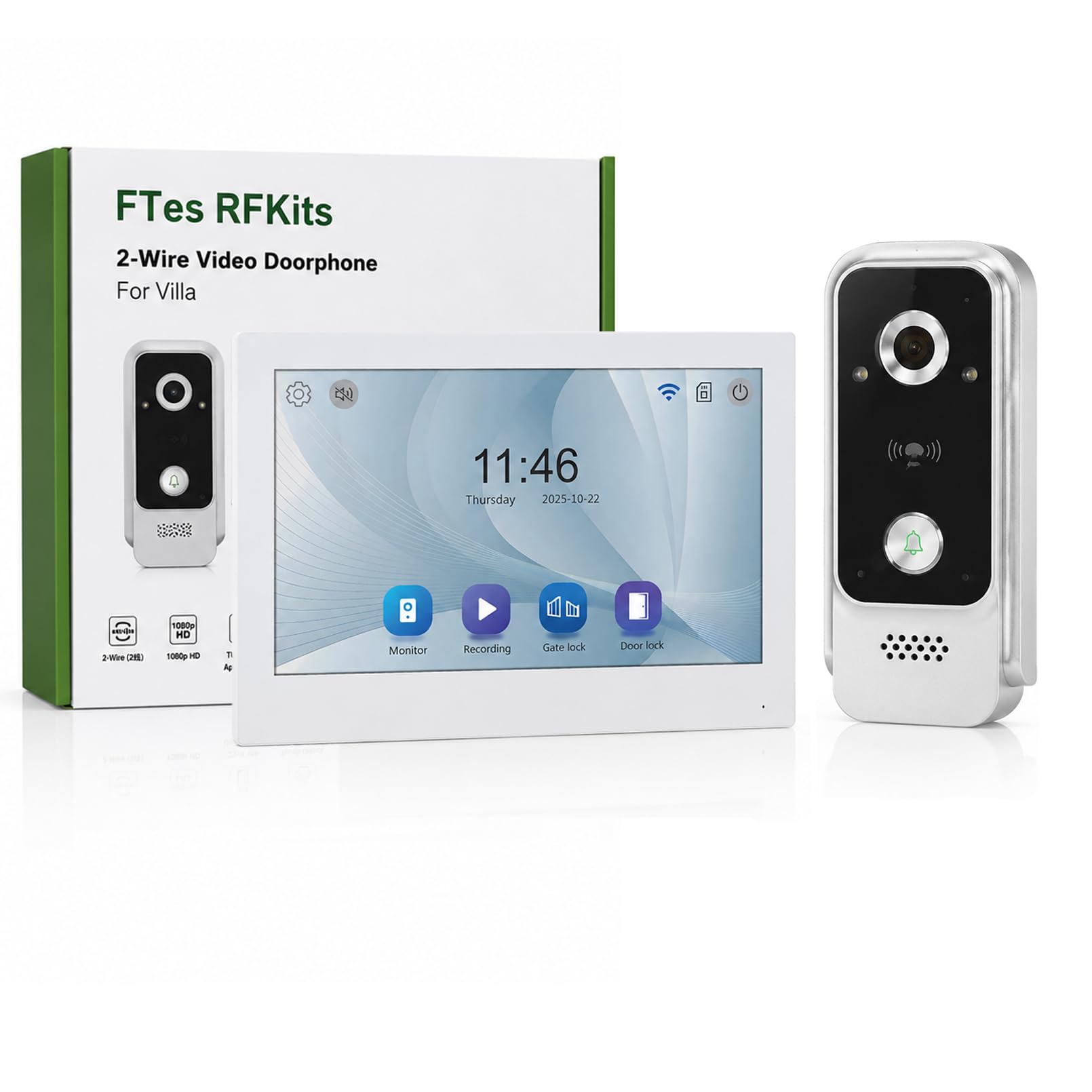
The FTes RFKits 2-Wire WiFi Video Door Intercom system features a 7-inch monitor with a 1080P camera, two-way audio, IP65 waterproof rating for the outdoor unit, and multiple unlocking methods including the Tuya App, RFID card, and NFC. It is designed to enhance home security and communication with visitors.
Informații de siguranță
- Asigurați-vă că toate sursele de alimentare sunt deconectate înainte de instalare sau întreținere.
- Instalarea trebuie efectuată de către un profesionist calificat dacă nu sunteți sigur de cablajul electric.
- Do not expose the indoor monitor to water or high humidity.
- Folosiți doar adaptorul de alimentare și accesoriile furnizate.
- Keep the outdoor unit's camera lens clean for optimal image quality.
- Avoid placing the outdoor unit in direct sunlight for prolonged periods to prevent overheating.
Produs terminatview
The FTes RFKits Video Door Intercom system consists of an outdoor unit (doorbell camera) and an indoor unit (monitor).
Caracteristici cheie:
- 7-inch IPS HD Touch Screen Monitor: Pentru clar viewinteracțiune ușoară.
- Camera 1080P HD: Provides clear video feed from the outdoor unit.
- Audio bidirecțional: Allows communication between the indoor monitor, outdoor unit, and the Tuya Smart App.
- Integrare cu aplicația inteligentă Tuya: Enables remote monitoring, calls, recording, and unlocking via smartphone.
- Mai multe metode de deblocare: Supports unlocking via the indoor monitor, Tuya App, RFID cards, and NFC.
- IP65 Waterproof Outdoor Unit: Conceput pentru utilizare în exterior în diverse condiții meteorologice.
- Viziune nocturnă cu LED-uri în infraroșu: Ensures clear visibility even in low-light conditions.
- Detectarea mișcării: Automatically records video or takes snapshots when motion is detected.
- Înregistrare automată: Records when the doorbell is pressed.
- Stocare locală: Built-in 32GB TF card for storing video recordings and photos.
- Conexiune cu 2 fire: Simplifies installation and provides a stable connection.
- Dual Door Lock Management: Capable of controlling two electronic door locks simultaneously.
Configurare și instalare
1. Schema de cablare
The system uses a 2-wire connection for communication and power between the outdoor unit and the indoor unit. A DC15V power adapter powers the indoor unit.
Imagine: Wiring diagram for the FTes RFKits Video Door Intercom. The outdoor unit connects to the indoor unit via two wires. The indoor unit is powered by a DC15V adapter.
- Connect the two wires from the outdoor unit to the corresponding terminals on the indoor unit. Ensure correct polarity if indicated (though the diagram suggests non-polarity for the 2-wire connection).
- Connect the DC15V power adapter to the indoor unit.
- For electronic door locks, connect them to the designated terminals on the indoor unit as per the lock's instructions. The system supports managing two door locks.
2. Montarea unităților
- Unitate exterioară: Mount the outdoor unit at a height of approximately 1.5 meters (5 feet) from the ground, ensuring the camera has a clear view of the visitor's face. Avoid direct sunlight or strong light sources that could cause glare.
- Unitate interioară: Montați monitorul de interior într-un loc convenabil în interiorul casei, departe de surse directe de căldură sau umiditate.
3. Tuya Smart App Setup
- Descărcați aplicația „Tuya Smart” din magazinul de aplicații al smartphone-ului dvs. (iOS sau Android).
- Înregistrează-te sau conectează-te la contul tău Tuya Smart.
- Follow the in-app instructions to add your video door intercom device. This typically involves putting the indoor unit into pairing mode and connecting it to your 2.4 GHz Wi-Fi network.
- Once connected, you can access the intercom functions remotely via the app.
Instrucțiuni de operare
1. Two-Way Intercom Communication
When a visitor presses the doorbell button on the outdoor unit, the indoor monitor will ring and display the visitor's image. You can also receive a notification on your Tuya Smart App.

Imagine: Two-way intercom in action. A visitor at the door can communicate with the resident through the indoor monitor or the Tuya app on a smartphone.
- De la monitorul interior: Tap the "Answer" button on the 7-inch screen to initiate two-way audio communication.
- From Tuya Smart App: Open the notification or the app to view the live feed and speak with the visitor.
2. Multiple Unlocking Methods
The system offers several ways to unlock connected electronic doors.

Imagine: Multiple unlocking methods available for the door intercom system, including tapping the indoor monitor, using an RFID card, unlocking via the Tuya app, and NFC unlocking.
- Tap to Unlock (Indoor Monitor): În timpul unui apel sau în direct view, tap the unlock icon on the indoor monitor screen.
- RFID Card Unlock (Outdoor Unit): Present a pre-programmed RFID card to the sensor on the outdoor unit.
- NFC Unlock (Outdoor Unit): Use an NFC-enabled device (e.g., smartphone with NFC) near the outdoor unit's sensor.
- Deblocare aplicație Tuya: From the Tuya Smart App, tap the unlock icon during a call or live view.
3. Automatic Recording and Motion Detection
The system automatically records events to the built-in 32GB TF card.

Imagine: Automatic recording feature. When the doorbell is pressed, the system automatically records video or takes a photo.
- Bell Button Triggered Recording: When a visitor presses the doorbell, the system automatically records a video or takes a photo.
- Înregistrare detectare mișcare: The outdoor unit's camera can detect motion in its field of view. When motion is detected, the system will automatically record a video or take a snapshot. You will receive a notification on the Tuya Smart App.

Imagine: Motion detection in operation. The outdoor unit detects movement, triggers a mobile app notification, and the indoor unit records a snapshot.
4. Local Storage and Playback
All recordings are stored on the built-in 32GB TF card. You can review these recordings from the indoor monitor or via the Tuya Smart App.

Imagine: Local storage and playback interface on the indoor monitor and smartphone app, showing call records and video playback options.
- Pe monitorul de interior: Navigate to the "Local Storage" or "Call Records" menu to view videoclipuri și fotografii înregistrate.
- On Tuya Smart App: Access the device's settings in the app to view cloud or local storage recordings.
Întreţinere
- curatenie: Folosiți o lavetă moale și uscată pentru a curăța ecranul monitorului interior și lentila camerei unității exterioare. Nu utilizați substanțe de curățare abrazive sau solvenți.
- Actualizări firmware: Periodically check the Tuya Smart App for available firmware updates for your device to ensure optimal performance and security.
- Verificarea cablului: Regularly inspect the wiring for any signs of damage or wear.
- Gestionarea cardului TF: The 32GB TF card will automatically overwrite older recordings when full. If you need to preserve specific recordings, back them up to another device.
Depanare
| Problemă | Cauza posibila | Soluţie |
|---|---|---|
| Nicio imagine pe monitorul interior. | Power supply issue, loose wiring, outdoor unit malfunction. | Check power adapter connection. Verify 2-wire connection between units. Ensure outdoor unit is powered. |
| No audio during two-way communication. | Microphone/speaker issues, network connectivity problems (for app calls). | Check volume settings. Ensure stable Wi-Fi connection for app. Restart units. |
| Cannot unlock door remotely. | Incorrect wiring to electronic lock, lock malfunction, app connectivity issue. | Verify lock wiring. Test lock manually. Check Tuya App connection and permissions. |
| Calitate slabă a imaginii sau vedere nocturnă. | Dirty camera lens, insufficient lighting, camera malfunction. | Clean the outdoor unit's camera lens. Ensure there are no obstructions. |
| Tuya App cannot connect to the device. | Incorrect Wi-Fi password, 5GHz Wi-Fi network, device not in pairing mode, network interference. | Ensure you are using a 2.4 GHz Wi-Fi network. Re-enter Wi-Fi password. Follow app pairing instructions carefully. Move router closer if signal is weak. |
Specificații
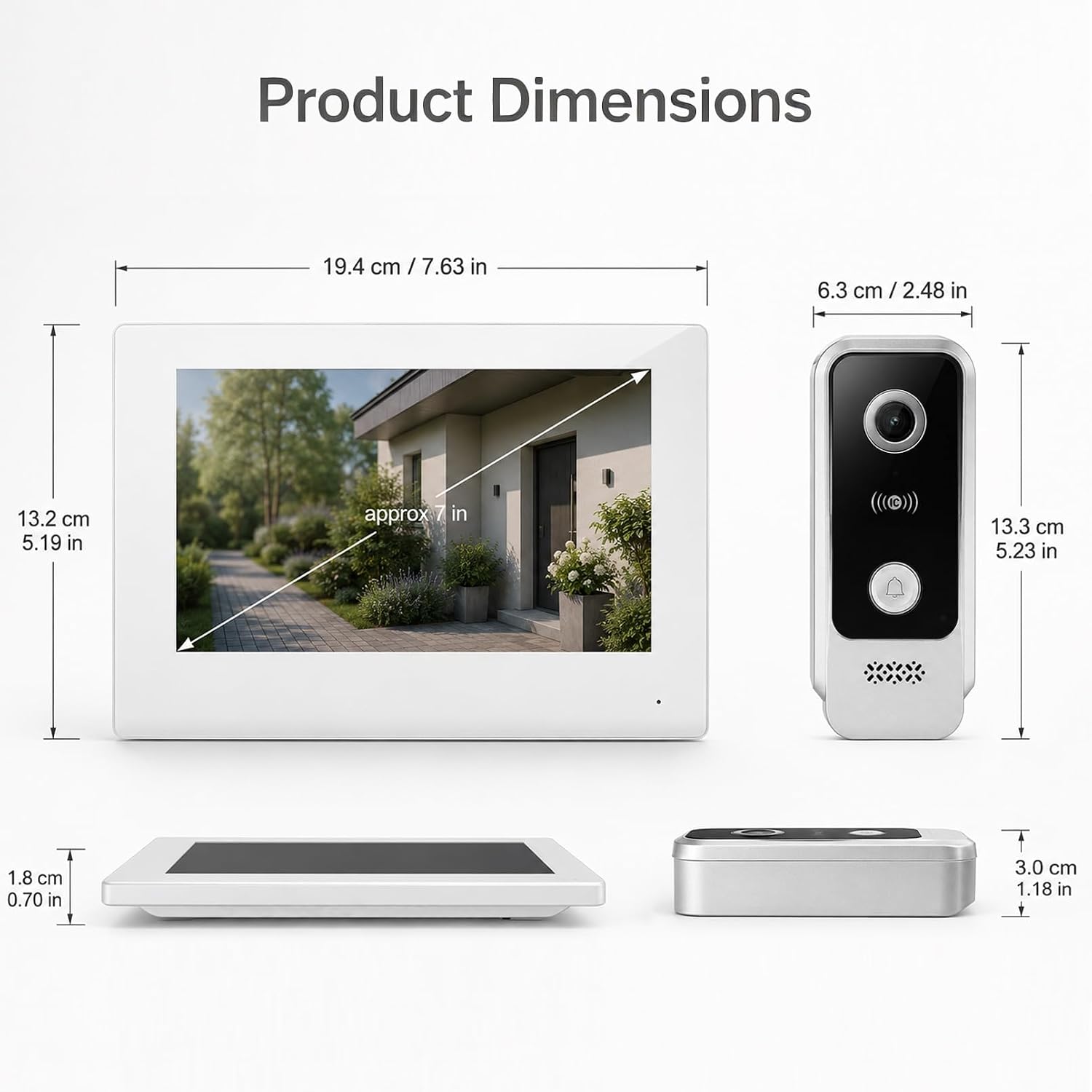
Imagine: Product dimensions for both the indoor monitor and outdoor unit.
| Caracteristică | Detaliu |
|---|---|
| Numărul de model | V7024B2 |
| Marca | FTes RFKits |
| Dimensiunea ecranului | 7.0 inci |
| Rezoluția camerei | 1080P HD |
| Viewunghiul ing | 120 ° unghi larg |
| Vedere de noapte | LED infrarosu |
| Conectivitate | 2-Wire (intercom), 2.4 GHz WiFi (App) |
| Metode de deblocare | Monitor, Tuya App, RFID Card, NFC |
| Depozitare | Card TF de 32 GB încorporat |
| Clasificare IP a unității exterioare | IP65 rezistent la apa |
| Alimentare electrică | DC15V (via adapter) |
| Item Dimensions (Indoor Unit) | Aprox. 19.4 x 13.2 x 1.8 cm (7.63 x 5.19 x 0.70 inci) |
| Item Dimensions (Outdoor Unit) | Aprox. 6.3 x 13.3 x 3.0 cm (2.48 x 5.23 x 1.18 inci) |
| Bateriile necesare | Nu |
Garanție și suport
For warranty information and technical support, please refer to the documentation provided with your purchase or contact FTes RFKits customer service. Contact details can typically be found on the product packaging or the manufacturer's official website-ul.
Please have your model number (V7024B2) and purchase date ready when contacting support.