
Introducere
Thank you for choosing the Gamrombo Wired Controller. This manual provides detailed instructions for setting up, operating, and maintaining your controller. This controller is designed for use with Xbox Series X/S, Xbox One, and PC, offering a stable and responsive gaming experience with features like programmable macro functions, turbo mode, and a 3.5mm headphone jack.
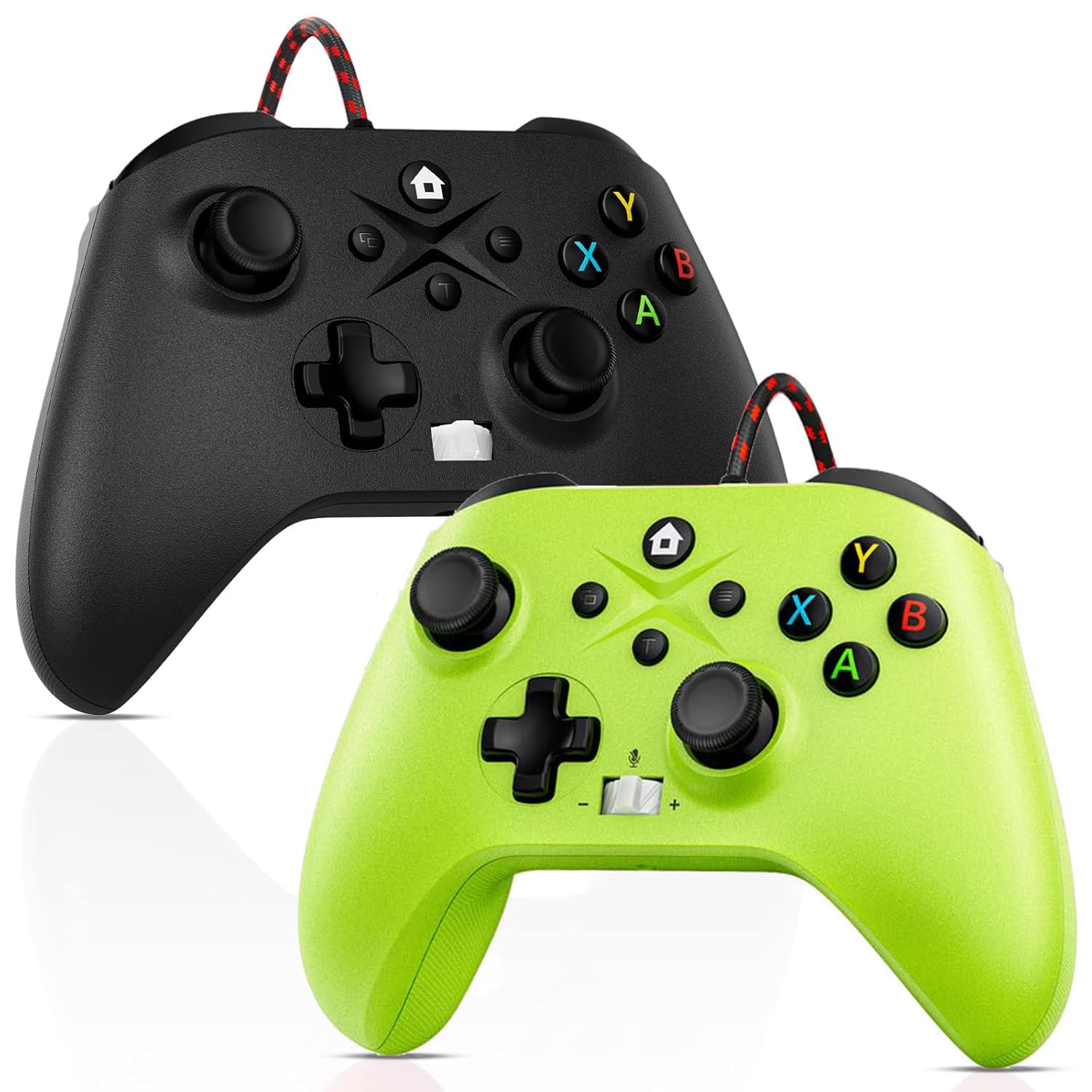
Image: Gamrombo Wired Controller in Black and Green.
Caracteristicile produsului
- Compatibilitate versatilă: Compatible with Xbox Series X/S, Xbox One (including One S/One X), and PC.
- Conexiune prin cablu: Provides a stable, low-latency gaming experience with a 10-foot (3-meter) durable, tangle-free cable. No batteries required.
- Programmable Macro Function: Two back mappable buttons (PR/PL) allow programming up to 16 button inputs for complex actions.
- Funcția Turbo: Enables rapid-fire for selected buttons.
- Mufă pentru căști de 3.5 mm: Supports audio output and microphone input for clear in-game communication.
- One-Touch Mic Mute: Quickly mute your microphone directly from the controller.
- Motoare cu vibrații asimetrice: Built-in motors provide varied vibration feedback for an immersive gaming experience.
- Precise 3D Gaming Joysticks: Offers 360-degree response with zero delay for accurate control.
- Design ergonomic: Comfortable grip for extended gaming sessions.

Image: Diagram illustrating the wide compatibility of the Gamrombo Wired Controller with Xbox consoles and PC.
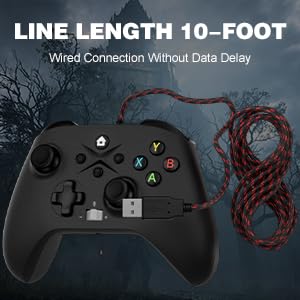
Image: The Gamrombo Wired Controller showcasing its 10-foot long braided cable for extended reach.
Conținutul pachetului
Pachetul include de obicei:
- 2 x Gamrombo Wired Controllers
- 1 x Manual de utilizare
Înființat
- Connect to Xbox Console: Plug the USB connector of the controller into an available USB port on your Xbox Series X/S or Xbox One console. The controller will automatically be recognized and ready for use.
- Conectați-vă la PC: Plug the USB connector of the controller into an available USB port on your PC. The operating system (Windows 10/11 recommended) will typically install the necessary drivers automatically. The controller will be recognized as an Xbox controller.
- Conexiune inițială: Once connected, the controller's indicator light will illuminate, signifying a successful connection.
Instrucțiuni de operare
Aspect controler

Image: Detailed diagram of the Gamrombo Wired Controller showing all buttons and their labels, including Home, View, Menu, A/B/X/Y, D-pad, Joysticks (L3/R3), Bumpers (L1/R1), Triggers (L2/R2), Turbo, Programming Function Keys (PR/PL, Set), Adjustable Volume, and Headphone Jack.
Controale de bază
- Buton Acasă: Powers on/off the console (Xbox) or opens the Xbox Game Bar (PC).
- View Buton: Provides additional context-sensitive options in games or apps.
- Buton de meniu: Opens in-game menus or system settings.
- Butoane A/B/X/Y: Butoane de acțiune standard.
- D-pad: Intrare direcțională.
- Joystick-uri stânga/dreapta (L3/R3): Analog movement and camera control. Pressing them down activates L3/R3 buttons.
- L1/R1 (Bare de protecție): Butoane de umăr pentru diverse acțiuni în joc.
- L2/R2 (Declanșatoare): Analog triggers for precise control, often used for acceleration/braking or aiming/firing.
Funcția Turbo
The Turbo function allows a button to be pressed repeatedly as long as it is held down.
- Activează Turbo: Țineți apăsat butonul Turbo button, then press the desired action button (e.g., A, B, X, Y, L1, R1, L2, R2, D-pad directions). The button will now have Turbo functionality.
- Dezactivați Turbo: To remove Turbo from a specific button, press and hold the Turbo button again, then press the button with active Turbo.
Macro Function (Programmable Back Buttons)
The two back buttons (PR and PL) can be programmed to execute a sequence of up to 16 button presses.
- Intrați în modul de programare: Apăsați tasta SET button. The indicator light will start blinking.
- Select Macro Button: Apăsați fie pe PR or PL buton.
- Înregistrare macrocomandă: Input the desired sequence of up to 16 button presses (e.g., A, B, X, Y, L1, R1, D-pad, etc.).
- Save Macro: Apăsați tasta SET button again to save the macro. The indicator light will stop blinking.
- Use Macro: Apăsați butonul programat PR or PL button to execute the recorded sequence.
- Ștergeți macrocomandă: To clear a macro, enter programming mode (press SET), apoi apăsați tasta PR or PL button you wish to clear, and then press SET again without inputting any sequence.
3.5mm Headphone Jack and Mic Mute
- Conectați căștile: Plug any standard 3.5mm gaming headset into the headphone jack located at the bottom of the controller.
- Reglați volumul: Use the volume control buttons (+/-) on the controller to adjust headset audio levels.
- Dezactivare microfon: Press the dedicated mic mute button to toggle your microphone on or off. An indicator light may show the mute status.
Feedback prin vibratii
The controller features asymmetric vibration motors in the grips, providing varied haptic feedback based on in-game events for enhanced immersion.

Image: Illustration of the asymmetric vibration motors within the grips of the Gamrombo Wired Controller.

Image: Depiction of the adjustable vibration feature and 6-axis gyro sensor in the Gamrombo Wired Controller.
3D Gaming Joysticks and Linear Triggers
The controller is equipped with high-precision 3D joysticks for accurate 360-degree movement and Hall Effect linear triggers that offer responsive and immersive control.

Imagine: Prim-plan view of the 3D gaming joystick on the Gamrombo Wired Controller, highlighting its precision.

Image: Visual representation of the precise 360-degree joystick and E-Sports level linear triggers with vibration function.
Întreţinere
- curatenie: Folosiți o lavetă moale și uscată pentru a șterge controlerul. Pentru murdăria persistentă, ștergeți ușor.ampClătiți cârpa cu apă. Evitați utilizarea substanțelor chimice dure sau a materialelor abrazive.
- Depozitare: Depozitați controlerul într-un loc răcoros și uscat, ferit de lumina directă a soarelui și de temperaturi extreme.
- Îngrijirea cablului: Avoid sharply bending or twisting the cable. Do not pull the controller by its cable.
- Evitați lichidele: Keep the controller away from liquids to prevent damage to internal components.
Depanare
- Controllerul nu răspunde:
- Asigurați-vă că cablul USB este conectat corect atât la controler, cât și la consolă/PC.
- Încearcă să conectezi controlerul la un alt port USB.
- Reporniți consola sau PC-ul.
- Sunetul căștilor nu funcționează:
- Check if the headset is fully plugged into the 3.5mm jack.
- Verify that the volume is not muted or set too low using the controller's volume controls and system settings.
- Test the headset with another device to ensure it is functioning correctly.
- Macro/Turbo Function Not Working:
- Review the programming steps in the 'Operating Instructions' section to ensure correct setup.
- Ensure no other conflicting software or settings are interfering.
- Vibrațiile nu funcționează:
- Verificați setările din joc pentru a vă asigura că feedback-ul prin vibrații este activat.
- Ensure the game supports vibration functionality.
Specificații
| Caracteristică | Descriere |
|---|---|
| Dispozitive compatibile | Xbox Series X, Xbox Series S, Xbox One, Xbox One S, Xbox One X, PC (Windows) |
| Tip controler | Cablat |
| Tehnologia de conectivitate | USB cu fir |
| Lungimea cablului | 10 picioare (aproximativ 3 metri) |
| Caracteristici suplimentare | 3.5mm Headphone Jack, Turbo Function, Macro Function, Vibration Feedback, 6-Axis Gyro Sensor |
| Cantitate de butoane | 21 |
| Platformă hardware | Xbox, PC |
Informații despre garanție
Gamrombo products are manufactured to high-quality standards. For specific warranty details, please refer to the warranty card included with your purchase or contact Gamrombo customer support. Keep your proof of purchase for warranty claims.
Sprijin
If you encounter any issues or have questions not covered in this manual, please contact Gamrombo customer support through the retailer's platform or the official Gamrombo website pentru asistență.