
1. Introducere
This manual provides essential instructions for setting up, operating, maintaining, and troubleshooting your Fastrack Revoltt FS3 Smart Watch. Please read this guide thoroughly to ensure proper use and to maximize the features of your device.
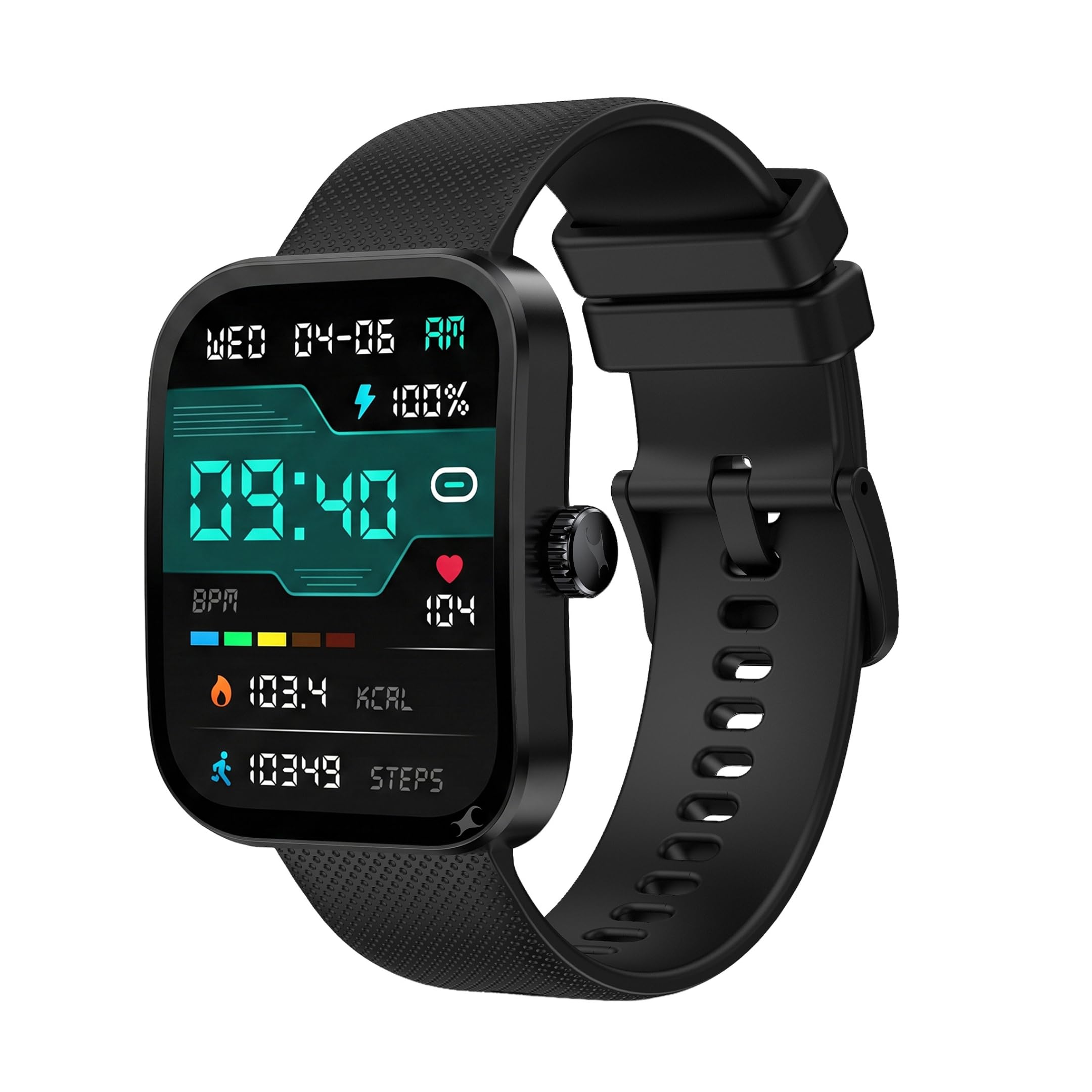
Imagine: față view of the Fastrack Revoltt FS3 Smart Watch.
2. Configurare
2.1 Conținutul pachetului
Verificați dacă pachetul dvs. conține următoarele articole:
- Fastrack Revoltt FS3 Smart Watch
- Magnetic Charging Cable with Type-C connector
- Ghid de pornire rapidă
- Card de garanție
2.2 Încărcarea ceasului inteligent
Before initial use, fully charge your Fastrack Revoltt FS3 Smart Watch. The watch features Nitrofast™ charging.
- Connect the magnetic charging cable to the charging pins on the back of the watch.
- Connect the Type-C end of the cable to a compatible USB power adapter (not included).
- Afișajul ceasului va indica starea de încărcare. O încărcare completă durează de obicei aproximativ 2 ore.

Image: Fastrack Revoltt FS3 Smart Watch connected to its magnetic Type-C charging cable.
2.3 Împerecherea cu smartphone-ul
To access all smart features, pair your watch with the Fastrack Smart World App on your smartphone.
- Descărcați Fastrack Smart World App from your smartphone's app store (available for Android and iOS devices).
- Asigurați-vă că Bluetooth este activat pe smartphone-ul dvs.
- Open the Fastrack Smart World App and follow the on-screen instructions to add your device.
- Select "Fastrack Revoltt FS3" from the list of available devices to complete the pairing process.

Image: Smartphone displaying the Fastrack Smart World App interface.
3. Utilizarea ceasului inteligent
3.1 Afișaj și navigare
The Fastrack Revoltt FS3 features a 2.01-inch TFT display with 2.5D graphics for clear visuals.
- Touch screen: Glisați spre stânga, dreapta, în sus sau în jos pentru a naviga prin meniuri și notificări. Atingeți pentru a selecta elemente.
- Coroană rotativă: Rotiți coroana de pe lateralul ceasului pentru a derula listele sau a ajusta setările. Apăsați coroana pentru a reveni la ecranul principal sau pentru a confirma selecțiile.
- Apasa butonul: Use the push button for quick access to specific functions or to power on/off the device.

Image: Fastrack Revoltt FS3 Smart Watch displaying various menu styles and highlighting the functional rotary crown.

Image: The 2.01-inch UltraVU Curved Display of the Fastrack Revoltt FS3 Smart Watch.
3.2 Monitorizarea sănătății
Ceasul oferă funcții de monitorizare a stării de sănătate 24/7:
- Monitor de ritm cardiac: Îți urmărește ritmul cardiac pe parcursul zilei.
- Monitor SpO2: Măsoară nivelul de saturație a oxigenului din sânge.
- Monitorizare somn: Monitorizează tiparele și calitatea somnului tău.
- Monitor de activitate: Înregistrează pașii, distanța și caloriile arse.
- Urmărirea stresului: Oferă informații despre nivelul tău de stres.
Access detailed health data and trends through the Fastrack Smart World App.

Image: Fastrack Revoltt FS3 Smart Watch showing its 24/7 Health Suite features.
Apelare Bluetooth 3.3
După ce este asociat cu smartphone-ul, puteți efectua și primi apeluri direct de pe ceas.
- Access the call log or dial pad from the watch interface.
- Use the built-in microphone and speaker for hands-free communication.
3.4 Smart Features and Tools
The watch includes several useful tools:
- Alarma: Setează alarmele direct pe ceas sau prin aplicație.
- Cronometru: Utilizați pentru activități de cronometrare.
- Cronometru: Setați cronometre cu numărătoare inversă.
- Multiple Menu Styles: Customize the watch interface by selecting different menu layouts (Grid, List, Waterfall, Circular, Wheel, Zoom).
4. Întreținere
4.1 Rezistența la apă
The Fastrack Revoltt FS3 Smart Watch is IP68 water and dust resistant, allowing it to withstand immersion in water up to 1.5 meters deep. It is suitable for daily use and activities like swimming in shallow water. However, it is not recommended for diving or high-pressure water activities.
4.2 Curățare
To maintain your watch, clean it regularly:
- Wipe the display and watch body with a soft, damp, cârpă fără scame.
- For the silicone band, you can use mild soap and water, then rinse thoroughly and dry.
- Evitați utilizarea substanțelor chimice dure sau a materialelor abrazive, deoarece acestea pot deteriora ceasul.

Image: Close-up of the Fastrack Revoltt FS3 Smart Watch's cross-grid pattern silicone strap.
4.3 Îngrijirea bateriei
Pentru a prelungi durata de viață a bateriei:
- Evitați temperaturile extreme.
- Încărcați ceasul complet înainte de perioade lungi de inactivitate.
- Nu lăsați ceasul neîncărcat pentru perioade lungi de timp.
5. Depanare
If you encounter issues with your Fastrack Revoltt FS3 Smart Watch, refer to the following common solutions:
| Problemă | Soluție posibilă |
|---|---|
| Watch does not power on or charge. |
|
| Nu se poate conecta la smartphone. |
|
| Health monitoring data appears inaccurate. |
|
| Time cannot be set manually. | The watch synchronizes time automatically with your paired smartphone. Ensure your watch is correctly paired and connected to the Fastrack Smart World App for accurate time display. |
| Stopwatch does not run in the background. | Some watch functions, such as the stopwatch, may require the display to remain active to function continuously. Refer to the app for any settings related to background activity for specific features. |
6. Specificații
| Caracteristică | Detaliu |
|---|---|
| Numele modelului | Fastrack Revoltt FS3 |
| Numărul de model | 38207PP01K |
| Afişa | 2.01-inch TFT Display with 2.5D Graphics |
| Maximum Display Brightness | 400 Nit |
| Sistem de operare | Sistem de operare pentru ceas inteligent |
| Conectivitate | Bluetooth |
| Tip baterie | Polimer de litiu |
| Capacitatea bateriei | 300 mAh |
| Durata medie a bateriei | Până la 5 de zile |
| Timp de încărcare a bateriei | Aproximativ 2 de ore |
| Health Metrics Measured | Heart Rate, SpO2, Sleep Duration, Stress |
| Rezistenta la apa | IP68 (Water Resistant up to 1.5 meters) |
| Materialul carcasei | Plastic |
| Material banda | Silicon |
| Greutatea articolului | 45 grame |
| Intrare interfață umană | Microfon, ecran tactil |
| Tip controler | Control vocal |
| Dispozitive compatibile | Smartphone-uri (Android, iOS) |
7. Garanție și asistență
7.1 Informații despre garanție
The Fastrack Revoltt FS3 Smart Watch comes with a 1 an garanție de producător from the date of purchase. This warranty covers manufacturing defects. Please retain your purchase receipt and warranty card for any warranty claims.
Garanția nu acoperă daunele cauzate de utilizare necorespunzătoare, accidente, reparații neautorizate sau uzură normală.
7.2 Asistență pentru clienți
For technical assistance, warranty claims, or product inquiries, please contact Fastrack customer support. You can find contact details on the official Fastrack website-ul web sau consultați cardul de garanție inclus în pachet.
Producător: Titan Company Limited, 3 Sipcot Industries complex, Hosur- 635126, India.