
1.view
This manual provides essential information for setting up, operating, maintaining, and troubleshooting your INSIGNIA 85-inch Class QF Series QLED 4K UHD Smart Fire TV. This television offers a high-quality viewing experience with 4K UltraHD resolution, Quantum Dot Technology for enhanced color, and Direct LED Backlight for uniform brightness. It integrates the Fire TV Smart OS, providing access to various streaming services and features like the Voice Remote with Alexa. The design features a metal bezel-less display for a modern aesthetic.
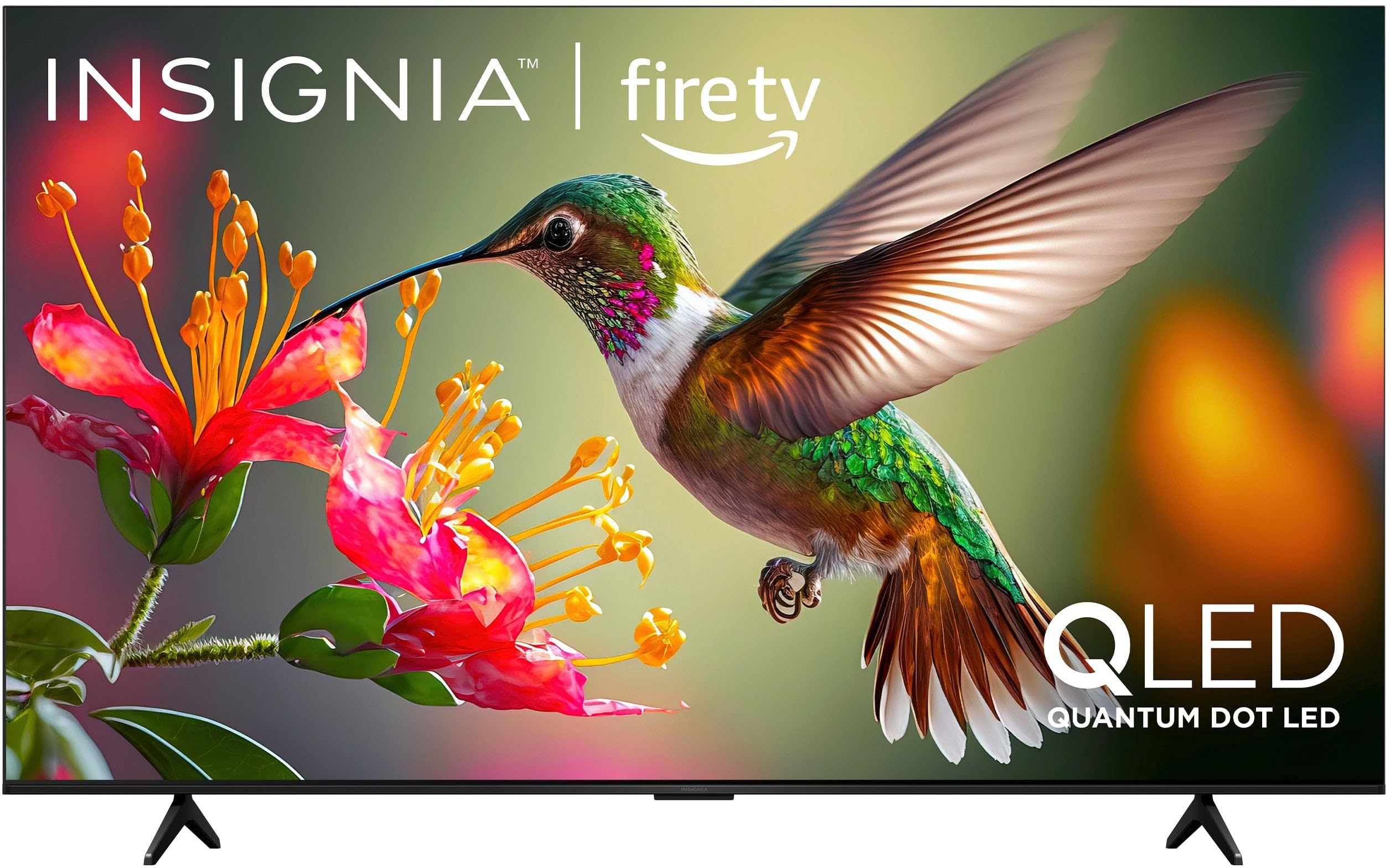
Imaginea 1.1: Față view of the INSIGNIA 85-inch QF Series QLED 4K UHD Smart Fire TV.
2. Ce se află în cutie
Verificați dacă toate componentele sunt prezente înainte de a continua configurarea:
- INSIGNIA 85-inch QF Series QLED 4K UHD Smart Fire TV
- Telecomanda vocală cu Alexa
- Baterii pentru telecomandă (2 AAA)
- Suport TV
- Șuruburi pentru instalarea suportului
- Ghid de instalare rapidă (acest document)
3. Configurare
3.1. Instalarea suportului TV
Dacă nu montați televizorul pe perete, atașați suportul inclus:
- Așezați cu grijă televizorul cu fața în jos pe o suprafață moale și curată pentru a preveni deteriorarea ecranului.
- Aliniați picioarele suportului cu orificiile pentru șuruburi din partea inferioară a televizorului.
- Fixați picioarele suportului folosind șuruburile furnizate. Asigurați-vă că sunt strânse ferm.
3.2. Pornirea inițială și conectarea la rețea
- Conectați cablul de alimentare la televizor și apoi la o priză.
- Apăsați butonul de alimentare de pe televizor sau de pe telecomandă pentru a porni televizorul.
- Follow the on-screen instructions to select your language, connect to your Wi-Fi network, and sign in to your Amazon account.
3.3. Împerechere de la distanță
Your Voice Remote with Alexa should pair automatically. If it does not, press and hold the Acasă button on the remote for 10 seconds until the LED indicator flashes blue, then release. The remote will attempt to pair.

Image 3.1: The Voice Remote with Alexa, used for controlling the TV and accessing smart features.
4. Instrucțiuni de utilizare
4.1. Fire TV Smart OS Navigation
The Fire TV Smart OS provides a centralized hub for all your entertainment. Use the navigation buttons on your remote to browse:
- Ecranul principal: Access recommended content, recently used apps, and various streaming services.
- Aplicații: Descărcați și gestionați aplicațiile de streaming preferate.
- TV în direct: Integrate live TV channels from supported services or an antenna.
- Setări: Adjust picture, sound, network, and device preferences.

Image 4.1: The Fire TV interface displaying a selection of streaming services and content.
4.2. Voice Remote with Alexa
Utilize the built-in Alexa voice assistant for hands-free control:
- Țineți apăsat butonul buton de microfon pe telecomandă.
- Speak commands such as "Find action movies," "Launch Netflix," "Switch to HDMI 2," or "Show me the weather."
- Alexa can also control compatible smart home devices.
4.3. Conectarea dispozitivelor externe
Your TV is equipped with four HDMI inputs for connecting external devices:
- Connect gaming consoles, Blu-ray players, soundbars, or cable/satellite boxes to the HDMI ports.
- One HDMI port supports eARC for enhanced audio return channel functionality with compatible sound systems.
- Pentru a comuta intrările, apăsați butonul Intrare button on your remote and select the desired source.

Image 4.2: Illustration of the TV's connectivity options, including HDMI ports.
4.4. Îmbunătățiri ale imaginii și sunetului
This TV features advanced technologies for an immersive experience:
- QLED (Quantum Dot LED): Delivers vibrant, lifelike colors and improved brightness.
- Rezoluție 4K UltraHD: Provides four times the detail of Full HD TVs.
- Dolby Vision și Dolby Atmos: Supports advanced HDR for enhanced contrast and accurate colors, along with immersive spatial audio.

Image 4.3: Visual representation of Dolby Vision and Dolby Atmos features, highlighting cinematic picture and immersive sound.
5. Întreținere
5.1. Curățarea televizorului
Pentru a menține aspectul și performanța televizorului:
- Deconectați întotdeauna televizorul înainte de curățare.
- Folosiți o lavetă moale, uscată și fără scame pentru a șterge ușor ecranul și carcasa.
- Pentru urme persistente de pe ecran, ștergeți ușorampClătiți laveta cu apă sau cu o soluție specială de curățare a ecranelor. Nu pulverizați niciodată lichid direct pe ecran.
- Evitați utilizarea detergenților abrazivi, ceară sau solvenți.
5.2. Actualizări software
Your Fire TV automatically receives software updates to improve performance and add new features. Ensure your TV is connected to the internet to receive these updates. You can manually check for updates in the Settings menu.
6. Depanare
Dacă întâmpinați probleme cu televizorul, consultați următoarele soluții comune:
| Problemă | Soluţie |
|---|---|
| Fără putere | Asigurați-vă că cablul de alimentare este conectat corect atât la televizor, cât și la o priză electrică funcțională. Încercați o altă priză. |
| Nu există imagine, dar există sunet | Verificați sursa de intrare. Apăsați butonul Intrare button on the remote to cycle through inputs. Verify external devices are powered on and connected correctly. |
| Telecomanda nu răspunde | Replace the AAA batteries in the remote. If the issue persists, re-pair the remote by holding the Acasă butonul pentru 10 secunde. |
| Nu se poate conecta la Wi-Fi | Ensure your Wi-Fi router is on and within range. Restart your router and TV. Check Wi-Fi settings in the TV's menu to ensure the correct network and password are entered. |
| Calitate slabă a imaginii | Adjust picture settings (brightness, contrast, color) in the TV's menu. Ensure the content source is high-quality (e.g., 4K content for 4K resolution). |
| Nici un sunet | Check the volume level and ensure the TV is not muted. Verify external audio devices (soundbar, receiver) are connected and configured correctly. |
7. Specificații
| Caracteristică | Detaliu |
|---|---|
| Numele modelului | NS85-UQFL27 |
| Dimensiunea ecranului | 84.6 inci (clasa de 85 inci) |
| Tehnologia de afișare | QLED (LED cu punct cuantic) |
| Rezoluţie | 4K Ultra HD (3840 x 2160) |
| Rata de reîmprospătare | 60 Hz |
| Sistem de operare | FireOS |
| Suport HDR | Dolby Vision |
| Tehnologia audio | Dolby Atmos |
| Conectivitate | Wifi |
| Intrări HDMI | 4 (inclusiv 1 eARC) |
| Caracteristici speciale | Voice Remote with Alexa, Apple Airplay |
| Dimensiuni produs (D x L x H) | 2.5" D x 74.4" L x 42.8" H |
| Item Weight Without Stand | 64.6 lire sterline |
| Componente incluse | Remote Control, Remote Control Battery, Screws, Stand |
| UPC | 600603325472 |
8. Garanție și asistență
8.1. Informații despre garanție
This INSIGNIA TV comes with a 1 ani garanție. For specific terms and conditions, please refer to the warranty card included with your product or visit the official INSIGNIA support website-ul.
8.2. Asistență pentru clienți
If you require further assistance or encounter issues not covered in this manual, please contact INSIGNIA customer support. Contact information can typically be found on the manufacturer's webpe site sau în ambalajul produsului.