
Introducere
This manual provides essential information for the setup, operation, maintenance, and troubleshooting of your VIZIO Onn 55S4V1 55-inch 4K UHD Smart TV. This television offers breathtaking 4K UHD visuals with HDR10 support, an integrated Roku platform for smart entertainment, and compatibility with smart home systems like Apple AirPlay, Google Assistant, and Amazon Alexa. It also features versatile connectivity options and a mobile app companion for enhanced control.
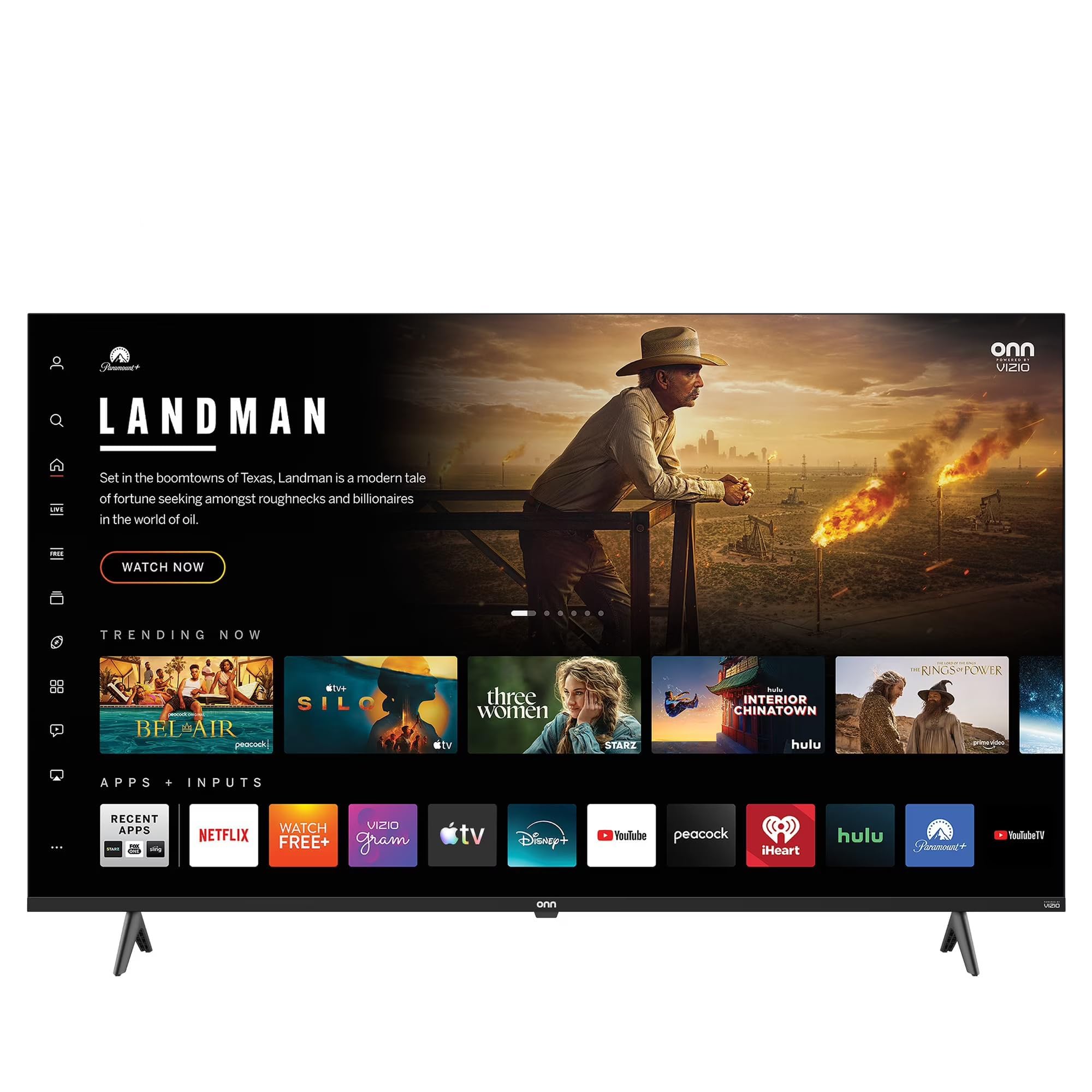
This image shows the VIZIO Onn 55S4V1 55-inch 4K UHD Smart TV powered on, displaying a web browser interface with various featured websites like Wikipedia and YouTube. The TV is mounted on a stand in a room setting.
Înființat
Ce este în cutie
- VIZIO Onn 55S4V1 55-inch 4K UHD Smart TV
- Telecomanda
- Cablu de alimentare
- TV Stand (if included)
Instalare fizică
Carefully unpack the television. If using the included stand, attach it securely according to the separate stand assembly instructions. Alternatively, if wall-mounting, ensure you use a compatible VESA mount (sold separately) and follow the mount manufacturer's instructions.
Conectarea dispozitivelor
Conectați dispozitivele externe la porturile televizorului:
- HDMI Ports (3 total, including 1 ARC): For gaming consoles (PS5/Xbox), soundbars, Blu-ray players, and other HDMI-enabled devices.
- USB Port (1 total): Pentru conectarea dispozitivelor de stocare USB.
- Intrare compozită: For older devices requiring composite video and audio connections.
- Cablu de alimentare: Conectați cablul de alimentare la televizor și apoi la o priză.
Pornirea inițială și configurarea rețelei
After connecting all devices and power, press the power button on the remote control or TV. Follow the on-screen instructions to complete the initial setup, including selecting your language, connecting to your Wi-Fi network, and activating the Roku platform.
Integrare Smart Home
Your TV is compatible with various smart home ecosystems:
- Apple AirPlay și HomeKit: Stream content from Apple devices and integrate with your Apple Home ecosystem.
- Amazon Alexa: Controlează-ți televizorul folosind comenzi vocale prin intermediul unui dispozitiv compatibil Alexa.
- Asistent Google: Control your TV using voice commands through a Google Assistant-enabled device.
Refer to the respective app instructions for pairing your TV with these smart home systems.
Instrucțiuni de operare
Roku Platform Navigation
The integrated Roku platform provides a user-friendly interface. Use the directional pad on your remote to navigate through menus and select channels (apps). The Home screen displays your installed channels, input selections, and featured content.
Accesarea serviciilor de streaming
The TV supports popular internet services such as Netflix, Disney+, and Hulu. Access these by selecting their respective icons on the Roku Home screen. You may need to log in with your existing account credentials.
Control vocal
If you have paired your TV with Amazon Alexa or Google Assistant, you can use voice commands to perform actions such as:
- „Alexa, pornește televizorul.”
- „Hei Google, deschide Netflix.”
- "Alexa, change the volume to 20."
Aplicația mobilă Roku
Download the free Roku mobile app on your smartphone for additional features:
- Telecomanda: Folosește-ți telefonul ca pe o telecomandă cu funcții complete.
- Ascultare privată: Listen to TV audio through headphones connected to your phone.
- Casting: Cast photos, videos, and music directly from your phone to the TV.
- Voice Search & Keyboard: Use your phone's keyboard for faster text entry and voice commands.
Întreţinere
Curățarea ecranului
To clean the screen, first power off the TV and unplug it from the power outlet. Use a soft, dry, lint-free cloth to gently wipe the screen. For stubborn marks, lightly dampen the cloth with water or a specialized screen cleaner (avoid harsh chemicals or abrasive materials).
Îngrijire generală
- Păstrați televizorul într-o zonă bine ventilată pentru a preveni supraîncălzirea.
- Evitați expunerea televizorului la lumina directă a soarelui, la temperaturi extreme sau la umiditate ridicată.
- Nu așezați obiecte grele deasupra televizorului.
- Verificați și instalați periodic actualizări de software pentru a asigura performanță și securitate optime.
Depanare
If you encounter issues with your TV, try the following steps before contacting support:
- Fără putere: Asigurați-vă că cablul de alimentare este conectat corect atât la televizor, cât și la priză. Încercați o altă priză.
- Fără imagine/sunet: Verificați dacă este selectată sursa de intrare corectă. Verificați toate conexiunile prin cablu (HDMI etc.). Reporniți dispozitivele conectate.
- Telecomanda nu funcționează: Înlocuiți bateriile din telecomandă. Asigurați-vă că nu există obstacole între telecomandă și senzorul IR al televizorului.
- Probleme de conexiune la rețea: Restart your Wi-Fi router. Go to the TV's network settings to reconnect to your Wi-Fi network.
- Picture/Sound Quality Issues: Check the resolution settings of your connected devices. Ensure cables are not damaged.
- General Glitches: Power cycle the TV by unplugging it from the wall for 60 seconds, then plugging it back in.
If problems persist, consult the VIZIO support website-ul sau contactați serviciul pentru clienți.
Specificații
| Caracteristică | Caietul de sarcini |
|---|---|
| Numele modelului | 55S4V1 |
| Dimensiunea ecranului | 55 inci |
| Rezoluţie | 4K (2160p) |
| Tehnologia de afișare | LED |
| Rata de reîmprospătare | 60 Hz |
| Format HDR acceptat | HDR10 |
| Porturi HDMI | 3 (inclusiv 1 ARC) |
| Porturi USB | 1 |
| Tehnologia de conectivitate | Bluetooth, WiFi |
| Servicii de Internet acceptate | Netflix, Disney+, Hulu, Roku |
| Caracteristici speciale | Bezel-Less Design, Built-In Speaker, Flat, Game Mode, Multiple Voice Assistance |
| Metoda de control | Aplicație, telecomandă, voce |
| Culoare | Negru |
| Producător | VIZIO |
| Anul modelului | 2021 |
Informații despre garanție
This VIZIO Onn 55S4V1 Smart TV comes with a 90 de zile garanție limitată. Please retain your proof of purchase for warranty claims. For detailed terms and conditions, refer to the warranty documentation provided with your product or visit the official VIZIO support website-ul.
Sprijin
For further assistance, technical support, or to access additional resources, please visit the official VIZIO support website. De obicei, puteți găsi acolo Întrebări frecvente, ghiduri de depanare și informații de contact pentru serviciul clienți.
Producător: VIZIO
Website: www.vizio.com/support (Example link, please verify official VIZIO support URL)