
1. Introducere
This manual provides essential information for setting up, operating, maintaining, and troubleshooting your FIREBAT U6B 16-inch QHD Laptop. Please read this guide thoroughly to ensure optimal performance and longevity of your device.
2. Produs terminatview
The FIREBAT U6B is a high-performance 16-inch laptop designed for various computing needs. It features a lightweight metal chassis and a vibrant QHD display.

Figura 2.1: Față view of the FIREBAT U6B laptop.

Figura 2.2: Pesteview of the FIREBAT U6B Ultrabook's main features.
2.1. Porturi și conectori
The laptop is equipped with a variety of ports for connectivity:
- Partea stângă: USB-A 3.2 Gen2 (10Gbps) x 1, USB-C 3.2 Gen2 (10Gbps) x 1 (with DP1.4 video output and 100W PD), HDMI 2.1 TMDS x 1
- Partea dreapta: Kensington Security Lock x 1, 3.5mm 2-in-1 Combo Audio Jack x 1, USB-A 2.0 x 1, TF Card Slot x 1, USB-A 3.2 Gen1 (5Gbps) x 1, USB-C 3.2 Gen1 (5Gbps) x 1 (with DP1.4 video output and 100W PD)
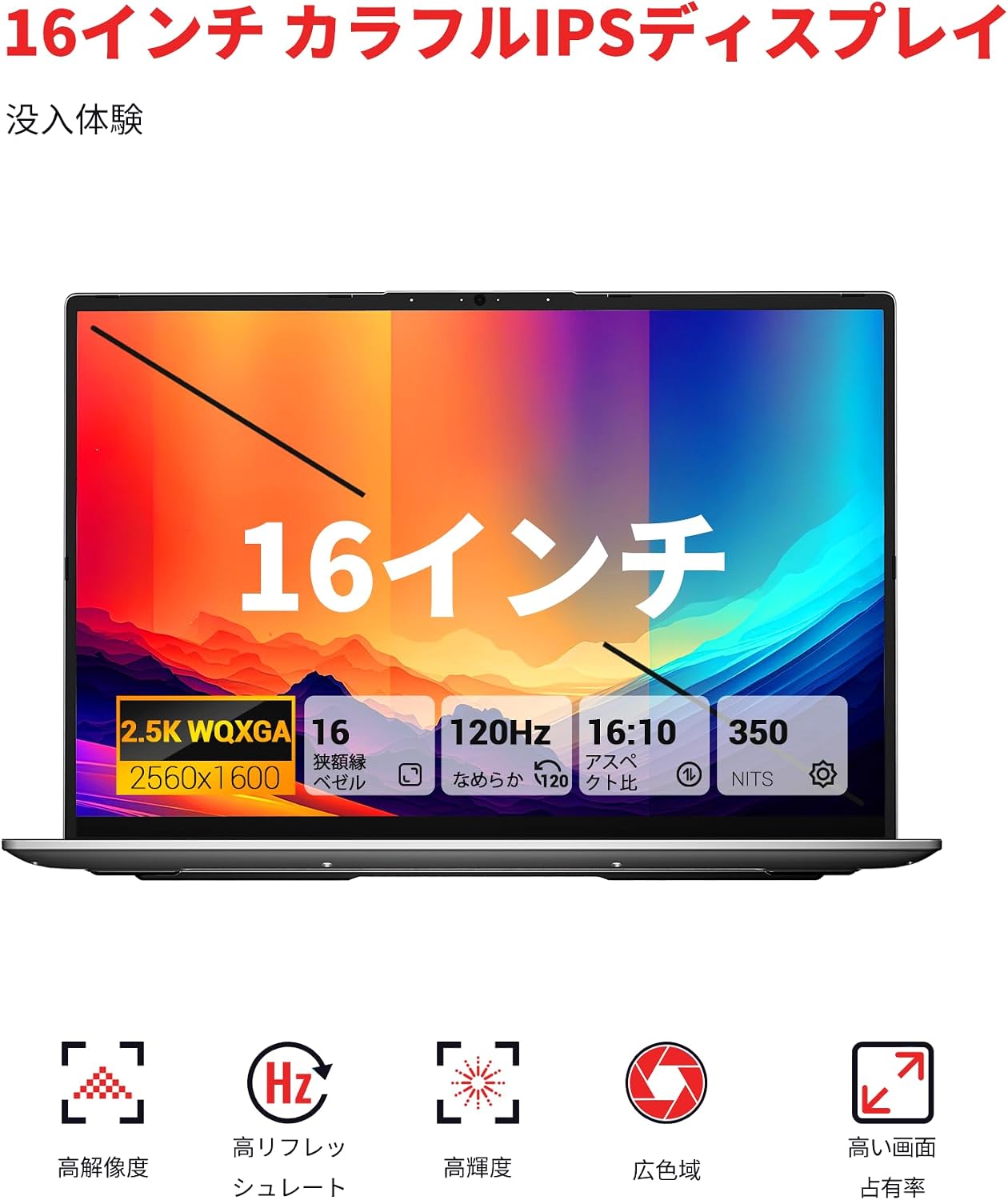
Figura 2.3: Detaliat view of the laptop's ports and their functions.
3. Configurare
3.1. Unboxing și inspecție inițială
- Carefully remove the laptop and accessories from the packaging.
- Verificați laptopul pentru a depista eventuale deteriorări fizice.
- Ensure all included accessories (power adapter, manual) are present.
3.2. Conectarea adaptorului de alimentare
Connect the provided 100W GaN power adapter to the USB-C port on the laptop and then to a power outlet. It is recommended to fully charge the battery before first use.
3.3. Prima pornire și configurarea sistemului de operare
Press the dedicated power button to turn on the laptop. Follow the on-screen instructions to complete the Windows 11 initial setup, including language, network connection, and user account creation.
4. Instrucțiuni de utilizare
4.1. Pornire/Oprire
- Pornire: Press the dedicated power button located on the keyboard.
- Oprire: Faceți clic pe butonul Start din Windows, apoi selectați Alimentare > Oprire.
- Modul de somn: Close the laptop lid or click the Windows Start button, then select Power > Sleep.
4.2. Tastatură și touchpad
The laptop features a full-size backlit keyboard and a high-precision touchpad.
- Tastatură iluminată din spate: Use the dedicated function key (usually Fn + a specific F-key) to adjust the backlight brightness or turn it on/off.
- Touchpad: Supports multi-touch gestures for navigation and control. Refer to Windows settings for customization.

Figure 4.1: The backlit keyboard and touchpad.
4.3. Moduri de performanță
You can switch between different performance modes by pressing Fn + Q to optimize for battery life or performance:
- Mod Eco: Maximizes battery life by reducing power consumption. Ideal for light tasks and extended use.
- Mod echilibru: Offers a balance between performance and power efficiency. Suitable for everyday tasks.
- Mod de înaltă performanță: Provides maximum power for demanding applications and gaming.

Figure 4.2: Switching between performance modes using Fn+Q.
5. Caracteristici de performanță
5.1. Procesor
The FIREBAT U6B is powered by a robust AMD Ryzen 5 6600H processor, featuring 6 cores and 12 threads, with a maximum boost clock of 4.5GHz. This ZEN 3+ architecture-based CPU delivers strong performance for multitasking, productivity, and entertainment.

Figure 5.1: AMD Ryzen 5 6600H processor specifications.
5.2. Graphics
Integrat Placă grafică AMD Radeon 660M with 1900MHz clock speed handle visual tasks, supporting complex design software, UHD video editing, and casual gaming.
5.3. Afișare
Experience superior visuals on the 16-inch QHD+ (2560x1600) IPS display. It offers a smooth 120Hz refresh rate and 100% sRGB color accuracy for vivid and detailed images.

Figure 5.2: Key display features for an immersive visual experience.

Figure 5.3: The 16:10 aspect ratio and 2560x1600 high resolution.
5.4. Sistem de răcire
The laptop incorporates an efficient cooling system with dual fans and dual heat pipes. This design maintains stable temperatures and minimizes noise, ensuring quiet operation even under load.
6. Stocare și memorie
The FIREBAT U6B is equipped with high-speed memory and expandable storage:
- RAM: 16GB LPDDR5 6400MHz RAM provides instant responsiveness for applications.
- Depozitare: A 512GB PCIe 3.0 SSD is pre-installed. The laptop features dual M.2 2280 NVMe PCIe 4.0 slots, allowing for easy storage upgrades.

Figure 6.1: High-speed memory and expandable storage options.
7. Conectivitate
Rămâi conectat cu următoarele funcții:
- Fără fir: Wi-Fi 6 (802.11ax) for fast and stable internet, and Bluetooth 5.2 for connecting peripherals.
- Porturi cu fir: As detailed in Section 2.1, including HDMI 2.1 and dual USB-C ports with DisplayPort and Power Delivery capabilities.
- Suport multi-monitor: The laptop supports connecting up to three external monitors simultaneously via HDMI 2.1 and the two USB-C (DP) ports.

Figure 7.1: Connecting up to three external monitors for expanded workspace.
8. Managementul energiei
The FIREBAT U6B is designed for portability and efficient power usage:
- Baterie: Equipped with a 58Wh (5050mAh) lithium-ion battery.
- Încărcare: Comes with a compact 100W GaN fast charger for quick power replenishment.
- Moduri de alimentare: Utilize the Eco, Balance, and High Performance modes (Fn+Q) to manage power consumption according to your needs.

Figure 8.1: Battery capacity information.
9. Întreținere
Întreținerea regulată ajută la prelungirea duratei de viață și a performanței laptopului:
- curatenie: Gently wipe the screen with a microfiber cloth. Use a soft brush or compressed air to clean the keyboard and ventilation grilles. Avoid harsh chemicals.
- Actualizări de software: Keep your Windows operating system and device drivers updated to ensure security and optimal performance.
- Managementul stocării: Ștergeți periodic inutilul fileși goliți coșul de reciclare pentru a elibera spațiu de stocare.
- Îngrijirea bateriei: Evitați descărcarea completă frecventă a bateriei. Pentru depozitarea pe termen lung, încărcați bateria la aproximativ 50-60%.
10. Depanare
Această secțiune abordează problemele frecvente pe care le-ați putea întâmpina:
| Problemă | Soluție posibilă |
|---|---|
| Laptopul nu pornește. | Ensure the power adapter is securely connected and the battery is charged. Try a different power outlet. |
| Afișajul este gol sau pâlpâie. | Check display settings in Windows. If using an external monitor, ensure cables are connected correctly. Try updating graphics drivers. |
| Performanța sistemului este lentă. | Close unnecessary applications. Check for background processes. Ensure the cooling vents are not obstructed. Switch to High Performance mode (Fn+Q). |
| Wi-Fi-ul sau Bluetooth-ul nu funcționează. | Toggle Wi-Fi/Bluetooth on/off in Windows settings. Restart the laptop. Update wireless drivers. |
| Iluminarea de fundal a tastaturii nu funcționează. | Press the dedicated function key (e.g., Fn + F-key) to activate or adjust the backlight. |
11. Specificații
| Caracteristică | Detaliu |
|---|---|
| Marca | FIREBAT |
| Numele modelului | U6B |
| Dimensiunea ecranului | 16 inchi |
| Culoare | Gri |
| Capacitate hard disk | 512 GB |
| Model CPU | Ryzen 5 (6600H) |
| Dimensiunea RAM instalată | 16 GB LPDDR5 6400MHz |
| Sistem de operare | Windows 11 |
| Caracteristici speciale | HD Audio, Backlit Keyboard, Lightweight |
| Descrierea plăcii grafice | Integrated (AMD Radeon 660M) |
| Greutatea produsului | 1.7 kilograme |
| Dimensiunile produsului (Lxlxh) | 36 x 25 x 1.9 cm |
| Display Max Resolution | 2560x1600 pixeli |
| Rata de reîmprospătare | 120 Hz |
| Gama de culori | 100% sRGB |
| Comunicare fără fir | Bluetooth 5.2, Wi-Fi 6 (802.11ax) |
| Porturi USB | 5 (including USB-C with DP/PD) |
| Porturi HDMI | 1 (HDMI 2.1) |
| M.2 Fante | 2 (NVMe PCIe 4.0) |
| Tip baterie | Lithium Metal (58.33 Wh) |
| Componente incluse | Laptop x1, Power Adapter x1 |
12. Garanție și asistență
Your FIREBAT U6B laptop comes with a 12 luni garantie de la data cumpărării.
Pentru asistență tehnică, reclamații în garanție sau orice alte întrebări, vă rugăm să ne contactați:
- E-mail: support@firebatpc.com
- Website: www.firebatpc.com
Please have your product model (U6B) and purchase information ready when contacting support.