
1. Introducere
Welcome to the user manual for your new Apple iPad Air 13-inch (M4). This guide provides essential information to help you set up, operate, maintain, and troubleshoot your device. The iPad Air combines powerful performance with a sleek design, featuring the Apple M4 chip, a Liquid Retina display, and advanced camera capabilities.
For additional support and detailed information, please visit the official Apple Support website-ul.
2. Ce se află în cutie
Your iPad Air package includes the following items:
- iPad Air
- Cablu de încărcare USB-C
- Adaptor de alimentare USB-C de 20W

Image: The iPad Air, USB-C Charge Cable, and 20W USB-C Power Adapter as packaged in the box.
3. Produs terminatview
3.1 Caracteristici cheie
- Apple M4 Chip: Delivers advanced graphics and high performance for multitasking and AI tasks.
- Liquid Retina Display: Stunning 13-inch display with P3 wide color, True Tone, and ultralow reflectivity.
- Touch ID: Secure authentication for unlocking, app sign-ins, and Apple Pay.
- Advanced Cameras: Centru S de 12MPtage front camera and 12MP Wide back camera for photos and 4K videos.
- Wi-Fi 7 with Apple N1: Fast wireless connectivity for quick data transfers.
- iPadOS: Intuitive operating system with flexible windowing for enhanced productivity.
- Apple Intelligence: Personal intelligence system for writing, expression, and task management with privacy protections.
- Durată de viață a bateriei pentru toată ziua: Designed to support extended use throughout the day.

Image: A user interacting with the iPad Air using an Apple Pencil, highlighting its portability and creative capabilities.
3.2 Caracteristici fizice
The iPad Air features a slim design with accessible buttons and ports.

Imagine: O latură de aproape view of multiple iPad Air devices, showcasing the various color options and button placements.
3.3 Afișaj și performanță
The 13-inch Liquid Retina display offers a resolution of 2732-by-2048 pixels at 264 ppi, supporting P3 wide color and True Tone technology for accurate color representation. The Apple M4 chip provides exceptional processing power for demanding applications and graphics-intensive tasks.

Image: The iPad Air screen demonstrating multitasking capabilities with two applications open side-by-side, powered by the M4 chip and iPadOS.
3.4 Apple Intelligence
Apple Intelligence is integrated into iPadOS, offering features that enhance productivity and creativity while prioritizing user privacy.
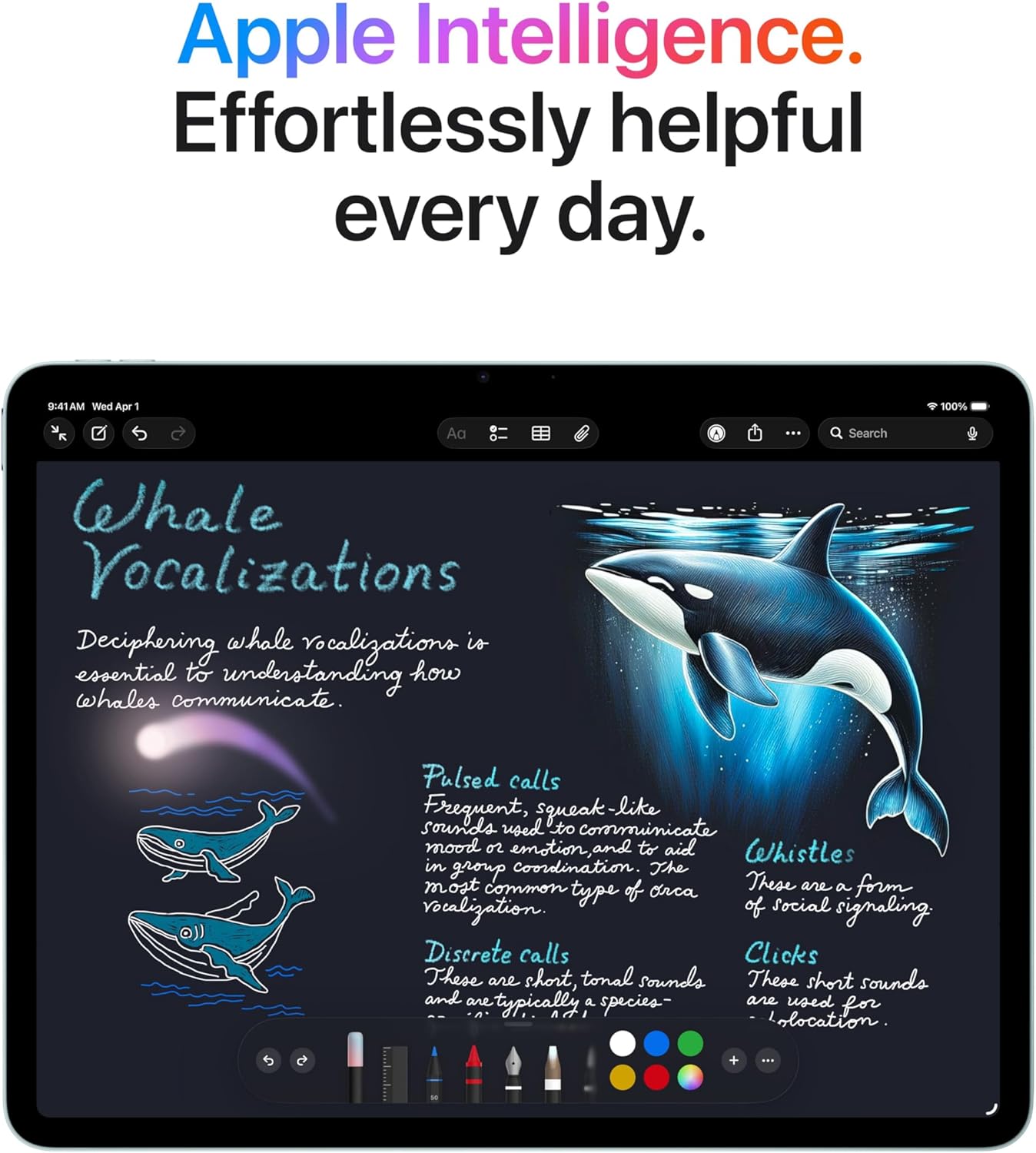
Image: The iPad Air screen showing a detailed note with drawings and text, illustrating how Apple Intelligence can assist with creative and organizational tasks.
3.5 Accesorii
The iPad Air supports Apple Pencil Pro and Apple Pencil (USB-C) for precise input, and the Magic Keyboard for an enhanced typing and trackpad experience.

Image: The iPad Air connected to a Magic Keyboard, showcasing its use as a productivity tool with a full keyboard and trackpad.
3.6 Videoclip oficial al produsului
Video: Un pesteview of the Apple iPad Air, highlighting its design, M4 chip, display, and compatibility with accessories like Apple Pencil Pro and Magic Keyboard. It also showcases its use for work, learning, and entertainment.
4. Configurare
4.1 Pornirea inițială
- Apăsați și mențineți apăsat butonul de sus până când apare logo-ul Apple.
- Urmați instrucțiunile de pe ecran pentru a vă selecta limba și regiunea.
4.2 Conexiune Wi-Fi
- Selectați rețeaua Wi-Fi din listă.
- Introduceți parola dacă vi se solicită.
4.3 Data Transfer and Apple ID
- Choose to restore from a backup (iCloud or computer) or set up as a new iPad.
- Conectează-te cu ID-ul tău Apple sau creează unul nou.
4.4 Touch ID Setup
- Follow the on-screen prompts to register your fingerprint for Touch ID.
- This allows for secure unlocking and purchases.
5. Instrucțiuni de utilizare
5.1 Gesturi de bază
- Robinet: Selectați un element sau activați un buton.
- Beţivan: Navigați prin ecrane sau derulați conținutul.
- Ciupire: Măriți sau micșorați fotografiile și web pagini.
- Multi-finger gestures: Use for multitasking, such as switching between apps or returning to the Home screen.
5.2 Centru de control
Swipe down from the top-right corner of the screen to access Control Center for quick access to settings like Wi-Fi, Bluetooth, brightness, and volume.
5.3 Multitasking
- Despică View: Trageți o aplicație din Dock în lateralul unei aplicații deschise pentru a utiliza două aplicații simultan.
- Glisați peste: Drag an app from the Dock over an open app to use it in a floating window.
5.4 Gestionarea aplicațiilor
- Descărcați aplicații: Use the App Store to find and download applications.
- Organizați aplicații: Tap and hold an app icon to rearrange or delete apps.
6. Întreținere
6.1 Curățarea iPad-ului Air
- Folosiți o lavetă moale, fără scame, pentru a curăța ecranul și exteriorul.
- Avoid abrasive materials, aerosols, solvents, or ammonia-based cleaners.
- Do not spray cleaners directly onto the iPad.
6.2 Îngrijirea bateriei
- Charge your iPad Air using the provided USB-C cable and 20W USB-C power adapter.
- Evitați temperaturile extreme, deoarece acestea pot afecta performanța bateriei.
- For optimal battery health, keep the battery charge between 20% and 80% when possible.
6.3 Actualizări de software
Regularly update your iPadOS to ensure you have the latest features, security enhancements, and bug fixes. Go to Setări > General > Actualizare software.
7. Depanare
7.1 Dispozitivul nu răspunde
If your iPad Air is unresponsive, try a force restart:
- Apăsați și eliberați rapid butonul de creștere a volumului.
- Apăsați și eliberați rapid butonul de reducere a volumului.
- Apăsați și țineți apăsat butonul Sus până când apare sigla Apple.
7.2 Probleme de conexiune Wi-Fi
- Ensure Wi-Fi is enabled in Control Center or Settings.
- Reporniți routerul Wi-Fi.
- Du-te la Setări > Wi-Fi, tap the information icon (i) next to your network, and select "Forget This Network," then reconnect.
7.3 Bateria se descarcă rapid
- Verifica Setări > Baterie pentru a identifica aplicațiile care consumă cea mai multă energie.
- Reduceți luminozitatea ecranului.
- Disable background app refresh for non-essential apps (Setări > General > Actualizare aplicație în fundal).
8. Specificații
| Caracteristică | Descriere |
|---|---|
| Dimensiunile produsului | 11.05 x 8.46 x 0.24 inci |
| Greutatea articolului | 1.36 lire sterline |
| Numărul de model al articolului | MH5T4LL/A |
| Capacitate de stocare a memoriei | 128 GB |
| Dimensiunea ecranului | 13 inchi |
| Rezoluția afișajului maximă | Rezoluție de 2732 x 2048 pixeli la 264 ppi |
| Chip | Cip Apple M4 (procesor cu 8 nuclee, GPU cu 9 nuclee, motor neuronal cu 16 nuclee) |
| Camera foto | 12MP Wide camera (back), Landscape 12MP Center Stage camera (front) |
| Înregistrare video | Up to 4K at 60 fps (back), 1080p HD at 60 fps (front) |
| Celular și wireless | Wi-Fi 7 (802.11be), Bluetooth 6, Thread networking technology |
| Senzori | ID tactil, giroscop pe trei axe, accelerometru, barometru, senzor de lumină ambientală |
| Încărcare și expansiune | USB-C port (supports Charging, DisplayPort, USB 3 up to 10Gb/s) |
9. Garanție și asistență
9.1 Garanția produsului
Your Apple iPad Air is covered by a limited warranty. For details on warranty coverage, including terms and conditions, please refer to the warranty information provided with your purchase or visit the official Apple website-ul.
9.2 Suport tehnic
For technical assistance, troubleshooting, or service inquiries, please contact Apple Support:
- Suport online: Vizita support.apple.com/ipad
- Asistență telefonică: Refer to Apple's regional support numbers available on their website-ul.
- Apple Store: Visit an authorized Apple Store or service provider for in-person assistance.
Before contacting support, please have your iPad Air's serial number ready. This can be found in Setări > General > Despre.