
Introducere
Thank you for choosing the Cillso Smartwatch. This manual provides detailed instructions on how to set up, operate, and maintain your device. This smartwatch features a 1.95-inch HD display, Bluetooth calling capabilities, IP68 water resistance, comprehensive health monitoring including SpO2 and sleep tracking, over 100 sports modes, and integrated Alexa for voice control. Please read this manual carefully to ensure optimal performance and longevity of your smartwatch.
Înființat
1. Încărcarea ceasului inteligent
Before initial use, fully charge your smartwatch. Connect the provided charging cable to the charging port on the back of the watch and to a standard USB power adapter (not included). A full charge typically takes approximately 2 de ore. The watch has a baterie de 300 mAh, oferind 5-7 days of normal use si pana la 30 days of standby time.

Image: The smartwatch display indicating a 1.95-inch screen, 2 hours charging time, 5-7 days normal use, 30 days standby time, and a 300mAh battery capacity.
2. Instalarea și asocierea aplicației
- Descărcați aplicația: Scan the QR code in the quick start guide or search for the companion app (e.g., 'GloryFit' as suggested by watch dial image) in your smartphone's app store (Android or iOS).
- Înregistrare/Autentificare: Urmați instrucțiunile de pe ecran pentru a crea un cont sau pentru a vă conecta.
- Asociați ceasul inteligent: Ensure Bluetooth is enabled on your smartphone. Open the app, navigate to the device section, and select 'Add Device'. Choose your Cillso Smartwatch from the list of available devices. Confirm the pairing request on both your phone and the smartwatch.
Instrucțiuni de operare
1. Navigare de bază
- Touch screen: Glisați în sus, în jos, la stânga sau la dreapta pentru a naviga prin meniuri și notificări. Atingeți pentru a selecta elemente.
- Buton lateral: Press the side button to return to the home screen or to wake up the display.
2. Apeluri prin Bluetooth
Ceasul inteligent suportă Bluetooth 5.3 calling, allowing you to make and receive calls directly from your wrist when connected to your smartphone. It features a microfon incorporat și susține înregistrările apelurilor si pana la 100 contacte.
- Preluarea apelurilor: Când apare o notificare de apel primit, atingeți pictograma telefonului verde pentru a răspunde.
- Respingerea apelurilor: Tap the red phone icon to reject an incoming call.
- Efectuand apeluri: Access the dial pad or contact list on your smartwatch to initiate a call.
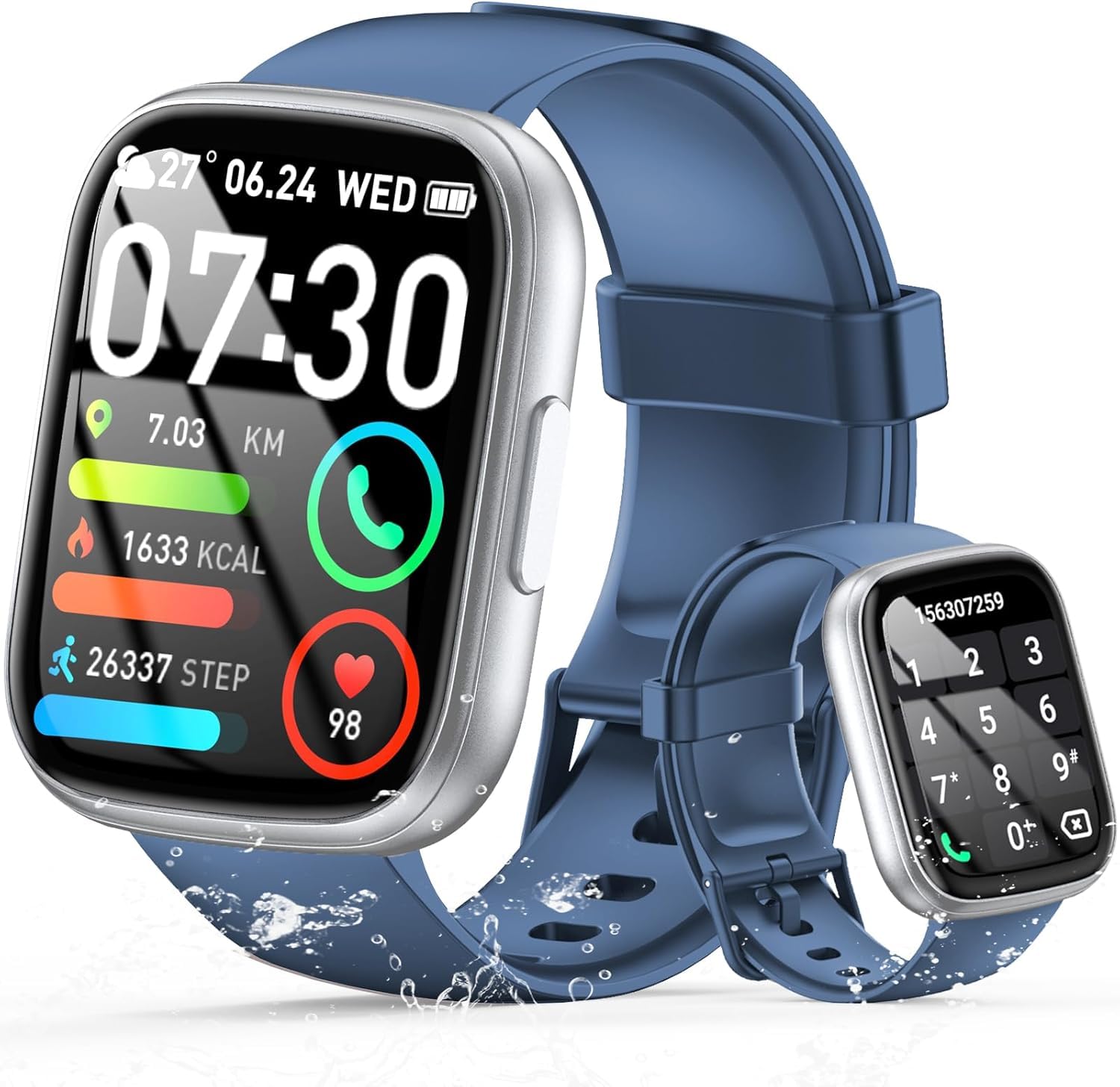
Image: The smartwatch displaying an incoming call, along with icons for built-in mic, Hi-Fi Spectra, call records, and 100 contacts. Examples of dial pad and contact list are also shown.
3. Monitorizarea stării de sănătate
The smartwatch provides continuous health monitoring features to help you track your well-being.
- Monitorizarea ratei cardiace: Ceasul îți monitorizează continuu ritmul cardiac pe tot parcursul zilei. View your heart rate data on the watch or in the app.
- Monitorizarea oxigenului din sânge (SpO2): Măsurați-vă nivelul de saturație a oxigenului din sânge.
- Monitorizarea somnului: Tracks your sleep patterns, including deep sleep, light sleep, and wake times, to provide insights into your sleep quality.

Image: Visual representation of heart rate, blood oxygen (SpO2), and sleep monitoring graphs and data on the smartwatch and a person sleeping while wearing the watch.
4. Moduri Sport
Ceasul inteligent suportă over 100 sports modes to accurately track your workouts. Common modes include running, basketball, climbing, skipping, swimming, and badminton. It tracks metrics such as steps, distance, calories burned, and exercise duration.

Image: A person cycling with the smartwatch, illustrating various sports modes like running, basketball, climbing, skipping, swimming, and badminton. Also shows tracking for steps, distance, and calories.
5. Integrare Alexa
Cu Alexa integrated, you can use voice commands to control music playback, check weather, set alarms, and more directly from your smartwatch.
6. Personalized Watch Dials
Customize your smartwatch with over 200 stylish watch faces available through the companion app. You can also upload your favorite photos to create personalized watch dials. The display features wide color gamut, AM LED technology, and color accuracy.

Imagine: Prezentarea ceasurilor inteligenteasing multiple personalized watch dial options, highlighting wide color gamut, AM LED, and color accuracy features.
7. Caracteristici multifuncționale
- Controlul muzicii: Redați, întrerupeți, săriți peste piese și reglați volumul muzicii redate pe smartphone-ul conectat.
- Controlul camerei: Remotely control your smartphone's camera to frame, focus, and snap photos or start/stop video recording.
- Ceas cu alarmă: Setează alarme care să te trezească sau să-ți reamintească de evenimente importante.
- Alte caracteristici: Includes weather forecasts, stopwatch, timer, and more.

Image: The smartwatch displaying interfaces for music control, remote camera control, and alarm clock settings, along with icons for other features like temperature, weather, and microphone.
Întreţinere
1. Curatenie
Wipe the smartwatch regularly with a soft, dry cloth. For stubborn dirt, use a slightly damp o lavetă și apoi uscați bine. Evitați utilizarea substanțelor chimice dure sau a materialelor abrazive.
2. Rezistență la apă (IP68)
The Cillso Smartwatch is IP68 rezistent la apa, meaning it is protected against dust ingress and can withstand immersion in water up to 1.5 meters for up to 30 minutes. It is suitable for daily use, hand washing, and light rain. However, it is not recommended for hot showers, saunas, or diving, as steam and high water pressure can compromise the seal.
3. Îngrijirea bateriei
- Evitați temperaturile extreme, care pot afecta durata de viață a bateriei.
- Încărcați complet dispozitivul înainte de perioade lungi de inactivitate.
- Utilizați numai cablul de încărcare furnizat.
Depanare
- Ceasul nu se pornește: Asigurați-vă că ceasul este complet încărcat. Conectați-l la încărcător timp de cel puțin 30 de minute.
- Nu se poate conecta la telefon: Asigurați-vă că Bluetooth este activat pe telefon și că ceasul se află în raza de acțiune. Reporniți ambele dispozitive și încercați din nou asocierea prin aplicație.
- Date inexacte privind sănătatea: Asigurați-vă că ceasul este purtat strâns pe încheietura mâinii, nici prea strâns, nici prea lejer. Curățați senzorii în mod regulat.
- Notificări neprimite: Check app permissions on your phone to ensure the companion app has access to notifications. Verify that notifications are enabled within the app settings.
- Alexa nu răspunde: Ensure the watch is connected to your phone and has an active internet connection. Check Alexa settings within the companion app.
Specificații
| Numărul de model | B0GQGYDJS7 |
| Marca | Cillso |
| Dimensiunea ecranului | 1.95 inchi |
| Tehnologia de conectivitate | Bluetooth 5.3 |
| Evaluare de rezistență la apă | IP68 |
| Capacitatea bateriei | 300 mAh (litiu-polimer) |
| Timp de încărcare | Aproximativ. 2 ore |
| Normal Use Battery Life | 7-10 zile |
| Timp de așteptare | Până la 30 de zile |
| Capacitate de stocare a memoriei | 1 GB |
| Intrare interfață umană | Microfon, ecran tactil |
| Componente incluse | Cablu de încărcare |
Garanție și suport
Warranty information for your Cillso Smartwatch is typically provided with your purchase documentation. Please refer to those materials for details regarding warranty coverage and terms. For technical support, product inquiries, or assistance with troubleshooting beyond this manual, please contact Cillso customer service through the contact information provided with your product or on the official Cillso website-ul.