
Introducere
The Roku Hiro 32-inch 720p HD Smart TV offers an integrated Roku streaming experience. This television features an HD display for clear picture quality and speakers with enhanced audio. It supports Bluetooth for private listening with headphones and includes Wi-Fi for internet connectivity. The Roku operating system provides a customizable home screen, access to numerous streaming channels, and automatic updates, making it suitable for various living spaces.
Ce este în cutie
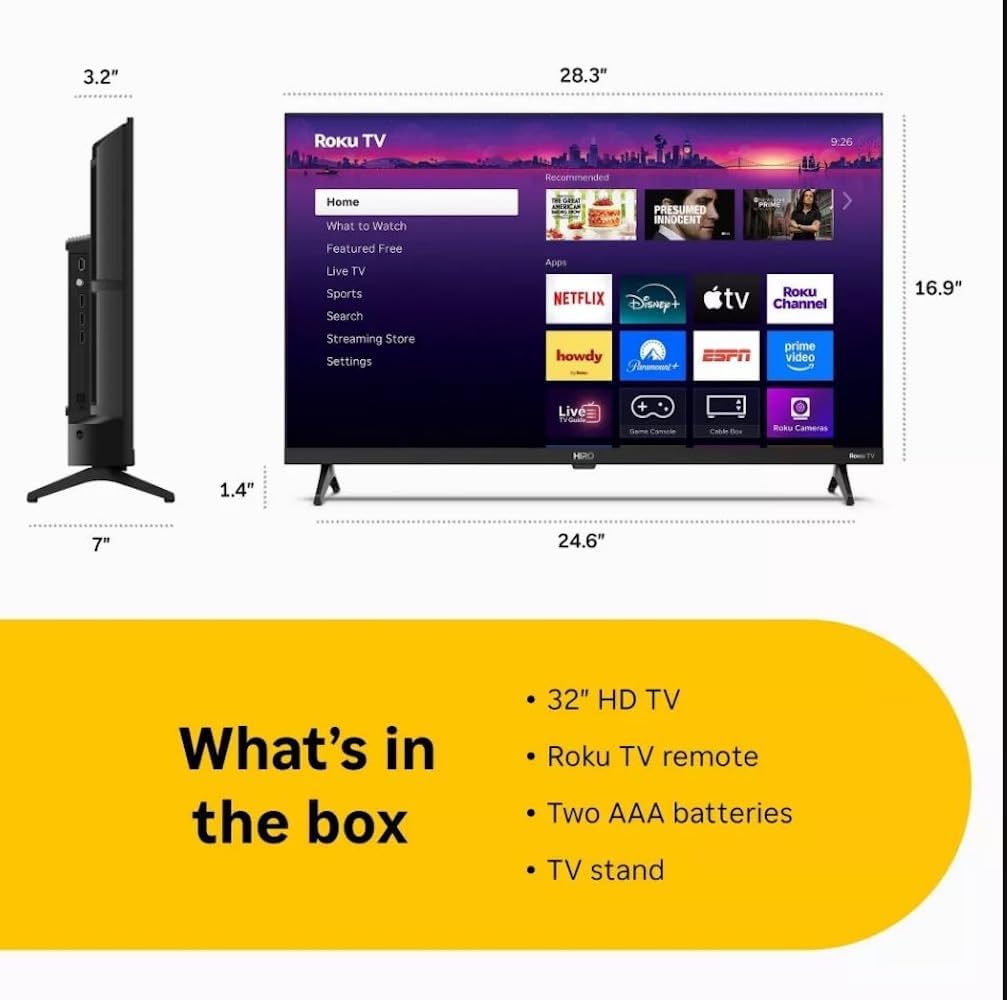
Diagram showing the dimensions of the Roku Hiro 32-inch TV and a list of included accessories: 32-inch HD TV, Roku TV remote, two AAA batteries, and TV stand.
- Hiro 32" 720p HD Smart TV Flat Screen LED Television with Roku TV
- Telecomanda
- Suport TV
- Cablu de alimentare
- Ghidul utilizatorului
Înființat
1. Instalarea standului
Carefully place the TV screen-down on a soft, clean surface to prevent damage. Align the TV stand with the designated slots on the bottom of the TV. Secure the stand using the provided screws. Ensure the stand is firmly attached before proceeding.
2. Conectarea dispozitivelor

Spate view of the Roku Hiro TV, showing the input/output ports including USB, HDMI, and antenna connections.
- Putere: Conectați cablul de alimentare la intrarea de alimentare a televizorului și apoi la o priză de perete.
- HDMI: Connect external devices such as Blu-ray players, game consoles, or cable boxes to the HDMI ports. This TV features 3 HDMI ports.
- USB: Folosiți portul USB pentru redarea fișierelor media de pe o unitate USB.
- Audio optic: Connect an external sound system using an optical audio cable for enhanced sound.
- Antena/Cablu: Connect an antenna or cable TV feed to the RF input for over-the-air or cable channels.
3. Configurare inițială
After connecting all necessary cables, power on the TV. Follow the on-screen instructions to:
- Selectați limba dvs.
- Conectați-vă la rețeaua dvs. Wi-Fi.
- Activează-ți contul Roku (sau creează unul nou).
- Scan for available channels if an antenna is connected.
Instrucțiuni de operare
Funcții de control de la distanță

Close-up of the Roku TV remote control, highlighting buttons for TV power, volume, mute, sleep timer, instant replay, options, and app shortcuts.
- Buton de alimentare: Pornește sau oprește televizorul.
- Pad direcțional (D-Pad): Navighează prin meniuri și selectează elemente.
- Buton OK: Confirmă selecțiile.
- Buton Acasă: Revine la ecranul principal Roku.
- Butonul Înapoi: Revine la ecranul anterior.
- Volum sus/jos: Reglează volumul televizorului.
- Buton mut: Dezactivează sau activează sunetul televizorului.
- Butoane de comandă rapidă pentru aplicații: Direct access to popular streaming services (e.g., Netflix, Disney+, Apple TV+, Prime Video).
- Temporizator de somn: Sets a timer for the TV to turn off automatically.
- Reluare instantanee: Jumps back a few seconds in supported content.
- Opțiuni: Accesses additional settings or information for the current content.
Navigating the Roku OS

The Roku TV home screen interface, showing recommended content and various streaming applications.
The Roku home screen provides access to all your streaming channels, inputs, and settings. Use the D-Pad on your remote to navigate through the menu options on the left and the app grid on the right. You can customize the order of your channels by highlighting an app, pressing the * (Options) button, and selecting 'Move channel'.
Conținut în flux
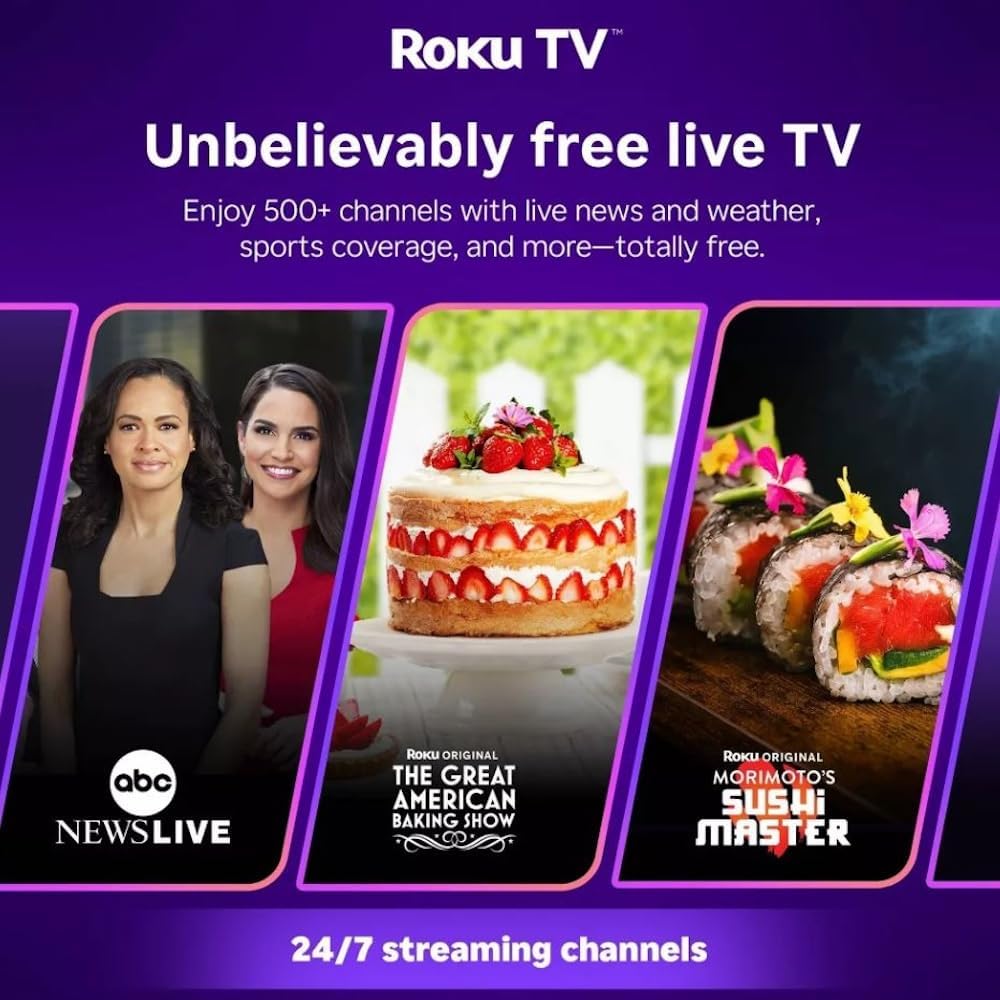
Roku TV interface promoting free live TV channels, featuring examples like ABC News Live, The Great American Baking Show, and Morimoto's Sushi Master.
Access a wide range of streaming services and free content through the Roku Channel Store. The Roku platform offers over 500 free channels, including live television, movies, and news. Use the 'Search' function on the home screen to find specific titles or channels.
Caracteristici audio

Roku Hiro TV displaying the home screen with various streaming apps, emphasizing enhanced audio quality.
The TV features enhanced audio quality. For private listening, you can pair Bluetooth headphones directly with the TV. Navigate to Settings > Remotes & devices > Bluetooth devices > Pair new device to connect your headphones.
Întreţinere
Curățarea televizorului
- Deconectați întotdeauna televizorul înainte de curățare.
- Folosiți o lavetă moale, fără scame, pentru a șterge ușor ecranul și carcasa.
- Pentru pete persistente, frecați ușorampClătiți laveta cu apă sau cu o soluție de curățare a ecranului blândă, neabrazivă. Nu pulverizați soluția de curățare direct pe ecran.
- Evitați utilizarea substanțelor chimice dure, a bureților abrazivi sau a solvenților.
Actualizări de software
The Roku TV automatically checks for and installs software updates when connected to the internet. To manually check for updates, go to Setări > Sistem > Actualizare software.
Depanare
| Problemă | Soluţie |
|---|---|
| Fără putere | Asigurați-vă că cablul de alimentare este conectat corect atât la televizor, cât și la o priză electrică funcțională. Încercați o altă priză. |
| Nu există imagine, dar există sunet | Verificați sursa de intrare. Apăsați butonul Acasă button on the remote and select the correct input. Ensure all HDMI cables are securely connected. |
| Nu există sunet, dar imaginea este prezentă | Verificați nivelul volumului și asigurați-vă că televizorul nu este dezactivat. Dacă utilizați un sistem audio extern, verificați conexiunile și setările. |
| Nu se poate conecta la Wi-Fi | Verificați parola Wi-Fi. Reporniți routerul și modemul. Accesați Setări > Rețea > Configurați conexiunea to reconfigure. |
| Telecomanda nu funcționează | Înlocuiți bateriile din telecomandă. Asigurați-vă că nu există obstacole între telecomandă și senzorul IR al televizorului. |
Specificații
| Numele modelului | H32C2C4 |
| Dimensiunea ecranului | 32 inchi |
| Tehnologia de afișare | LED |
| Rezoluţie | 720p |
| Rata de reîmprospătare | 60 Hz |
| Sistem de operare | Roku OS |
| Tehnologia de conectivitate | Bluetooth, HDMI, Optical Audio, USB, Wi-Fi |
| Total Number of HDMI Ports | 3 |
| Total porturi USB | 1 |
| Dimensiuni produs (D x L x H) | 3.2" D x 28.3" L x 16.9" H |
| Greutatea articolului | 7.5 lire sterline |
| Voltage | 120 volți (AC) |
| Tip de montare | Suport de masă |
| Culoare | Negru |
Informații despre garanție
This Roku Hiro TV is covered by a 90-day Replacement Warranty. Please retain your proof of purchase for any warranty claims. For detailed terms and conditions, refer to the warranty documentation included with your product or visit the official Roku support website-ul.
Sprijin
For further assistance, troubleshooting guides, or to contact customer support, please visit the official Roku support website. You can find comprehensive FAQs and contact information there.