
Introducere
Welcome to your new Yamaha YDP105 Digital Piano. This manual provides essential information for setting up, operating, maintaining, and troubleshooting your instrument. Please read it thoroughly to ensure proper use and to maximize your playing experience.
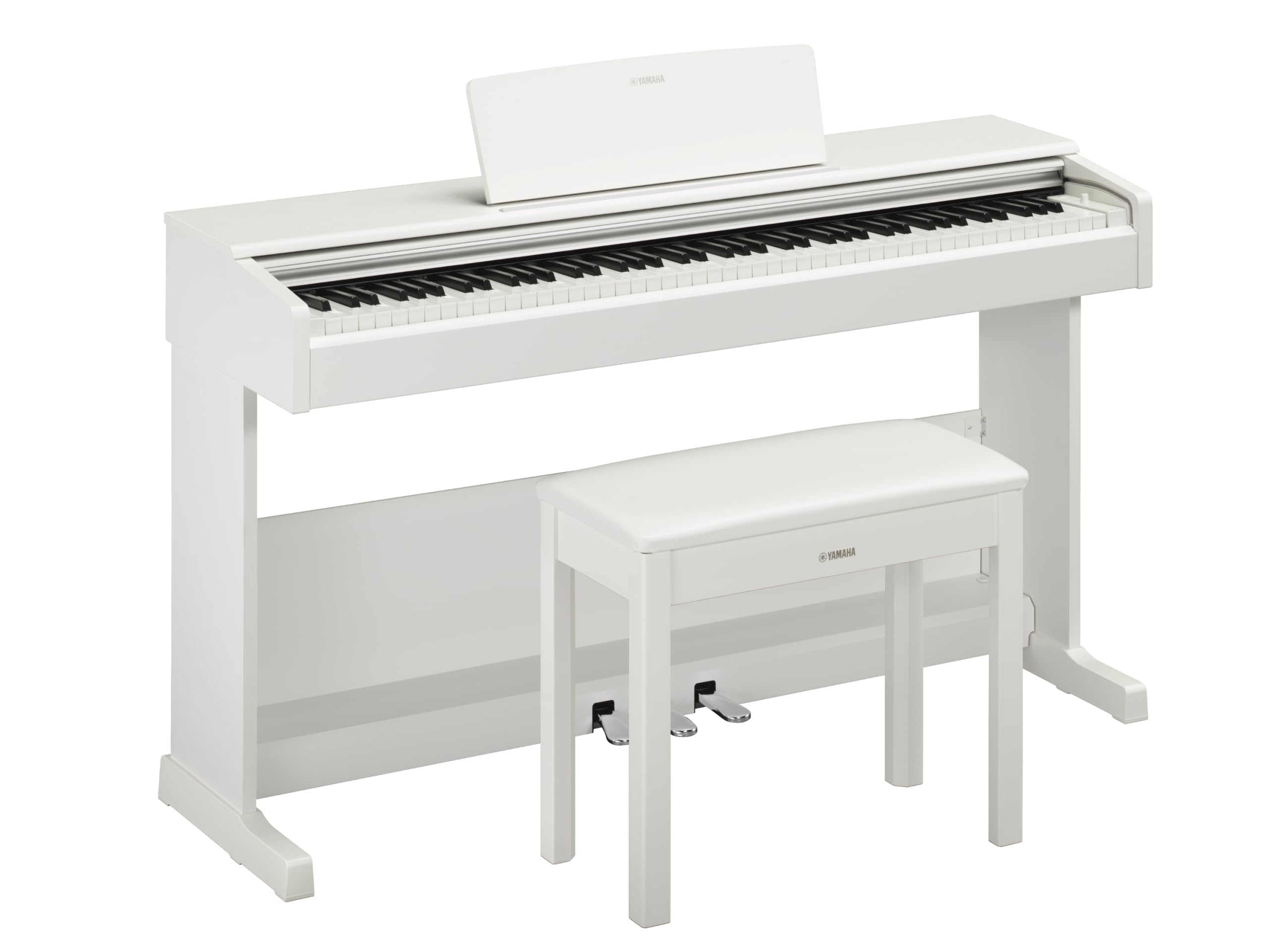
This image shows the Yamaha YDP105 digital piano in a white finish, positioned in a modern living room environment, highlighting its elegant design.
Instrucțiuni importante de siguranță
- Alimentare electrică: Folosiți doar adaptorul de alimentare specificat. Asigurați-vă că voltajultage se potrivește cu sursa de alimentare locală.
- Apă și umiditate: Do not expose the instrument to rain, moisture, or excessive humidity. Keep liquids away from the piano.
- Ventilare: Asigurați o ventilație adecvată în jurul instrumentului. Nu blocați orificiile de ventilație.
- Locaţie: Place the piano on a stable, level surface. Avoid direct sunlight, heat sources, and areas with excessive dust or vibrations.
- Manipulare: Handle the instrument with care. Avoid dropping or subjecting it to strong impacts.
- Service: Nu încercați să reparați instrumentul singur. Apelați la personal calificat pentru toate lucrările de service.
Înființat
Despachetarea
Carefully remove all components from the packaging. Ensure all included items are present: the piano unit, bench, 3-pedal unit, power adapter, and music rest.
Asamblare
The Yamaha YDP105 requires some assembly. Follow these steps:
- Attach the side panels to the main keyboard unit using the provided screws.
- Secure the pedal unit to the assembled frame.
- Attach the backboard.
- Place the music rest into its slot on the keyboard unit.
- Asamblați banca conform instrucțiunilor sale separate.

This image shows the fully assembled Yamaha YDP105 digital piano in white, complete with its matching bench and music rest.
Conexiune de alimentare
Connect the supplied power adapter to the DC IN jack on the rear of the piano and then to a standard AC outlet.
Pedal Unit Connection
Ensure the 3-pedal unit cable is securely connected to the corresponding jack on the piano.

This image displays a close-up of the three-pedal unit, showing the sustain, sostenuto, and soft pedals.
Instrucțiuni de operare
Pornire/Oprire
Apăsați tasta PUTERE buton pentru a porni sau opri instrumentul.
Controlul volumului
Utilizați VOLUMUL PRINCIPAL knob to adjust the overall sound level.
Selectarea vocilor (sunete de instrument)
The YDP105 features 10 instrument voices. To select a voice:
- Apăsați tasta VOCE buton.
- Use the keyboard keys to select the desired voice as indicated in the manual's voice list.

This image shows a close-up of the control panel on the left side of the keyboard, highlighting the "GRAND PIANO" and "FUNCTION" buttons.
Utilizarea căștilor
The piano includes dual headphone jacks for private practice or duets. Connect standard 3.5mm headphones to either jack.

This image shows a pair of headphones resting on the top surface of the digital piano, near the keys.
Smart Pianist App Integration
Enhance your experience by connecting the YDP105 to the Yamaha Smart Pianist app. This app allows for intuitive control of piano functions, access to scores, and learning tools. Refer to the Smart Pianist app's documentation for detailed connection and usage instructions.

This image displays the icon for the Yamaha Smart Pianist App, featuring a stylized piano keyboard and musical notes.
Întreţinere
Curatenie
Ștergeți instrumentul cu o cârpă moale și uscată. Pentru murdăria persistentă, folosiți o cârpă ușor uscată.amp cloth and then wipe dry. Avoid abrasive cleaners, solvents, or polishes.
Depozitare
Depozitați pianul într-un mediu stabil, ferit de lumina directă a soarelui, temperaturi extreme și umiditate ridicată.
Moving the Instrument
When moving the piano, ensure it is powered off and disconnected from the power source. Handle with care to prevent damage.
Depanare
Fără sunet
- Verificați dacă alimentarea este pornită.
- Asigurați-vă că volumul este ridicat.
- Dacă sunt conectate căști, deconectați-le pentru a verifica ieșirea difuzorului.
- Verificați dacă toate cablurile sunt conectate în siguranță.
Cheile nu răspund
- Power cycle the instrument (turn off, then on again).
- Ensure no objects are obstructing the keys.
Pedals Not Working
- Check the pedal unit cable connection.
- Ensure the pedal unit is correctly assembled and positioned.
Specificații
| Caracteristică | Detaliu |
|---|---|
| Numele modelului | YDP-105 |
| Numărul de chei | 88 |
| Tip cheie | Graded Hammer Standard (GHS) keyboard with matte black keytops |
| Atingeți Răspuns | Dur/Mediu/Moale/Fix |
| Voci | 10 (including Grand Piano) |
| Polifonie | 64 de note |
| Pedale | 3 (Damper with half pedal effect, Sostenuto, Soft) |
| Conectivitate | USB to Host, Headphone Jacks (2 x Standard Stereo Phone Jack) |
| Difuzoare | 12cm x 2 |
| Ampmai în viață | 8 L x 2 |
| Dimensiuni (L x A x H) | 1357 mm x 422 mm x 815 mm (53.44" x 16.63" x 32.09") |
| Greutate | 37.5 kg (82.7 lbs) |
| Alimentare electrică | PA-150B or an equivalent recommended by Yamaha |
Informații despre garanție
The Yamaha YDP105 Digital Piano comes with a 1-year manufacturer warranty. Yamaha Corporation of America is committed to the quality and craftsmanship of its products. This limited warranty applies only to products purchased from an authorized Yamaha retailer in the fifty United States (including the District of Columbia) and used within this area. For complete warranty details and terms, please refer to the official Yamaha website-ul web sau contactați serviciul de asistență pentru clienți Yamaha.
Asistență pentru clienți
Pentru asistență suplimentară, asistență tehnică sau solicitări de service, vă rugăm să vizitați site-ul oficial Yamaha. website-ul sau contactați departamentul de servicii pentru clienți.