
1. Introducere
The KAIWEETS KT401TE Socket Tester is a compact and reliable device designed to quickly and accurately check the wiring status of electrical outlets. It helps identify common wiring faults such as missing ground, open neutral, live/ground reverse, and live/neutral reverse. Equipped with an LCD display and LED indicators, it provides clear visual feedback on the outlet's condition, ensuring electrical safety in your home or workplace. This manual provides detailed instructions for the safe and effective use of your KT401TE Socket Tester.
2. Instrucțiuni de siguranță
Please read and understand all safety instructions before using the KAIWEETS KT401TE Socket Tester. Failure to follow these instructions may result in electric shock, fire, or personal injury.
- Nu utilizați the tester if it appears damaged or is not functioning correctly.
- Nu utilizați the tester in wet conditions or with wet hands.
- Do not attempt to open or modify the tester. There are no user-serviceable parts inside.
- Always ensure the tester is fully inserted into the socket before reading results.
- This device is for testing purposes only. It is not a substitute for professional electrical inspection sau repararea.
- When performing the RCD (Residual Current Device) test, ensure no sensitive equipment is connected to the circuit, as it will trip the RCD.
- Always disconnect power before working on electrical wiring.
- A nu se lăsa la îndemâna copiilor.
3. Produs terminatview
The KAIWEETS KT401TE Socket Tester features a robust design for durability and ease of use. It includes an LCD screen for voltage readings and multiple LED indicators for quick wiring status checks.
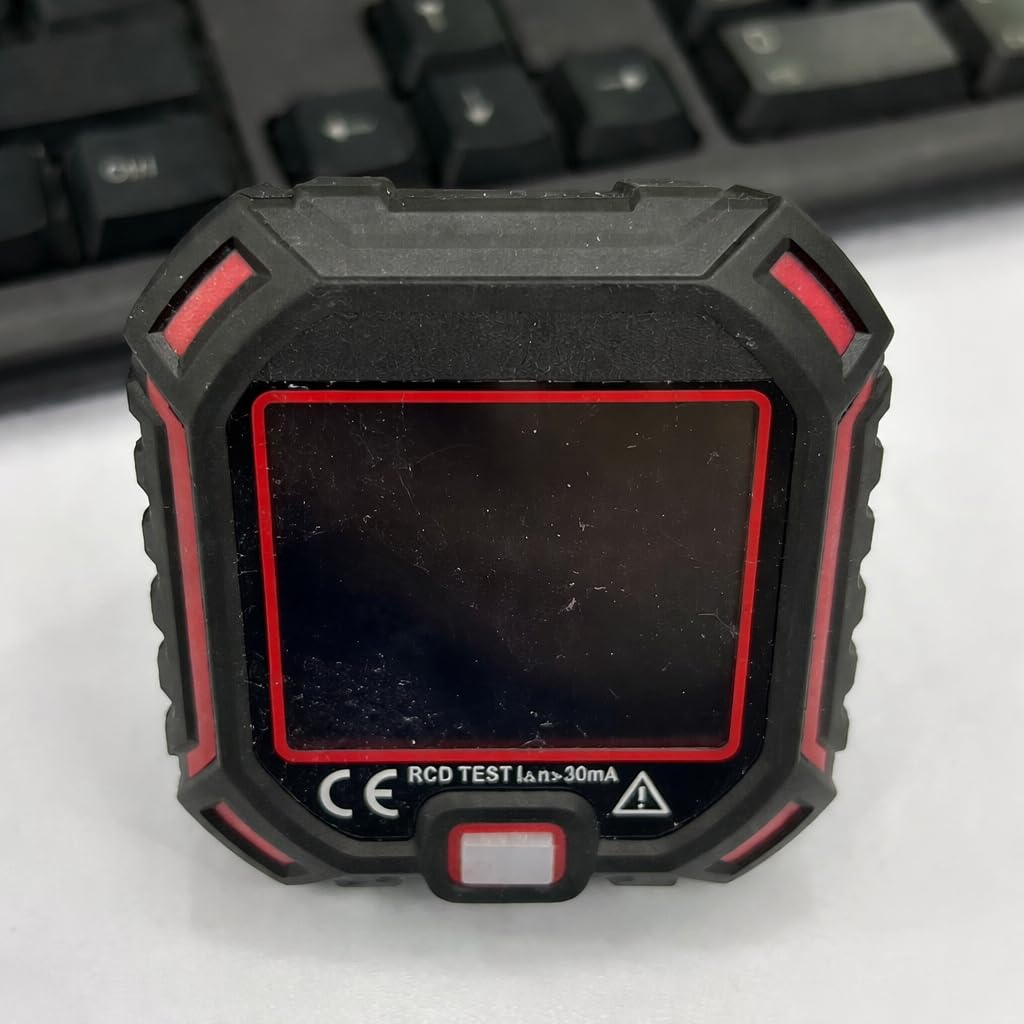
Figura 1: Faţă view of the KAIWEETS KT401TE Socket Tester. This image shows the device's main body, the LCD display, and the three indicator lights located above the display. The plug prongs are visible at the bottom.
Componente:
- Display LCD: Afișează volumul în timp realtage (L-N, L-E, N-E) and RCD trip current.
- Indicatoare LED: Three lights (L1, L2, L3) that illuminate in specific patterns to indicate wiring status.
- Buton de testare RCD: Inițiază testul dispozitivului de curent rezidual.
- Plug Prongs: For insertion into standard electrical outlets.
4. Configurare
The KAIWEETS KT401TE Socket Tester requires no complex setup. It is ready for use directly out of the packaging.
- Ensure the socket tester is clean and free from any visible damage.
- Locate the electrical outlet you wish to test.
- Carefully insert the KAIWEETS KT401TE Socket Tester into the outlet, ensuring a firm and complete connection.
- The device will power on automatically and begin testing the wiring.
5. Basic Operation (Wiring Test)
Once plugged into an active socket, the KT401TE will immediately display the wiring status and voltage lecturi.
- Insert the Tester: Plug the KT401TE firmly into the electrical outlet.
- Observați indicatorii LED: Refer to the "Understanding Indicators" section to interpret the pattern of the three LED lights. A "Correct Wiring" indication (usually two green lights) signifies a properly wired outlet.
- Citiți afișajul LCD: The LCD will show voltage măsurători:
- LN: Voltage between Live and Neutral.
- L-E: Voltage between Live and Earth (Ground).
- N-E: Voltage between Neutral and Earth (Ground).
- Remove Tester: Once you have noted the readings, carefully pull the tester straight out of the socket.
Figura 2: The KAIWEETS KT401TE Socket Tester inserted into a wall outlet, displaying its readings. This illustrates the device in active use, showing the illuminated display and indicator lights.
6. RCD (Residual Current Device) Test
The RCD test function verifies the proper operation of your Residual Current Device (also known as GFCI in some regions), which is a critical safety feature designed to prevent electric shock.
Important: Before performing an RCD test, ensure that no sensitive electronic equipment (computers, TVs, etc.) is connected to the circuit you are testing, as the RCD will trip, cutting power to the circuit.
- Plug in the Tester: Insert the KT401TE into the socket you wish to test. Ensure the wiring is indicated as "Correct Wiring" before proceeding.
- Press RCD Test Button: Press the RCD test button located on the front of the device.
- Observați călătoria: A properly functioning RCD should trip (cut power to the circuit) within a few milliseconds. The LCD display will show the trip current.
- Reset RCD: If the RCD trips, reset it at your consumer unit/breaker box.
- Fără călătorie: If the RCD does not trip, it indicates a fault with the RCD or the wiring. Do not use this outlet and consult a qualified electrician immediately.
7. Understanding LED Indicators and Display Messages
The KT401TE uses a combination of three LED lights and an LCD display to communicate the wiring status. Refer to the table below for interpretation.
| LED Indicators (L1 L2 L3) | Starea cablajului | Acțiune necesară |
|---|---|---|
| Off Off On (Green) | Cablajul corect | Safe to use. |
| On Off Off (Red) | Missing Earth (Ground) | Do not use. Consult an electrician. |
| Off On Off (Red) | Deschide Neutru | Do not use. Consult an electrician. |
| On On Off (Red) | Live / Earth Reverse | Do not use. Consult an electrician. |
| Off Off Off (No lights) | Deschide Live (or no power) | Check circuit breaker. If no power, consult an electrician. |
| On Off On (Red) | Live / Neutral Reverse | Do not use. Consult an electrician. |
Note: The specific LED patterns (L1, L2, L3) for each fault condition are illustrative. Always refer to the markings on your specific device or the included quick guide for exact patterns. The LCD display will also provide voltage readings that can help diagnose issues.
8. Întreținere
The KAIWEETS KT401TE Socket Tester is designed for minimal maintenance.
- curatenie: Ștergeți dispozitivul cu o lavetă moale și uscată. Nu utilizați substanțe de curățare abrazive sau solvenți.
- Depozitare: Depozitați testerul într-un loc răcoros și uscat, ferit de lumina directă a soarelui și de temperaturi extreme.
- Inspecţie: Periodically inspect the tester for any signs of damage, such as cracks in the casing or bent prongs. If damage is found, discontinue use immediately.
9. Depanare
If you encounter issues with your KAIWEETS KT401TE Socket Tester, refer to the following common problems and solutions:
- Tester does not power on or display anything:
- Ensure the tester is fully inserted into a live electrical outlet.
- Check if the circuit breaker for the outlet has tripped.
- If the outlet is confirmed live and the tester still doesn't work, the tester may be faulty.
- RCD test does not trip the circuit:
- Ensure the outlet wiring is indicated as "Correct Wiring" before performing the RCD test.
- The RCD itself may be faulty. This requires immediate attention from a qualified electrician.
- Citiri inconsistente:
- Ensure the tester is firmly and completely inserted into the socket.
- Test another known good outlet to verify the tester's functionality.
For any issues not covered here, or if problems persist, please contact KAIWEETS customer support.
10. Specificații
| Caracteristică | Detaliu |
|---|---|
| Numărul de model | KT401TE |
| Marca | KAIWEETS |
| Dimensiuni | 8.4 x 7.4 x 7.3 cm |
| Greutate | 130 de grame |
| Componente incluse | Tester de soclu |
| Funcționalitate | Wiring Test (Earth, Neutral, Live), RCD Test, Voltage Measurement (L-N, L-E, N-E) |
11. Garanție și asistență
KAIWEETS products are manufactured to high-quality standards. For information regarding warranty coverage, technical support, or service, please refer to the warranty card included with your product or visit the official KAIWEETS website. Please have your model number (KT401TE) and purchase date available when contacting support.