
1. Produs terminatview
The Hunter ZenTech 52 Inch Smart Ceiling Fan (Model 53638) is designed for both indoor and covered outdoor spaces, offering quiet, efficient performance with advanced smart home integration. This 5-blade fan features a slim DC motor, adjustable LED lighting with TrueLight technology, and Wi-Fi connectivity for control via the HunterSMART app, Amazon Alexa, Google Assistant, and Apple HomeKit. It is ENERGY STAR certified and damp-rated for versatile use.
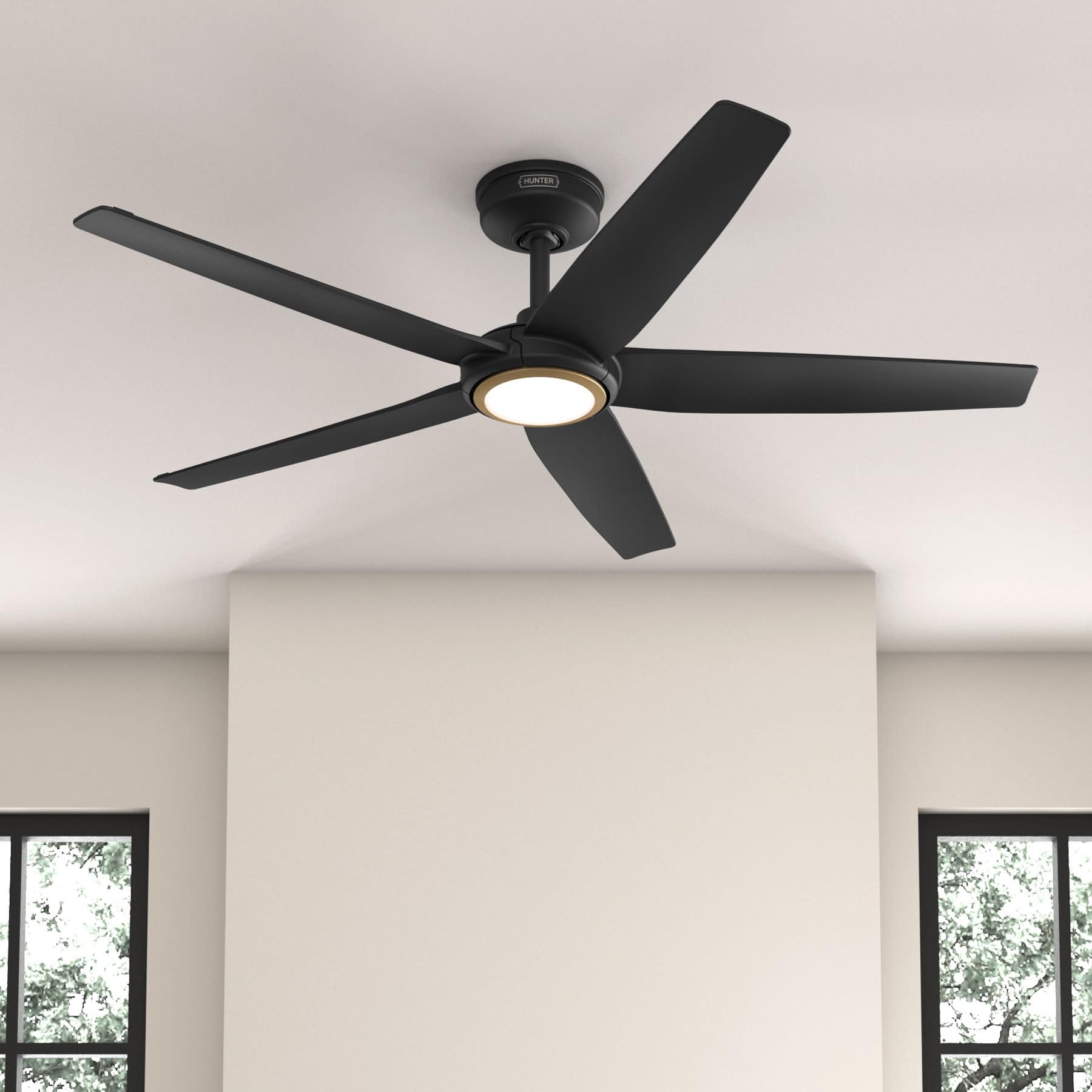
Figure 1: Hunter ZenTech 52 Inch Smart Ceiling Fan (Matte Black)
Caracteristici cheie:
- Design avansat: Ultra-slim DC motor for powerful, quiet airflow and a modern aesthetic.
- Integrare Smart Home: HunterSMART technology for app and voice control via Amazon Alexa, Google Assistant, and Apple HomeKit.
- Iluminare LED reglabilă: TrueLight LED offers 10 brightness levels and 10 color temperatures, protected by a durable Duralight lens.
- SureSpeed Guarantee: Delivers strong, consistent airflow with quiet, wobble-free performance.
- Eficient energetic: ENERGY STAR certified reversible 6-speed DC motor.
- Damp Evaluat: Suitable for indoor and covered outdoor areas.
2. Instrucțiuni importante de siguranță
Citiți cu atenție toate instrucțiunile înainte de a începe instalarea. Nerespectarea acestor instrucțiuni poate duce la electrocutare, incendiu sau vătămări corporale.
- Deconectați întotdeauna alimentarea cu energie de la întrerupătorul principal înainte de instalare sau service.
- Asigurați-vă că toate conexiunile electrice respectă codurile și ordonanțele locale. Dacă nu sunteți familiarizat cu cablajul electric, consultați un electrician calificat.
- Structura de montare trebuie să fie capabilă să susțină greutatea ventilatorului (aproximativ 14.11 kg).
- Do not bend blade brackets during installation or cleaning.
- Nu țineți mâinile lângă palele ventilatorului atunci când acesta funcționează.
- Acest ventilator este damp-rated for use in covered outdoor areas but should not be exposed directly to water.
3. Conținutul pachetului
Verificați dacă toate componentele enumerate mai jos sunt prezente în pachet înainte de a începe instalarea.
- Carcasa motorului ventilatorului de tavan
- 5 Fan Blades
- Light Kit with Duralight Lens
- Tijă de susținere de 6 inci
- Copertină și suport de montare
- Telecomanda portabila
- Pachet de accesorii (șuruburi, șaibe, piulițe de sârmă)

Figure 2: ZenTech 52 Inch Fan Components
4. Ghid de instalare
Professional installation is recommended. Ensure the power is OFF at the circuit breaker before starting.
4.1 Montarea ventilatorului
- Secure the mounting bracket to the ceiling junction box. The junction box must be listed for fan support.
- Assemble the downrod (6-inch included, compatible with up to 24-inch downrods) to the fan motor housing.
- Hang the fan assembly from the mounting bracket.
- Complete electrical wiring connections as per the wiring diagram provided in the full manual.
- Atașați palele ventilatorului la carcasa motorului.
- Install the light kit and Duralight lens.

Figure 3: ZenTech Fan installed in a covered outdoor space
5. Instrucțiuni de utilizare
The ZenTech fan can be operated using the included handheld remote control or through the HunterSMART app.
5.1 Operarea telecomenzii
- Fan On / Off: Apăsați butonul ventilatorului pentru a porni sau opri ventilatorul.
- Viteza ventilatorului: Folosește butoanele de viteză pentru a comuta între cele 6 viteze ale ventilatorului.
- Lumina Pornită / Oprită: Apăsați butonul de lumină pentru a aprinde sau stinge lumina.
- Diminuarea intensității luminii: Hold the light button to dim or brighten the light.
- Temperatura de culoare: Press the color temperature button to cycle through different color temperatures (warm to cool).
- Funcția inversă: Press the reverse button to change the fan's direction for seasonal use.
5.2 LED Light Control (TrueLight Technology)
The TrueLight LED system allows for precise control over your lighting environment. You can select from 10 brightness levels and 10 color temperatures to match your preference.

Figure 4: TrueLight LED Technology for adjustable lighting
6. Integrare Smart Home
The ZenTech fan features HunterSMART technology, enabling seamless integration with popular smart home ecosystems.
6.1 Connecting to HunterSMART App
- Download the HunterSMART app from your device's app store.
- Follow the in-app instructions to create an account and add your ZenTech fan.
- Ensure your fan is powered on and your mobile device is connected to a 2.4 GHz Wi-Fi network during setup.
6.2 Voice Control Compatibility
Once connected to the HunterSMART app, you can link your fan to:
- Amazon Alexa
- Asistent Google
- Apple HomeKit
Refer to the respective smart home platform's instructions for linking smart devices.

Figure 5: HunterSMART Control Options
7. Îngrijire și întreținere
Întreținerea regulată asigură performanța optimă și durata de viață a ventilatorului de tavan.
- curatenie: Dust the fan blades and motor housing periodically with a soft, lint-free cloth. For damp-rated areas, wipe down with a slightly damp cloth, then dry thoroughly. Do not use abrasive cleaners or solvents.
- Verificarea etanșeității: Annually, check all screws and connections for tightness. Vibrations can cause them to loosen over time.
- Kit de lumină: The LED light source is designed for long life and is not user-serviceable.
8. Ghid de depanare
If you encounter issues with your ZenTech ceiling fan, refer to the table below for common problems and solutions.
| Problemă | Cauza posibila | Soluţie |
|---|---|---|
| Ventilatorul nu pornește | Nu există alimentare cu energie a ventilatorului; Conexiuni ale cablurilor slăbite; Bateria telecomenzii este descărcată. | Verificați întrerupătorul de circuit; Verificați dacă toate conexiunile firelor sunt fixe; Înlocuiți bateria telecomenzii. |
| Lumina nu funcționează | No power to the light kit; Loose wire connection; Light kit malfunction. | Check circuit breaker; Verify light kit wiring; Contact customer support if LED is faulty. |
| Ventilatorul se clătină | Loose blades or blade holders; Improperly balanced blades; Loose mounting bracket. | Ensure all blade screws are tight; Use a blade balancing kit (not included); Tighten mounting bracket screws. |
| Funcțiile inteligente nu se conectează | Incorrect Wi-Fi network (not 2.4 GHz); Incorrect app setup; Router issues. | Ensure connection to 2.4 GHz Wi-Fi; Re-attempt app setup; Restart router and fan. |
9. Specificatii tehnice
| Caietul de sarcini | Detaliu |
|---|---|
| Marca | Vânător |
| Numele modelului | ZenTech |
| Numărul de model | 53638 |
| Dimensiune | 52 inci |
| Culoare | Negru Mat |
| Dimensiunile produsului | 52" D x 52" L x 11.78" H |
| Greutatea articolului | 14.11 lire sterline |
| Numărul de lame | 5 |
| Tip motor | DC |
| Numărul de viteze | 6 |
| Capacitatea fluxului de aer | 5443.94 de picioare cubi pe minut |
| Wattage | 17 wați |
| Voltage | 120 volți |
| Utilizare în interior/exterior | Interior, Acoperit, Exterior (Damp Evaluat) |
| Caracteristici speciale | LED Light, Quiet Operation, Water Resistant, Wi-Fi Enabled |
| Tip controler | Control prin aplicație, Telecomandă |
| Certificari | ETL, Energy Star, FCC |
| Lungimea tijei | 6 inci (inclus) |
10. Informații despre garanție
The Hunter ZenTech 52 Inch Smart Ceiling Fan is backed by Hunter's commitment to quality. It includes a limited lifetime motor warranty, ensuring long-term confidence in your product. For full warranty details and terms, please refer to the documentation included with your fan or visit the official Hunter Fan Company website-ul.
11. Asistență pentru clienți
If you require further assistance, have questions about installation, operation, or troubleshooting that are not covered in this manual, please contact Hunter Fan Company customer support. You can typically find contact information on the official Hunter Fan Company website-ul sau în ambalajul produsului.